
I keep coming back to a simple test when reviewing themes: does it hold up once the novelty of the wallpaper wears off? A lot of releases look great for the first five minutes and then start feeling incomplete once you actually dig into your Settings or notifications. Maxos26 HyperOS Theme, built by itss mann, passed that test without much trouble.
Where Maxos26 HyperOS Theme Redesign Actually Reaches
Too many themes focus entirely on the home screen and leave everything else looking untouched. Maxos26 HyperOS Theme doesn’t take that shortcut, here’s what actually gets covered:
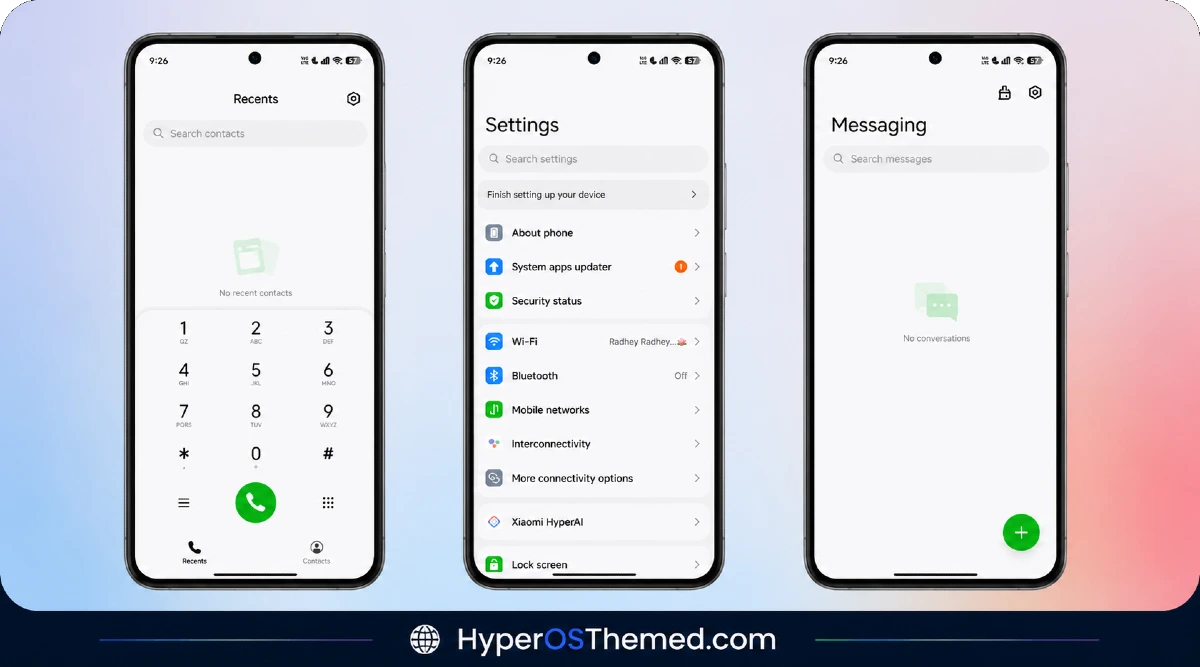
- Settings app — reorganized, not just recolored
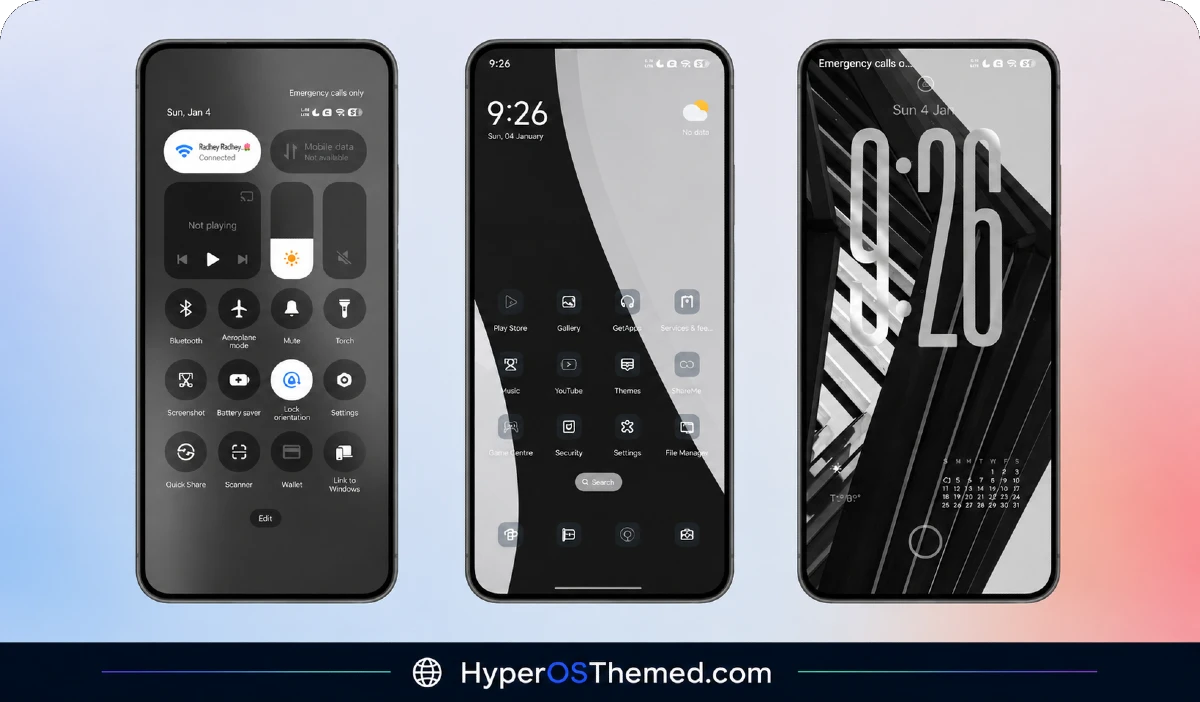
- Notification panel — matches the rest of the theme’s visual identity
- Control Center — cleaner toggles and improved layout
- Dialer and messaging UI — no mismatched stock screens left behind
- System apps — even the smaller, easy-to-forget apps get pulled into the redesign
That kind of reach is honestly the biggest reason this theme deserves proper attention rather than a quick mention in a roundup post.
The Details That Actually Matter
- Redesigned icon pack — simple, minimalistic shapes with a well balanced color palette that reads clearly in both light and dark mode
- Improved status bar and quick settings — cleaner toggles, better spacing, and text that’s genuinely easy to read at a glance
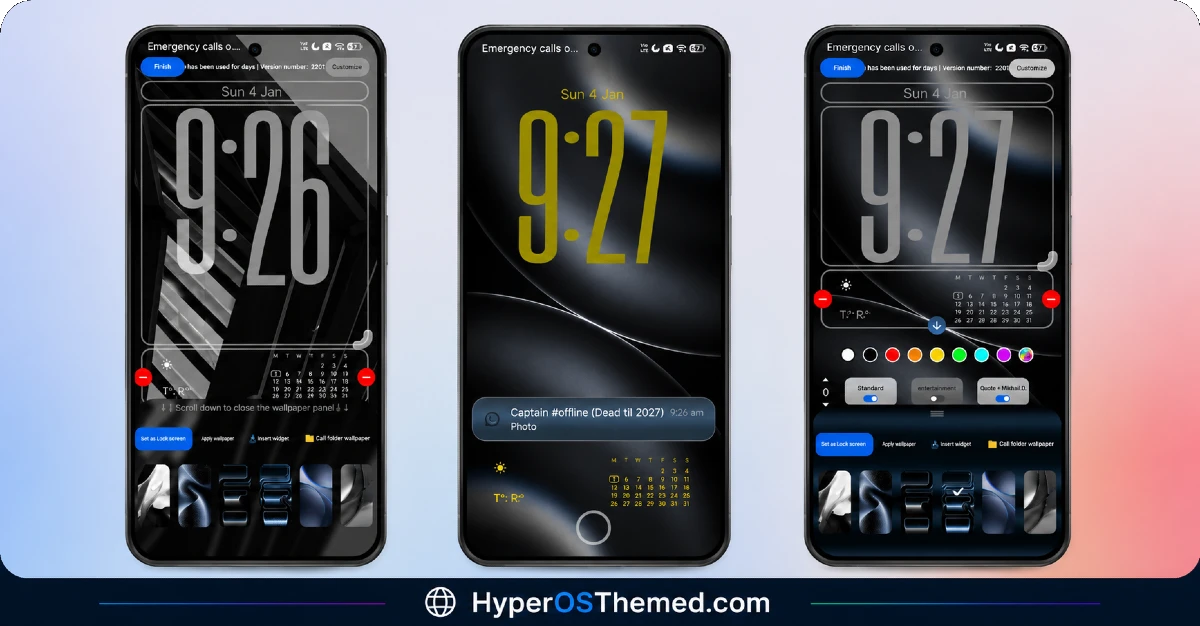
- Simplified lock screen — a clear time display, easy to read notifications, and fonts chosen for legibility over style
- Reorganized Settings menu — better grouping of options, consistent spacing, and a layout that makes finding what you need noticeably faster
- Consistent typography and contrast — nothing feels mismatched or hard to read across different apps
Maxos26 HyperOS Theme Preview
How It Holds Up in Daily Use
This is where Maxos26 HyperOS Theme really earns the recommendation:
- No noticeable battery drain
- No background scripts or hidden services running
- Stable performance across different devices
- Runs smoothly on both mid-range Redmi phones and flagship Xiaomi devices
- Subtle animations that add polish without ever slowing things down
That last point matters more than people realize, a lot of themes throw in animations purely for show and end up costing you in lag. Maxos26 avoids that mistake entirely.
Maxos26 HyperOS Theme Compatibility
Maxos26 HyperOS Theme supports HyperOS 2 and HyperOS 3, and it’s built for the full Xiaomi lineup:
- Xiaomi series smartphones
- Redmi series devices
- POCO smartphones
It works with HyperOS 2 (Android 14 based) and HyperOS 3 (Android 15/16 based rollout). Since HyperOS 3 brings a smoother animation engine and better memory management under the hood, this theme genuinely benefits from that foundation rather than just sitting on top of it. One note worth keeping in mind: a few UI elements might look slightly different depending on your specific device model or software version.
Maxos26 HyperOS Theme Details
| Detail | Info |
|---|---|
| Theme Name | Maxos26 |
| Designer | itss mann |
| Compatibility | HyperOS 2, HyperOS 3 |
| Availability | Xiaomi Theme Store |
| Supported Devices | Xiaomi, Redmi, POCO |
Getting the Theme
Installing on Global Stable ROM
If your device is running the standard HyperOS or MIUI Global stable build, here’s how to install it:
- Open this page using the Firefox browser, since it handles the redirect best.
- Tap the Official Theme Store Link above.
- The page will open in Chinese, which is expected. Tap the three dots in the top right corner and select “Open in app.”
- This opens the Theme Store app, where the download will begin.
- Once it’s downloaded, tap Apply.
If the Official Theme Store Link doesn’t open properly, switch to Chrome or your phone’s default browser. Some third party browsers don’t handle this redirect correctly.
One thing worth remembering: restart your device if anything looks slightly off after applying. A quick reboot usually clears it up right away. I tested this theme myself, and it ran cleanly with no issues at all.
Final Thoughts
Maxos26 HyperOS Theme isn’t chasing attention with bold colors or flashy effects, it wins you over through consistency and genuine attention to detail across the entire system. itss mann clearly built this one with everyday use in mind, not just a good first impression. If you want a clean, professional, distraction-free interface that doesn’t compromise on battery life or performance, this is a solid pick worth trying on your own device.
- Super26 HyperOS Theme iOS Style Skins For POCO, Redmi and Xiaomi Devices
- iOS ProMotion Theme Xiaomi HyperOS for Poco, Redmi and Xiaomi devices
- Premium Cool HyperOS Theme For POCO, Redmi and Xiaomi Phones
- Best HyperUI V4 HyperOS Theme For Poco, Redmi and Xiaomi Devices
- 27OS HyperOS Theme: Best iOS-Inspired Theme For Redmi, Xiaomi Devices
