
Debut releases are always interesting to review; you get to see exactly how a designer approaches a completely new platform for the first time. Hyper Businessman HyperOS Theme is BoZinsky’s first theme built specifically for HyperOS, and after testing it out, I can say this is a genuinely confident starting point.
Hyper Businessman HyperOS Theme Design Approach
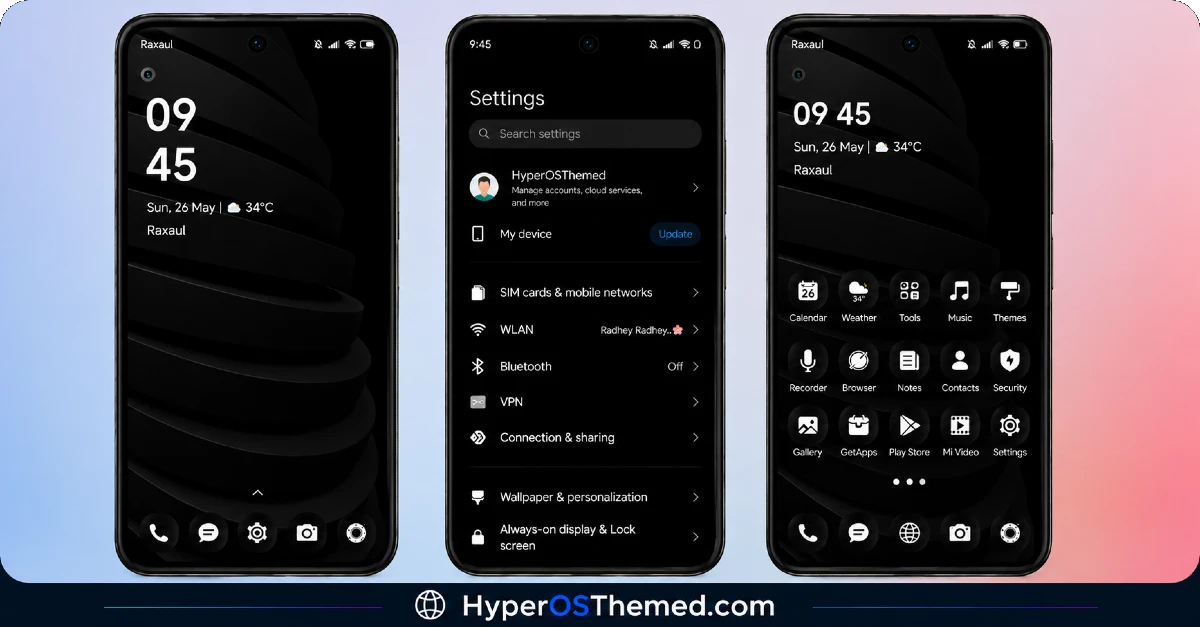
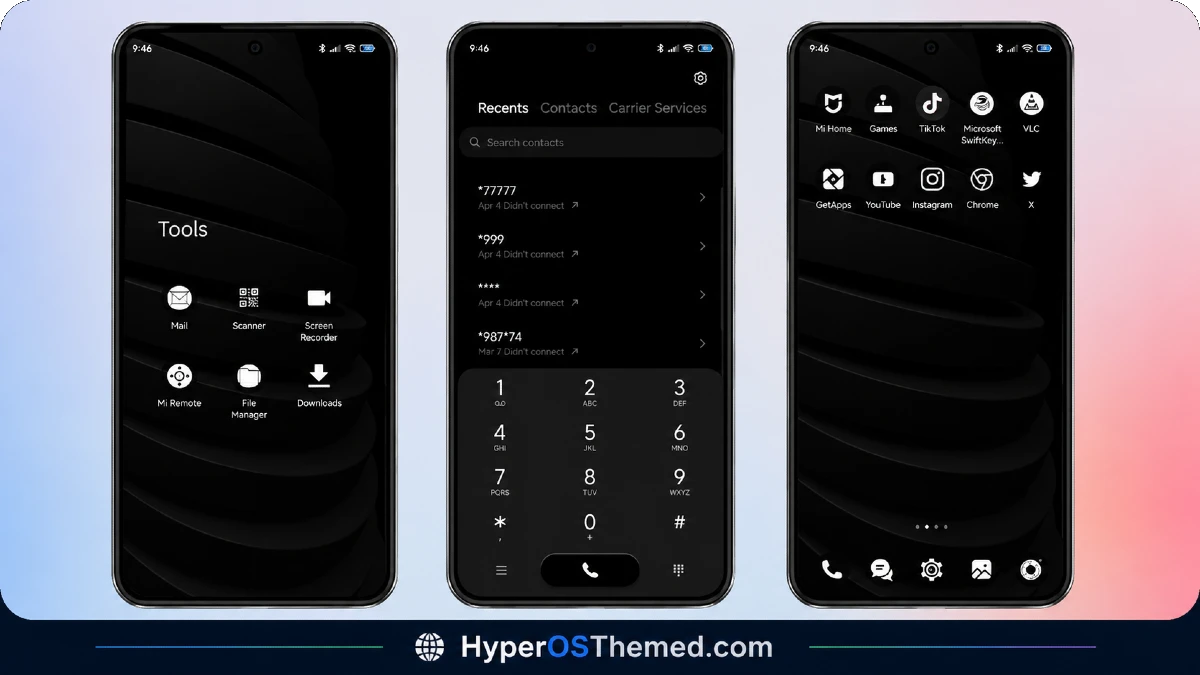
This theme keeps things deliberately restrained, a strict black and white palette with subtle grey accents, and dark mode only. There’s no attempt to chase trends or throw in unnecessary color, and that discipline actually works in its favor. It reads as sharp, professional, and exactly the kind of look you’d want if your phone doubles as something you’re pulling out in meetings or around colleagues.
What You Actually Get in Hyper Businessman HyperOS Theme
- Strict black, white, and grey color scheme — no unnecessary color, just clean contrast throughout
- Dark mode exclusive design — built specifically around dark mode rather than adapted from a light theme afterward
- Fine pixel detailing — the designer clearly paid attention to small visual precision rather than rushing the icon and UI work
- Dynamic lock screen — fully configurable, so you’re not stuck with a single fixed layout
- Quick settings access — tapping the upper left icon on the lock screen takes you straight into the theme’s settings page, a nice shortcut most themes don’t bother including
Hyper Businessman HyperOS Theme Preview
A Small Detail about Hyper Businessman HyperOS Theme
The lock screen customization panel is currently available in English and Italian only. If you’re comfortable in either language, this won’t affect you at all, but it’s worth mentioning since some other themes offer broader language support for their settings menus.
Why Hyper Businessman HyperOS Theme Is Worth Trying
What stands out most about Hyper Businessman is how complete it feels for a first release. The icons are properly redesigned, the wallpapers match that same monochrome business aesthetic, the status bar and lock screen carry the same tone throughout, and the Always-on Display stays consistent with everything else. Nothing here feels like a rushed introduction to theming, it feels like someone who understood exactly what they wanted to build.
If you want your Xiaomi, Redmi, or POCO device to look sharp, minimal, and professional without leaning into flashy colors or effects, this is a strong pick.
Hyper Businessman HyperOS Theme Details
| Detail | Info |
|---|---|
| Theme Name | Hyper Businessman |
| File Size | 18.99 MB |
| Designer | BoZinsky |
| Region/Server | Global |
| Compatibility | HyperOS |
| Features | Black & White Design, Dark Mode Only, Dynamic Lock Screen, Fine Pixel Detailing |
| Settings Language | English, Italian |
The designer left a personal note with this release too, mentioning it’s their first theme built for the new OS and describing it as “fine pixeled for a fine person,” a small but nice touch of personality behind the download.
Getting the Theme
Installing on Global Stable ROM
If your device is running the standard HyperOS or MIUI Global stable build, here’s how to install it:
- Open this page using the Firefox browser, since it handles the redirect best.
- Tap the Official Theme Store Link above.
- The page will open in Chinese, which is expected. Tap the three dots in the top right corner and select “Open in app.”
- This opens the Theme Store app, where the download will begin.
- Once it’s downloaded, tap Apply.
If the Official Theme Store Link doesn’t open properly, switch to Chrome or your phone’s default browser. Some third party browsers don’t handle this redirect correctly.
One thing worth remembering: restart your device if anything looks slightly off after applying. A quick reboot usually clears it up right away. I tested this theme myself, and it ran smoothly with no issues at all.
Final Thoughts
Hyper Businessman shows exactly what a well thought out debut theme can look like. Between the disciplined black and white palette, the fine pixel detailing, and a fully configurable lock screen, BoZinsky set a high bar for a first HyperOS release. If a sharp, minimal, professional look is what you’re after, this one’s absolutely worth downloading.
You may Also Like:
