
Every now and then a theme comes along that makes me stop mid-scroll and actually check the file details twice, just to make sure I read them right. 27OS HyperOS Theme did exactly that. When I saw the icon count listed in the details- over 1300+ individually crafted icons- I knew this wasn’t a quick side project. Designer 安月 clearly put serious hours into this one.
The First Thing You’ll Notice about 27OS HyperOS Theme
The wallpaper sets the tone immediately, warm beige and sand tones blended into an abstract, almost minimalist backdrop. It’s a departure from the darker, moodier palettes a lot of iOS-style themes lean on, and honestly, that warmth makes the whole interface feel calmer and more inviting the second you unlock your phone.
Paired with that wallpaper is what the designer calls a “pure UI” approach, and after using it for a while, that description fits. There’s no visual clutter, no mismatched elements fighting for attention, just a clean, considered layout that echoes the refined feel of iOS 27 without copying it outright.
Why the Icon Count Actually Matters
I want to sit on this point for a second because it’s easy to skim past a number like “1300+ icons” without really appreciating what it means. Most themes cover your core apps, maybe 100 to 200 icons, and leave everything else looking mismatched with stock HyperOS icons peeking through. That inconsistency is honestly one of the biggest giveaways of a rushed theme.
27OS HyperOS Theme Xiaomi avoids that problem almost entirely. With this many icons covering such a wide range of apps, you’re far less likely to open something and get pulled out of the experience by a random default icon sitting next to all your themed ones. As far as iOS-inspired themes for HyperOS go, this level of coverage is genuinely rare.
What Else You’re Getting
Beyond the icon library, 27OS HyperOS Theme includes customizable widgets, so you’re not locked into one static layout, and a polished lock screen that displays weather information alongside the time, a small practical touch that adds real function to a screen most themes only treat as decoration. The full UI theming extends further too, status bar, Always-on Display, and general system consistency all follow the same warm, clean aesthetic.
27OS HyperOS Theme Preview
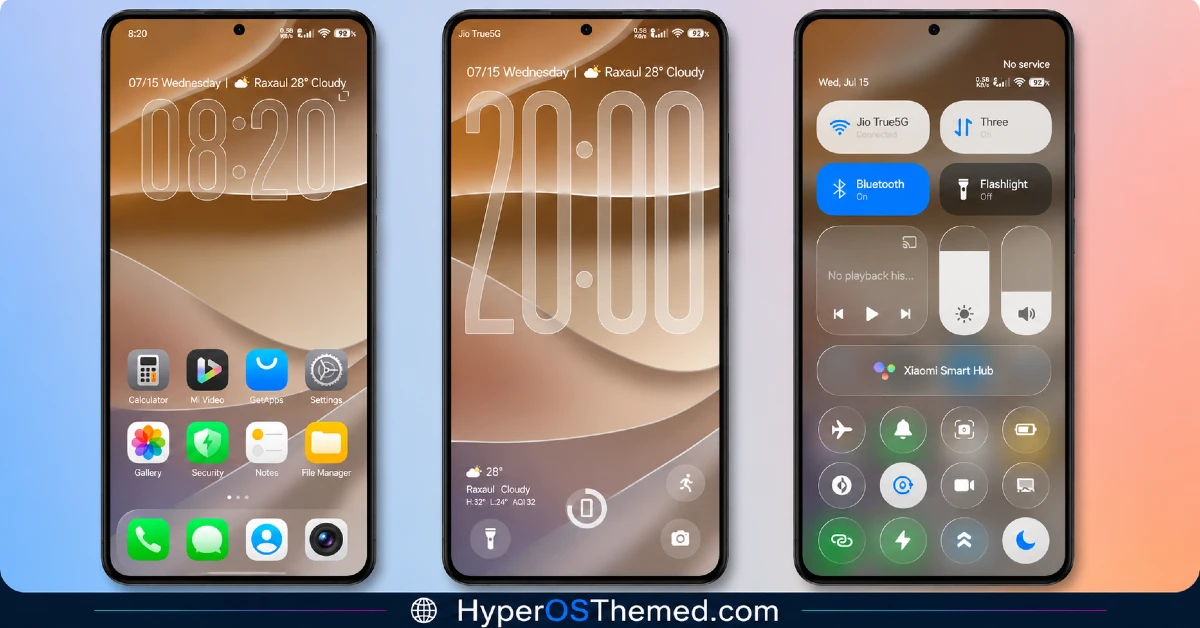
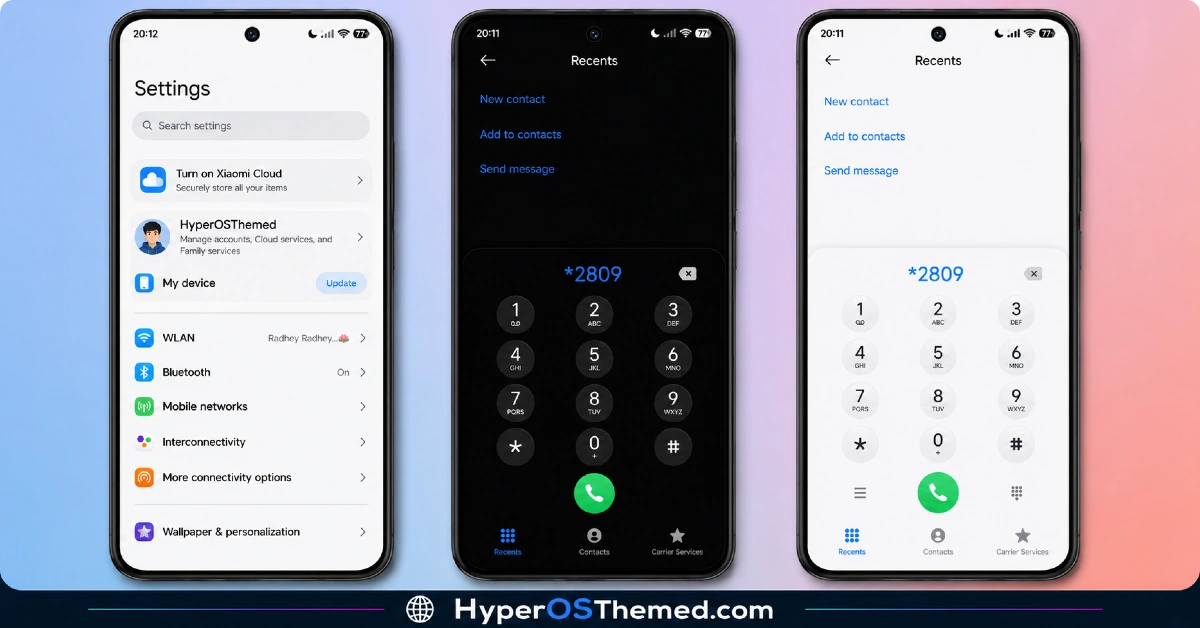
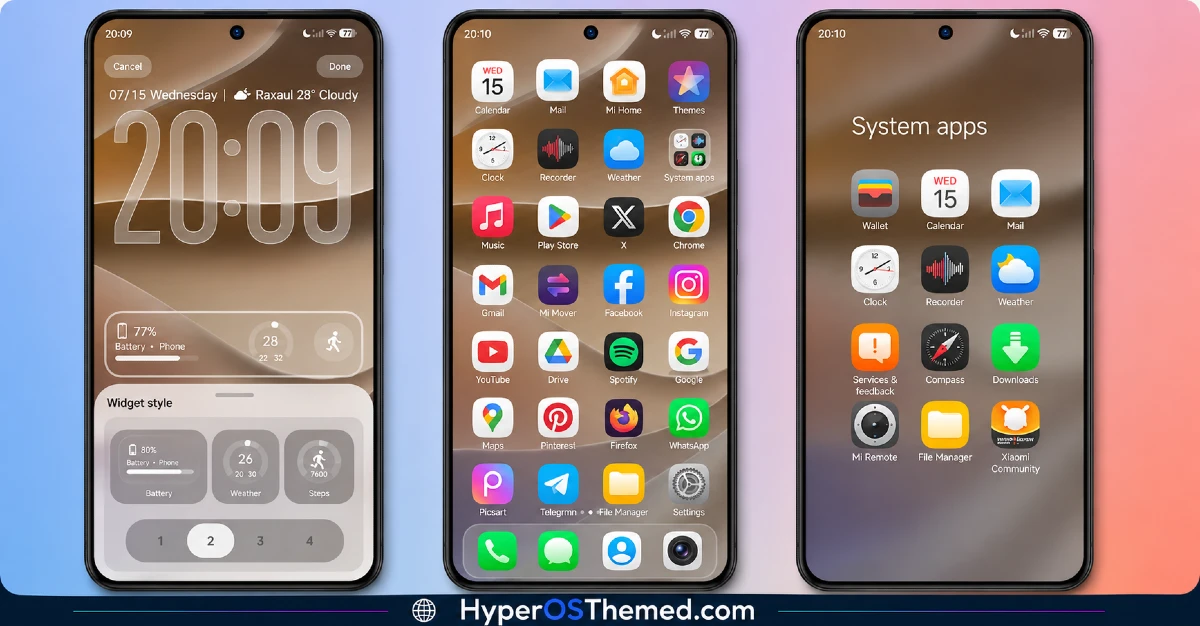
Who Should Try 27OS HyperOS Theme?
If you’ve been hunting for an iOS-inspired theme for HyperOS that doesn’t cut corners, this is one of the stronger options I’ve come across. It’s compatible with HyperOS, HyperOS 2.0, and HyperOS 3.0, and works across Xiaomi, Redmi, and POCO devices, so most readers here should be able to install it without issue.
Given the file size and icon count, it’s a heavier download than most themes on the site, but the payoff in consistency and polish makes it worth the extra megabytes.
27OS HyperOS Theme Theme Details
| Detail | Info |
|---|---|
| Theme Name | 27OS |
| File Size | 47.57 MB |
| Designer | 安月 |
| Region/Server | China |
| Compatibility | HyperOS, HyperOS 2.0, HyperOS 3.0 |
| Features | iOS 27 Style, 1300+ Custom Icons, Pure UI Design, Customizable Widgets |
Getting the Theme
Installing on Custom ROMs
Running a custom build like Xiaomi.eu, MIUIRoom, or similar? Here’s the manual install method using the mtz file:
- Download the 27OS mtz file from the link above.
- Open the Theme Store app and go to the Themes section.
- Scroll to the bottom and tap Import.
- Select the downloaded mtz file.
- Tap Apply.
One thing worth remembering: restart your device if anything looks slightly off after applying. A quick reboot usually clears it up right away. I tested this theme myself, and given how much it covers, it ran surprisingly smoothly with no issues.
Final Thoughts
The 27OS HyperOS theme is proof that going all-in on consistency pays off. Between the warm, minimal aesthetic and that genuinely impressive icon library, 安月 built something that feels complete rather than half finished. If you want one of the most thorough iOS-inspired themes for HyperOS currently available, this is absolutely worth the download.
You May Also Like:
