
Not every theme needs to reinvent your entire phone to be worth downloading. Sometimes a simple, well executed idea is enough, and that’s exactly what Breaking_V9 HyperOS Theme brings to the table. After trying it out on my own device, I think this one deserves a spot for anyone who wants a light, clean refresh without a dramatic overhaul.
What Breaking_V9 HyperOS Theme Is About
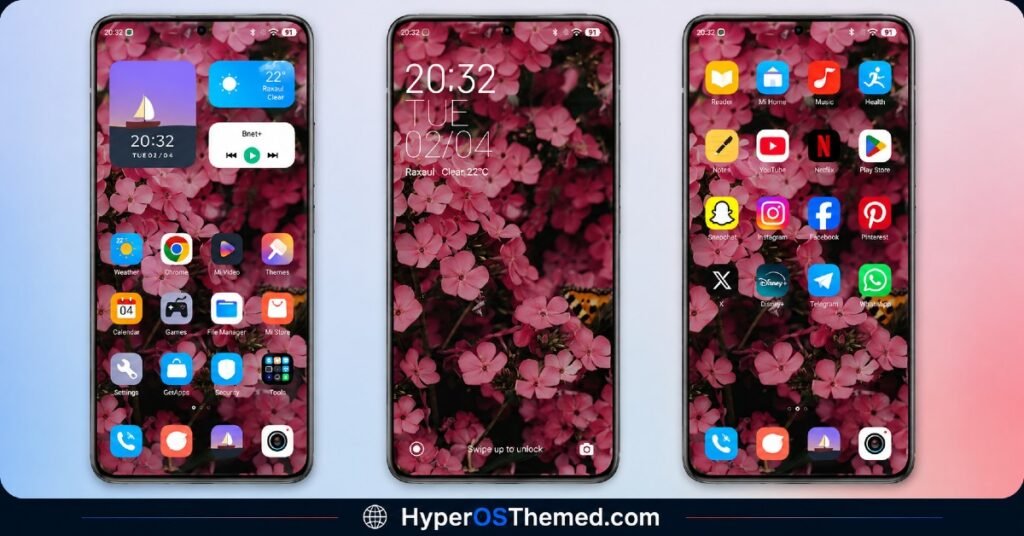
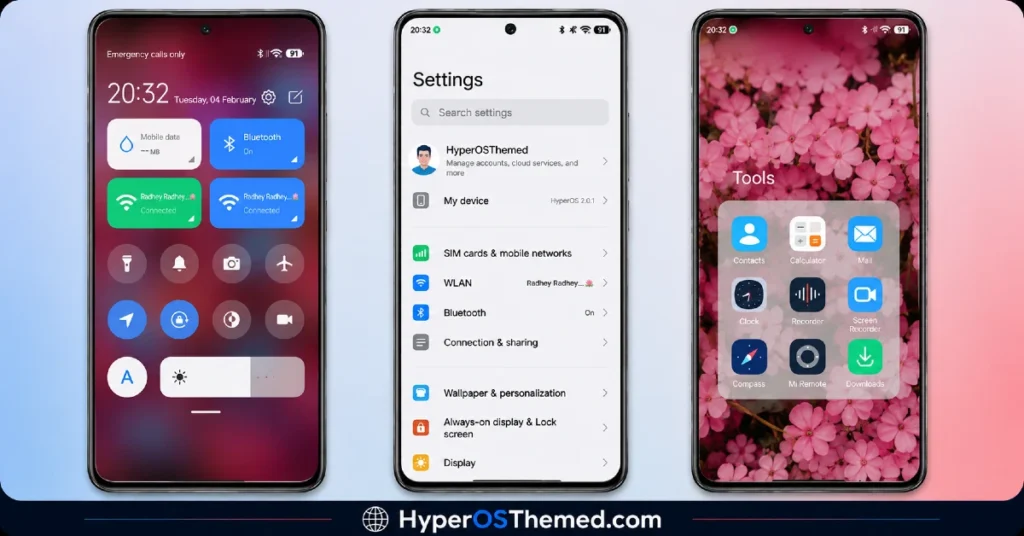
The Breaking_V9 HyperOS theme centers around a floral design, but it’s handled with a lighter touch than you might expect from that description. Instead of loud, oversized flower graphics taking over the screen, designer Bnet+ kept things simple, soft floral elements woven into the wallpaper that add character without feeling overwhelming or cluttered.
That same restraint carries through the icon set too. The new icons feel clean and consistent, nothing flashy, but nothing generic either. It’s the kind of theme that trades boldness for balance, and honestly, that approach works well if you’re someone who wants your phone to feel refreshed rather than completely transformed.
Why Simplicity Works Here
A lot of themes chase attention with dramatic colors, 3D effects, or oversized clock designs. Breaking_V9 takes the opposite route, and it’s a nice change of pace. The status bar, lock screen, and Always-on Display all follow that same understated floral and simple aesthetic, so the whole interface feels calm and cohesive rather than trying to compete for your attention at every turn.
If you’ve been scrolling through theme after theme that all feel loud or busy, this one is a good reminder that clean and simple can still look genuinely good.
Breaking_V9 HyperOS Theme preview
Who Should Download It
The Breaking_V9 HyperOS theme is a solid pick if you’re on a Xiaomi, Redmi, or POCO device and you want a light refresh rather than a total redesign. It’s free, easy to install, and doesn’t demand much from your device given its relatively small file size.
Theme Details
| Detail | Info |
|---|---|
| Theme Name | Breaking_V9 |
| File Size | 16.59 MB |
| Designer | Bnet+ |
| Region/Server | Global |
| Compatibility | HyperOS |
| Features | Floral Design, New Icon Set, Simple UI |
Getting the Theme
Installing on Global Stable ROM
If your device is running the standard HyperOS or MIUI Global stable build, here’s how to install it:
- Open this page using the Firefox browser, since it handles the redirect best.
- Tap the Official Theme Store Link above.
- The page will open in Chinese, which is expected. Tap the three dots in the top right corner and select “Open in app.”
- This opens the Theme Store app, where the download will begin.
- Once it’s downloaded, tap Apply.
If the Official Theme Store Link doesn’t open properly, switch to Chrome or your phone’s default browser. Some third party browsers don’t handle this redirect correctly.
One thing worth remembering: restart your device if anything looks slightly off after applying. A quick reboot usually clears it up right away. I tested this theme myself, and it ran smoothly without any issues.
Final Thoughts
The Breaking_V9 HyperOS theme won’t be the flashiest option on the site, and that’s kind of the point. It’s a clean, simple, floral-inspired refresh that proves you don’t need dramatic visuals to make your phone feel new again. If a light, understated look is what you’re after, this one’s worth the quick download. Give it a try and let me know what you think.
You May Also Like:
- GODKING7 HyperOS Theme Best for POCO, Xiaomi & Redmi Phones
- Best iOS Style HyperOS theme Black for POCO, Xiaomi and Redmi Devices
- Blackess Pro iOS Style Theme for HyperOS with Dynamic Island
- Shadowed Gleam MIUI Theme Best for POCO, Redmi and Xiaomi Phones
- iOS ProMotion Theme Xiaomi HyperOS for Poco, Redmi and Xiaomi devices
- Luci77V15 HyperOS Theme Best for POCO, Xiaomi and Redmi Phones
