
Hey everyone, hope you’re doing well! Today I’ve got something special for all my Xiaomi, Redmi, and POCO readers: a theme called Blackess Pro, and honestly, it’s one of the most flexible iOS-style themes I’ve come across in a while.
What caught my attention first was the sheer amount of customization packed into this one. We’re talking 8+ clock font styles and adjustable dock designs so you’re not stuck with just one look. You can genuinely make your home screen feel like your own, instead of just copying someone else’s setup you saw on Instagram.
What Makes Blackess Pro Stand Out
Blackess Pro leans hard into that clean, premium iOS aesthetic, think sharp icon sets, a redesigned status bar, a moody lock screen, and an Always-on Display that actually looks good instead of feeling like an afterthought. And yes, it comes with the Dynamic Island effect too, which is honestly one of my favorite little touches on iOS-style themes, it just makes notifications feel a bit more alive.
The wallpapers bundled with this one deserve a mention as well. They’re not just filler, they’re genuinely matched to the theme’s dark, sleek vibe, so everything feels cohesive rather than thrown together.
Best part? It’s completely free. No hidden catches, no premium unlock, just download, apply, and enjoy your phone looking noticeably different (in a good way) from the stock look.
Blackess HyperOS Theme Preview
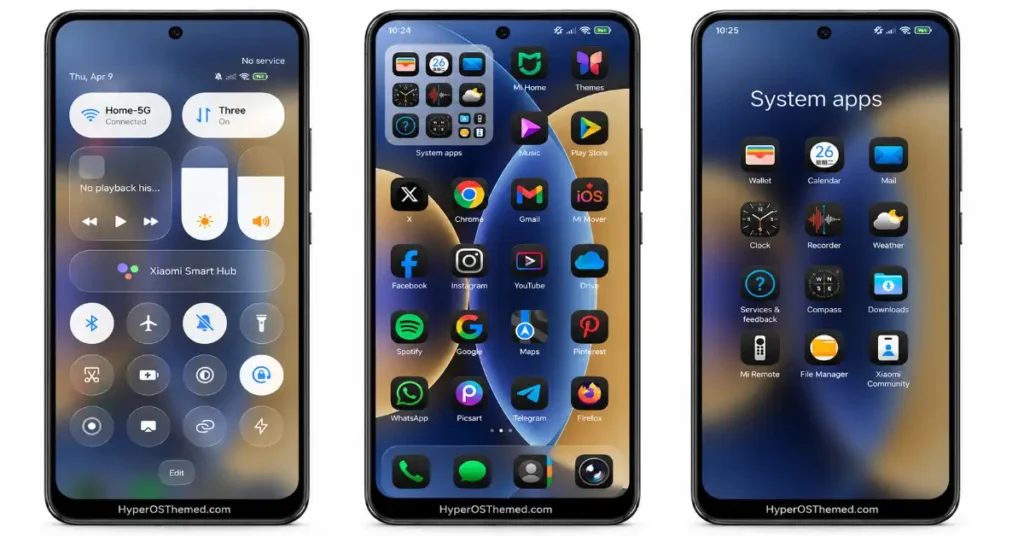
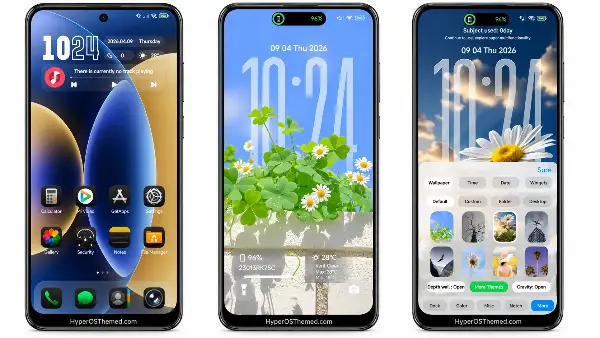
Who Is This For?
If you’re someone who likes switching up your phone’s look every so often and you’re a bit tired of the default HyperOS style, Blackess Pro is worth trying. It works across Xiaomi, Redmi, and POCO devices, so most of you reading this should be covered.
Blackess Pro Theme Details
| Detail | Info |
|---|---|
| Theme Name | Blackess Pro |
| File Size | 31.32 MB |
| File Format | .mtz |
| Designer | Masuod.B |
| Region/Server | Global |
| Compatibility | HyperOS 1.0, HyperOS 2.0, HyperOS 3.0 |
| Style | iOS-Inspired, Dynamic Island |
| Features | Custom Clock Fonts, Adjustable Dock, Always-on Display, Wallpapers |
| Get Blackess Pro | Official Theme Store Link |
You might also like: Best HyperOS Themes You Should Try in 2026
How to Apply HyperOS Themes (Stock ROM)
If your device is running the official HyperOS or MIUI Global Stable ROM, here’s how to get this theme installed:
- Open this page using the Firefox browser — it tends to work best for theme store redirects.
- Tap the Official Theme Store Link above.
- It’ll open a Xiaomi theme page in Chinese — don’t worry, that’s normal. Tap the three dots in the top-right corner and select “Open in app.”
- This should launch the Theme Store app directly, where the theme will start downloading.
- Once downloaded, hit Apply and you’re done.
Note: If the Theme Store link doesn’t open properly, try switching to Chrome or your phone’s default browser. Some third-party browsers don’t play well with the redirect.
