
Some of the best themes I come across aren’t from big name studios; they’re from tight knit community groups who genuinely know their audience. Super26 HyperOS Theme comes out of exactly that kind of background, built by KIEN BUI, a designer active within the Vietnamese Xiaomi theming community, and after testing it myself, I can tell this one wasn’t rushed out just to fill a release schedule.
What Makes Super26 HyperOS Theme Stand Out
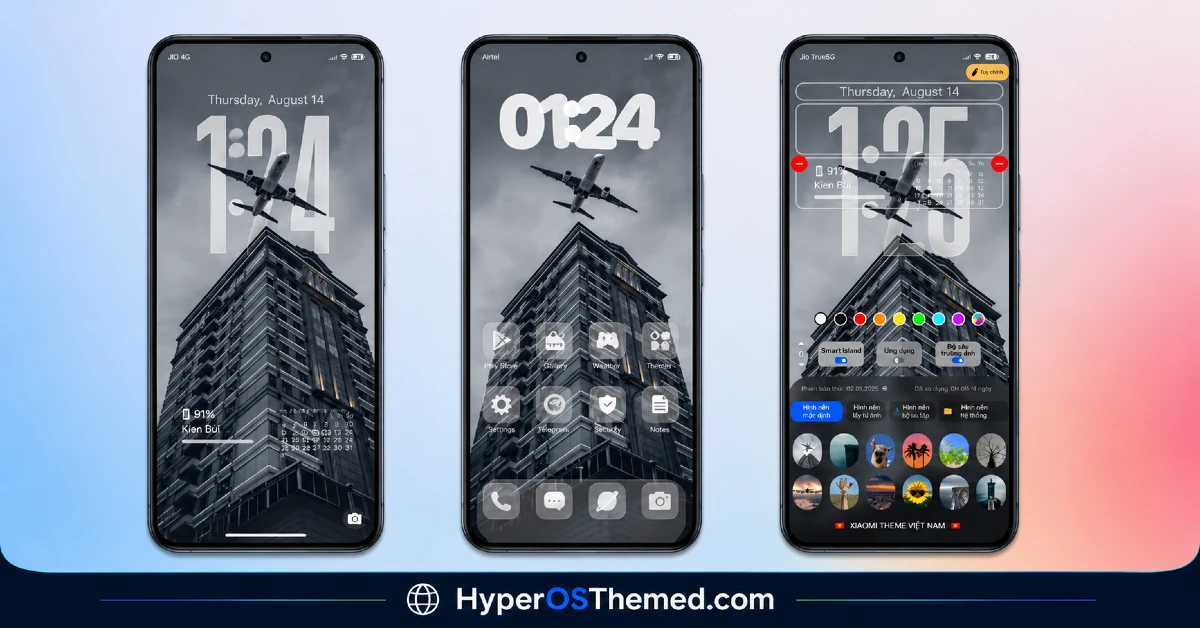
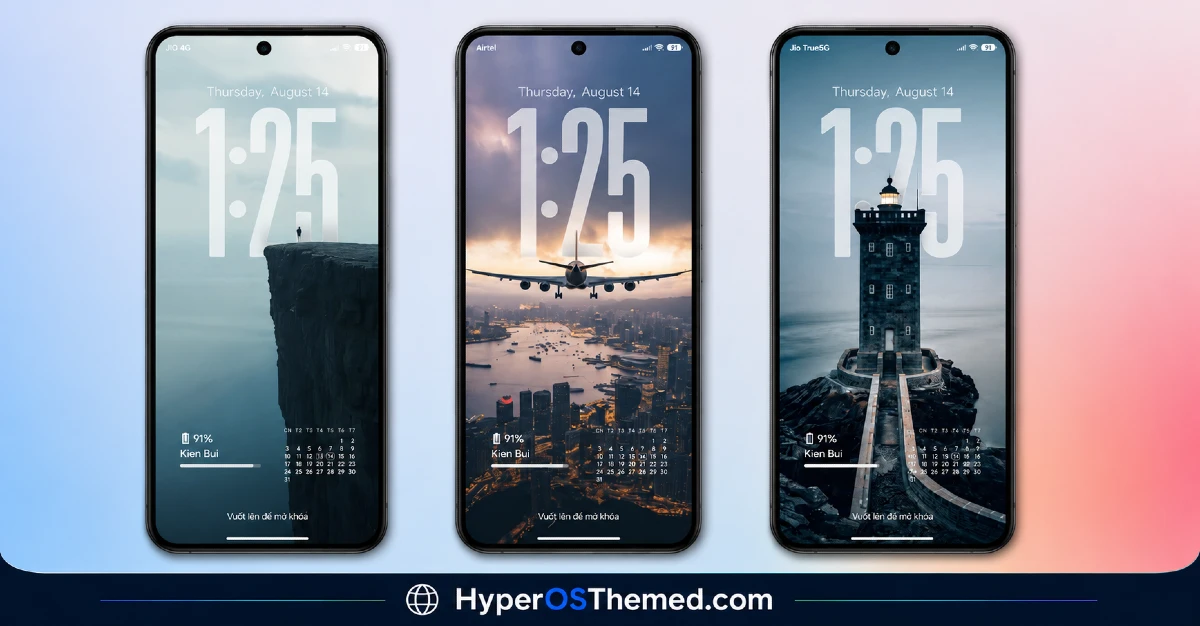
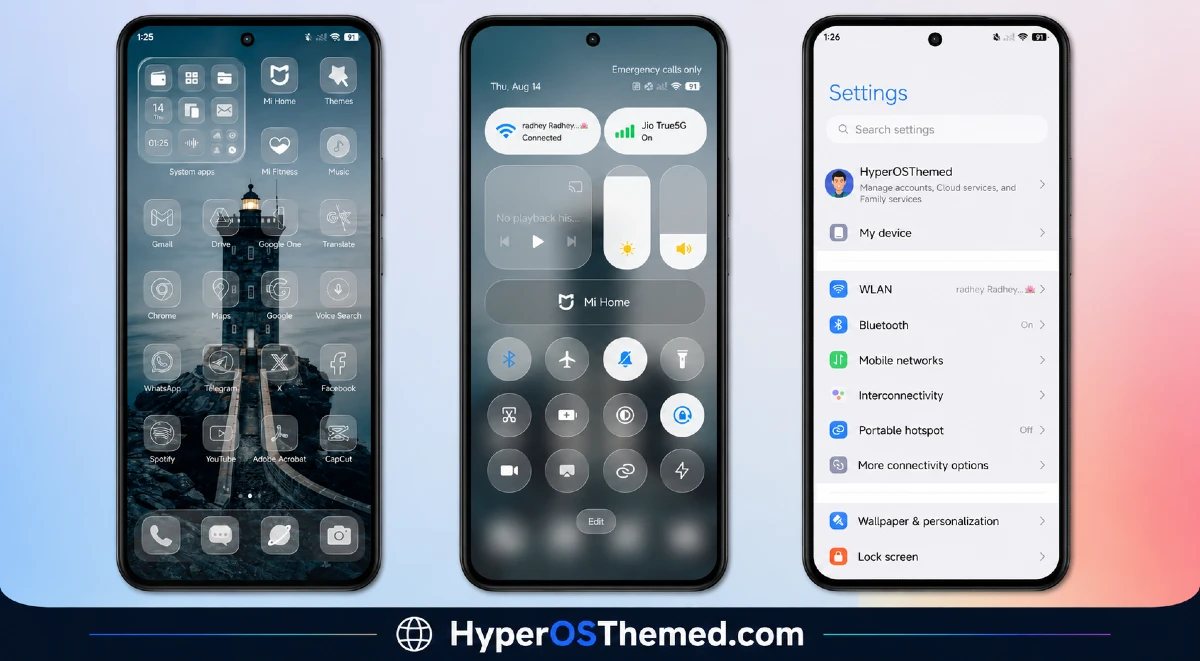
The Super26 HyperOS theme goes for a premium, polished look right from the start. The wallpapers feel intentional rather than filler, and the whole interface carries a customizable quality that gives you room to make it feel like your own setup rather than a one size fits all package.
The dynamic lock screen is a nice touch here too, instead of a flat static image every time you glance at your phone, there’s some movement and life built in, which adds a small but genuinely appreciated bit of polish to something you interact with dozens of times a day.
Beyond the visuals, the icon set has been redesigned cleanly, the status bar gets a refresh, and the Always-on Display matches the same premium tone running through the rest of the theme. Nothing feels like an afterthought bolted onto a stock interface.
Super26 HyperOS Theme Preview
Who Should Try Super26 HyperOS Theme
If you’re running HyperOS or HyperOS 2.0 on a Xiaomi, Redmi, or POCO device and you want something with a premium feel and a bit more personality than the average free theme, Super26 is a strong option. Just remember that password step, and you’ll be set up without any confusion.
Super26 HyperOS Theme Theme Details
| Detail | Info |
|---|---|
| Theme Name | Super26 |
| File Size | 27.38 MB |
| Designer | KIEN BUI |
| Region/Server | Global |
| Compatibility | HyperOS, HyperOS 2.0 |
| Features | Premium Design, Custom Wallpapers, Dynamic Lock Screen, Customizable |
Getting the Theme
Installing on Global Stable ROM
If your device is running the standard HyperOS or MIUI Global stable build, here’s how to install it:
- Open this page using the Firefox browser, since it handles the redirect best.
- Tap the Official Theme Store Link above.
- The page will open in Chinese, which is expected. Tap the three dots in the top right corner and select “Open in app.”
- This opens the Theme Store app, where the download will begin.
- Once it’s downloaded, tap Apply, enter the password when prompted, then tap Apply a second time to make sure everything loads correctly.
If the Official Theme Store Link doesn’t open properly, switch to Chrome or your phone’s default browser. Some third party browsers don’t handle this redirect correctly.
One thing worth remembering: restart your device if anything looks slightly off after applying. A quick reboot usually clears it up right away. I tested this theme myself, and once I remembered the second apply step, it worked flawlessly.
Final Thoughts
The Super26 HyperOS theme is a genuinely premium option coming out of a passionate community effort, and it’s worth the small extra step of dealing with the password requirement. Between the dynamic lock screen, customizable elements, and overall polished feel, KIEN BUI put together something that stands apart from a lot of generic free themes out there. Give it a try, just don’t forget to apply it twice.
You May Also Like:
- Best HyperOS 3.0 Theme AS Neon Dark Mode For POCO, Xiaomi and Redmi Devices
- Shadowed Gleam MIUI Theme Best for POCO, Redmi and Xiaomi Phones
- AJ Pink HyperOS Theme For Xiaomi, POCO and Redmi Phones
- GODKING7 HyperOS Theme Best for POCO, Xiaomi & Redmi Phones
- Best Cyberpunk Anime Theme For MIUI & HyperOS
