
I’ll admit, when a theme comes with a table of contents this detailed, my expectations go up automatically; that usually means the designer put real thought into the whole package, not just the wallpaper. After spending time with the Super 26 Pro HyperOS theme on my own device, I can say Masuod.B backed up that expectation.
About Super 26 Pro HyperOS Theme
Where a lot of themes stop at recoloring your home screen, Super 26 Pro theme reaches into nearly every corner of your phone, the Settings app, notification panel, Control Center, dialer, messaging, even the smaller system apps that usually get ignored. Everything follows the same design direction, so you’re never jumping between a beautifully themed home screen and a stock looking menu two taps later.
That kind of consistency is honestly the thing I appreciate most in a theme, and it’s exactly where Super 26 Pro HyperOS Theme delivers.
The Icon Pack and Visual Details of Super 26 Pro HyperOS Theme
The redesigned icons lean into simple, minimalistic shapes with a well balanced color palette that reads clearly in both light and dark mode. Nothing looks washed out or overly saturated, a small detail, but one plenty of themes still get wrong.
The status bar and quick settings panel got real attention too, cleaner toggles, better spacing, and text that’s genuinely easier to read at a glance instead of squinting to figure out which icon is which. The lock screen keeps things simple on purpose: a clear time display, easy to read notifications, and fonts chosen for legibility rather than just looking stylish in a screenshot.
Even the Settings menu has been reorganized, better grouping, consistent spacing, and a layout that makes finding what you need noticeably easier.
Super 26 Pro HyperOS Theme Preview
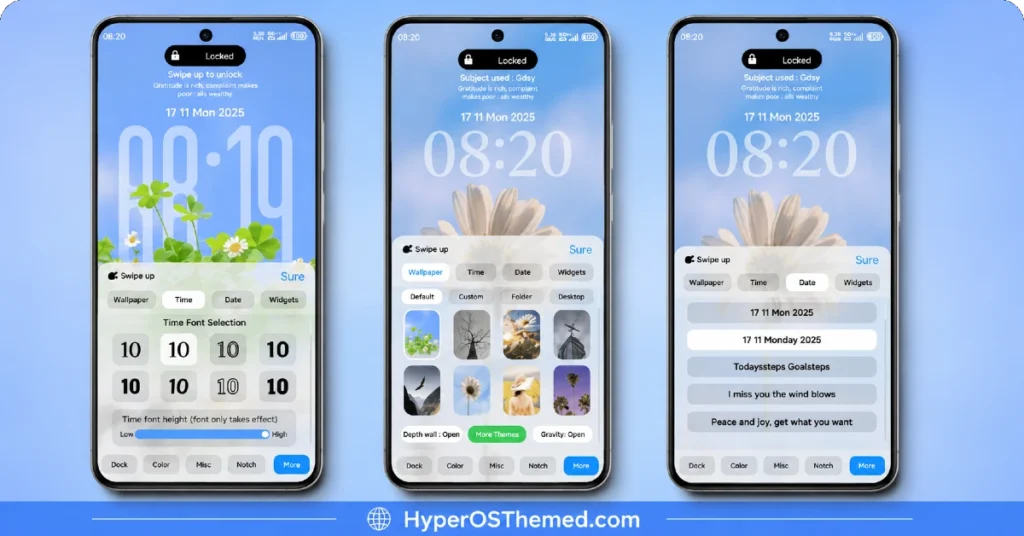
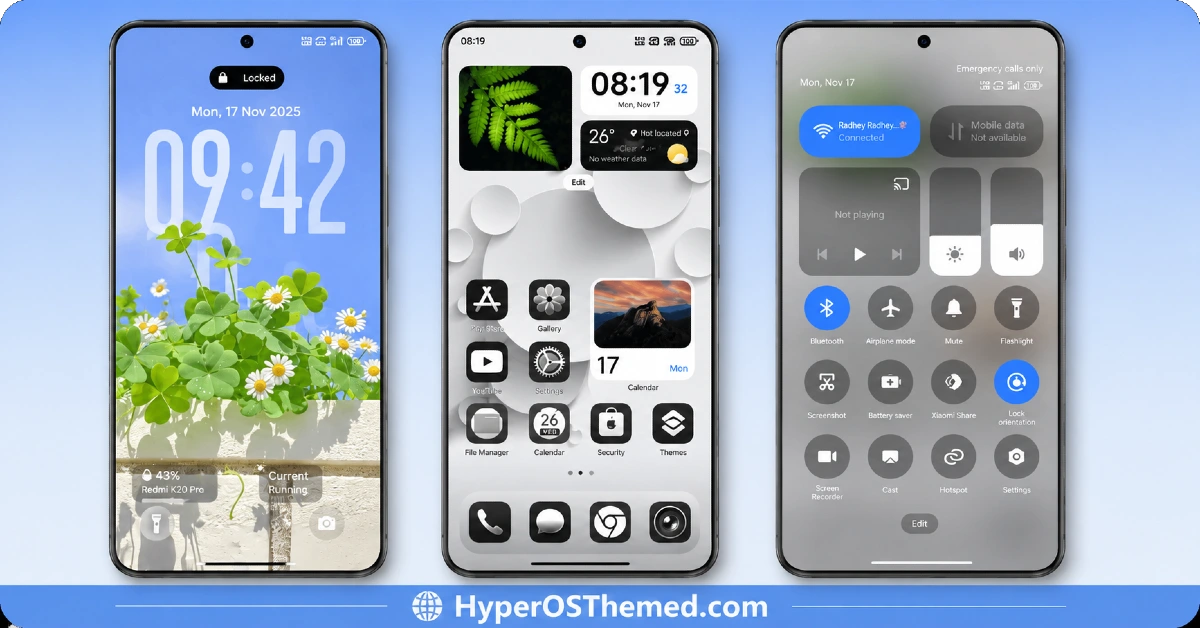
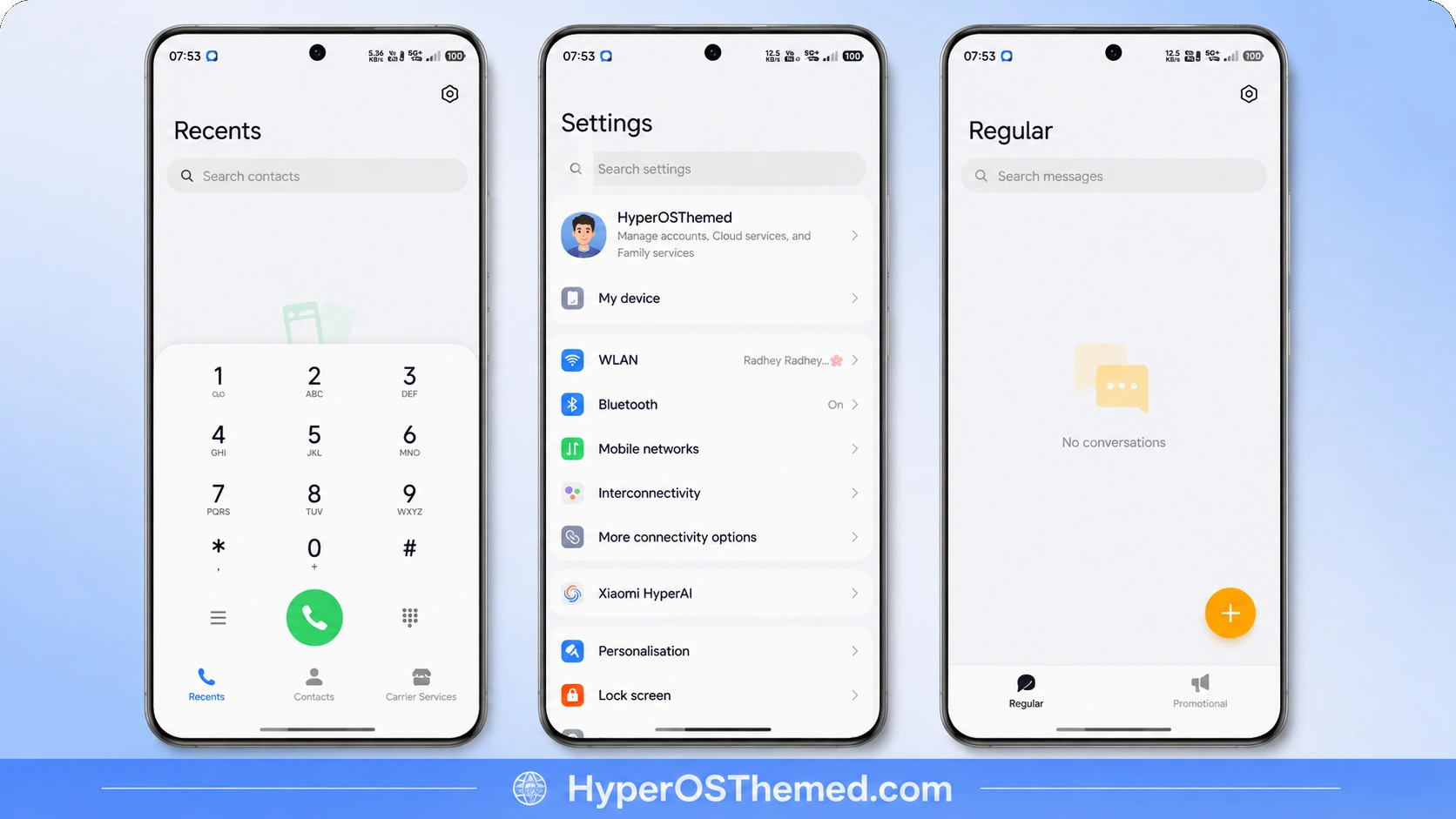
How It Performs Day to Day
This is where Super 26 Pro really earns its keep. There’s no noticeable battery drain, no background processes quietly running that shouldn’t be, and performance stays smooth whether you’re on a mid-range Redmi or a flagship Xiaomi device. The animations sprinkled throughout add a bit of polish without ever slowing things down, which tells me this was actually optimized, not just designed to look good in a preview image.
Compatibility
Super 26 Pro is built for HyperOS 2 and HyperOS 3, and it covers the full Xiaomi ecosystem, Xiaomi, Redmi, and POCO devices are all supported. Since HyperOS 3 brings improvements like a smoother animation engine and better memory management under the hood, this theme genuinely takes advantage of those upgrades rather than just sitting on top of them.
One thing worth noting: some UI elements might look slightly different depending on your exact device model or system version, so small variations between phones are normal.
Theme Details
| Detail | Info |
|---|---|
| Theme Name | Super 26 Pro |
| Designer | Masuod.B |
| Compatibility | HyperOS 2, HyperOS 3 |
| Availability | Xiaomi Theme Store |
| Supported Devices | Xiaomi, Redmi, POCO |
| Features | System-Wide UI Overhaul, Redesigned Icons, Enhanced Control Center, Refined Settings Menu |
Getting the Theme
How to Apply Super 26 Pro Theme
- Open the Official Theme Store Link on your Xiaomi, Redmi, or POCO device.
- You’ll get redirected straight into the Theme Store.
- Download and install the theme from there.
- Tap Apply once the download finishes.
- Fine tune individual elements like icons, lock screen, or status bar if you want more control over the look.
- Reboot your device afterward if you want everything applied cleanly, though it’s optional.
A couple of things to keep in mind: theme availability can shift slightly depending on your region, and a few features may require the latest HyperOS update to work as intended. Stick to the official Theme Store when downloading, it’s always the safer route.
Final Thoughts
Super 26 Pro doesn’t rely on loud colors or flashy effects to make an impression, it wins you over through consistency and genuine polish across the whole system. Between the redesigned icons, the reworked Settings menu, and a level of stability that holds up on both mid-range and flagship devices, Masuod.B clearly built this with everyday use in mind, not just first impressions. If you want a phone that looks clean and professional without sacrificing performance, the Super 26 Pro HyperOS theme is a genuinely solid pick worth trying.
You May Also Like:
- Best HyperOS 3.0 Theme AS Neon Dark Mode For POCO, Xiaomi and Redmi Devices
- Best iOS Style HyperOS theme Black for POCO, Xiaomi and Redmi Device
- Shadowed Gleam MIUI Theme Best for POCO, Redmi and Xiaomi Phones
- Jadol V3 Theme: Best HyperOS theme for MIUI 14
- Luxurious O HyperOS Theme For POCO, Redmi and Xiaomi Devices
