
I found DailyDriver HyperOS Theme while looking through the same designer’s other releases after trying Bianselong HyperOS Theme a while back. The name alone suggested this one was meant for actual everyday use rather than showing off, so I was curious whether it lived up to that. I installed it on my POCO X6 as my main theme to see if a flat dark design with a customizable lock screen could hold up better than the more decorative themes I usually gravitate toward.
DailyDriver HyperOS Theme Features
- Flat Dark Design with Blue Accents: The overall color scheme sticks to black and grey with blue used sparingly as an accent rather than a dominant color. It avoids feeling flat or boring the way pure black themes sometimes do, without going overboard with color the way some accent-heavy themes tend to.
- City-Themed Wallpapers: The included wallpapers lean into urban, city-inspired imagery rather than abstract patterns or nature shots. I found the darker city skyline variant paired especially well with the black and blue color scheme, giving the whole setup a cohesive, deliberate feel.
- Dynamic Lock Screen: The lock screen isn’t static, it shifts slightly depending on how it’s configured through the Themes app. I spent a few minutes on day one adjusting mine, and the change was noticeable enough to be worth the extra step rather than feeling like a gimmick.
- Configurable Lock Screen Options: Per the designer’s own notes, the lock screen can be customized directly within the Themes app rather than being locked to one fixed layout. I switched between two configurations, settling on the simpler one for daily use since it left more room for notification previews.
- New Icon Set: The icons follow a clean, modern shape consistent with the flat design language used throughout the rest of the theme. Coverage was solid across my commonly used apps, though two apps tied to local services kept their default icons throughout testing.
DailyDriver HyperOS Theme Preview
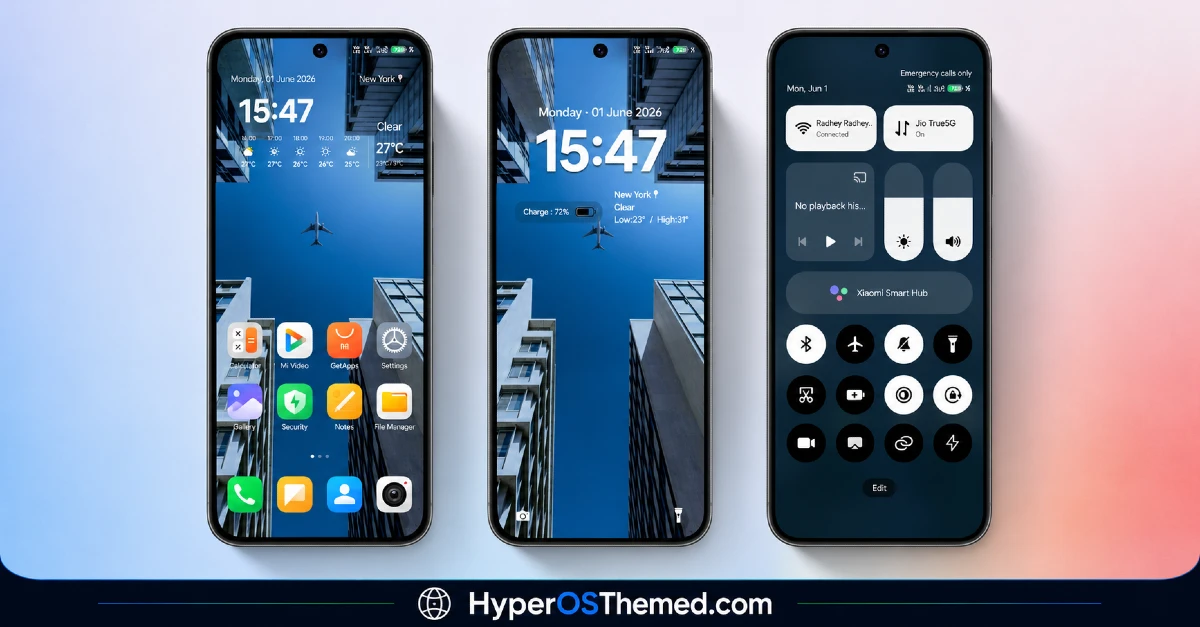
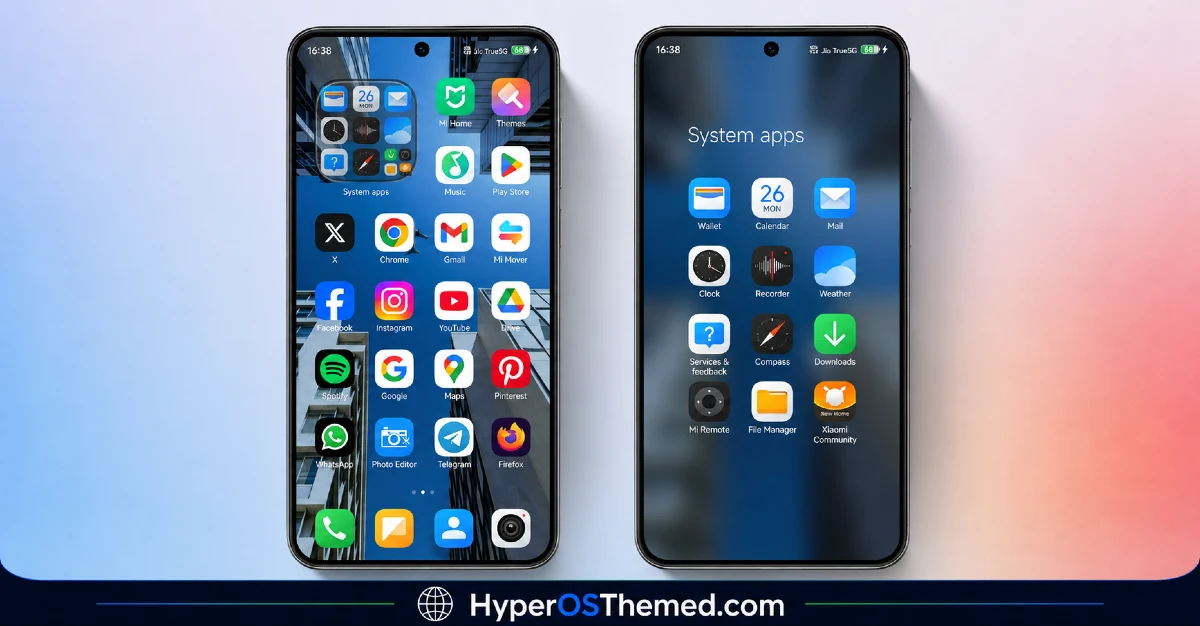
The visual style keeps things flat and restrained, built around black and grey tones with blue accents worked into specific UI elements rather than spread evenly across the whole interface. The city-themed wallpapers add a bit of urban character without overwhelming the icon layout or making the home screen feel busy. It reads as a practical, everyday design rather than an artistic statement piece, which fits the name well.
DailyDriver HyperOS Theme Details
| Detail | Info |
|---|---|
| Theme Name | DailyDriver |
| Designer | BoZinsky |
| Compatibility | HyperOS, HyperOS 2.0, HyperOS 3.0 |
| Features | City, Dark, New Icons, Dynamic Lock Screen |
| File Size | 12.93 MB |
DailyDriver HyperOS Theme Performance
I ran DailyDriver HyperOS Theme on a POCO X6 running HyperOS 3.0, through regular daily use including messaging, browsing, and a few gaming sessions. Given the compact 12.93 MB file size, I didn’t expect any performance hiccups, and I didn’t encounter any throughout testing.
Battery drain stayed close to my stock theme baseline, within a percent or two over a full day, which makes sense given the flat design doesn’t rely on transparency or heavy animation work. The one recurring quirk was that switching between the two lock screen configurations occasionally required a manual reboot to fully take effect, otherwise remnants of the previous layout lingered briefly after unlocking.
DailyDriver HyperOS Theme Compatibility
DailyDriver HyperOS Theme supports HyperOS and HyperOS 3.0, so it’s aimed at relatively current Xiaomi, Redmi, and POCO devices rather than older MIUI builds. I tested it on a POCO X6 running HyperOS 3.0 without major issues beyond the lock screen reboot quirk mentioned above. It is not listed for HyperOS 3.0, so anyone already updated to the newest version should expect some inconsistencies, particularly with the dynamic lock screen behavior.
Custom ROM users on Xiaomi.eu or similar HyperOS-based builds should be able to import the MTZ file without much trouble given the modest file size, though lock screen customization specifically may behave differently depending on how closely the ROM follows stock HyperOS.
Designer’s note: “HyperOS2 theme. Dark mode, flat theme with black, gray, and blue accents. Lockscreen can be customized in themes app. Enjoy! BoZinsky”
Get DailyDriver HyperOS Theme
Download DailyDriver through the official Xiaomi Theme Store link rather than third-party APK sites or file-sharing forums claiming to offer the same theme. Sideloaded theme installers from unverified sources are a common way people end up with unnecessary permissions or bundled software, so sticking with the official Theme Store keeps installation clean even for a smaller file like this one.
Note: If the Official Theme Store Link doesn’t redirect properly, try opening the page in Chrome or the default Xiaomi browser, since other browsers may not handle the redirect correctly.
How to Apply DailyDriver HyperOS Theme
Follow the steps below to apply the theme:
- Open the Theme Store Link given above on your Xiaomi / REDMI / POCO device
- This will redirect you to Theme Store.
- Download and install the theme
- Tap on Apply
- Customize specific elements (icons, lock screen, status bar) if needed
- Reboot your device (optional for full effect)
Why Choose DailyDriver HyperOS Theme?
- Flat black and blue color scheme feels practical without being visually boring
- City-themed wallpapers give it a distinct identity compared to generic dark themes
- Lock screen configuration options add real customization beyond a single fixed layout
- Compact 12.93 MB file size keeps install and update times short
- Actively credited and maintained by a known designer with a track record on the platform
Conclusion
After trying days on my POCO X6, DailyDriver HyperOS Theme lived up to its name as a genuinely usable everyday theme rather than something built purely for screenshots. The occasional reboot needed after switching lock screen configurations was a minor but recurring annoyance, and the two unthemed local service icons stood out slightly against the rest of the set.
Compared to other flat dark themes I’ve tried, this one’s city wallpapers and configurable lock screen give it a bit more personality without sacrificing practicality. If you want a dependable dark theme that doesn’t try too hard, it’s a solid pick for daily use.
You may also like:
Solara HyperOS theme for Xiaomi, Redmi, and POCO Phones with Clean minimal UI
Codename X HyperOS Theme Review: A Premium iOS-Style Look for Xiaomi & Redmi
OS27 Liquid Color HyperOS Theme with iOS 27-Style Fluid Colors for Xiaomi, POCO & Redmi
