
Depth effect wallpapers have become something of a crowded category in HyperOS theming, but LTC earns its place there by keeping the lock screen as the clear focus rather than spreading the effect thin across every screen. Designed by mydul, it’s built around layered, dimensional visuals rather than a flat backdrop, giving Xiaomi, Redmi and POCO devices a lock screen with genuine depth to it. At 42.7 MB, it’s a fairly standard size for this category, distributed for free through the official Theme Store.
LTC HyperOS Theme Key Features
- Layered Depth Effect Wallpapers: LTC’s core selling point is a set of wallpapers using a Depth of Field technique, separating foreground and background elements rather than relying on a single flat image. This gives the lock screen a sense of dimension that’s noticeably different from a standard static wallpaper.
- Dedicated Lock Screen Focus: Given its classification under lock screen themes specifically, LTC HyperOS Theme Xiaomi puts most of its design attention into that unlock experience rather than spreading effort evenly across every system app. That focus tends to result in a more polished, considered lock screen compared to themes trying to do everything at once.
- Compatible with HyperOS 2.0: Beyond the base HyperOS support, LTC HyperOS Theme extends coverage to HyperOS 2.0 specifically, which is worth knowing if you’re deciding between a theme built purely for the newest release versus one with a bit more backward reach.
- Standard Mid-Range File Size: At 42.7 MB, it’s neither the lightest nor heaviest theme in this depth-effect category, sitting comfortably in the middle for what this kind of layered wallpaper rendering typically requires.
LTC HyperOS Theme Preview
The screenshots below show the layered depth effect wallpaper and how it plays out on the lock screen once the theme is applied. Since depth-based visuals are always easier to judge in motion or at least across multiple angles than in a single flat screenshot, it’s worth browsing through the full preview set before downloading.
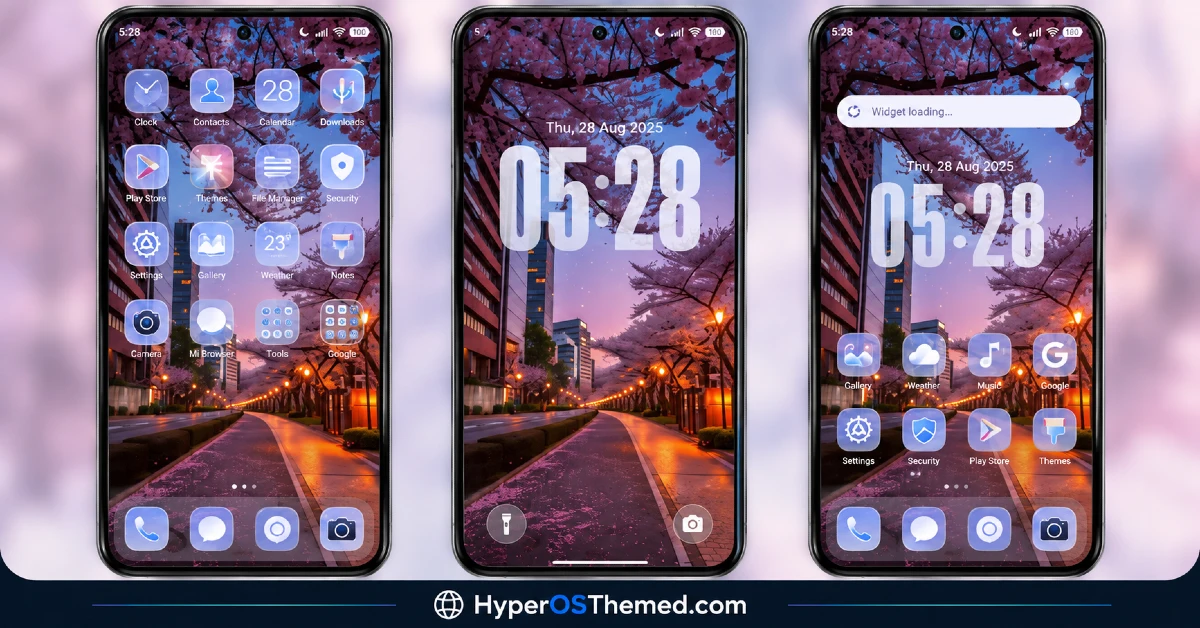
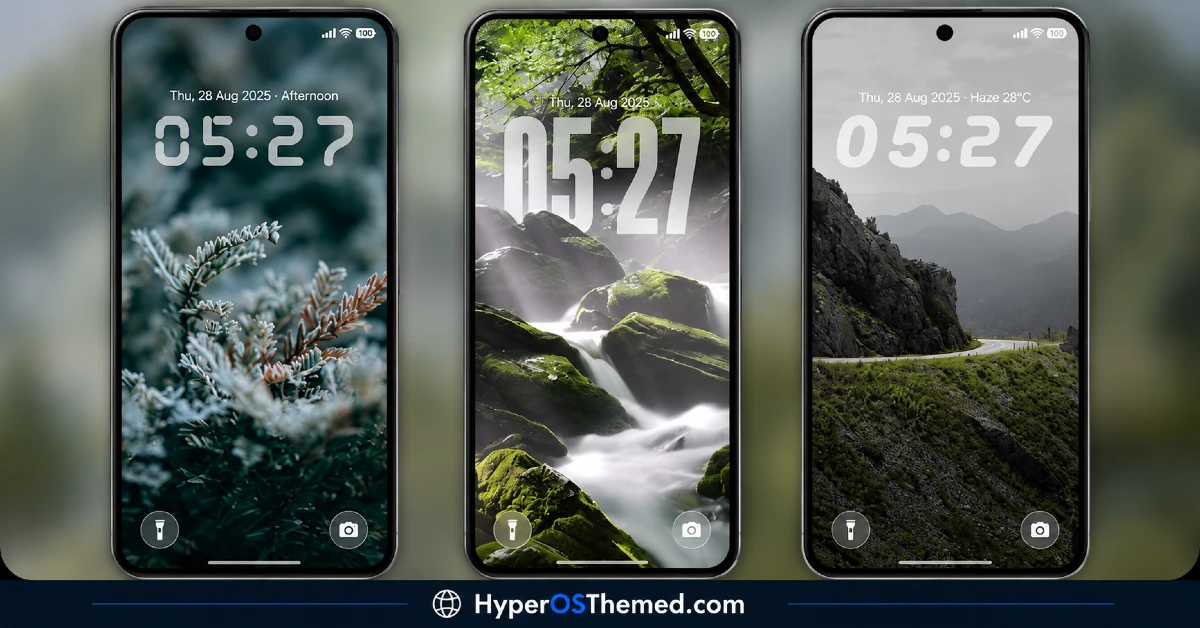
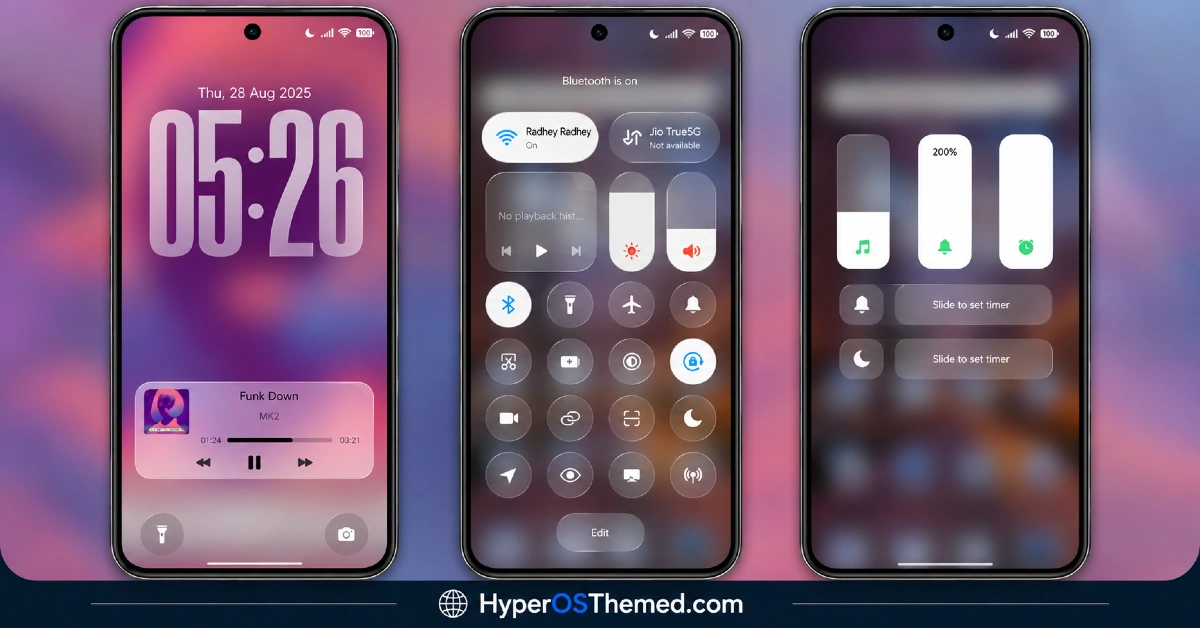
LTC HyperOS Theme Overview
| Attribute | Details |
|---|---|
| Availability | Free, via Xiaomi Theme Store |
| Supported Devices | Xiaomi, Redmi and POCO phones running HyperOS |
| Theme Name | LTC |
| Designer | mydul |
| Compatibility OS | HyperOS, HyperOS 2.0, HyperOS 3.0 |
| Features | Layered depth effect wallpapers, dedicated lock screen design |
| File Size | 42.7 MB |
LTC Theme Compatibility
LTC supports HyperOS and HyperOS 2.0 across Xiaomi, Redmi and POCO devices, though it doesn’t currently list official support extending to HyperOS 3.0. Since the theme leans on layered depth rendering for its main visual effect, older or lower-powered devices may display the wallpaper with somewhat less sharpness than on current flagship hardware.
Custom ROM users on setups like Xiaomi.eu, MIUIRoom, MIUI SR or HyperOS CN can still bring the theme in manually through the MTZ file, and given the focus here is mainly the lock screen rather than a full system overhaul, compatibility issues tend to be fairly limited in scope if they do occur.
Get LTC HyperOS Theme
Download LTC only through the official Theme Store link rather than random third-party file-sharing sites or unofficial APK sources. Files circulating outside official channels are difficult to verify and may not match the version mydul actually released. Sticking to the official Theme Store keeps the installed version consistent with the intended design and ensures future updates remain accessible.
How to Apply LTC HyperOS Theme
Follow the steps below to apply the theme:
- Open the Theme Store link given above on your Xiaomi, Redmi or POCO device.
- This will redirect you to the Theme Store.
- Download and install the theme.
- Tap on Apply.
- Customize specific elements such as icons, lock screen or status bar if needed.
- Reboot your device for the full effect, though this step is optional.
Note: If anything looks overlapped or fails to display correctly right after installing, restarting the device usually clears it up without further steps. This theme has gone through checks on HyperOS without any major issues turning up in that process. Still, if something looks off on a specific device once it’s applied, leaving a comment with the details helps get it looked into.
Installing LTC HyperOS Theme on Custom ROM Devices
Devices running a Custom ROM such as Xiaomi.eu, MIUIRoom, MIUI SR or HyperOS CN aren’t able to use the direct Theme Store link, so the MTZ file needs to be brought in manually through the Theme Store app. Here’s how that works:
- Grab the MTZ file for LTC from the download section.
- Open the Theme Store app.
- Go into the Themes tab.
- Scroll down to find the Import option, then tap it.
- Use the file manager to locate the downloaded .mtz file.
- Wait for the import process to finish.
- Tap the theme once it appears in the list to apply it.
Why Choose LTC HyperOS Theme?
- Genuine layered depth effect — the lock screen wallpaper has real dimension, not just a flat image.
- Focused lock screen design — attention goes into the unlock experience rather than being spread thin.
- Dual version support — works across both HyperOS and HyperOS 2.0.
- Free official download — no cost involved and distributed through a legitimate Theme Store link.
- Straightforward installation — a lock-screen-focused theme tends to mean fewer system-wide compatibility surprises.
Conclusion
LTC HyperOS Theme keeps its ambitions focused, putting real effort into a convincing depth-effect lock screen rather than spreading itself thin trying to redesign every corner of the system. That focus pays off in a more polished unlock experience than a lot of broader, do-everything themes manage. For Xiaomi, Redmi and POCO users specifically after a stronger lock screen with genuine visual depth, LTC is worth trying.
You may also like:
OX GR4 HyperOS Theme for Xiaomi, POCO, Redmi
OX F3 HyperOS Theme with Cartoon One UI Style with Dynamic Lock Screen for Xiaomi, POCO, Redmi
Crimson Obsidian HyperOS Theme with Luxury Black & Red Light Streaks for Xiaomi, POCO, Redmi
OX Colours HyperOS Theme – Vibrant Customizable Wallpapers for Xiaomi, POCO, Redmi
Codename G26 HyperOS Theme with Super Depth of Field iOS Style for Xiaomi, POCO, Redmi
Black OX HyperOS Theme with Premium 3D Business Look for Xiaomi, POCO, Redmi
