
Depth of Field wallpapers show up in a lot of HyperOS themes these days, but Codename G26 HyperOS Theme pushes the effect further than most, branding it “Super Depth of Field” and building the whole premium iOS-style package around it.
Designed by 周凡, it’s a hefty theme at 79.33 MB, distributed as both an MTZ file and a separate backup file for Xiaomi, Redmi and POCO devices. One thing worth flagging upfront: this theme is listed under the China region rather than Global, which has caused some access issues for users trying to reach the official store link from other regions.
Codename G26 HyperOS Theme Features
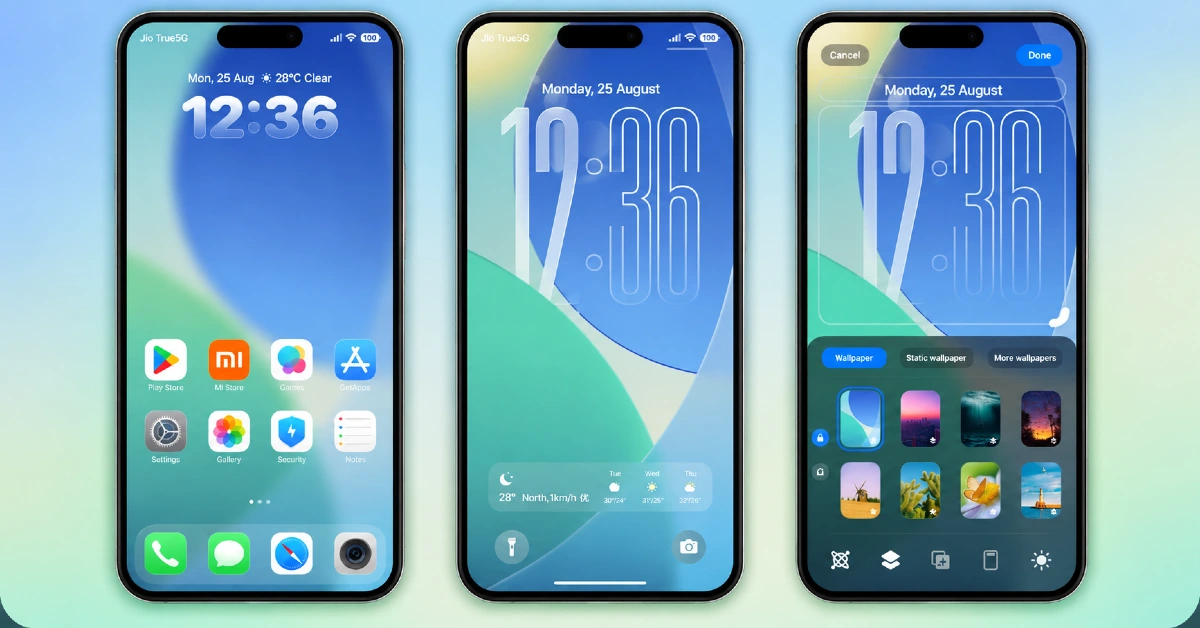
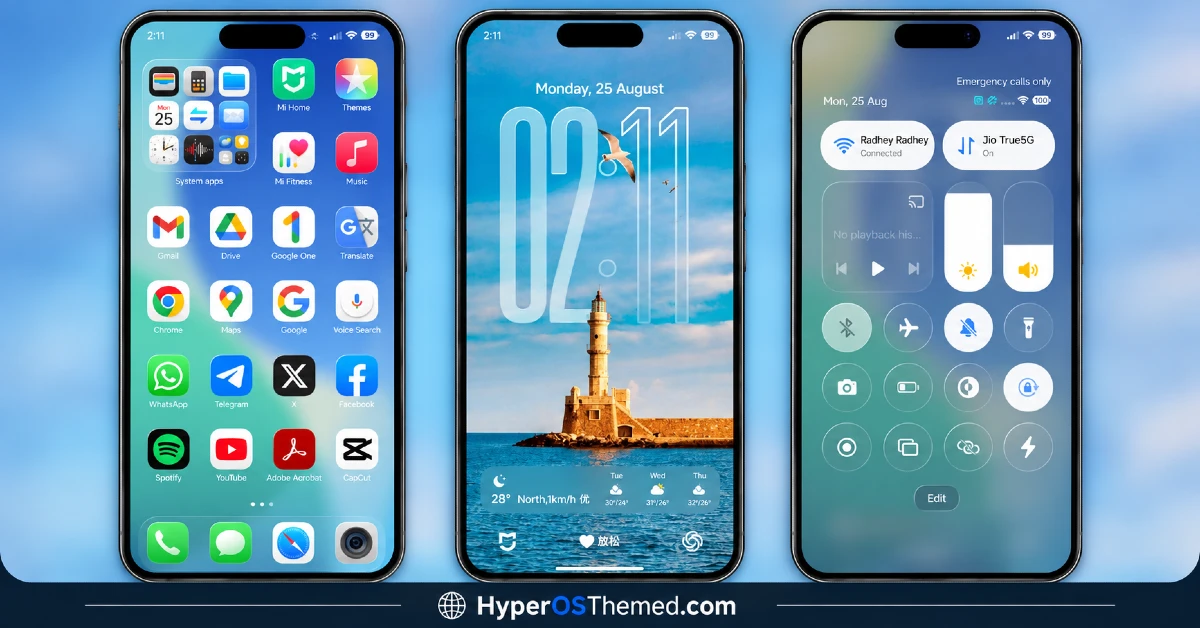
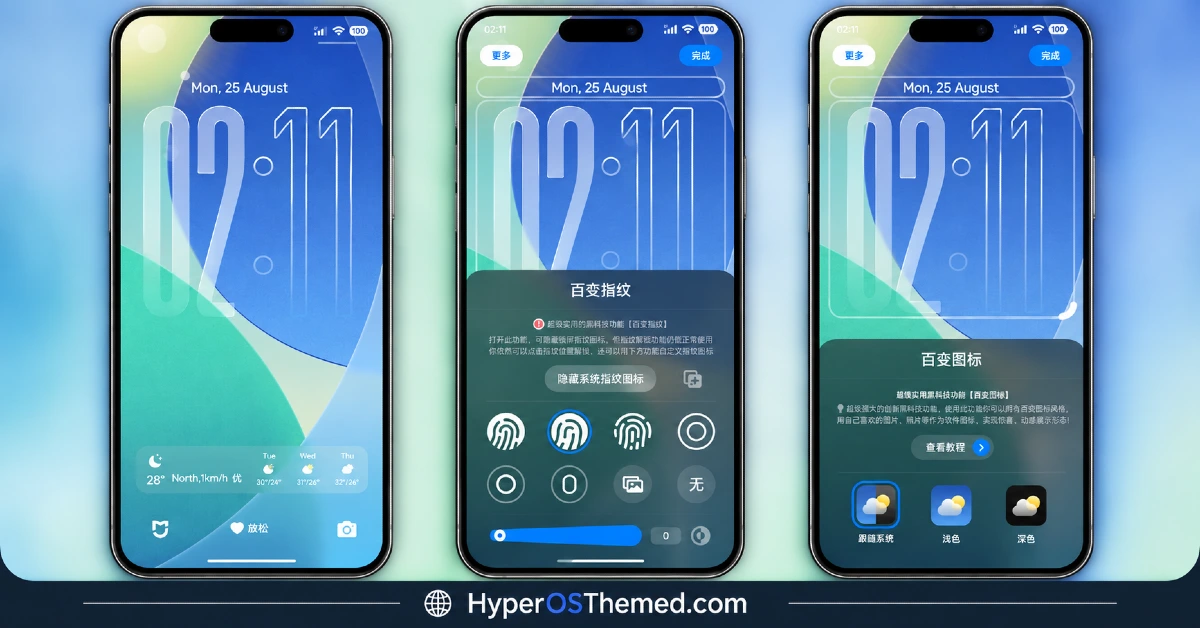
- Super Depth of Field Wallpapers: The theme’s signature feature is an enhanced Depth of Field effect applied to its wallpaper collection, going beyond the standard layered parallax most themes use. This gives the lock screen and home screen a noticeably more dramatic sense of dimension than typical depth-effect themes.
- Premium iOS-Style Design:Codename G26 HyperOS Theme leans fully into an iOS-inspired aesthetic, from icon shapes to overall layout choices, rather than blending in HyperOS-native design elements. This makes it a solid pick specifically for users chasing that iPhone look on a Xiaomi device.
- Curated Wallpaper Collection: Beyond the depth effect showcase pieces, the theme includes a broader wallpaper set designed to complement the premium iOS styling. Having this variety built in reduces the need to hunt down separate wallpapers that match the aesthetic.
- Dual File Distribution: The theme is available as a standalone MTZ file alongside a separate backup file, giving users more than one path for installation. This is particularly useful given the theme’s region-specific listing, since the backup method can serve as a fallback if the direct store link doesn’t cooperate.
Codename G26 HyperOS Theme Preview
The screenshots below show the Super Depth of Field wallpapers and how the premium iOS-style icons and layout come together once the theme is applied. Given how central the depth effect is to this theme’s appeal, it’s worth watching the designer’s own preview video if available, since a static screenshot doesn’t fully capture the layered motion effect.
Codename G26 HyperOS Theme Overview
| Attribute | Details |
|---|---|
| Availability | Free, via Xiaomi Theme Store |
| Supported Devices | Xiaomi, Redmi and POCO phones running HyperOS |
| Theme Name | Codename G26 |
| Designer | 周凡 |
| Region | China |
| Compatibility OS | HyperOS, HyperOS 2.0 and HyperOS 3.0 |
| Features | Super Depth of Field wallpapers, premium iOS-style design, curated wallpaper collection |
| File Size | 79.33 MB (MTZ file, backup file also available) |
Codename G26 Theme Compatibility
Codename G26 xiaomi Theme supports HyperOS and HyperOS 2.0 across Xiaomi, Redmi and POCO devices, though it doesn’t currently list official support for HyperOS 3.0. A genuine caveat worth knowing before downloading: this theme is registered under the China region rather than Global, and some users outside China have reported trouble accessing the official Theme Store link directly, occasionally landing on an unrelated settings page instead of the theme itself.
If that happens, switching to the Chrome browser or the default Xiaomi browser tends to resolve it, and the backup file download offers an alternative path in if the direct store link continues to fail. Custom ROM users can still install manually through the MTZ file, and given the theme’s heavier reliance on depth rendering, older or lower-powered devices may show the effect with somewhat less polish.
Get Codename G26 HyperOS Theme
Download Codename G26 HyperOS Theme only through the official Theme Store link or the direct MTZ and backup file links rather than random third-party file hosts. Files sourced outside verified channels are difficult to confirm as unaltered and may not reflect what 周凡 actually released. Given the region-specific access issues already known with this theme, sticking to the provided official links, and trying the backup file if the store link fails, is the safest way to get a working copy.
How to Apply Codename G26 Theme
Follow the steps below to apply the theme:
- Open the Theme Store link given above on your Xiaomi, Redmi or POCO device.
- This will redirect you to the Theme Store.
- Download and install the theme.
- Tap on Apply.
- Customize specific elements such as icons, lock screen or status bar if needed.
- Reboot your device for the full effect, though this step is optional.
Note: If the Official Theme Store link doesn’t open properly, try switching to Chrome or your device’s default Xiaomi browser, since other browsers have been reported not to work reliably with this particular link. Some users have also mentioned not finding an Import option inside the Themes app when trying to load the MTZ file manually, if that happens, checking for a Themes app update first usually resolves it, since older app versions sometimes hide that option. As always, restarting the device after installation helps if anything looks overlapped or fails to load in correctly.
Installing Codename G26 on Custom ROM Devices
Devices running MIUI 11 through 14 or HyperOS based Custom ROMs such as Xiaomi EU ROM or MIUIRoom aren’t able to use the direct Theme Store link, so the MTZ file needs to be brought in manually instead. Here’s how that works:
- Grab the MTZ file for Codename G26 from the download section.
- Open the Theme Store app.
- Go into the Themes tab.
- Scroll down to find the Import option, then tap it.
- Use the file manager to locate the downloaded .mtz file.
- Wait for the import process to finish.
- Tap the theme once it appears in the list to apply it.
Why Choose Codename G26 Theme?
- Enhanced depth effect — the “Super” Depth of Field goes further than typical layered wallpaper effects.
- Genuine iOS-style execution — icons and layout commit fully to the aesthetic rather than a partial blend.
- Backup file fallback — a useful alternative given the theme’s known regional access quirks.
- Curated wallpaper set — a matching collection beyond just the showcase depth-effect pieces.
- Detailed visual rendering — the larger file size reflects the extra assets behind the depth effect.
- Free official download — no cost involved once accessed through the correct channel.
Conclusion
Codename G26 delivers a genuinely more dramatic take on the Depth of Field trend, and the premium iOS styling makes it a strong pick for anyone chasing that specific look. The China-region listing is a real quirk worth planning around, trying Chrome or the default Xiaomi browser, or falling back to the backup file, usually gets around the access issue reported by some users. For Xiaomi, Redmi and POCO users willing to work around that one hiccup, Codename G26 is worth the extra step.
You may also like:
Black OX HyperOS Theme with Premium 3D Business Look for Xiaomi, POCO, Redmi
NothingOS HyperOS Theme – Get Nothing Phone-Inspired Look for Xiaomi, POCO, Redmi
TRX HyperOS Theme iOS Style Playful 3D Cartoon Numerals for Xiaomi, POCO, Redmi
OX MU1 HyperOS Theme with Immersive 3D Depth Wallpapers for Xiaomi, POCO, Redmi
Set Sail HyperOS Theme With Sea Widgets & Dialer Pad for Xiaomi, POCO, Redmi
