
Sometimes the best themes come in the smallest packages, and the Liquid 26 HyperOS Theme is a good example of that. At just over 18 MB, this one’s noticeably lighter than a lot of the premium releases I’ve featured, but designer Eto’mox didn’t skimp on quality to get there. After testing it out, I think it’s a genuinely solid pick for anyone who wants a polished look without a heavy download.
What You’re Getting with Liquid 26 HyperOS Theme
Liquid 26 leans into that same fluid, “liquid” aesthetic we’ve seen in a few other recent releases, but this version keeps things a bit more compact and focused. The dynamic lock screen is the standout here, adding real movement to your unlock experience instead of a flat static image sitting there every time. Paired with a genuinely customizable UI, you’re not locked into one rigid setup, there’s room to adjust things to fit your own taste.
The color work throughout the theme feels intentional too, nothing garish or mismatched, just a cohesive palette that ties the wallpapers, icons, and overall interface together into something that looks considered rather than thrown together.
Liquid 26 HyperOS Theme Preview
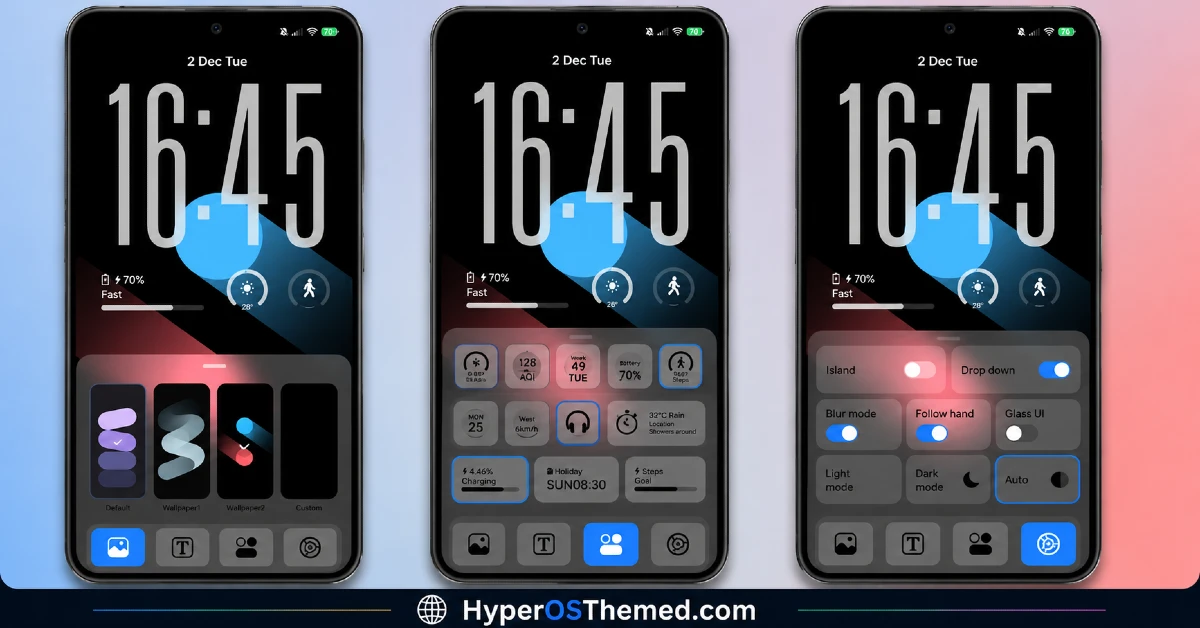
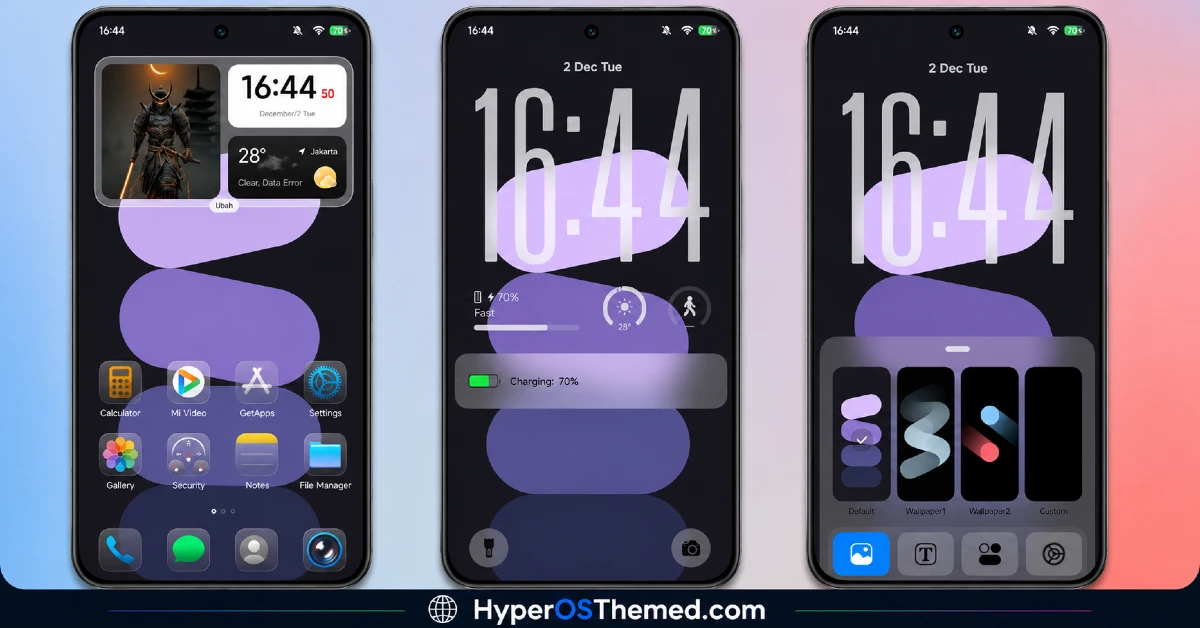
Why the Small File Size Matters
I want to call this out specifically because it’s genuinely a point in Liquid 26 HyperOS Theme. A lot of premium-labeled themes balloon past 40 or 50 MB, and while that’s not always a problem, it does mean more storage used and sometimes a slower initial download. Liquid 26 delivers a premium, dynamic experience in a fraction of that size, which makes it an easy theme to try without worrying about eating into your device’s storage.
Consistency Across the Interface
Beyond the headline features, Liquid 26 HyperOS Theme brings the full expected package:
- Freshly designed icons — clean and consistent with the overall theme identity
- A reworked status bar — matching the rest of the interface
- A distinct, dynamic lock screen — the real highlight of this release
- A stylish Always-on Display — carrying the same premium tone through to your idle screen
Who Should Try Liquid 26 HyperOS Theme
If you want a premium feel without a heavy download, Liquid 26 is a strong pick for your Xiaomi, Redmi, or POCO device. It’s compatible with HyperOS and HyperOS 2.0, completely free, and light enough that trying it out costs you almost nothing in terms of storage or time.
Liquid 26 HyperOS Theme Details
| Detail | Info |
|---|---|
| Theme Name | Liquid 26 |
| File Size | 18.04 MB |
| Designer | Eto’mox |
| Region/Server | Global |
| Compatibility | HyperOS, HyperOS 2.0 |
Getting the Theme
Installing Liquid 26 HyperOS Theme on Global Stable ROM
If your device is running the standard HyperOS or MIUI Global stable build, here’s how to install it:
- Open this page using the Firefox browser, since it handles the redirect best.
- Tap the Official Theme Store Link above.
- The page will open in Chinese, which is expected. Tap the three dots in the top right corner and select “Open in app.”
- This opens the Theme Store app, where the download will begin.
- Once it’s downloaded, tap Apply.
If the Official Theme Store Link doesn’t open properly, switch to Chrome or your phone’s default browser. Some third party browsers don’t handle this redirect correctly.
Installing Liquid 26 HyperOS Theme on Custom ROMs
Running a custom build like Xiaomi.eu, MIUIRoom, or similar? Here’s the manual install method using the mtz file:
- Download the Liquid 26 mtz file from the link above.
- Open the Theme Store app and go to the Themes section.
- Scroll to the bottom and tap Import.
- Select the downloaded mtz file.
- Tap Apply.
One thing worth remembering: restart your device if anything looks slightly off after applying. A quick reboot usually clears it up right away. I tested this theme myself, and it ran smoothly with no issues at all.
Final Thoughts
Liquid 26 HyperOS Theme proves that premium doesn’t have to mean heavy. Between the dynamic lock screen, the customizable UI, and a surprisingly compact file size, Eto’mox built something that delivers real polish without asking much in return. If you want a genuine upgrade to your phone’s look without committing to a huge download, this one’s absolutely worth trying.
You may also like:
- Super 26 Pro HyperOS Theme for POCO, Redmi and Xiaomi Devices
- Liquid Beauty iOS 26 HyperOS Theme: Premium Apple-Inspired Theme
- Black Flower HyperOS Theme Best For POCO, Redmi & Xiaomi
- Hyper Businessman HyperOS Theme: Premium Dark Theme
- iP27 Super Capsule iOS 27 Style HyperOS Theme For Redmi, Poco and Xiaomi
