
Some themes go for the usual dark, moody look. This one didn’t, and that’s exactly why I wanted to write about it.iP27 Super Capsule iOS 27 Style HyperOS Theme takes a completely different route with a bright, playful design, and after using it for a few days on my own device, I think it’s one of the better premium HyperOS themes I’ve come across recently.
What Caught My Eye
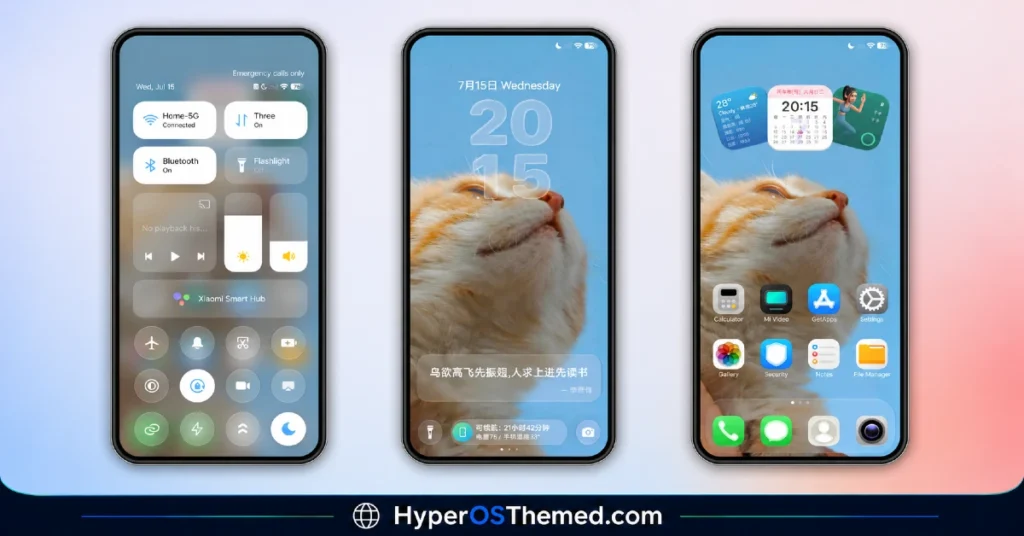
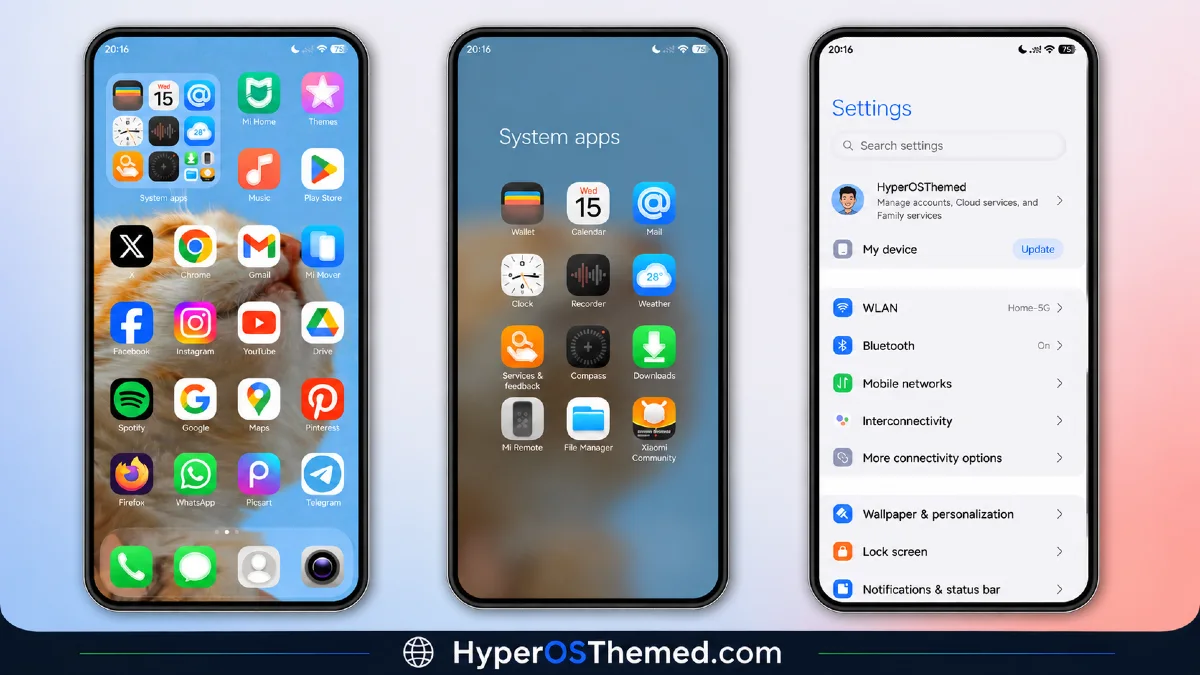
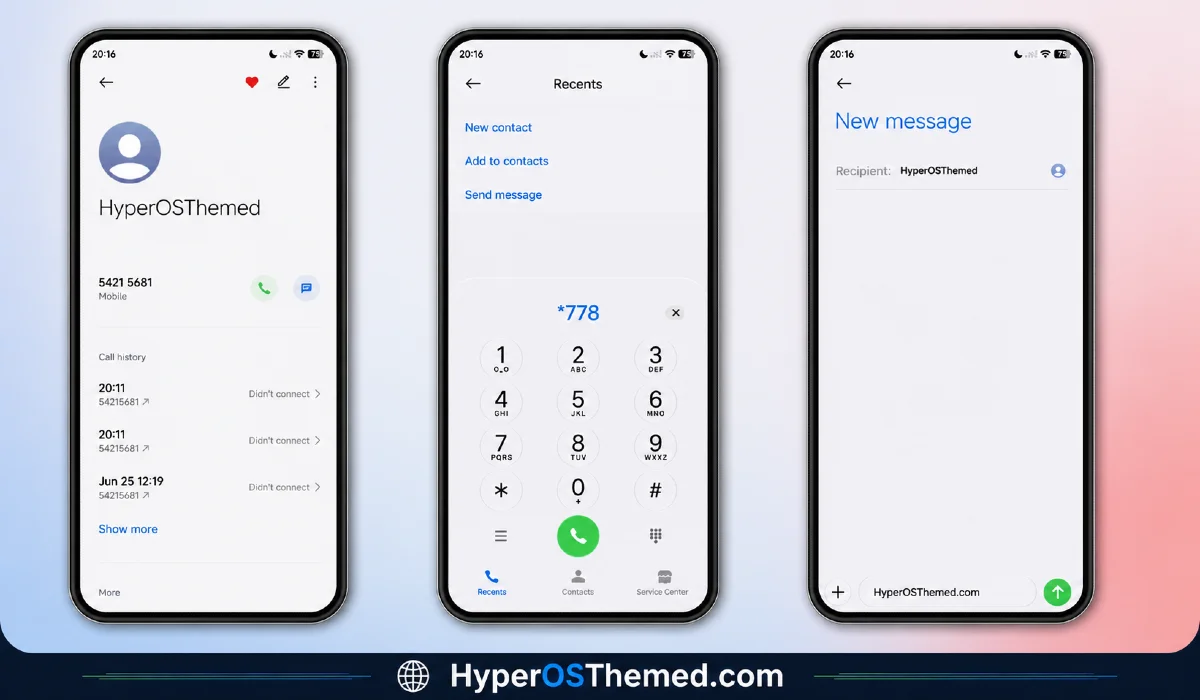
The wallpaper is the first thing you’ll notice. It features an orange cat illustration that’s genuinely charming rather than generic clip art, paired with a clean light interface that runs through the entire phone. This isn’t a theme where the home screen looks great but Settings still looks like stock HyperOS. Here, the same polished style carries through the Dialer, Messages, and Settings menu too.
The home screen widget panel deserves a proper mention on its own. You get weather, calendar, health stats, and time all displayed in a neatly organized layout that actually looks like it belongs there, not like a widget bolted on as an afterthought. It’s the kind of detail that separates a well made theme from one that just changes icons and calls it a day.
If you’re someone who’s always liked the way iOS looks and feels, but you’re staying loyal to your Xiaomi, Redmi, or POCO phone, iP27 Super Capsule closes that gap nicely.
iP27 Super Capsule iOS 27 Style HyperOS Theme Preview
Why I’d Recommend Giving It a Try
What stands out most about this iP27 Super Capsule iOS 27 Style Premium HyperOS Theme is how cohesive everything feels. The icons are custom designed, the status bar and lock screen match the overall aesthetic, and the Always in Display carries the same clean visual language. Nothing feels rushed or mismatched.
It’s completely free, so there’s no real reason to hold back if the light, premium iOS look appeals to you.
iP27 Super Capsule iOS 27 Style HyperOS Theme Details
| Detail | Info |
|---|---|
| Theme Name | iP27 Super Capsule |
| File Size | 54.67 MB |
| Designer | 苏哥suger |
| Region/Server | China |
| Compatibility | HyperOS, HyperOS 2.0, HyperOS 3.0 |
| Features | Premium Design, iOS 27 Style, Custom Widgets |
| Official Theme Store Link: | Get Now From Official Store |
| iP27 Super Capsule Backup File | Get Now |
Installing on Global Stable ROM
If your device runs the standard HyperOS or MIUI Global stable build, here’s how to install it:
- Open this page using the Firefox browser, since it handles the redirect best.
- Tap the Official Theme Store Link above.
- The page will open in Chinese, which is normal. Tap the three dots in the top right corner and select “Open in app.”
- This opens the Theme Store app, where the download will begin.
- Once downloaded, tap Apply.
If the Official Theme Store Link doesn’t open properly, switch to Chrome or your phone’s default browser. Some third party browsers don’t handle this redirect correctly.
One thing worth keeping in mind: restart your device if anything looks slightly off after applying. A quick reboot usually fixes it right away. I tested this theme myself with no issues at all, but if something does look strange on your end, drop a comment and I’ll help you sort it out.
Final Thoughts
iP27 Super Capsule proves that a premium HyperOS theme doesn’t need to lean dark or moody to feel high quality. It’s bright, cohesive, and clearly well thought out from the wallpaper down to the smallest widget. If the light iOS 27 look sounds like your kind of upgrade, this one is worth downloading. Try it out and let me know what you think.
You May Also Like:
- Liuli OS 27 iOS 27 – Style Theme for POCO, Redmi & Xiaomi Devices
- Best HyperOS 3.0 Theme AS Neon Dark Mode For POCO, Xiaomi and Redmi Devices
- Best iOS Style HyperOS theme Black for POCO, Xiaomi and Redmi Devices
- Best HyperUI V4 HyperOS Theme For Poco, Redmi and Xiaomi Devices
- Blackess Pro iOS Style Theme for HyperOS with Dynamic Island
