
There’s a difference between a “dark theme” and a genuinely black one, and Covalent V2 HyperOS Theme makes that difference obvious the moment you unlock your phone. Designed by Alimun, this one skips the usual dark gray templates and goes straight for a deep, true black interface, and after testing it out, I get why it’s earned attention.
What Makes Covalent V2 HyperOS Theme Worth Trying
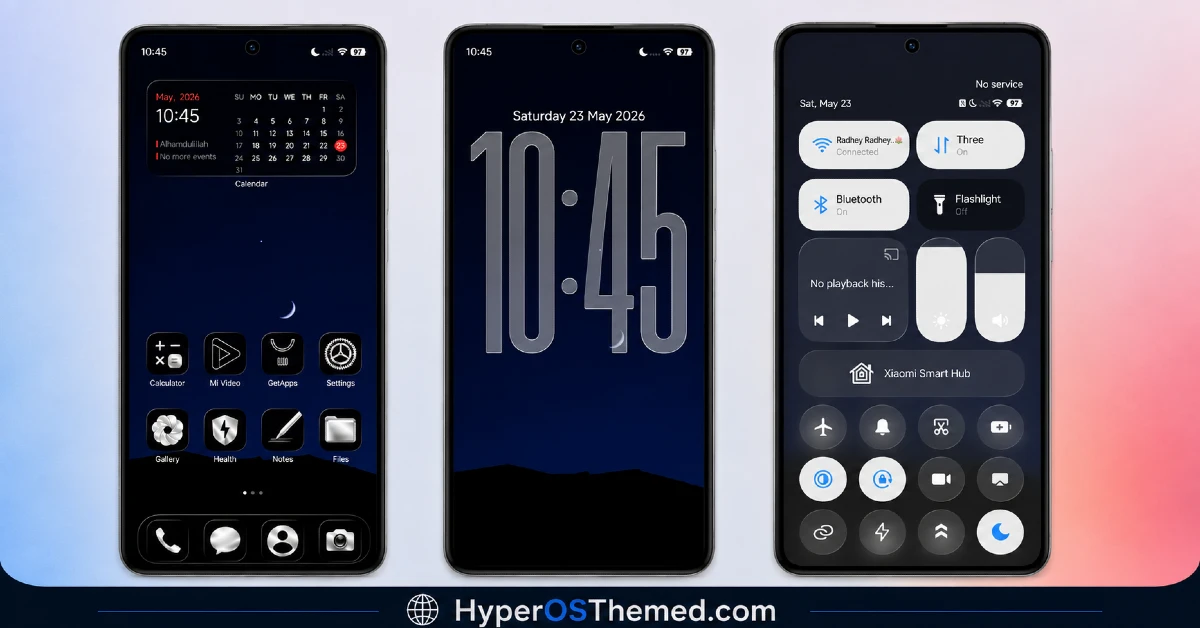
The lock screen is where this theme really shows its intent. A crisp neon blue digital clock sits against clean geometric lines, glowing softly without feeling overdone. It’s a striking look, but the choice isn’t purely visual, a true black display like this genuinely helps with AMOLED battery efficiency and tends to be easier on your eyes during nighttime use.
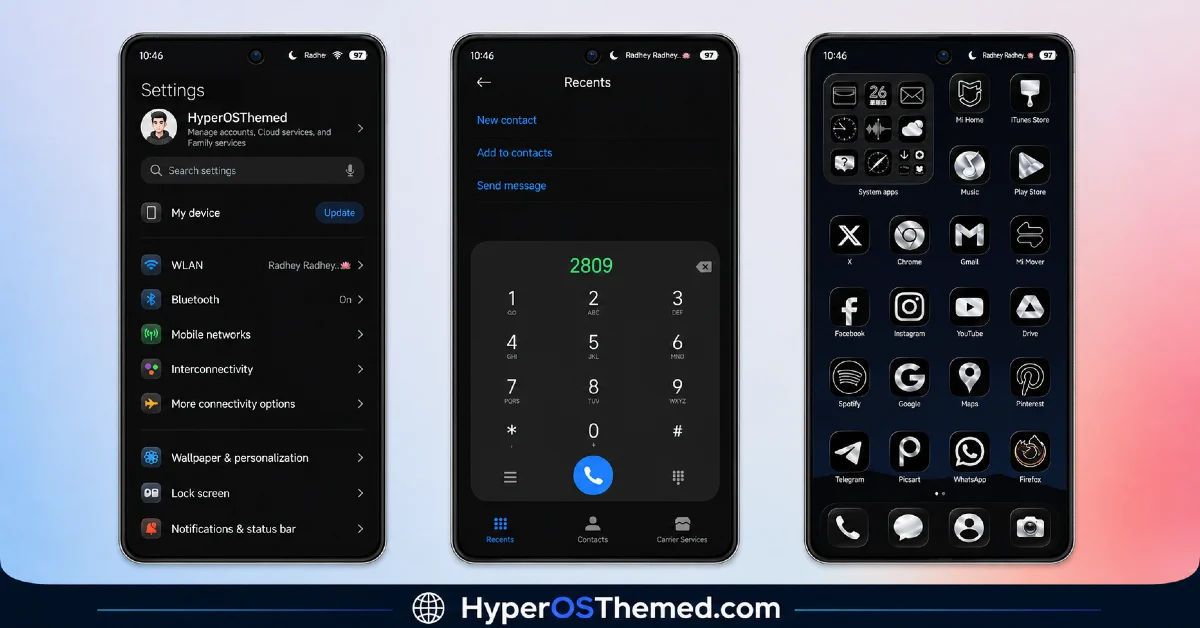
Move to the home screen and you’ll find a set of uniform circular icons in black with high contrast blue symbols inside them. They’re easy to spot at a glance, no squinting to figure out which icon is which, and the consistency across every icon makes the whole layout feel intentional rather than thrown together.
The Control Center picks up a translucent charcoal and indigo overlay, and the system backgrounds have been reworked to match, so nothing feels like it was left behind in the redesign. Everything ties back to that same deep black and blue identity, from the lock screen down to the smaller menus you check throughout the day.
Covalent V2 HyperOS Theme Preview
Why Covalent V2 HyperOS Theme Works So Well
What I appreciate about the Covalent V2 HyperOS theme is that it doesn’t rely on flashy extras to feel complete. It commits fully to one visual idea, a true black canvas with sharp blue accents, and executes it cleanly across the entire interface. That kind of focus is honestly harder to pull off than adding a dozen features, and it pays off here.
Covalent V2 HyperOS Theme Details
| Detail | Info |
|---|---|
| Theme Name | Covalent V2 |
| File Size | 11.40 MB |
| Designer | Alimun |
| Region/Server | Global |
| Compatibility | HyperOS, HyperOS 2.0, HyperOS 3.0 |
| Features | True Black Design, Blue Accents, Simple Layout |
The designer left a short note with this release too: “Probably Nothing,” alongside a Telegram handle for anyone who wants to follow more of their work: @fauzone07.
Getting the Theme
Installing on Global Stable ROM
If your device is running the standard HyperOS or MIUI Global stable build, here’s how to install it:
- Open this page using the Firefox browser, since it handles the redirect best.
- Tap the Official Theme Store Link above.
- The page will open in Chinese, which is expected. Tap the three dots in the top right corner and select “Open in app.”
- This opens the Theme Store app, where the download will begin.
- Once it’s downloaded, tap Apply.
If the Official Theme Store Link doesn’t open properly, switch to Chrome or your phone’s default browser. Some third party browsers don’t handle this redirect correctly.
Installing on Custom ROMs
Running a custom build like Xiaomi.eu, MIUIRoom, or similar? Here’s the manual install method using the mtz file:
- Download the Covalent V2 mtz file from the link above.
- Open the Theme Store app and go to the Themes section.
- Scroll to the bottom and tap Import.
- Select the downloaded mtz file.
- Tap Apply.
One thing worth remembering: restart your device if anything looks slightly off after applying. A quick reboot usually clears it up right away. I tested this theme myself, and it ran smoothly with no issues at all.
Final Thoughts
Covalent V2 HyperOS Theme proves that going all in on true black can produce something genuinely sharp and cohesive, no gimmicks needed. Alimun kept the design focused: blue accents against deep black, clean icons, and a Control Center that matches, and the result feels polished from top to bottom. If a true black aesthetic with a bit of neon flair sounds like your kind of upgrade, this one’s absolutely worth downloading.
You may also like:
