
Not every theme needs a complicated backstory or a dozen flashy features to be worth using. stardark, designed by Frxmnda, is refreshingly straightforward about what it offers: a simple, dark theme with dark icon apps, and after testing it out, I can say it delivers exactly that without overselling itself.
What the stardark HyperOS Theme Actually Offers
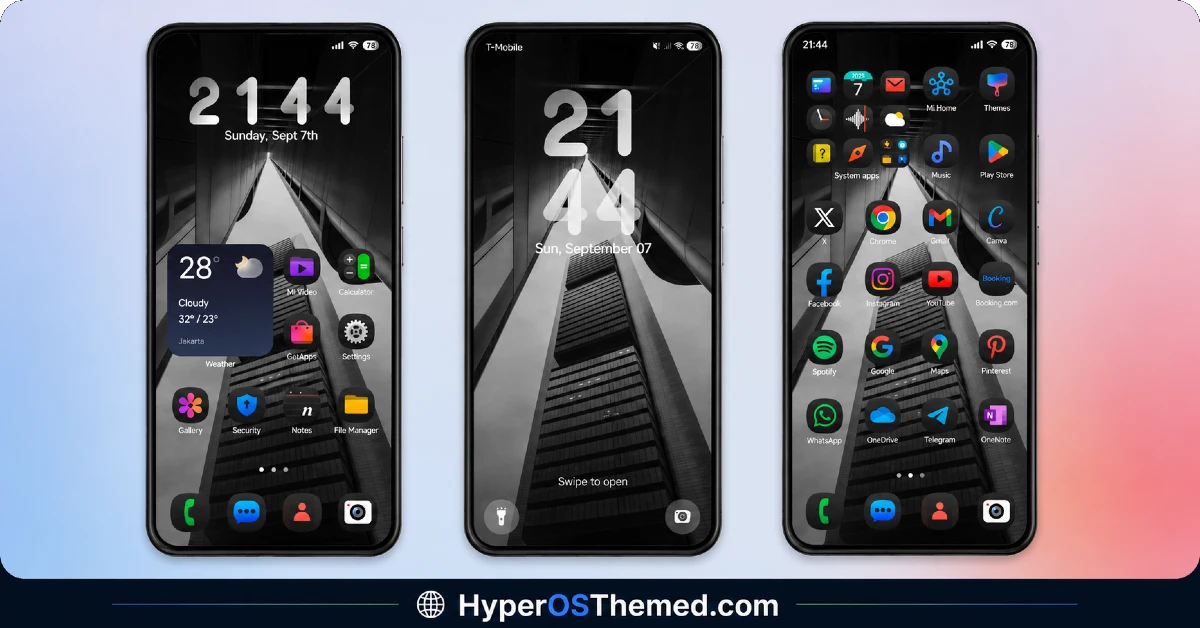
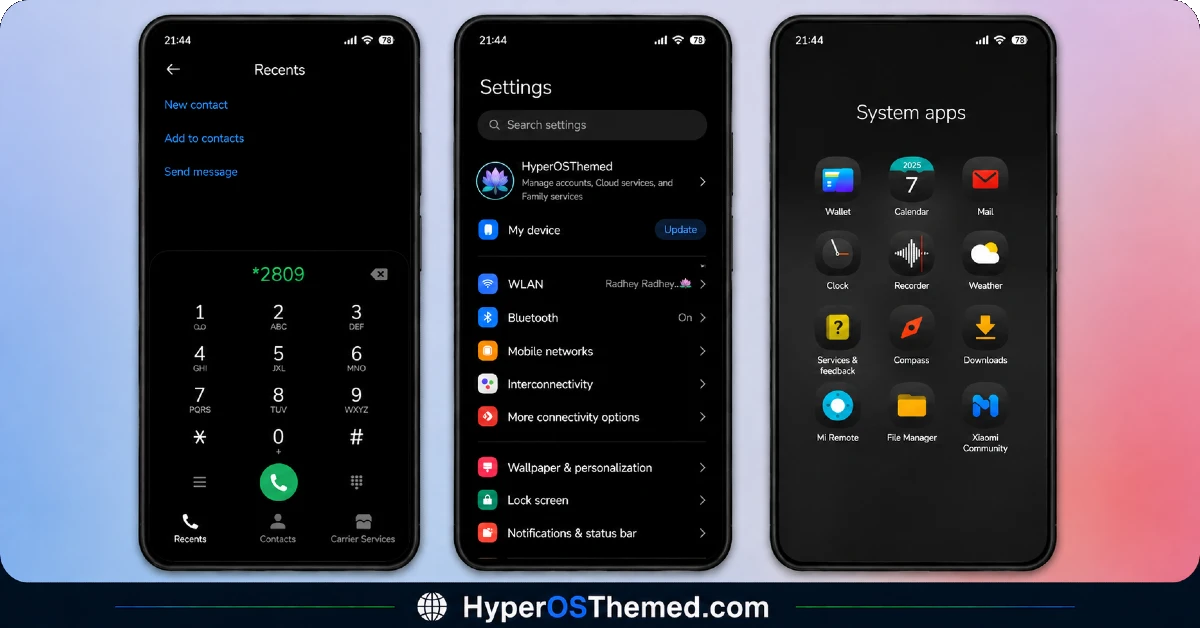
The stardark HyperOS theme keeps things deliberately minimal. There’s no attempt to layer in flashy 3D effects or oversized clock typography, just a clean, consistent dark aesthetic running through the entire interface. The icon set follows a uniform black and dark theme, so nothing feels mismatched or half-finished once you’re browsing through your apps.
The dynamic lock screen adds a bit of life to the experience, so you’re not stuck staring at a static image every time you glance at your phone. It’s a small but appreciated touch on an otherwise stripped-back release.
stardark HyperOS Theme Preview
Built to Be Used With Dark Mode
Frxmnda was upfront about this in the theme’s own description, stardark is recommended for use with Dark Mode enabled. It’s built around that darker palette specifically, so switching Dark Mode on before applying ensures you’re seeing the theme exactly as intended, rather than a mismatched hybrid look.
Why Simplicity Works Here
There’s something genuinely appealing about a theme that doesn’t try to do too much. stardark commits fully to its dark, black aesthetic and executes it cleanly, consistent icons, a matching status bar, and an Always-on Display that carries the same tone through your idle screen. Nothing here feels like it’s competing for attention, which makes for a calm, easy-to-live-with daily interface.
- Simple, black dark theme — no unnecessary flourishes, just clean dark styling
- Uniform dark icon set — consistent across your entire app drawer
- Dynamic lock screen — adds subtle movement instead of a static image
- Built for Dark Mode — designed specifically to be viewed that way
- Matching status bar and Always-on Display — consistent tone throughout
Who Should Try stardark HyperOS Theme
If you want a dark theme without gimmicks, something that just looks clean and consistent without asking much of you, stardark is a solid pick for your Xiaomi, Redmi, or POCO device. It’s compatible with HyperOS and HyperOS 2.0, completely free, and works well for anyone who prefers function and simplicity over visual spectacle.
stardark HyperOS Theme Details
| Detail | Info |
|---|---|
| Theme Name | stardark |
| File Size | 56.37 MB |
| Designer | Frxmnda |
| Region/Server | Global |
| Compatibility | HyperOS, HyperOS 2.0 |
| Features | Simple Design, Dark Theme, Black Icons, Dynamic Lock Screen |
| Recommended Setting | Use with Dark Mode enabled |
Getting the Theme
Installing stardark HyperOS Theme on Global Stable ROM
If your device is running the standard HyperOS or MIUI Global stable build, here’s how to install it:
- Open this page using the Firefox browser, since it handles the redirect best.
- Tap the Official Theme Store Link above.
- The page will open in Chinese, which is expected. Tap the three dots in the top right corner and select “Open in app.”
- This opens the Theme Store app, where the download will begin.
- Once it’s downloaded, tap Apply.
If the Official Theme Store Link doesn’t open properly, switch to Chrome or your phone’s default browser. Some third party browsers don’t handle this redirect correctly.
Installing stardark HyperOS Theme on Custom ROMs
Running a custom build like Xiaomi.eu, MIUIRoom, or similar? Here’s the manual install method using the mtz file:
- Download the stardark mtz file from the link above.
- Open the Theme Store app and go to the Themes section.
- Scroll to the bottom and tap Import.
- Select the downloaded mtz file.
- Tap Apply.
One thing worth remembering: restart your device if anything looks slightly off after applying. A quick reboot usually clears it up right away. I tested this theme myself, and it worked cleanly with no issues at all.
Final Thoughts
The stardark HyperOS theme proves that a dark theme doesn’t need to reinvent anything to be worth using. It’s simple, consistent, and does exactly what it says on the tin, a clean, dark aesthetic without unnecessary complexity. If that’s what you’re after, this one’s absolutely worth downloading. Just remember to switch on Dark Mode first.
You may also like:
