
I’ve reviewed a fair number of themes claiming to be “premium,” but not all of them actually earn that word. Colorful 26 does. Designed by DAMI, this one leans into a striking Liquid glass effect that genuinely sets it apart from most of the flat, standard themes circulating right now.
What Makes Colorful 26 HyperOS Theme Premium
The standout feature here is right there in the name of the effect itself, a liquid glass finish running through the interface that gives everything a soft, layered, almost fluid quality. It’s the kind of visual detail that’s hard to describe in words but immediately obvious once you see it in motion on your own screen, panels and elements feel like they have real depth rather than sitting flat.
- Liquid glass visual effect — a genuinely distinct texture that separates this from typical flat or gradient themes
- Fully customizable elements — you’re not locked into one rigid layout, there’s room to adjust things to your taste
- Vibrant, well curated wallpapers — colorful without feeling chaotic or mismatched
- System-wide consistency — the icons, status bar, lock screen, and Always-on Display all share that same premium visual language
- Available in two versions — the original and a dedicated English version, so language preference isn’t a barrier here
Colorful 26 HyperOS Theme Preview
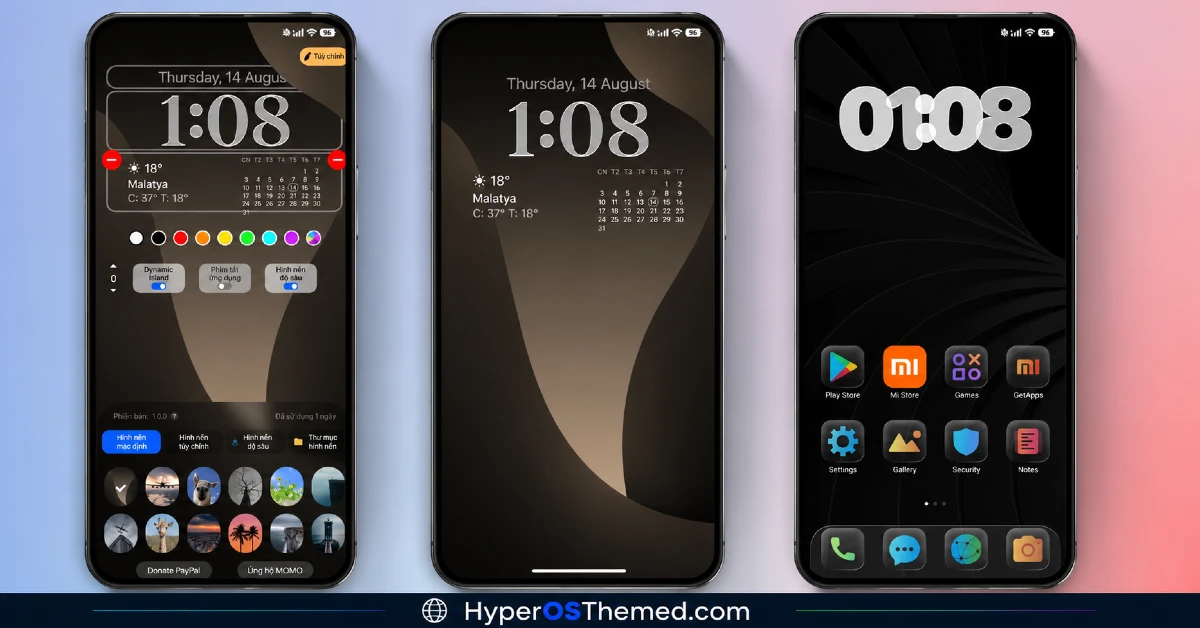
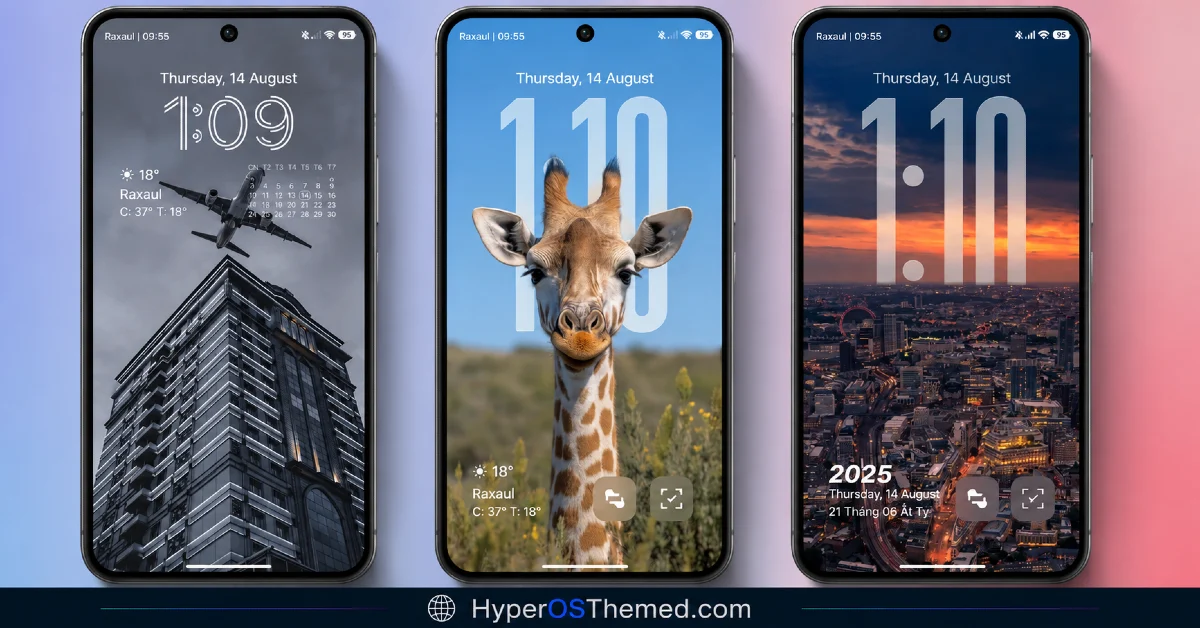
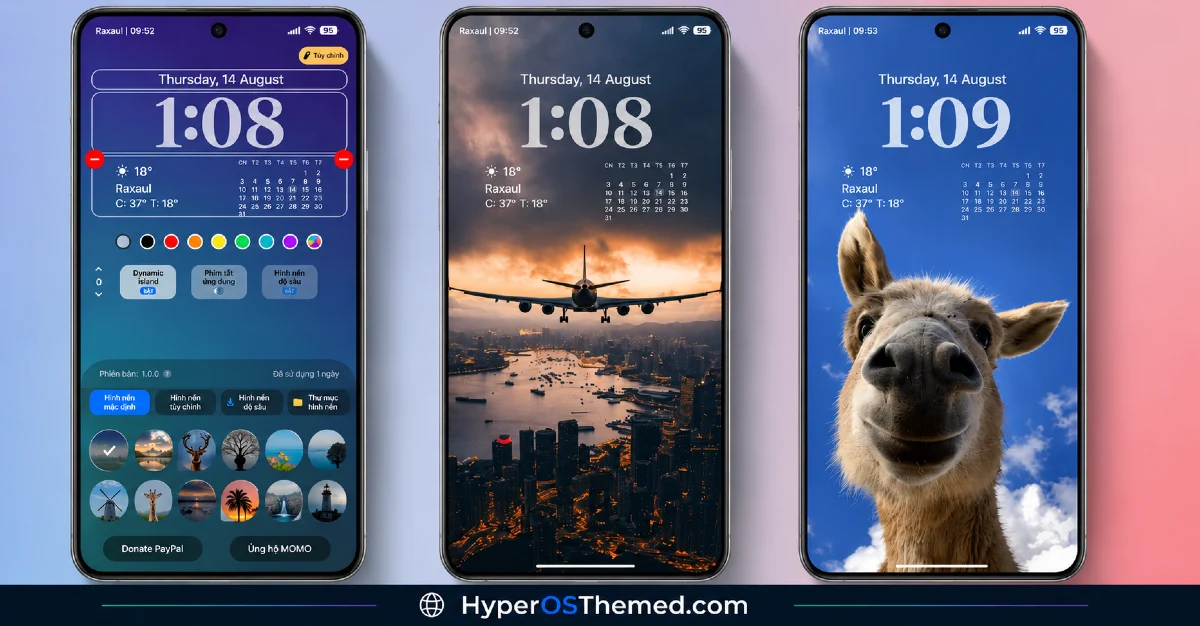
Password
Before installing, know that Colorful 26 requires a password (“Ngoc Mjnh Chau“) to fully apply. It’s a small extra step during setup, but easy to overlook if you’re moving quickly through the install process, so keep it in mind before you get started.
Who Should Try This Colorful 26 HyperOS Theme
If you want your Xiaomi, Redmi, or POCO device to feel genuinely premium, not just colorful for the sake of it, Colorful 26 is a strong pick. It’s compatible with HyperOS and HyperOS 2.0, and the liquid glass effect alone makes it worth trying if you haven’t seen this style of theme before.
Colorful 26 HyperOS Theme Details
| Detail | Info |
|---|---|
| Theme Name | Colorful 26 |
| File Size | 26.44 MB |
| Designer | DAMI |
| Region/Server | Global |
| Compatibility | HyperOS, HyperOS 2.0 |
| Features | Premium Design, Liquid Glass Effect, Customizable Elements, Curated Wallpapers |
| Password | Ngoc Mjnh Chau |
Getting the Theme
Installing Colorful 26 HyperOS Theme on Global Stable ROM
If your device is running the standard HyperOS or MIUI Global stable build, here’s how to install it:
- Open this page using the Firefox browser, since it handles the redirect best.
- Tap the Official Theme Store Link above.
- The page will open in Chinese, which is expected. Tap the three dots in the top right corner and select “Open in app.”
- This opens the Theme Store app, where the download will begin.
- Once it’s downloaded, tap Apply and enter the password when prompted.
If the Official Theme Store Link doesn’t open properly, switch to Chrome or your phone’s default browser. Some third party browsers don’t handle this redirect correctly.
Iything looks slightly off after applying. A quick reboot usually clears it up right away. I tested this theme myself, and it ran cleanly with no issues at all.
Final Thoughts
Colorful 26 HyperOS Theme backs up its “premium” label with a genuinely distinct liquid glass effect that’s hard to find elsewhere. Between the customizable elements, curated wallpapers, and that extra bit of visual depth, DAMI put together something that feels noticeably different from the usual flat theme releases. If you want your phone to stand out with something visually unique, this one’s absolutely worth the download, just remember that password.
You may also like:
