
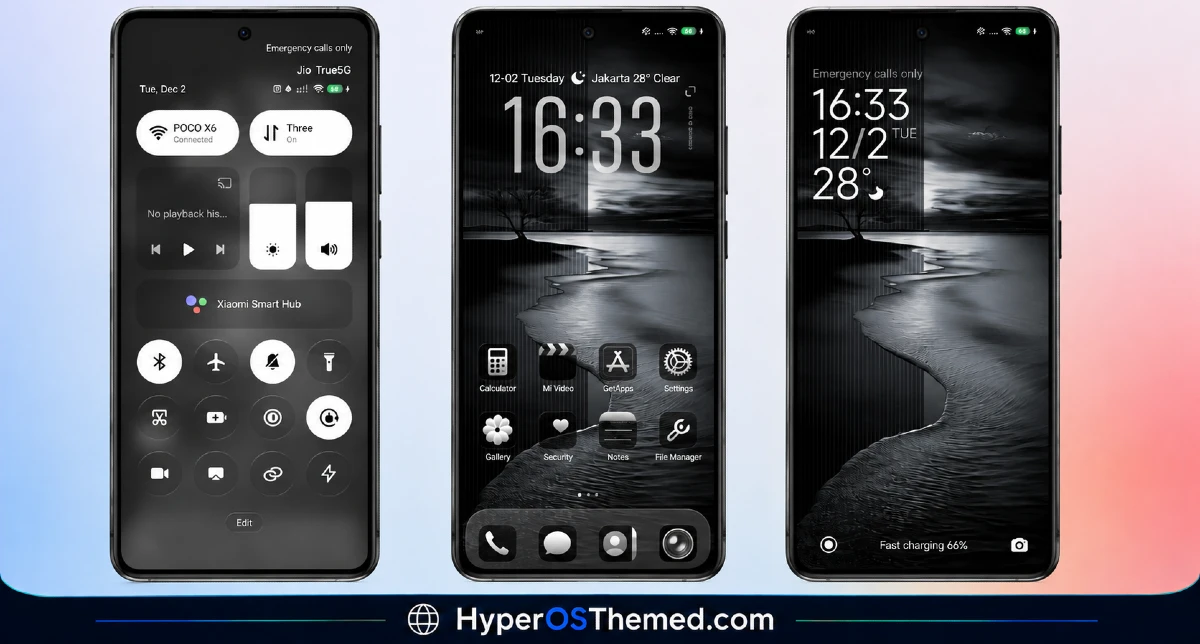
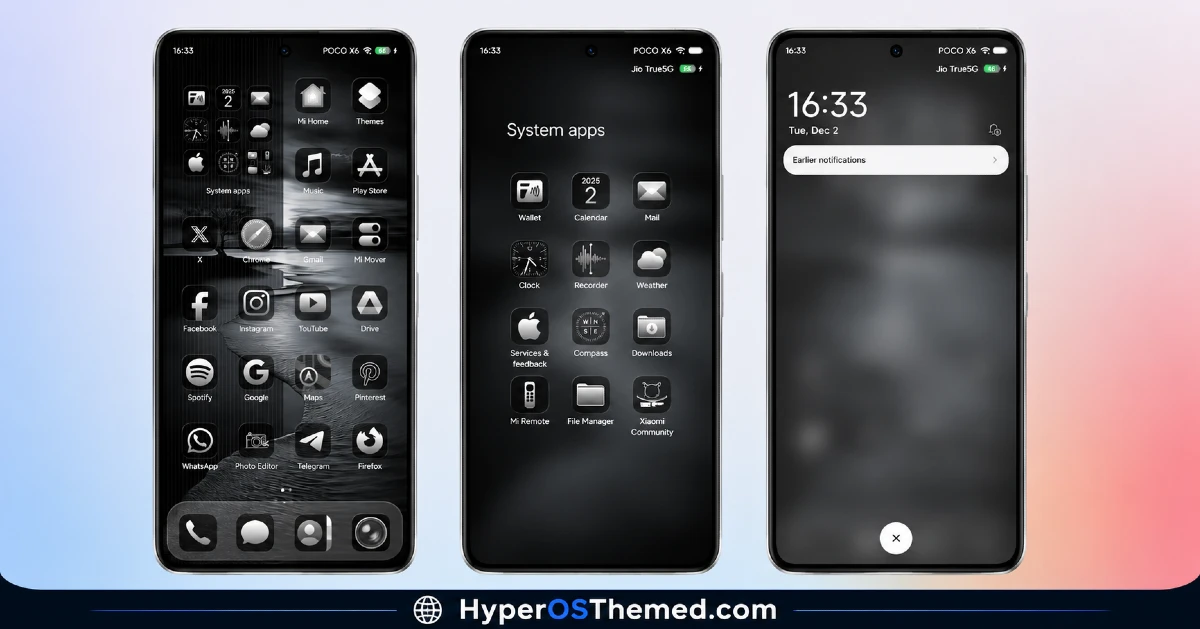
Business style themes usually go one of two ways. Either they end up looking too plain and corporate, or they try to soften things up and lose that clean, professional edge entirely. The Black Flower HyperOS Theme finds a middle ground that actually works. It keeps a black, business inspired base but adds floral touches throughout, so your phone still looks sharp for daily use without feeling cold or overly formal.
Black Flower HyperOS Theme Preview
What You Get With Black Flower HyperOS Theme
- Black Business Aesthetic: The theme builds its foundation around a dark, professional color scheme, the kind of look that fits just as well in a meeting as it does anywhere else.
- Floral Accents: Flower-inspired details are worked into the design, softening the otherwise serious black base and giving the theme a bit of personality instead of feeling purely corporate.
- Dynamic Lock Screen: The lock screen carries a bit of motion rather than sitting as a plain static image, making it feel more engaging every time you check your phone.
- Reworked Status Bar and Icons: Icons and the status bar are redesigned to match the black and floral theme, keeping the whole interface consistent rather than half finished.
- Stylish Always-on Display: The AOD follows the same design direction as the rest of the theme, so it still looks intentional even when your screen is mostly off.
Black Flower HyperOS Theme Information
| Detail | Info |
|---|---|
| Theme Name | Black Flower HyperOS Theme |
| File Size | 13.59 MB |
| Created By | Masuod.B |
| Server Region | Global |
| Works With | HyperOS, HyperOS 2.0, HyperOS 3 |
| Style | Black, Business, Flower, Dynamic Lock Screen |
A Quick Note on the Creator
Black Flower comes from Masuod.B. If you want to leave feedback or report anything unusual after applying the theme, you can reach out on Telegram at @englishthemesoxfury.
Getting the Theme
Installing Black Flower HyperOS Theme Official ROM Users
If your phone is running the official Global Stable build of HyperOS or MIUI, follow these steps.
- Open this page using the Firefox browser on your phone.
- Tap the official Theme Store link in the download section above.
- You’ll land on a Xiaomi theme page written in Chinese, that’s normal. Tap the three dots in the top right corner and choose “Open in app.”
- This hands off to your Themes Store app, where the download starts automatically.
- Once it finishes downloading, tap Apply.
Heads up: If the Theme Store link doesn’t open properly, try switching to Chrome or your phone’s default Xiaomi browser. Some third party browsers block this redirect.
Installing Black Flower HyperOS Theme on Custom ROM User
Running a custom build like Xiaomi.eu, MIUIRoom, or another MIUI or HyperOS-based ROM? Sideload the file manually instead.
- Download the .mtz file from the link above.
- Open the Theme Store app and go to the Themes tab.
- Scroll to the bottom and tap Import.
- Select the .mtz file you just downloaded.
- Tap Apply.
Tip: Restart your phone after applying the theme. If any icon, wallpaper, or lock screen element looks slightly off right after applying, a quick restart almost always fixes it. This theme has been tested and applies cleanly with no reported issues.
Final Thoughts
The Black Flower HyperOS Theme works because it does not try to pick just one mood. The black business styling keeps it looking professional, while the floral accents and dynamic lock screen give it enough character to stand out from a plain, all dark theme. At just under 14 MB, it is a small download for a look that manages to feel both sharp and a little bit personal at the same time.
You may also like:
- JIHE HyperOS Theme with Premium Black UI For Xiaomi, Redmi and POCO
- Fazuhiro HyperOS Theme Compatible with MIUI, Xiaomi, Redmi and POCO
- HOST-N 126 HyperOS Theme with Premium Control Center and iOS-inspired
- Luci77V15 HyperOS Theme Best for POCO, Xiaomi and Redmi Phones
- Maxos26 HyperOS Theme with Dynamic Lock Screen & Dynamic Icons
