
Every once in a while, a theme lands in my downloads folder and just… surprises me. Liuli OS 27 iOS 27 – Style Theme for POCO, Redmi & Xiaomi Devices did exactly that. I wasn’t expecting much from the name alone, but the moment I saw the wallpapers, I knew this one deserved its own write-up instead of getting buried in a roundup post.
Liuli OS 27 iOS 27 – Style Theme Preview
This theme goes all-in on an iOS 27-inspired aesthetic, and it really shows in the details. The wallpapers use an abstract blue design with a soft 3D quality to them, not flat, not busy, just genuinely nice to look at every time you unlock your phone. Paired with that, you get glossy, rounded icons that feel like they belong to a much more premium interface than what usually ships on Xiaomi devices out of the box.
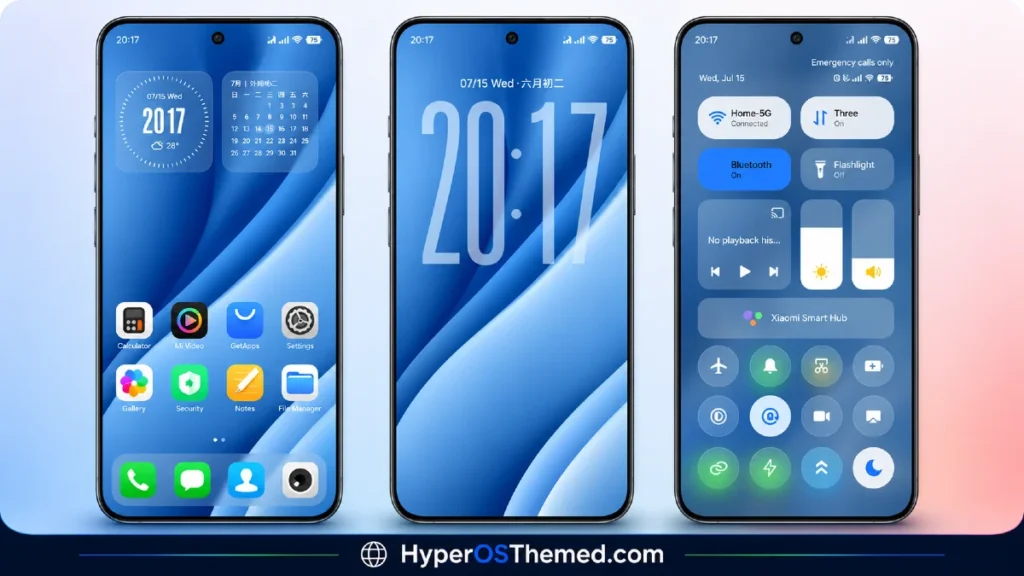
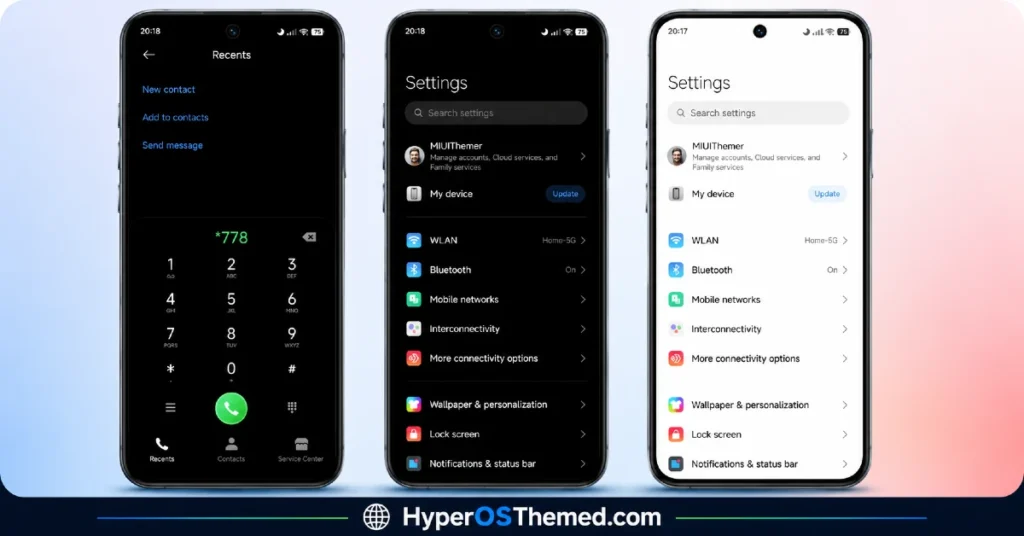
The Control Center redesign is probably my favorite part. It’s built to feel like an authentic iPhone-style panel, and honestly, it pulls it off well. If you’ve ever wished your Xiaomi, Redmi, or POCO phone had that same polished quick-settings feel as an iPhone, this theme gets you most of the way there.
The lock screen and status bar have also been reworked to match the rest of the theme, so nothing feels out of place or half-finished. Even the Always-on Display carries the same visual language — sharp, minimal, and consistent with everything else.
Why I Think It’s Worth Trying
What sold me on this one wasn’t just the visuals; it’s how complete the package feels. A lot of themes nail the wallpaper and icons but forget about the smaller touches. Liuli OS 27 iOS 27 – Style Theme for POCO, Redmi & Xiaomi Devices doesn’t have that problem. Every part of the phone you actually look at throughout the day has been given real attention.
It’s free, it works across Xiaomi, Redmi, and POCO devices, and if you’re someone who’s bored of your stock look and wants something that genuinely feels different, this is a strong pick.
Liuli OS 27 Theme Details
| Detail | Info |
|---|---|
| Theme Name | Liuli OS 27 |
| File Size | 56.91 MB |
| Designer | 蓝 |
| Region/Server | China |
| Compatibility | HyperOS, HyperOS 2.0, HyperOS 3.0, MIUI |
| Features | iOS 27 Style, Abstract Blue Design, 3D Wallpapers |
| Official Theme Link | Official Theme Store Link |
Installing on Global Stable ROM
If you’re on the standard HyperOS or MIUI Global stable build, here’s how to get it running:
- Open this page using the Firefox browser, it handles the redirect best.
- Tap the Official Theme Store Link above.
- The page opens in Chinese; that’s expected. Tap the 3 dots in the top-right corner and select “Open in app.”
- This launches the Theme Store app, where the download begins.
- Once downloaded, tap Apply.
If the Official Theme Store Link doesn’t open properly, switch to Chrome or your phone’s default browser — some third-party browsers don’t handle this redirect correctly.
One thing to note: restart your device if anything looks slightly off after applying, a quick reboot usually clears it up right away. I’ve tested this theme myself, and it ran perfectly with no issues at all.
Final Thoughts
Liuli OS 27 is one of those themes that genuinely earns the “premium feel” label instead of just claiming it. If that abstract blue, iOS-inspired look appeals to you, it’s absolutely worth the download. Try it out and let me know what you think in the comments.
You May Also Like
- Best HyperOS 3.0 Theme AS Neon Dark Mode For POCO, Xiaomi and Redmi Devices
- Best iOS Style HyperOS theme Black for POCO, Xiaomi and Redmi Devices
- Best HyperUI V4 HyperOS Theme For Poco, Redmi and Xiaomi Devices
- Blackess Pro iOS Style Theme for HyperOS with Dynamic Island
- iOS ProMotion Theme Xiaomi HyperOS for Poco, Redmi and Xiaomi devices
