
Mydul Islam has already earned a spot on this site with the clean, minimal Mango HOS3 theme, so when I saw Lovely HOS3 HyperOS Theme from the same designer, I went in curious to see how different it would feel. Turns out, quite different, and in a good way. Where Mango leaned minimal and neutral, Lovely goes soft, pink, and genuinely charming.
A Complete Shift in Lovely HOS3 HyperOS Theme Design
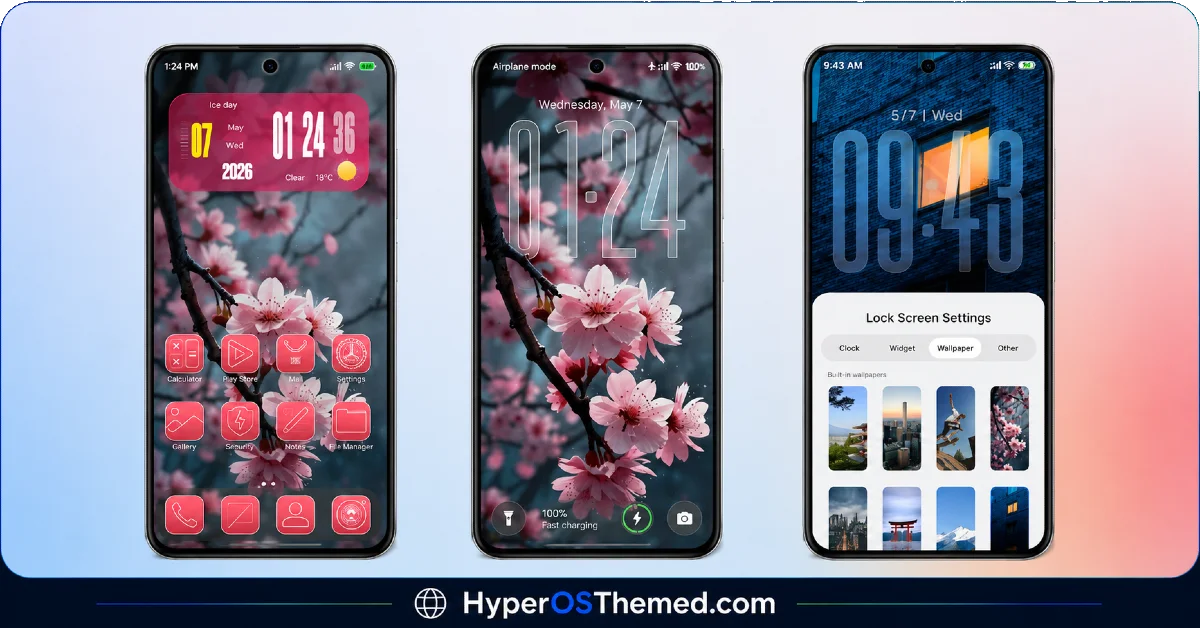
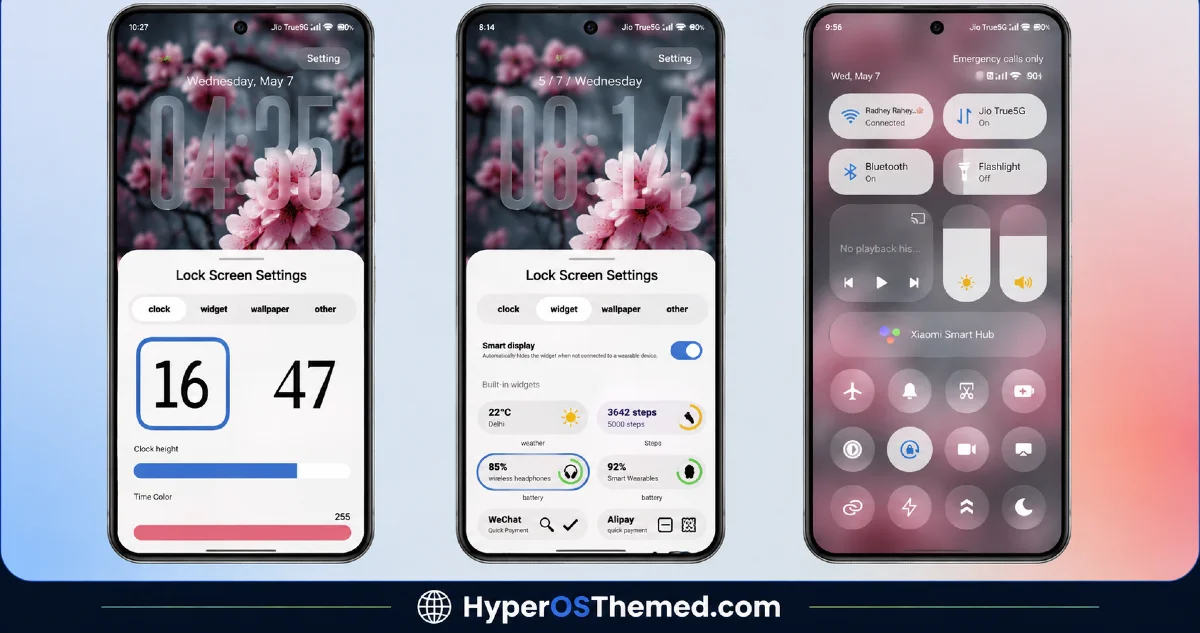
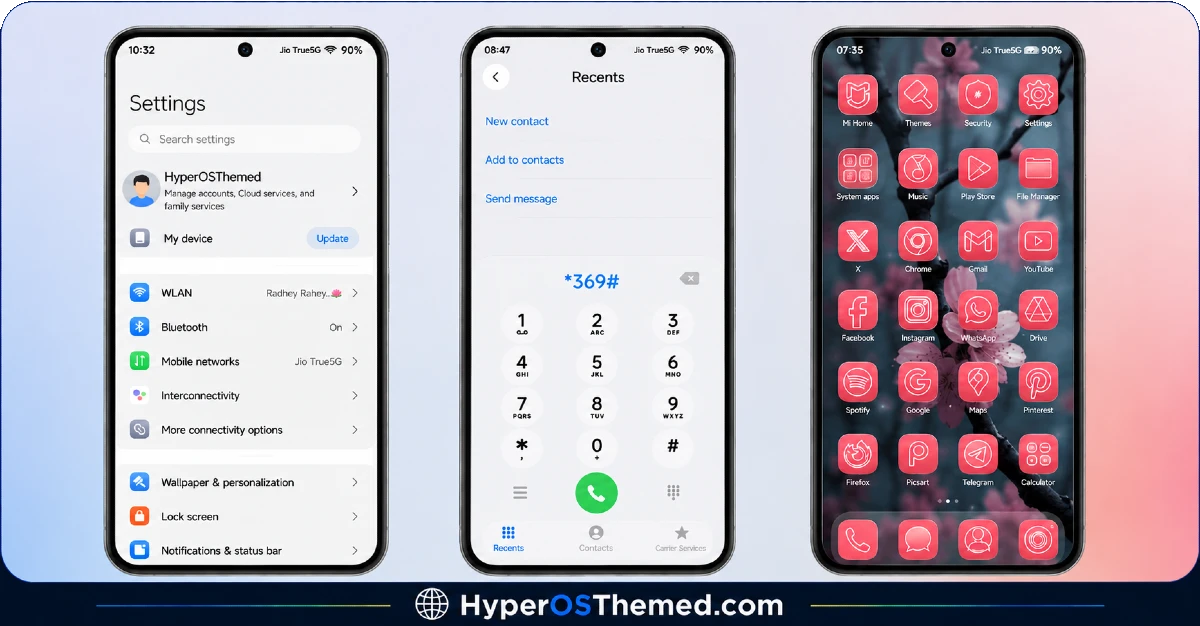
This theme wears its personality on its sleeve right from the wallpaper. Soft pink tones paired with delicate floral touches give the whole interface a warmer, more personal feel compared to the usual dark or neutral themes flooding the space right now. It’s not trying to look sleek or corporate, it’s going for something that feels genuinely pretty, and it succeeds at that without tipping into looking childish or overdone.
The dynamic lock screen adds a nice bit of movement to the experience too, so unlocking your phone doesn’t feel like glancing at a static image every single time. There’s a subtle liveliness to it that suits the theme’s overall floral, feminine direction really well.
Consistency Across the Whole Package
What I appreciate aboutLovely HOS3 HyperOS Theme is that the pink and floral identity doesn’t stop at the wallpaper. The icon set carries the same soft color language, the status bar picks up matching tones, and the Always-on Display stays true to that pink aesthetic instead of reverting to something generic when your screen goes idle. It’s a fully committed design rather than a wallpaper change dressed up as a full theme.
At 73.41 MB, this is a fairly hefty download compared to a lot of themes I’ve featured, which suggests there’s a decent amount of custom asset work packed in here rather than a lightweight, minimal-effort release.
Lovely HOS3 HyperOS Theme Preview
Support Built Right Into the Theme
One thing I genuinely liked seeing was the designer’s approach to support. Mydul Islam runs a Telegram channel specifically for troubleshooting and updates, and the theme description makes it clear, if something’s not working right, you can reach out there and get help quickly. It’s a small detail, but it shows a level of ongoing care that a lot of free themes simply don’t offer once they’re published.
Who Should Try This
If you want your Xiaomi, Redmi, or POCO device to feel a bit softer and more personal, this is a strong pick. It’s compatible with HyperOS, HyperOS 2.0, and HyperOS 3.0, so most readers here should have no trouble installing it, and it’s completely free to download.
Lovely HOS3 HyperOS Theme Details
| Detail | Info |
|---|---|
| Theme Name | Lovely HOS3 |
| File Size | 73.41 MB |
| Designer | Mydul Islam |
| Region/Server | Global |
| Compatibility | HyperOS, HyperOS 2.0, HyperOS 3.0 |
| Features | Dynamic Lock Screen, Pink Color Scheme, Floral Design, Custom Wallpapers |
The designer also shared a direct support channel with this release. If you run into any issues, you can reach out through their Telegram channel and get help sorted quickly. They also share more premium themes there for anyone who wants to follow along.
Getting the Theme
How to Install on Global Stable ROM
If your device is running the standard HyperOS or MIUI Global stable build, here’s how to install it:
- Open this page using the Firefox browser, since it handles the redirect best.
- Tap the Official Theme Store Link above.
- The page will open in Chinese, which is expected. Tap the three dots in the top right corner and select “Open in app.”
- This opens the Theme Store app, where the download will begin.
- Once it’s downloaded, tap Apply.
If the Official Theme Store Link doesn’t open properly, switch to Chrome or your phone’s default browser. Some third party browsers don’t handle this redirect correctly.
How to Install on Custom ROMs
Running a custom build like Xiaomi.eu, MIUIRoom, or similar? Here’s the manual install method using the mtz file:
- Download the Lovely HOS3 mtz file from the link above.
- Open the Theme Store app and go to the Themes section.
- Scroll to the bottom and tap Import.
- Select the downloaded mtz file.
- Tap Apply.
One thing worth remembering: restart your device if anything looks slightly off after applying. A quick reboot usually clears it up right away. I tested this theme myself, and it ran smoothly with zero issues.
Final Thoughts
Lovely HOS3 HyperOS Theme shows a genuinely different side of Mydul Islam’s work, trading the clean minimalism of Mango HOS3 for something warmer, softer, and more personal. Between the pink floral design, the dynamic lock screen, and the added bonus of real ongoing support through Telegram, this theme feels like a complete, thoughtfully maintained package. If a soft, romantic aesthetic sounds like your kind of phone upgrade, this one’s absolutely worth trying.
You may also like:
- Kepal ApiiV2 HyperOS Theme — iOS-Style Theme For Redmi, Xiaomi and POCO
- iP27 Super Capsule iOS 27 Style HyperOS Theme For Redmi, Poco and Xiaomi
- Best Cyberpunk Anime Theme For MIUI & HyperOS
- Mango HOS3 HyperOS Theme iOS Styled Theme for Xiaomi, Redmi and POCO Phones
- Black Flower HyperOS Theme Best For POCO, Redmi & Xiaomi
