
Some theme designers chase trends; others just focus on getting the fundamentals right every single time. NkO’S Edition Theme HyperOS clearly belongs to the second camp, and after spending real time with the Nk0’s Edition theme for HyperOS, I can say it’s one of those releases that doesn’t need flashy gimmicks to earn a recommendation.
Where NkO’S Edition Theme Actually Reaches
A lot of themes redesign your home screen and call it a day, leaving your Settings menu or dialer looking untouched and out of place. NkO’S Edition Theme doesn’t cut that corner. The redesign runs through the Settings app, notification panel, Control Center, dialer, messaging, and even the smaller system apps that most people forget to check when reviewing a theme. Everything follows the same visual direction, so nothing feels like it got left behind halfway through the design process.
That level of thoroughness is honestly the biggest reason this theme deserves a proper spot on the site rather than a quick mention buried in a list.
NkO’S Edition Theme Preview
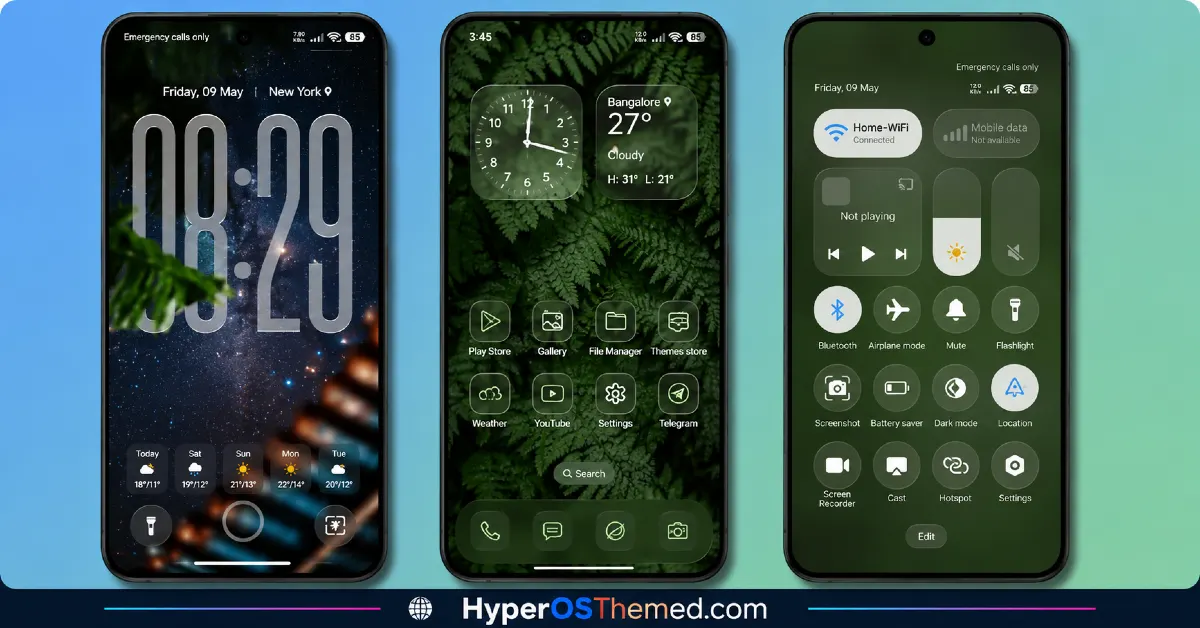
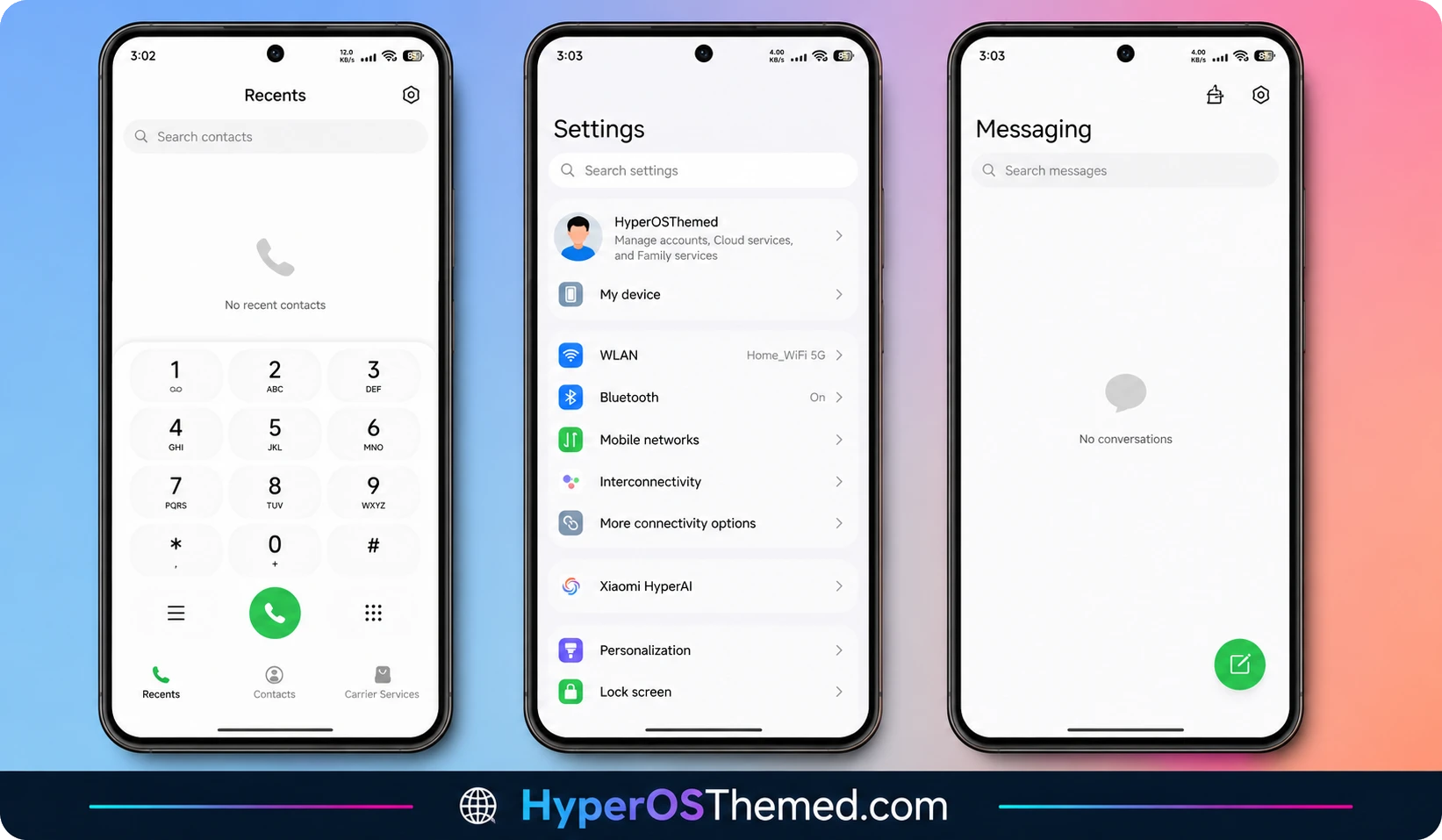
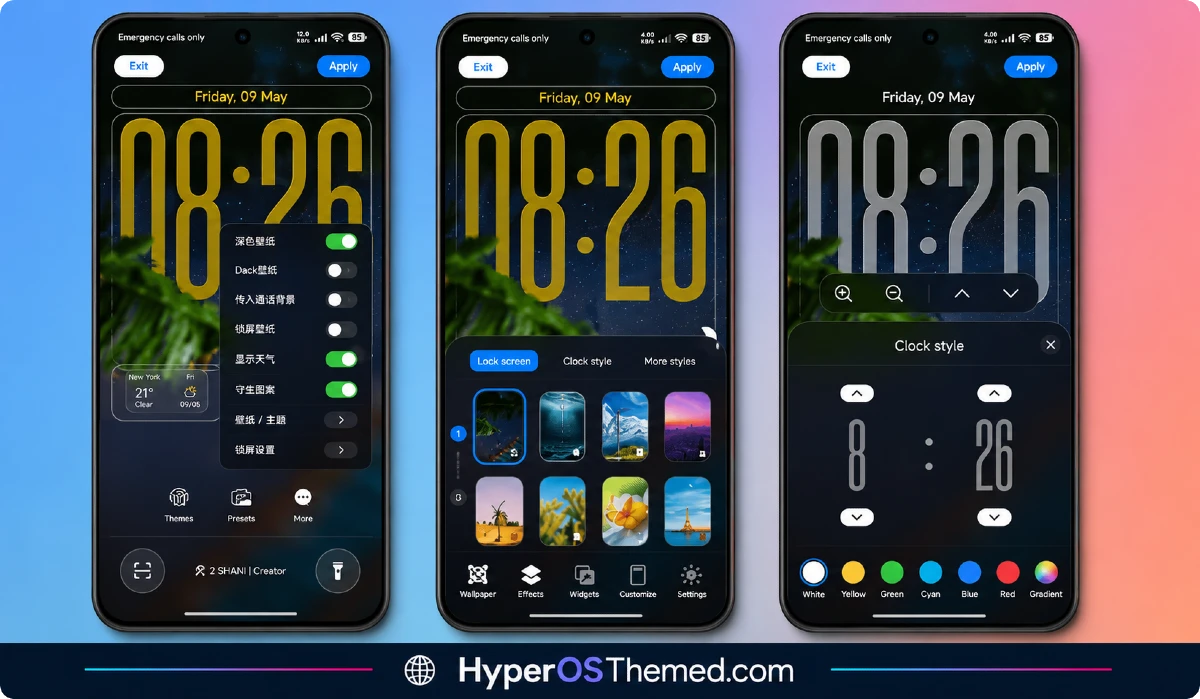
The Small Details That Add Up
The redesigned icon pack sticks to simple, minimalistic shapes with a well balanced color palette, and it holds up cleanly whether you’re browsing in light mode or dark mode. Nothing looks washed out or hard to make out at a glance, a small thing, but one plenty of themes still get wrong.
The status bar and quick settings panel got proper attention too: cleaner toggles, better spacing, and text you can actually read without squinting. The lock screen keeps things simple on purpose, a clear time display, easy to read notifications, and typography picked for legibility rather than just looking good in a screenshot.
Even the Settings menu has been reorganized here, better grouping, more consistent spacing, and a layout that genuinely makes finding what you need a little easier.
How NkO’S Edition Theme Feels in Daily Use
This is where the Nk0’s Edition theme for HyperOS really proves itself. There’s no noticeable battery drain, no background processes quietly eating into your resources, and performance stays smooth whether you’re running it on a mid-range Redmi or a flagship Xiaomi device. The subtle animations sprinkled throughout add a bit of polish without introducing any lag, which tells me this was actually optimized, not just built to look nice for a preview image.
Compatibility Across the Xiaomi Ecosystem
NkO’S Edition Theme supports HyperOS 2 and HyperOS 3, and it’s built to cover the full range of Xiaomi devices, Xiaomi, Redmi, and POCO phones are all included. Since HyperOS 3 brings improvements like a smoother animation engine and better memory management under the hood, this theme genuinely benefits from those upgrades rather than just sitting on top of them without using what’s available.
One thing worth keeping in mind, a few UI elements might look slightly different depending on your specific device model or software version, small variations between phones are completely normal here.
NkO’S Edition Theme Details
| Detail | Info |
|---|---|
| Theme Name | Nk0’s Edition ESP |
| Designer | Nk0lam |
| Compatibility | HyperOS 2, HyperOS 3 |
| Availability | Xiaomi Theme Store |
| Supported Devices | Xiaomi, Redmi, POCO |
| Features | System-Wide UI Overhaul, Redesigned Icons, Enhanced Control Center, Refined Settings Menu |
Getting the Theme
How to Apply NkO’S Edition Theme
- Open the Official Theme Store Link on your Xiaomi, Redmi, or POCO device.
- You’ll be redirected straight into the Theme Store.
- Download and install the theme from there.
- Tap Apply once it’s finished downloading.
- Customize specific elements like icons, lock screen, or status bar if you want to fine tune things further.
- Reboot your device afterward if you want everything settled in cleanly, though it’s optional.
A couple of things worth keeping in mind: availability can shift a little depending on your region, and some features may need the latest HyperOS update to work properly. As always, stick to the official Theme Store when downloading, it’s the safest route.
Final Thoughts
The Nk0’s Edition theme for HyperOS isn’t trying to win you over with dramatic colors or attention-grabbing effects, it wins you over through consistency and genuine attention to detail across the entire system. Nk0lam clearly built this one with everyday use in mind rather than just a good first impression. If you want a clean, professional, distraction-free interface that doesn’t compromise on performance, this is a solid pick worth trying on your own device.
- AJ Pink HyperOS Theme For Xiaomi, POCO and Redmi Phones
- Liuli OS 27 iOS 27 – Style Theme for POCO, Redmi & Xiaomi Devices
- GOD7V2 Theme Xiaomi For HyperOS And MIUI
- BrS v9 MIUI Theme For POCO, Redmi and Xiaomi Devices
- Surge Liquid Circular OS – iOS Inspired HyperOS Theme For Xiaomi, Redmi & POCO
- Mango HOS3 HyperOS Theme iOS Styled Theme for Xiaomi, Redmi and POCO Phones
