
There’s a specific kind of theme that manages to look professional without feeling stiff or boring, and the Black Flower HyperOS theme fits that description well. Designed by Masuod.B, someone whose work I’ve featured on the site before, this one blends a business-appropriate dark aesthetic with a subtle floral touch that keeps it from feeling too corporate.
What Sets Black Flower HyperOS Theme Apart
Black Flower HyperOS Theme leans into a dark, business style color scheme, the kind that looks equally at home in a work meeting or scrolling through your phone at the end of the day. What makes it interesting is the floral element woven into the design; it’s not overpowering or flashy, just enough to give the theme some character and stop it from feeling flat or overly serious.
The dynamic lock screen adds a nice bit of life to the whole experience too. Instead of a static image sitting there every time you glance at your phone, there’s some subtle movement built in- a small detail, but it makes unlocking your device feel a little more premium than the usual stock experience.
Beyond that signature look, the theme brings the full package you’d expect: freshly designed icons, updated wallpapers, a reworked status bar, and an Always-on Display that carries the same dark, refined tone as everything else. Nothing here feels like an afterthought tacked onto a wallpaper change.
Why Black Flower HyperOS Theme Is Worth Downloading
If you want your phone to look sharp and put together without going full minimal or full loud, Black Flower hits a nice middle ground. It works well whether you’re using your phone for work or just want something that looks a bit more sophisticated than your average theme download.
It’s compatible with HyperOS and HyperOS 2.0, works across Xiaomi, Redmi, and POCO devices, and it’s completely free, so there’s really no downside to giving it a try if the dark, business-with-a-touch-of-flower aesthetic appeals to you.
Black Flower HyperOS Theme Preview
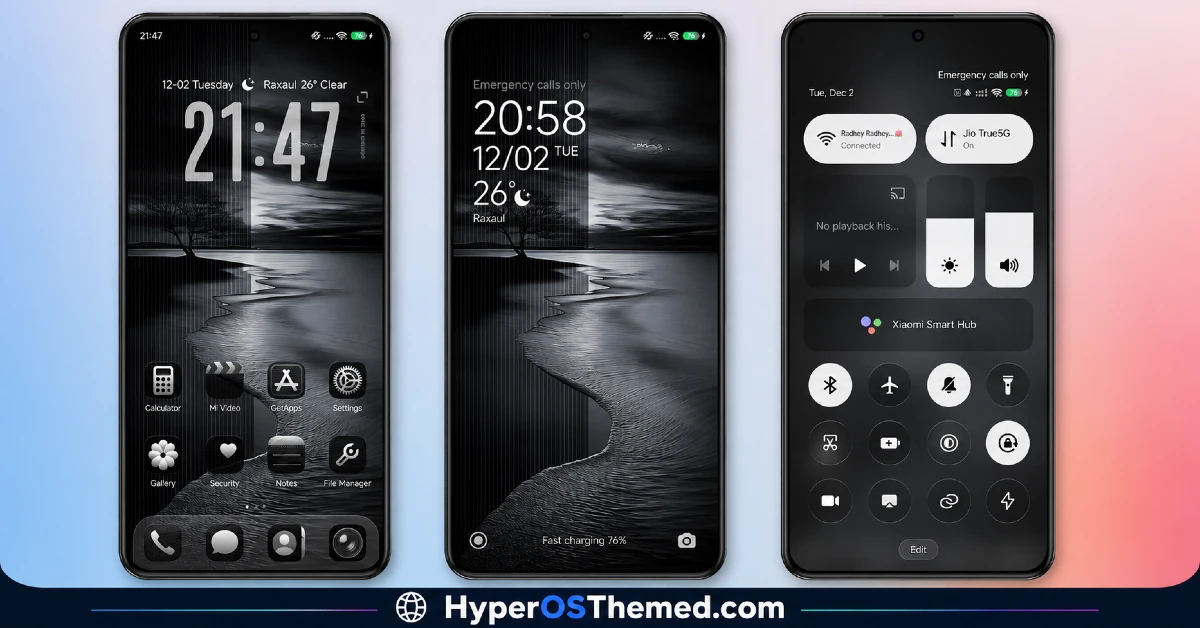
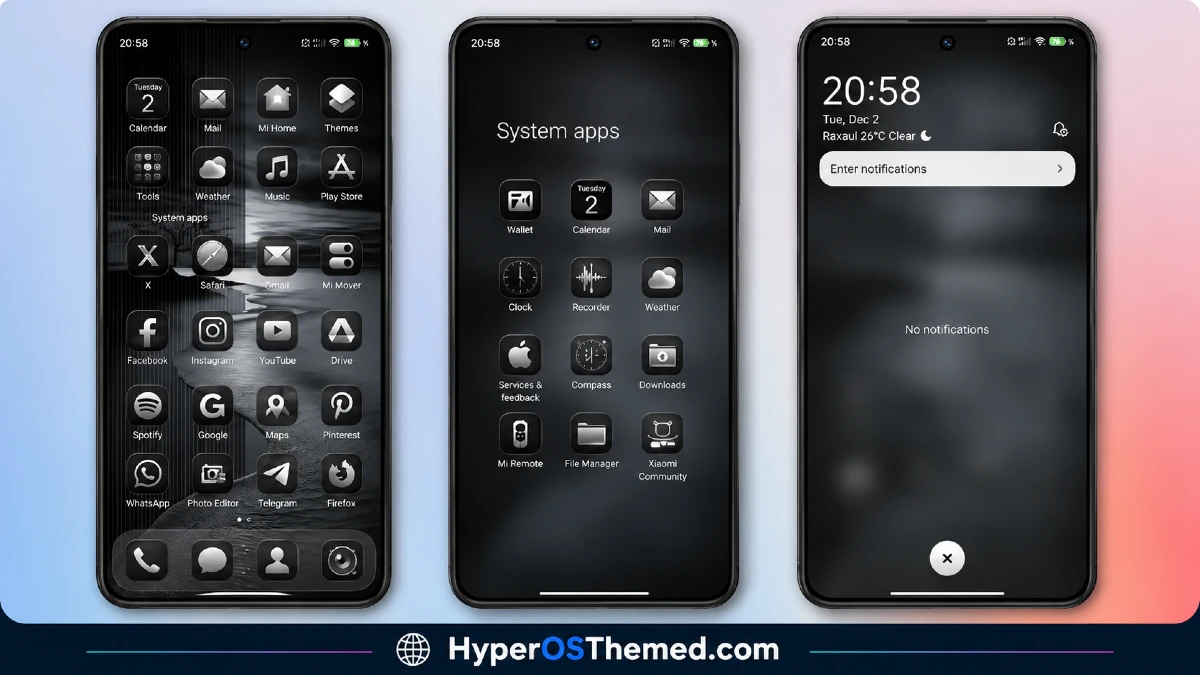
Black Flower HyperOS Theme Details
| Detail | Info |
|---|---|
| Theme Name | Black Flower |
| File Size | 13.59 MB |
| Designer | Masuod.B |
| Region/Server | Global |
| Compatibility | HyperOS, HyperOS 2.0, HyperOS 3.0 |
| Features | Dark Business Style, Floral Accents, Dynamic Lock Screen |
Getting the Theme
Installing on Global Stable ROM
If your device is running the standard HyperOS or MIUI Global stable build, here’s how to install it:
- Open this page using the Firefox browser, since it handles the redirect best.
- Tap the Official Theme Store Link above.
- The page will open in Chinese, which is expected. Tap the three dots in the top right corner and select “Open in app.”
- This opens the Theme Store app, where the download will begin.
- Once it’s downloaded, tap Apply.
If the Official Theme Store Link doesn’t open properly, switch to Chrome or your phone’s default browser. Some third party browsers don’t handle this redirect correctly.
One thing worth remembering: restart your device if anything looks slightly off after applying. A quick reboot usually clears it up right away. I tested this theme myself, and it ran smoothly with zero issues.
Final Thoughts
The Black Flower HyperOS theme proves you don’t have to choose between looking professional and having some personality. Between the dark business tone, the subtle floral touch, and that dynamic lock screen, Masuod.B put together something genuinely versatile. If a sharp, refined look sounds like what your phone’s been missing, this one’s worth the download.
You May Also Like:
