
Hey Xiaomi Lovers, if your home screen has been stuck in the same one or two colors for months, Vibgyor HyperOS Theme is built to shake that up entirely. True to its name, this HyperOS theme leans into a full rainbow color spectrum rather than settling on a single accent, spreading gradient tones across wallpapers, icons and widgets for a genuinely colorful daily experience.
Designed by oxfury, it pulls in depth effect visuals and a redesigned lock screen to go along with the color-forward approach, so it’s not just about bright hues sitting on a flat layout. At 77.9 MB and built for HyperOS, it’s a fairly substantial theme given how much visual variety it’s working with.
Vibgyor Theme Key Features
- Full Spectrum Gradient Design Vibgyor HyperOS Theme uses a rainbow-inspired gradient palette that runs across wallpapers and UI accents rather than sticking to one or two dominant colors. This gives the theme a noticeably different feel from the muted or monochrome options most HyperOS users are used to seeing.
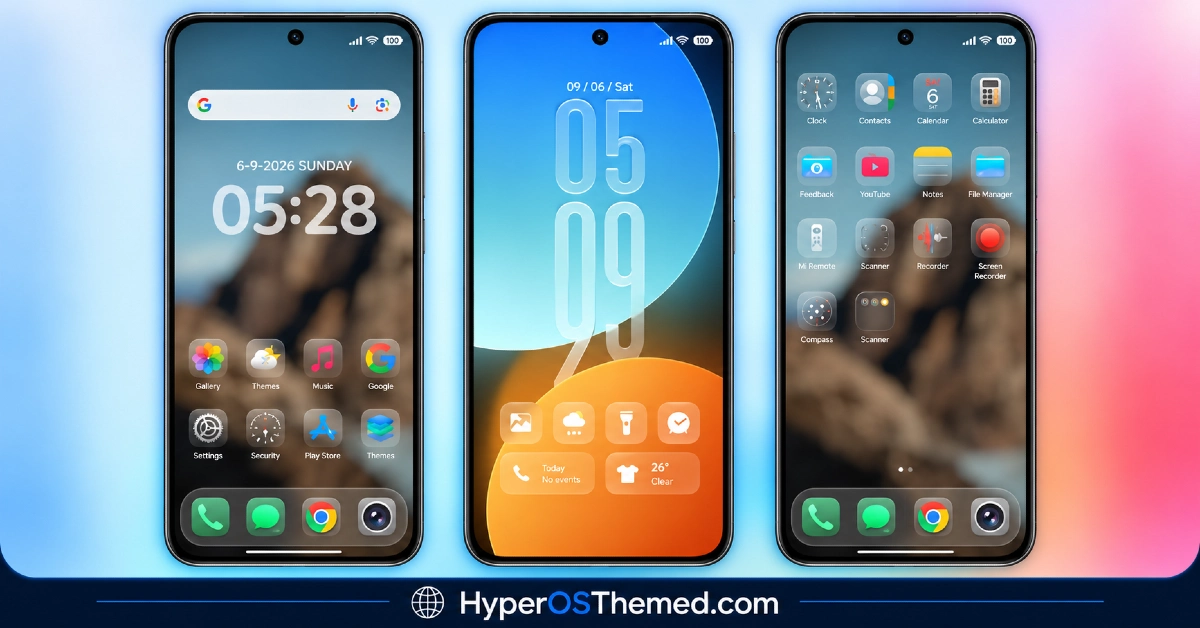
- Depth Effect Wallpapers Several of the included wallpapers use a depth effect that adds a layered, dimensional look rather than sitting flat behind the icons. It’s a nice complement to the colorful palette, giving the lock screen and home screen a bit more visual interest beyond just the color choices.
- Custom Icon Pack System and popular third-party app icons are redesigned to fit within the overall vibrant, gradient-driven aesthetic. As with most icon packs, coverage tends to focus on commonly used apps, so a handful of less popular ones may retain their default look.
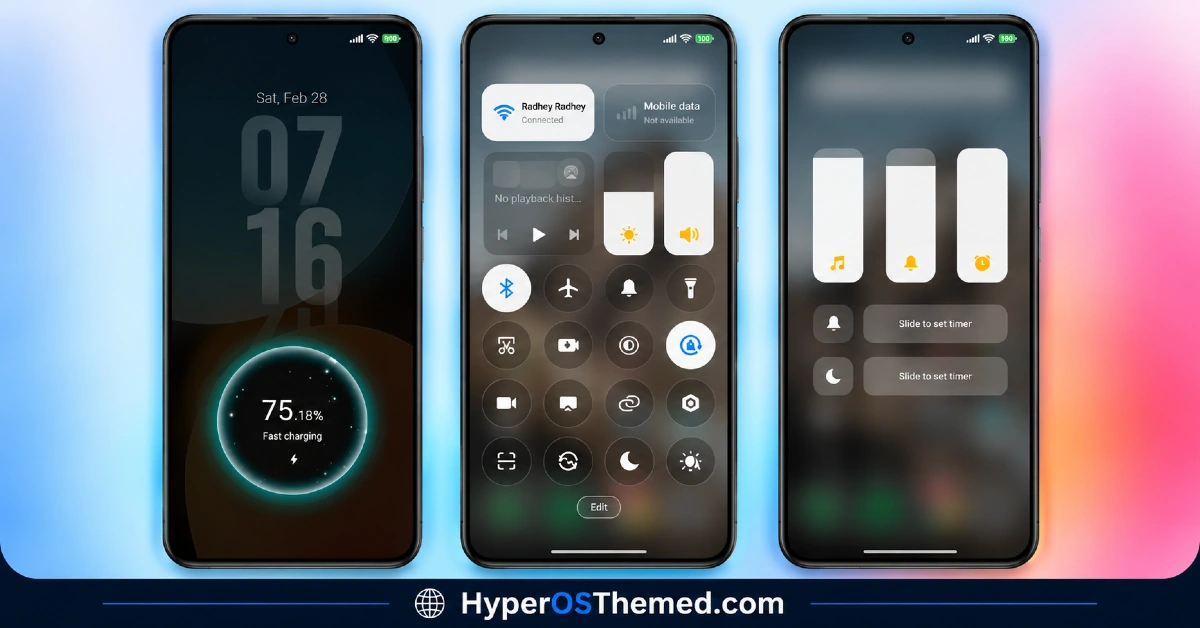
- Redesigned Lock Screen The lock screen gets a layout refresh that showcases the depth effect wallpapers and gradient styling more effectively than the stock HyperOS design allows. This tends to be one of the first things people notice once the theme is applied.
- Minimal Layout Foundation Despite the bold color choices, the underlying layout stays fairly minimal and uncluttered, keeping the vibrant palette from feeling overwhelming during everyday use. This balance helps the theme stay practical rather than becoming visually tiring over time.
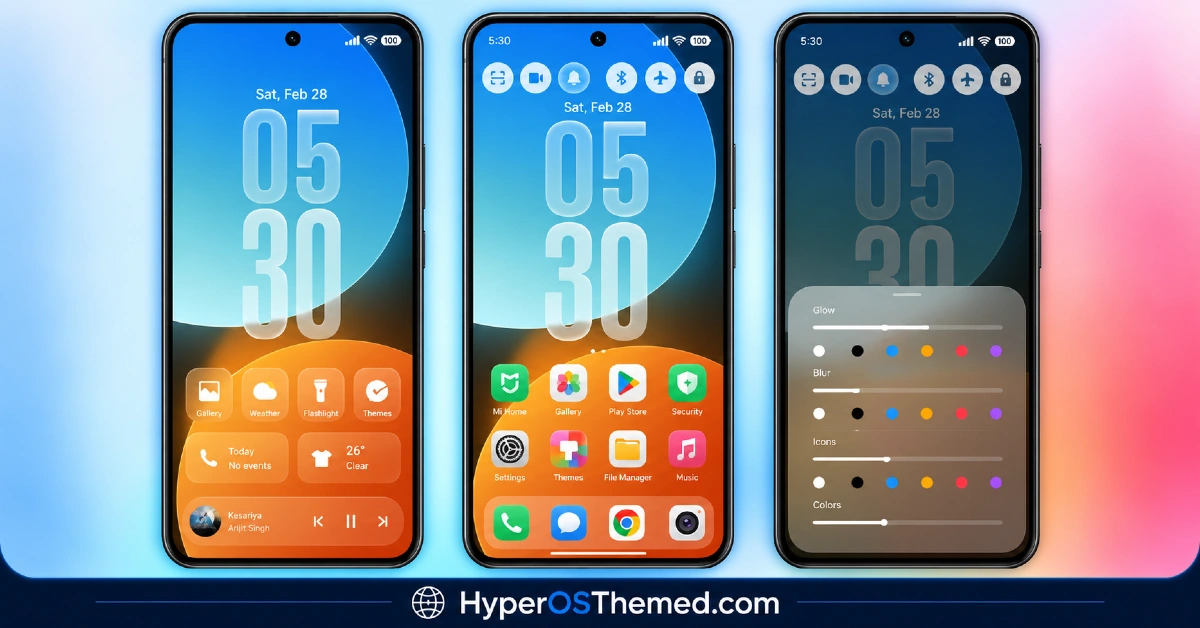
- Coordinated Widgets Home screen widgets are styled to match the gradient color scheme rather than standing out as generic additions. This keeps the whole visual package feeling connected instead of icons and widgets pulling in different directions.
Vibgyor HyperOS Theme Preview
The screenshots below show the gradient color palette, the depth effect wallpapers and how the redesigned lock screen and icon set look once the theme is applied. Since color and gradient work is always easier to judge visually, it’s worth looking through the full preview set to see how the rainbow-inspired palette plays out across different screens.
Vibgyor HyperOS Theme Details
| Attribute | Details |
|---|---|
| Availability | Free, via Xiaomi Theme Store |
| Supported Devices | Xiaomi, Redmi and POCO phones running HyperOS |
| Theme Name | Vibgyor |
| Designer | oxfury |
| Compatibility OS | HyperOS |
| Features | Full spectrum gradient design, depth effect wallpapers, custom icon pack, redesigned lock screen, minimal layout, coordinated widgets |
| File Size | 77.9 MB |
Vibgyor HyperOS Theme Compatibility
Vibgyor HyperOS Theme is built for HyperOS and works across Xiaomi, Redmi and POCO devices running that system. Since the theme relies on depth effect rendering for several of its wallpapers, older or lower-powered devices may display these visuals with slightly less smoothness compared to current flagship hardware.
Custom ROM users on setups like Xiaomi.eu, MIUIRoom, MIUI SR or HyperOS CN can still bring the theme in manually through the MTZ file, though the gradient rendering and depth effects may look a touch less polished outside the official global stable ROM. Given the larger file size, it’s worth checking available storage before downloading, and as with most lock-screen-modifying themes, a restart after installation is a sensible first step if anything looks visually off.
Vibgyor HyperOS Theme Theme
Download Vibgyor only through the official Theme Store link rather than random third-party file-sharing sites or unofficial APK sources. Files circulating outside official channels are difficult to verify and may not match the version oxfury actually released, sometimes carrying unwanted changes. Sticking to the official Theme Store keeps the installed version consistent with the intended design and ensures future updates remain accessible.
How to Apply Vibgyor HyperOS Theme
Follow the steps below to apply the theme:
- Open the Theme Store link given above on your Xiaomi, Redmi or POCO device.
- This will redirect you to the Theme Store.
- Download and install the theme.
- Tap on Apply.
- Customize specific elements such as icons, lock screen or status bar if needed.
- Reboot your device for the full effect, though this step is optional.
Note: If anything looks overlapped or fails to display correctly right after installing, restarting the device usually clears it up without further steps. This theme has been checked on HyperOS without any major issues turning up during that process. Still, if something looks off on a specific device once it’s applied, leaving a comment with the details helps get it looked into.
Installing Vibgyor HyperOS Theme on Custom ROM Devices
Devices running a Custom ROM such as Xiaomi.eu, MIUIRoom, MIUI SR, or HyperOS CN can’t use the direct Theme Store link, so you’ll need to install the MTZ file manually. Here’s how that works:
- Grab the MTZ file for Vibgyor from the download section.
- Open the Theme Store app.
- Go into the Themes tab.
- Scroll down to find the Import option, then tap it.
- Use the file manager to locate the downloaded .mtz file.
- Wait for the import process to finish.
- Tap the theme once it appears in the list to apply it.
Why Choose Vibgyor HyperOS Theme?
- Genuine rainbow gradient palette — a true full-spectrum color approach rather than a single accent tone.
- Layered depth effect wallpapers — adds dimension to the lock screen beyond flat color alone.
- Minimal underlying layout — bold colors stay balanced by a clean, uncluttered structure.
- Coordinated widget styling — home screen widgets match the gradient theme instead of standing apart.
- Distinct lock screen redesign — layout changes noticeably from the stock HyperOS lock screen.
- Consistent icon design — icons follow the same vibrant aesthetic running through the rest of the theme.
- Free official download — no cost involved and distributed through a legitimate Theme Store link.
- Wide device support — works across Xiaomi, Redmi and POCO phones running HyperOS.
Conclusion
Vibgyor Xiaomi Theme delivers on its rainbow-inspired name with a genuinely colorful, gradient-driven design that still manages to stay usable thanks to its minimal underlying layout. The depth effect wallpapers add a nice extra dimension on top of the color work, and the coordinated icons and widgets keep the whole package feeling intentional rather than scattered. For Xiaomi, Redmi and POCO users looking to break away from muted or monochrome themes, Vibgyor is well worth trying.
You may also like:
TNV-4 Theme with Transparent White Icons and a Clean, Minimal Design for HyperOS
Vibria HyperOS Theme: Customizable Glass Clock, Nature Wallpapers, Liquid Glass UI
Poo-Black HyperOS Theme with Premium Dynamic 3D Lock Screen for Xiaomi, POCO and REDMI Phones
