
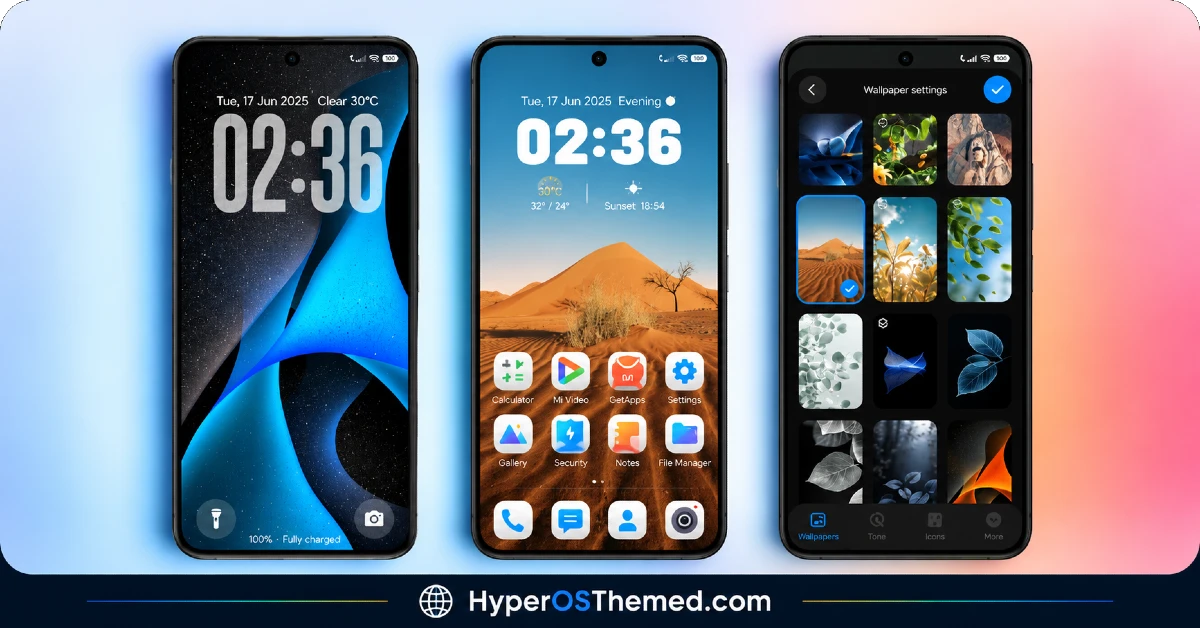
VK Blue💙 HyperOS Theme is a Blue theme for Xiaomi, Redmi and POCO devices designed by VK, built around a wide-ranging wallpaper library that spans swirling blue abstract art, desert dune photography, sunlit leaf close-ups and even some cute character designs. Rather than sticking to a single visual theme, it leans into variety while tying everything together with a consistent blue accent running through the icons and clock widgets. At 86.38 MB, it’s one of the heavier HyperOS themes available, which lines up with just how much wallpaper and asset variety is packed into the file. It’s compatible across HyperOS, HyperOS 2.0 and HyperOS 3.0, so it covers a solid range of Xiaomi, Redmi and POCO devices.
VK Blue💙 HyperOS Theme Features
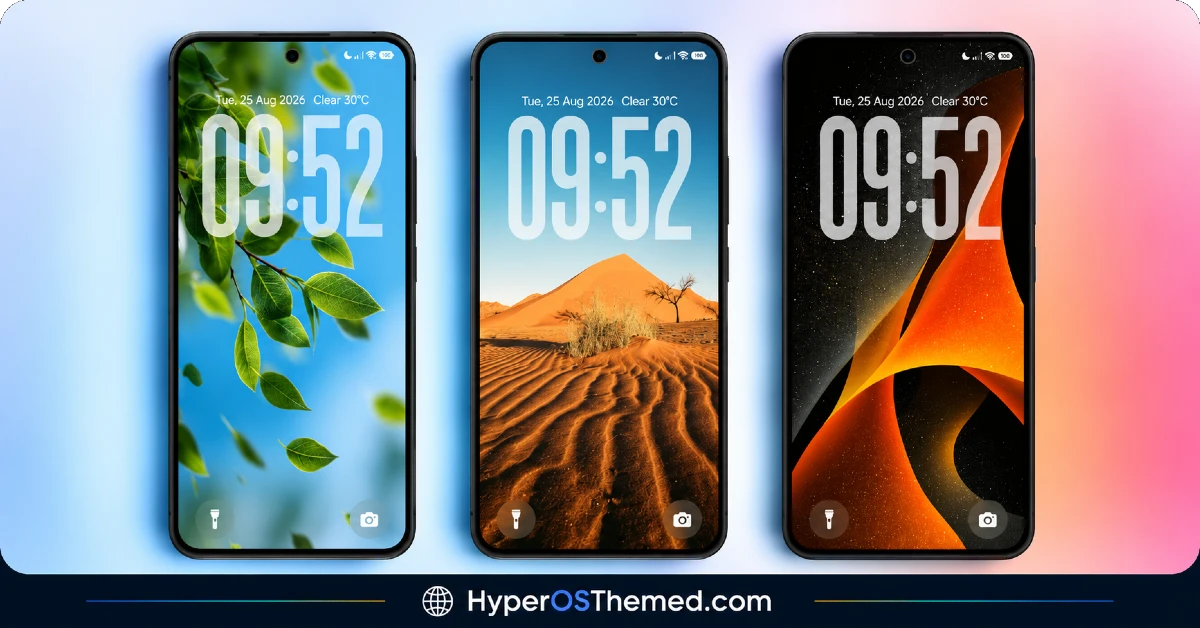
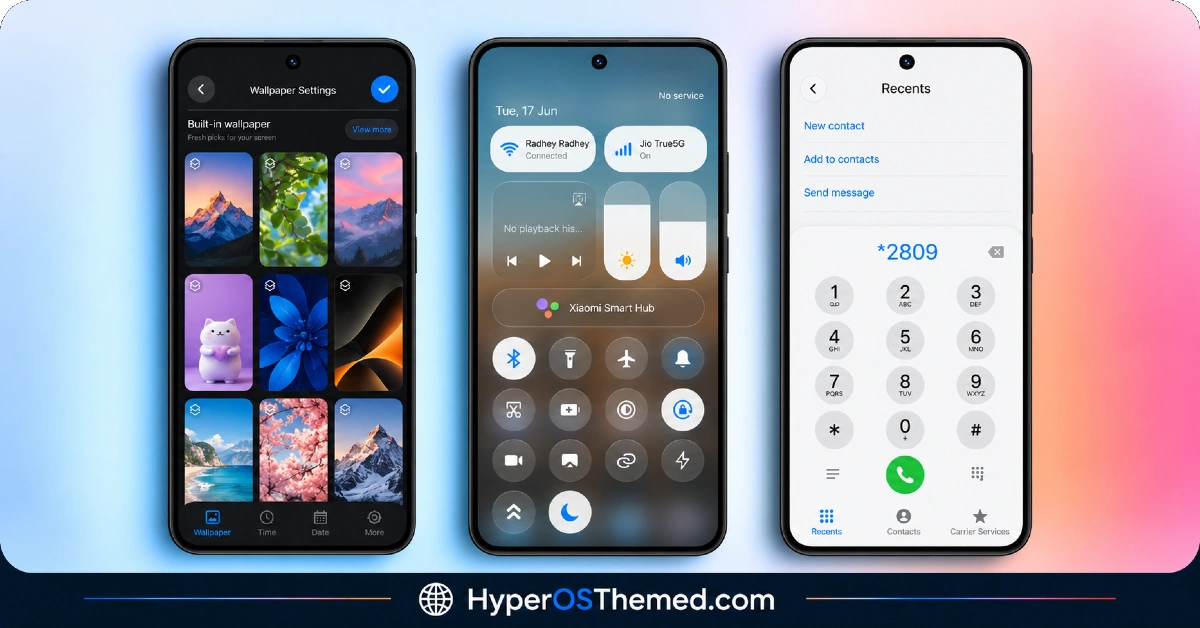
- Extensive Wallpaper Variety: VK Blue💙 HyperOS Theme includes a genuinely broad wallpaper selection, covering abstract blue art, natural landscapes like desert dunes, close-up leaf photography and lighter character-style designs. This range means there’s likely to be something that fits different moods rather than being locked into one aesthetic direction.
- Customizable Clock Widgets: The theme comes with adjustable clock widgets that can be tweaked to fit different home screen layouts. This adds a bit more flexibility compared to themes that lock users into a single fixed clock style.
- Built-In Weather Display: A weather widget is included as part of the package, giving quick access to current conditions without needing a separate third-party widget app. It’s a practical addition that pairs naturally with the customizable clock setup.
- Signature Blue Color Accent: Despite the wide wallpaper variety, icons and UI accents consistently use blue tones to tie the whole theme together. This keeps things feeling cohesive even with such a diverse wallpaper library included.
- Redesigned Status Bar and Lock Screen: Both the status bar and lock screen get visual updates that carry the same blue accent seen across the icons and widgets. The lock screen layout in particular shifts enough from stock HyperOS to feel like a proper redesign rather than a minor tweak.
- Styled Always-on Display: The Always-on Display gets its own custom look rather than relying on the default clock face, fitting in with the theme’s overall blue and premium styling. As with most AOD customizations, the exact appearance can vary slightly depending on the device’s display panel.
VK Blue💙 HyperOS Theme Preview
The screenshots below show the range of wallpapers, the customizable clock widgets and how the status bar and lock screen look once the theme is applied. Given how much variety is packed into this one, it’s worth scrolling through the preview to get a sense of the different wallpaper styles before deciding which fits your taste.
VK Blue💙 HyperOS Theme Details
| Attribute | Details |
|---|---|
| Availability | Free, via Xiaomi Theme Store |
| Supported Devices | Xiaomi, Redmi and POCO phones running HyperOS |
| Theme Name | VK Blue💙 |
| Designer | VK |
| Compatibility OS | HyperOS, HyperOS 2.0 and HyperOS 3.0 |
| Features | Extensive wallpaper library, customizable clock widgets, weather display, blue color accent, redesigned status bar and lock screen, styled Always-on Display |
| File Size | 86.38 MB |
VK Blue💙 HyperOS Theme Compatibility
VK Blue💙 supports HyperOS, HyperOS 2.0 and HyperOS 3.0, giving it solid reach across Xiaomi, Redmi and POCO devices running any of those versions. Given the large file size, it’s worth checking available storage beforehand, especially on devices that are already running close to capacity.
Custom ROM users on setups like Xiaomi EU ROM or MIUIRoom can still bring the theme in manually through the MTZ file, though the clock widget customization and AOD styling may render slightly differently outside the official global stable ROM. As with most themes that modify the lock screen, restarting the device after installation is a sensible first step if anything looks overlapped or fails to display properly.
Get VK Blue💙 HyperOS Theme
Download VK Blue💙 only through the official Theme Store link rather than unofficial file-sharing sites or random APK uploads. This theme is also copyright protected by its designer, so beyond the usual safety concerns with third-party files, redistributing or re-uploading it elsewhere isn’t permitted either. Sticking to the official source respects the designer’s work while also making sure the version installed matches what was actually released.
How to Apply VK Blue💙 HyperOS Theme
Follow the steps below to apply the theme:
- Open the Theme Store link given above on your Xiaomi, Redmi or POCO device.
- This will redirect you to the Theme Store.
- Download and install the theme.
- Tap on Apply.
- Customize specific elements such as icons, lock screen or status bar if needed.
- Reboot your device for the full effect, though this step is optional.
Note: If anything looks overlapped or fails to display correctly right after installing, restarting the device usually clears it up without further steps. This theme has been checked across its supported HyperOS versions without any major issues turning up. Still, if something looks off on a specific device once it’s applied, leaving a comment with the details helps get it looked into.
Installing VK Blue💙 HyperOS Theme on Custom ROM Devices
Devices running MIUI 11 through 14 or HyperOS based Custom ROMs such as Xiaomi EU ROM or MIUIRoom aren’t able to use the direct Theme Store link, so the MTZ file needs to be brought in manually instead. Here’s how that works:
- Grab the MTZ file for VK Blue💙 from the download section.
- Open the Theme Store app.
- Go into the Themes tab.
- Scroll down to find the Import option, then tap it.
- Use the file manager to locate the downloaded .mtz file.
- Wait for the import process to finish.
- Tap the theme once it appears in the list to apply it.
Why Choose VK Blue💙 HyperOS Theme?
- Huge wallpaper variety — abstract art, nature shots and character designs all included in one package.
- Consistent blue accent — ties together a diverse wallpaper set with unified icon and UI coloring.
- Customizable clock widgets — flexibility to adjust the clock display to match different layouts.
- Built-in weather widget — quick access to conditions without a separate app.
- Broad HyperOS compatibility — supports HyperOS, HyperOS 2.0 and HyperOS 3.0.
- Styled Always-on Display — custom AOD look that fits the overall premium blue aesthetic.
- Free official download — no cost involved through the legitimate Theme Store link.
- Designer-protected content — copyright notice signals an actively maintained, original theme.
Conclusion
VK Blue💙 Xiaomi Theme stands out mainly through its sheer wallpaper variety, giving users plenty to choose from while the blue color accent keeps everything feeling connected rather than scattered. The larger file size is worth factoring in before downloading, but the customizable widgets and weather display add practical value beyond just visuals. For Xiaomi, Redmi and POCO users who like variety wrapped in a signature color theme, VK Blue💙 HyperOS Theme is worth trying.
You may also like:
ProjectX HyperOS Theme for Xiaomi, POCO and REDMI Phones
BNB HyperOS Theme with colourful icons and 3D depth-of-field effects for Xiaomi, Redmi and POCO
Diamond.V2 HyperOS Theme with Complete iOS-Inspired Theme for Xiaomi, POCO and REDMI Phones
Jiyan IzzyBRV15 HyperOS Theme with Black and Dark Icon Design for Xiaomi, POCO and REDMI Phones
