
Some themes chase drama, bold gradients, oversized clocks, flashy effects. ichi ocha HyperOS Theme does none of that, and honestly, that’s exactly why it caught my attention. Designed by San Kagenou, this one goes for a quiet, simple, lifestyle-inspired aesthetic, and after spending time with it, I think it’s a genuinely calming addition to the usual lineup of loud theme releases.
What Makes ichi ocha HyperOS Theme Different
The ichi ocha HyperOS theme leans into a minimal, dark design that feels less like a phone theme and more like a small daily ritual, the name itself nods to that quiet, tea-time kind of stillness. There’s nothing flashy competing for your attention here, just a clean, dark interface that feels intentional rather than empty.
That restraint is honestly harder to pull off than it sounds. Strip away bold colors and dramatic effects, and every small detail in spacing, icon design, and layout becomes far more noticeable. ichi ocha HyperOS Theme holds up well under that kind of scrutiny, nothing here feels like filler or an afterthought.
ichi ocha HyperOS Theme Preview
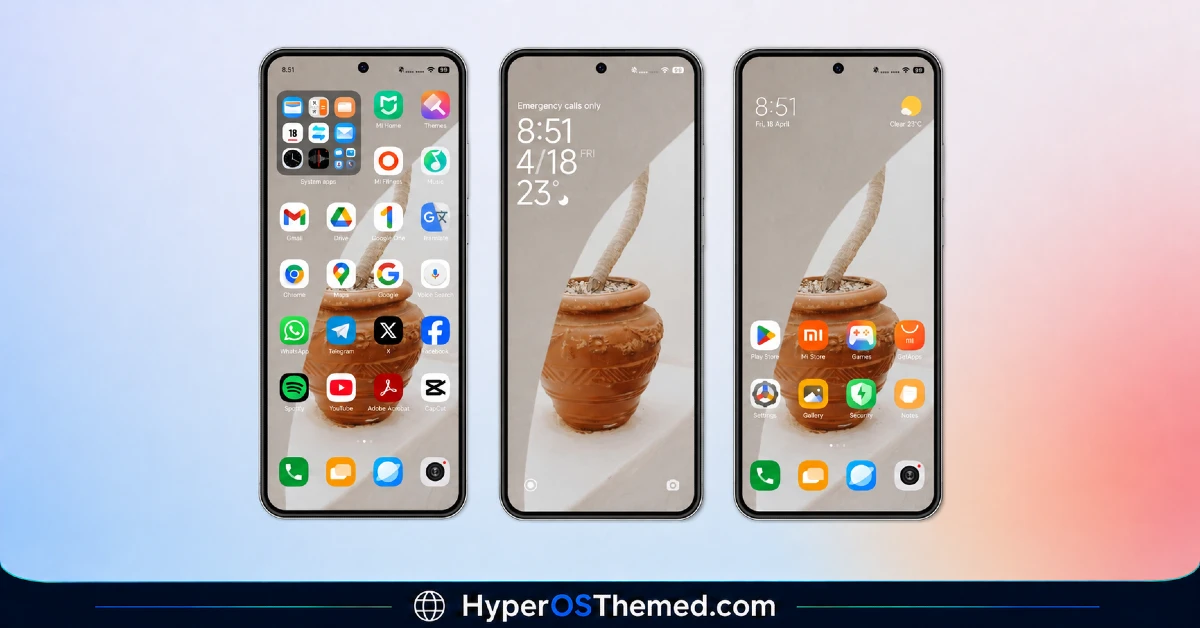
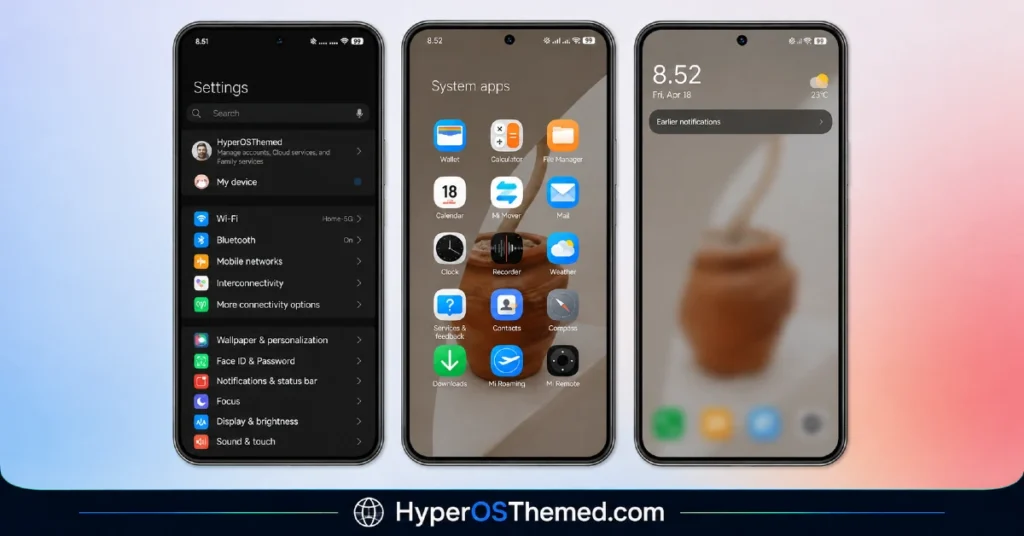
Built Specifically for Dark Mode
One thing worth flagging clearly, this theme is designed to be used with Dark Mode enabled, and the designer notes that directly. It’s not an optional suggestion, ichi ocha is built around that darker palette, so switching it on before applying makes sure you’re seeing the theme exactly as San Kagenou intended.
What You’re Getting
- A simple, uncluttered design language — nothing overdesigned, just clean and considered
- A dark, lifestyle-inspired aesthetic — calm rather than dramatic
- Freshly designed icons — consistent with the overall minimal tone
- A reworked status bar and lock screen — matching that same quiet visual identity
- A stylish Always-on Display — carrying the theme’s tone through to your idle screen
Who Should Try This
If you’re tired of themes that try too hard, ichi ocha is a genuinely refreshing change of pace. It’s compatible with HyperOS, works across Xiaomi, Redmi, and POCO devices, and it’s completely free to download.
Theme Details
| Detail | Info |
|---|---|
| Theme Name | ichi ocha |
| File Size | 24.14 MB |
| Designer | San Kagenou |
| Region/Server | Global |
| Compatibility | HyperOS |
| Features | Simple Design, Dark Mode, Lifestyle-Inspired Aesthetic |
| Note | Best experienced with Dark Mode enabled |
Getting the Theme
Installing ichi ocha HyperOS Theme on Global Stable ROM
If your device is running the standard HyperOS or MIUI Global stable build, here’s how to install it:
- Open this page using the Firefox browser, since it handles the redirect best.
- Tap the Official Theme Store Link above.
- The page will open in Chinese, which is expected. Tap the three dots in the top right corner and select “Open in app.”
- This opens the Theme Store app, where the download will begin.
- Once it’s downloaded, tap Apply.
If the Official Theme Store Link doesn’t open properly, switch to Chrome or your phone’s default browser. Some third party browsers don’t handle this redirect correctly.
Installing ichi ocha HyperOS Theme on Custom ROMs
Running a custom build like Xiaomi.eu, MIUIRoom, or similar? Here’s the manual install method using the mtz file:
- Download the ichi ocha mtz file.
- Open the Theme Store app and go to the Themes section.
- Scroll to the bottom and tap Import.
- Select the downloaded mtz file.
- Tap Apply.
One thing worth remembering: restart your device if anything looks slightly off after applying. A quick reboot usually clears it up right away. I tested this theme myself, and it ran cleanly with no issues at all.
Final Thoughts
The ichi ocha HyperOS Theme is a quiet reminder that a theme doesn’t need bold effects to feel worthwhile, sometimes simplicity done well is more than enough. If a calm, dark, minimal aesthetic sounds like the kind of upgrade your phone’s been missing, this one’s absolutely worth the download, just remember to switch on Dark Mode first.
You may also like:
