
Minimal themes can go two ways. Some end up looking unfinished because there is simply not enough going on, while others manage to feel calm and complete at the same time. HyperAero V2 SE HyperOS Theme, built by L1mYDC, sits firmly in that second group. It leans on soft gradient wallpapers and a clean, uncluttered layout, so your phone ends up looking premium without a single element feeling out of place.
What You Get With This Theme
- Hundreds of Custom Icons: The theme ships with a large, uniformly designed icon set, giving your home screen a consistent, high end look rather than a mix of styles that never quite match.
- Gradient Wallpapers Instead of flat colors or busy patterns, the wallpapers use smooth gradient tones that tie into the rest of the UI, so the whole phone feels like one connected design instead of separate pieces.
- Unified Accent Colours: Accent colors carry across every screen, from icons to system menus, which keeps the theme feeling deliberate rather than randomly assembled.
- Clean, Uncluttered Layout The interface avoids unnecessary visual noise, making it easier to find what you need without distractions. It is a small detail, but it makes daily use noticeably smoother.
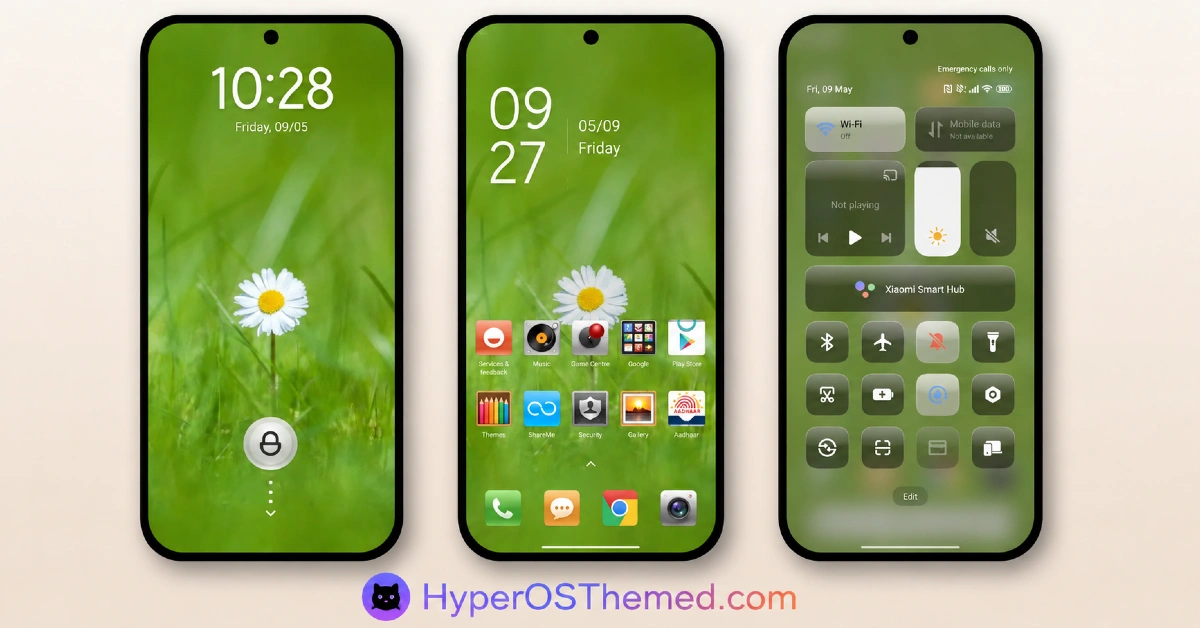
- Custom Lock Screen: The lock screen comes with its own design touches, giving it a bit more personality than a plain default screen while staying in line with the rest of the theme.
- Redesigned Control Centre: The Control Center is themed to match everything else, so it does not feel like an unfinished corner of the interface.
- Universal Device Compatibility: The theme is built to work consistently across Xiaomi, Redmi, and Poco devices running HyperOS, so you get the same look and performance no matter which of these phones you are using.
HyperAero V2 SE HyperOS Theme Preview
Theme Information
| Detail | Info |
|---|---|
| Theme Name | HyperAero V2 SE |
| File Size | 35.26 MB |
| Created By | L1mYDC |
| Server Region | Global |
| Works With | HyperOS |
A Quick Note Before You Install
This theme has been tested on HyperOS and runs without issues, though results can vary slightly depending on your exact MIUI or HyperOS version. In rare cases, lock screen related theme files can cause a boot loop on certain devices, so it is a good idea to back up your data before applying any new theme, just as a general precaution. If you run into a bug, let us know in the comments so it can be looked into.
Why HyperAero V2 SE HyperOS Theme Stands Out
HyperOS has pushed the bar higher for what a good theme can look like, and HyperAero V2 SE is a solid example of that shift. It blends the elegance you would expect from an iOS inspired design with the flexibility that MIUI themes are known for, which makes it a strong pick for anyone chasing a premium, put together look on their device.
Download HyperAero V2 SE HyperOS Theme
HyperAero V2 SE is available through the official Theme Store on your device, along with a direct MTZ file download. Follow the same install steps below depending on whether you are on a stock or custom ROM.
Installing on Stock HyperOS or MIUI (Official ROM Users)
If your phone is running the official Global Stable build of HyperOS or MIUI, follow these steps.
- Open this page using the Firefox browser on your phone.
- Tap the official Theme Store link in the download section above.
- You’ll land on a Xiaomi theme page written in Chinese, that’s normal. Tap the three dots in the top right corner and choose “Open in app.”
- This hands off to your Themes Store app, where the download starts automatically.
- Once it finishes downloading, tap Apply.
Heads up: If the Theme Store link doesn’t open properly, try switching to Chrome or your phone’s default Xiaomi browser. Some third party browsers block this redirect.
Installing via MTZ File (Custom ROM Users)
Running a custom build like Xiaomi.eu, MIUIRoom, or another MIUI or HyperOS based ROM? Sideload the file manually instead.
- Download the .mtz file from the download section above.
- Open the Theme Store app and go to the Themes tab.
- Scroll to the bottom and tap Import.
- Select the .mtz file you just downloaded.
- Tap Apply.
Tip: Restart your phone after applying the theme. If any icon, wallpaper, or lock screen element looks slightly off right after applying, a quick restart almost always fixes it.
Final Thoughts
HyperAero V2 SE earns its spot among the better HyperOS themes because it commits to a clear idea, clean, gradient driven minimalism, and follows through on it everywhere from the icons to the Control Center. It works consistently across Xiaomi, Redmi, and Poco devices, so no matter which one you own, you get the same polished result. If a calm, premium looking interface is what you are after, this is well worth trying.
You may also like:
Purple Stars HyperOS Theme with Clean Minimal Redesign for Xiaomi, POCO & Redmi
MS M1 HyperOS Theme with iOS 27 Lock Screen and Super Capsule for Xiaomi, POCO & Redmi
Liquid Crystal HyperOS Theme for Xiaomi, Redmi, and POCO Phones
Jing HyperOS Theme with Complete System-Wide Redesign for Xiaomi, POCO & Redmi
Super Nai 27 HyperOS Theme — Gradient Minimal Design for Xiaomi, POCO & Redmi
