
MS M1 HyperOS Theme is built exclusively for HyperOS 3.0 and centers around two features that separate it from most iOS-style HyperOS themes: an iOS 27-inspired lock screen and something called a Super Capsule, a dynamic island-style element positioned at the top of the display.
At 86.2 MB, MS M1 HyperOS Theme’s also one of the larger single-designer releases tested recently, with a separate 5.1 MB depth effect wallpaper download available alongside the main theme file. Between the file size, the capsule feature, and the HyperOS 3.0-only targeting, there was enough here to justify a proper look on a POCO X6 rather than judging it off the screenshot gallery alone.
Check More iOS Themes for HyperOS and MIUI
The core pitch is straightforward: a lock screen styled after Apple’s newest iOS release, paired with a functional capsule element mimicking Dynamic Island behavior, wrapped in a system-wide redesign that reaches into the Dialer, Settings, Messages, and Control Center rather than stopping at the home screen. That’s a lot of ground for one theme to cover, so the testing focus went toward confirming each of those pieces actually functioned as described rather than existing as static screenshots in a preview gallery.
MS M1 HyperOS Theme Features
- iOS 27-Style Lock Screen The lock screen layout follows current iOS design conventions, with clock placement and spacing matching Apple’s most recent visual language rather than an older or generic iPhone-style template. This positions it closer to TradM’s approach than the dated iOS-clone designs still common in older HyperOS theme releases.
- Super Capsule Element A pill-shaped capsule sits at the top of the screen, functioning similarly to Dynamic Island by reacting to notifications and ongoing activity rather than remaining a static shape. Testing it against incoming calls and media playback showed consistent triggering, giving the feature real function rather than serving as pure decoration.
- Depth Effect Wallpaper Available as a separate 5.1 MB download alongside the main theme, the wallpaper uses layered depth rendering to separate foreground and background elements rather than presenting a flat image. Having it downloadable independently means users can grab just the wallpaper without committing to the full 86.2 MB theme package.
- Redesigned Control Center Quick settings and toggles receive a full visual overhaul matching the iOS-inspired aesthetic running through the rest of the theme. Repeated toggling between Wi-Fi and Bluetooth during testing showed the panel staying responsive despite the more detailed styling work.
- Premium Icon Design Icons throughout the interface carry dedicated design work rather than a generic template reused across folders and system apps. Coverage extended consistently across the home screen, app drawer, and nested folders during testing.
- System-Wide UI Overhaul Dialer, Settings, and Messages apps all pick up matching visual treatment, extending the theme’s reach well past the lock screen and home screen. This system-wide consistency is what separates a complete package from one that only addresses the most visible surfaces.
MS M1 HyperOS Theme Preview
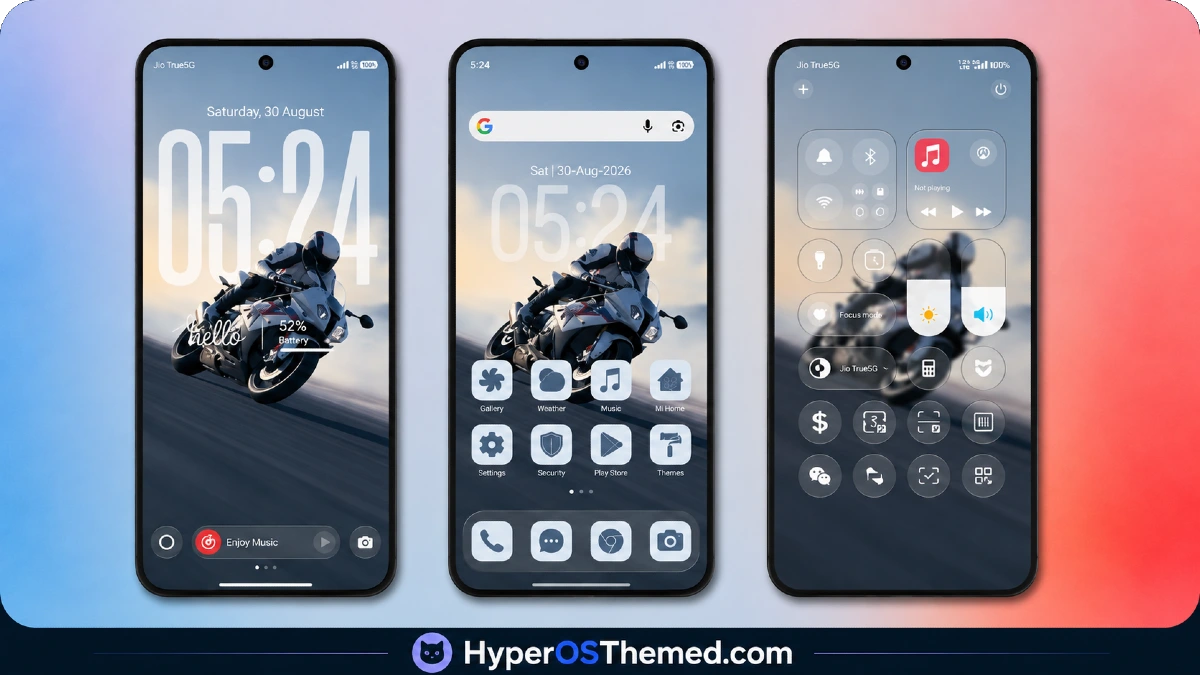
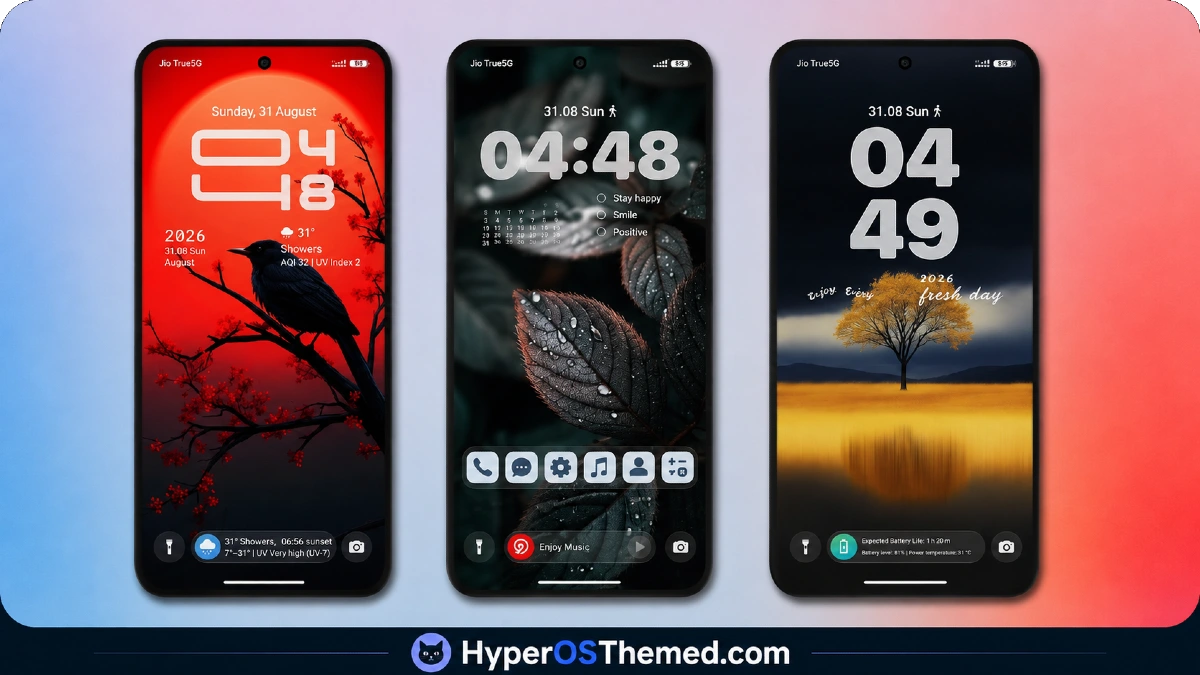
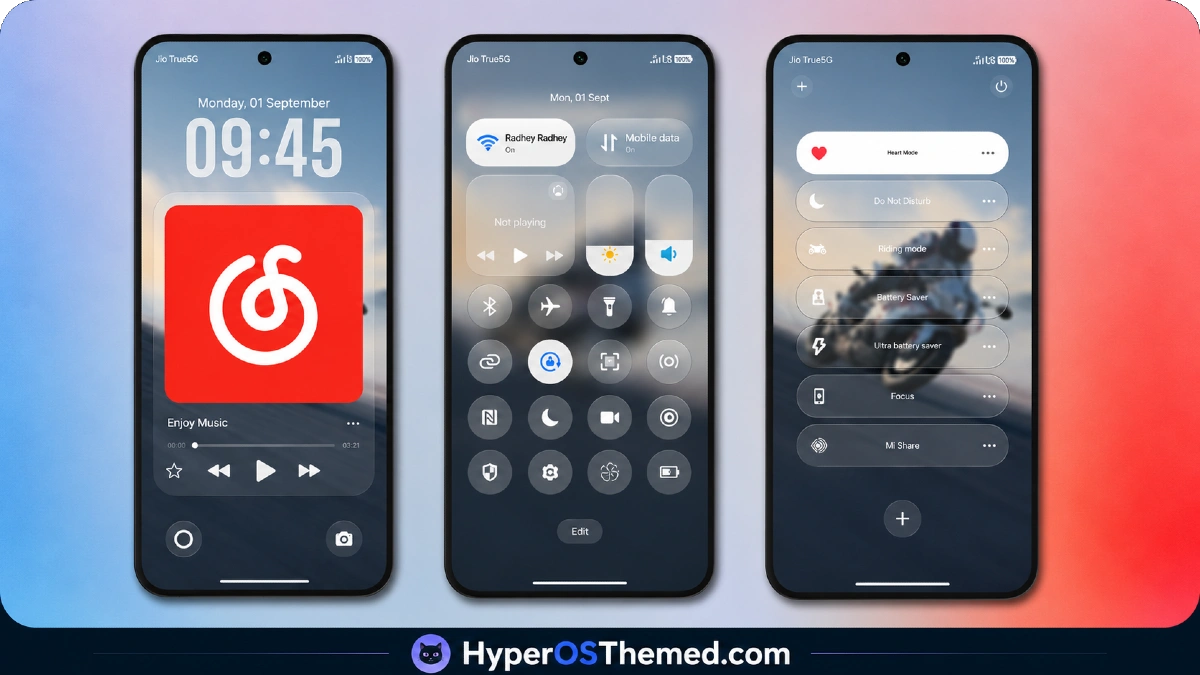
The Super Capsule element anchors the visual identity here, giving the top of the screen genuine functional presence rather than sitting as empty status bar space.
Paired with the iOS 27-style lock screen and depth effect wallpaper, the overall composition reads as more layered and dimensional than flat, single-image theme designs typically manage. Icons and Control Center styling carry that same modern, current iOS aesthetic through daily use rather than limiting the polish to the lock screen alone.
MS M1 HyperOS Theme Details
| Detail | Info |
|---|---|
| Theme Name | MS M1 |
| Designer | OXFURY |
| Compatibility | HyperOS 3.0 |
| File Size | 86.2 MB (Theme) / 5.1 MB (Depth Effect Wallpaper) |
Why to choose MS M1 HyperOS Theme
Given the combination of the animated Super Capsule and the layered depth effect wallpaper running simultaneously, some performance cost was expected, and there was a modest one, battery drain on the POCO X6 came in a few percentage points above baseline across a full day of mixed use.
The capsule element itself stayed responsive throughout testing, triggering correctly during notifications and calls without noticeable delay. Home screen transitions and Control Center toggling remained smooth despite the file size, and system app theming held consistently across Dialer, Settings, and Messages without reverting to default styling.
MS M1 HyperOS Theme Compatibility
MS M1 HyperOS Theme is built exclusively for HyperOS 3.0, without listed support for HyperOS or HyperOS 2.0, so devices on earlier versions should not expect this theme to apply correctly. The POCO X6 on HyperOS 3.0 ran it without stability issues throughout testing.
Custom ROM users on Xiaomi.eu, MIUIRoom, MIUI SR, or HyperOS CN builds should confirm their ROM aligns with HyperOS 3.0 before attempting the MTZ import, since the theme’s version-specific targeting means results on mismatched builds are less predictable. Given the larger file size, allow more installation time than a lighter or more broadly compatible theme would require.
Download MS M1 HyperOS Theme
The Official Theme Store Link is the primary download route, with the depth effect wallpaper available as a separate file for anyone wanting just the background without the full theme package. Given the file size and the amount of animated capsule functionality built in, downloading from unofficial mirrors carries added risk of an incomplete file that doesn’t fully replicate the capsule’s reactive behavior.
Steps to Apply the MS M1 HyperOS Theme
For Global Stable ROM:
- Tap the Official Theme Store Link in the download section
- Select the Themes app when prompted to open the link
- You’ll be redirected to the Theme Store to download the theme
- Download the theme and apply it
For Custom ROMs (Xiaomi.eu, MIUIRoom, MIUI SR, HyperOS CN, etc.):
- Download the MTZ file of the theme
- Open the Theme Store app and select the Themes option
- Scroll down and tap Import
- Select the file manager and locate the downloaded .mtz file
- Wait for the theme to import, then tap it to apply
Restart the device if any elements appear overlapping or not fully visible after applying.
What Makes MS M1 HyperOS Theme Worth Considering
- Super Capsule reacts to real notifications and activity rather than sitting as a static graphic
- Depth effect wallpaper available as a standalone download independent of the full theme
- Lock screen follows current iOS 27 design conventions rather than an outdated template
- Control Center redesign stays responsive despite detailed, layered visual styling
- System-wide reach into Dialer, Settings, and Messages beyond just the home screen
Final Verdict
MS M1 HyperOS Theme backs up its larger file size with genuine functional depth, the Super Capsule element in particular delivers real reactive behavior rather than existing as decoration, and the depth effect wallpaper adds visual dimension that flat theme designs don’t attempt.
On a POCO X6 running HyperOS 3.0, everything from the capsule to the Control Center held up consistently through daily use, with the modest battery cost being a reasonable trade-off given how much is actually happening on screen. For anyone specifically on HyperOS 3.0 wanting a theme with genuine Dynamic Island-style functionality rather than just iOS-inspired visuals, MS M1 delivers on that promise.
You may also like:
Liquid Glass HyperOS Theme for Xiaomi, POCO and REDMI Phones
Edge HyperOS Theme Xiaomi With Minimalist Mountain Silhouette Design for HyperOS
TronM HyperOS Theme with Vibrant Orange Neon Design for Xiaomi & Redmi
Super26i HyperOS Theme with Premium Colourful, Dynamic Lock Screen for Xiaomi, POCO & Redmi
