
Theme names built around numbers and letters rarely tell you anything about what’s actually inside, so Super26i went on a POCO X6 purely based on its tag list, Cool, Colorful, Dynamic lock screen, New icons, promising more personality than the sparse “Hyper OS New” description the designer left behind. With four fairly distinct feature claims packed into one small file, it seemed worth checking whether each one held up individually rather than judging the theme as a single blur of adjectives.
Super26i HyperOS Theme Features
- Dynamic Lock Screen: Rather than a static image sitting behind the clock, the lock screen shifts and responds instead of staying fixed in one state. Testing it across a normal wake-sleep cycle showed the transition feeling deliberate rather than glitchy, giving the lock screen more life than the flat wallpaper setups most budget-sized themes settle for.
- Colorful Visual Identity: True to its tagging, the theme leans into a genuinely varied color palette rather than the black, white, or single-accent schemes most free themes default to. Icons, wallpaper tones, and system accents all pull from a broader range, giving the home screen a noticeably more vibrant feel without tipping into visual chaos.
- Fresh Icon Set: The icon pack replaces stock HyperOS icons with a distinct new design language, applied consistently across the home screen, app drawer, and folders. Coverage extended well across commonly used apps, keeping the visual identity intact rather than reverting to default icons the moment you open a folder.
- “Cool” Aesthetic Direction: Beyond color and icon work, there’s a clear intent behind the overall styling that reads as more youthful and energetic than the typical minimal or corporate-leaning HyperOS theme. It’s the kind of design choice aimed at standing out on a home screen rather than blending into the background.
- Compact File Size for the Feature Set: At just under 24 MB, Super26i HyperOS Theme punches above its weight given how many distinct visual changes it packs in. Installation on the POCO X6 was quick, without the longer waits that heavier, wallpaper-gallery-loaded themes tend to require.
Super26i HyperOS Theme Preview
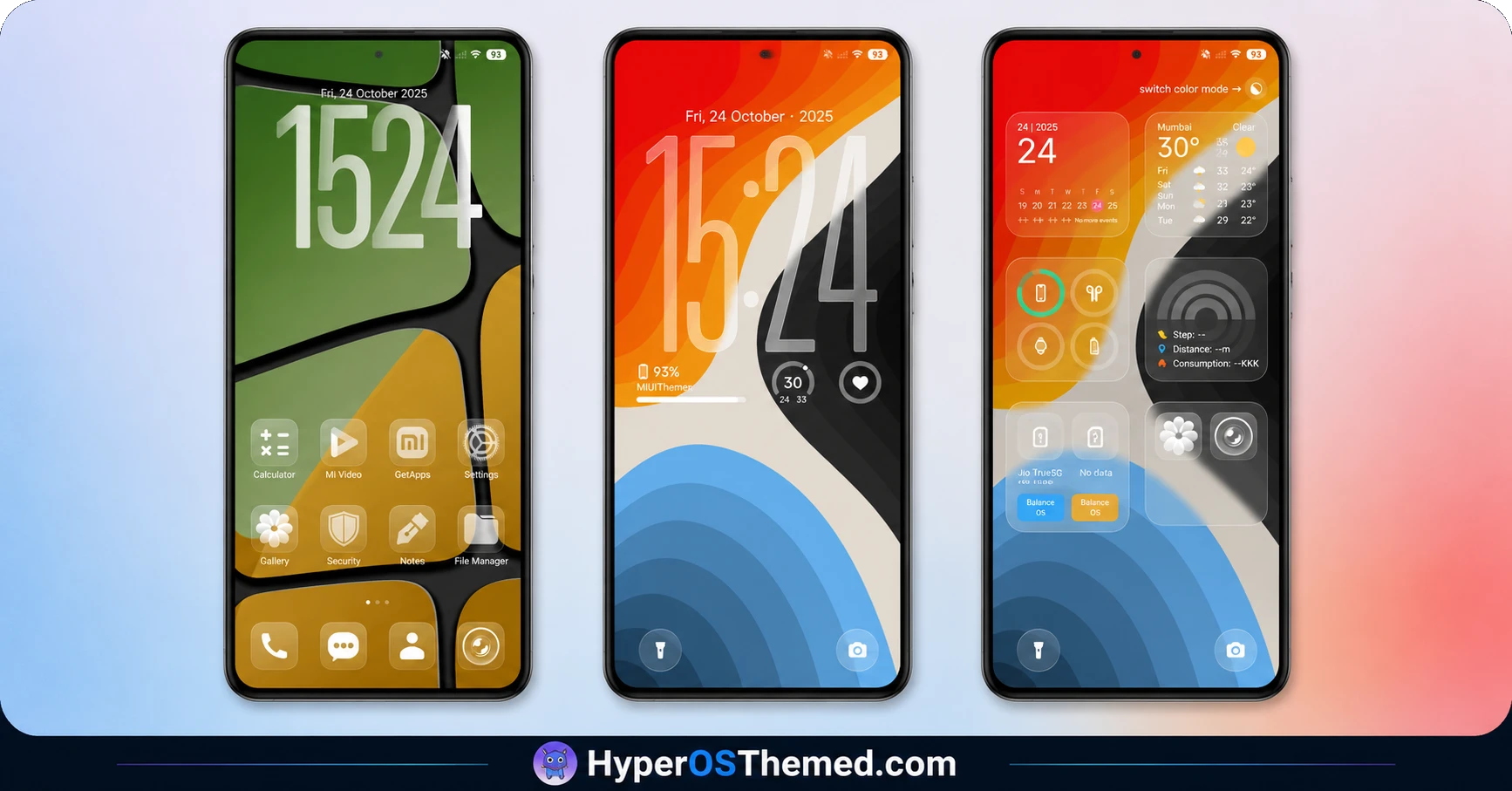
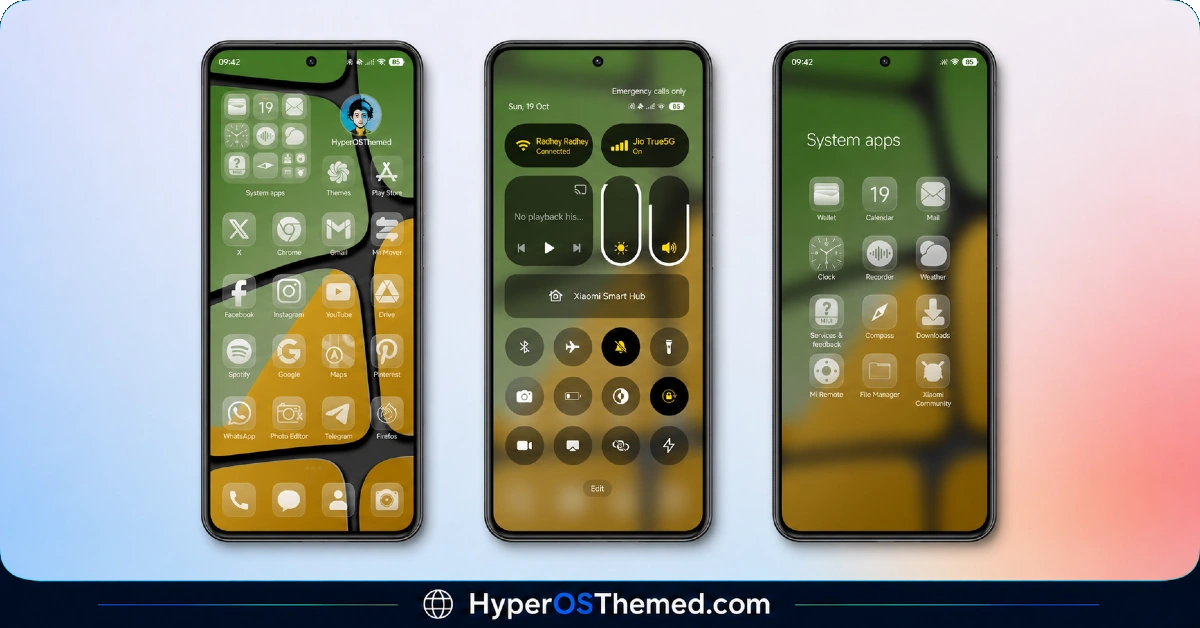
Color is the defining trait here, with the icon set and system accents pulling from a genuinely varied palette rather than settling into one dominant hue the way most themed icon packs do. The dynamic lock screen adds motion and responsiveness on top of that color work, keeping the overall experience from feeling static even at a glance.
It comes across as playful and energetic rather than restrained, a clear departure from the dark or minimal themes dominating most Theme Store listings right now.
Super26i HyperOS Theme Details
| Detail | Info |
|---|---|
| Theme Name | Super26i |
| Designer | Masuod. B |
| Compatibility | HyperOS, HyperOS 2.0, HyperOS 3.0 |
| Region | Global |
| Features | Cool, Colorful, Dynamic Lock Screen, New Icons |
| File Size | 23.83 MB |
Super26i HyperOS Theme Performance
Given the dynamic lock screen behavior, I paid close attention to whether that responsiveness came with any real performance cost, and on the POCO X6 it didn’t show up in any meaningful way. Battery drain across a normal day of messaging, browsing, and app switching stayed close to baseline, with no noticeable extra pull from the lock screen animation.
Icon rendering stayed sharp throughout, and switching between home screen pages showed no stutter despite the more colorful, detail-heavy icon work compared to a flat minimal set.
Super26i HyperOS Theme Compatibility
Super26i supports HyperOS and HyperOS 2.0 specifically, without HyperOS 3.0 listed, so devices already updated to the newest version should expect the possibility of minor visual inconsistencies rather than guaranteed full support. The POCO X6 ran it without stability problems throughout testing on its supported firmware. MIUI 11 through 14 aren’t part of official support here, though the compact file size means custom ROM users on Xiaomi.eu or similar HyperOS-based builds should be able to import the MTZ file with minimal friction.
Downloading Super26i HyperOS Theme
Stick to the Official Theme Store Link rather than a third-party mirror or forum repost offering the same file. Smaller downloads like this one are an easy target for repackaging with unwanted extras on unofficial sites, so verifying the source matters just as much here as it would with a larger, more elaborate theme.
Note: If the Official Theme Store Link doesn’t redirect properly, try opening the page in Chrome or the default Xiaomi browser, since other browsers may not handle the redirect correctly.
Steps to Apply Super26i HyperOS Theme
- Open the Theme Store Link given above on your Xiaomi / REDMI / POCO device
- This will redirect you to Theme Store.
- Download and install the theme
- Tap on Apply
- Customize specific elements (icons, lock screen, status bar) if needed
- Reboot your device (optional for full effect)
What Makes Super26i HyperOS Theme Worth Considering
- Dynamic lock screen adds genuine motion instead of a static wallpaper sitting behind the clock
- Colorful palette stands out clearly against the sea of dark and minimal themes on the store
- New icon set applies consistently across folders and the app drawer, not just the main screen
- Compact 23.83 MB file size keeps downloads and installs fast
- Delivers on all four tagged features rather than leaning on just one standout element
Final Verdict
Super26i HyperOS Theme backs up its short tag list with genuine substance behind each claim, the dynamic lock screen actually moves, the color work actually stands out, and the icon set actually holds together across the whole interface. It’s not going to appeal to anyone chasing a restrained, minimal aesthetic, but for a small file with this much visual personality packed in, it earned a longer look on the POCO X6 than the sparse designer description suggested it would.
You may also like:
Rat V HyperOS Theme with 3D Anime Style Meets Dynamic Island for Xiaomi & Redmi
Super Surge HyperOS Theme With iOS-Inspired Dynamic Island for Xiaomi, POCO & Redmi
Pure Blue HyperOS Theme with Deep Space Vortex Design for Xiaomi, POCO & Redmi
HyperBlack HyperOS Theme with Pitch-Black Minimalism for Xiaomi, POCO & Redmi
