
Dynamic Island is one of those Apple features Android users either mock or quietly wish they had, so when a HyperOS theme claims actual compatibility with it rather than a rough visual copy, that’s a claim worth testing rather than taking at face value. I put Super Surge HyperOS Theme on a POCO X6 specifically to see whether that island-style notch effect functioned the way the description suggested or was just an oversized clock dressed up with buzzwords.
Super Surge HyperOS Theme Features
- Dynamic Island Compatibility: The pill-shaped island element sits at the top of the screen and reacts to system activity rather than just being a static graphic overlay. It’s the standout feature here, and it genuinely functions closer to the real thing than most iOS-inspired themes manage.
- Oversized Outlined Time Display: The clock uses a large, outlined font that stays visible against even busier wallpapers without needing a solid background block behind it. Between this and the island element up top, the lock screen ends up carrying a lot of visual information without feeling cluttered.
- Dozens of Cinematic Depth-of-Field Wallpapers: The wallpaper collection spans planes, city skylines, and sunflower fields, all rendered with genuine layered depth rather than flat photography. Cycling through several of them showed real variety in mood and subject, not just recolored versions of the same base image.
- Fully Customizable Fonts, Colors, and Layouts: Beyond picking a wallpaper, the theme’s settings menu allows adjusting fonts, accent colors, and layout positioning rather than locking users into one fixed configuration. Testing a few font swaps and color changes showed everything applying cleanly without needing a restart each time.
- China-Region Packaging with Backup File: As with other themes sourced from the China server, a handful of elements didn’t render correctly on Global ROM without applying the separate backup file included alongside the main download. Once installed, those remaining inconsistencies cleared up.
Super Surge HyperOS Theme Preview
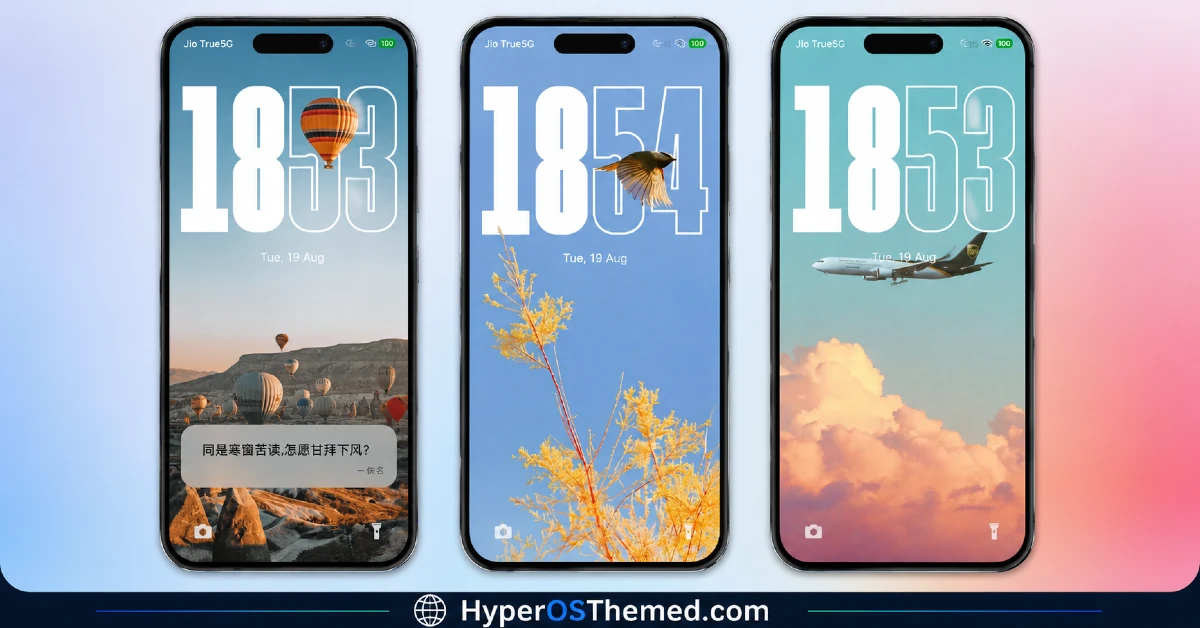
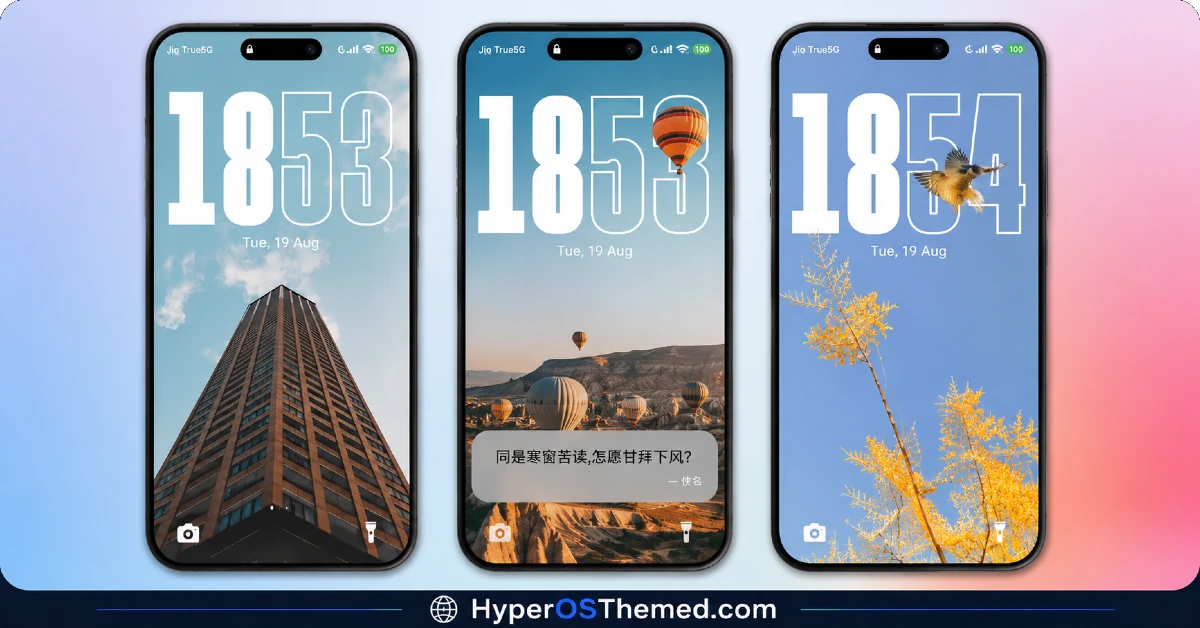
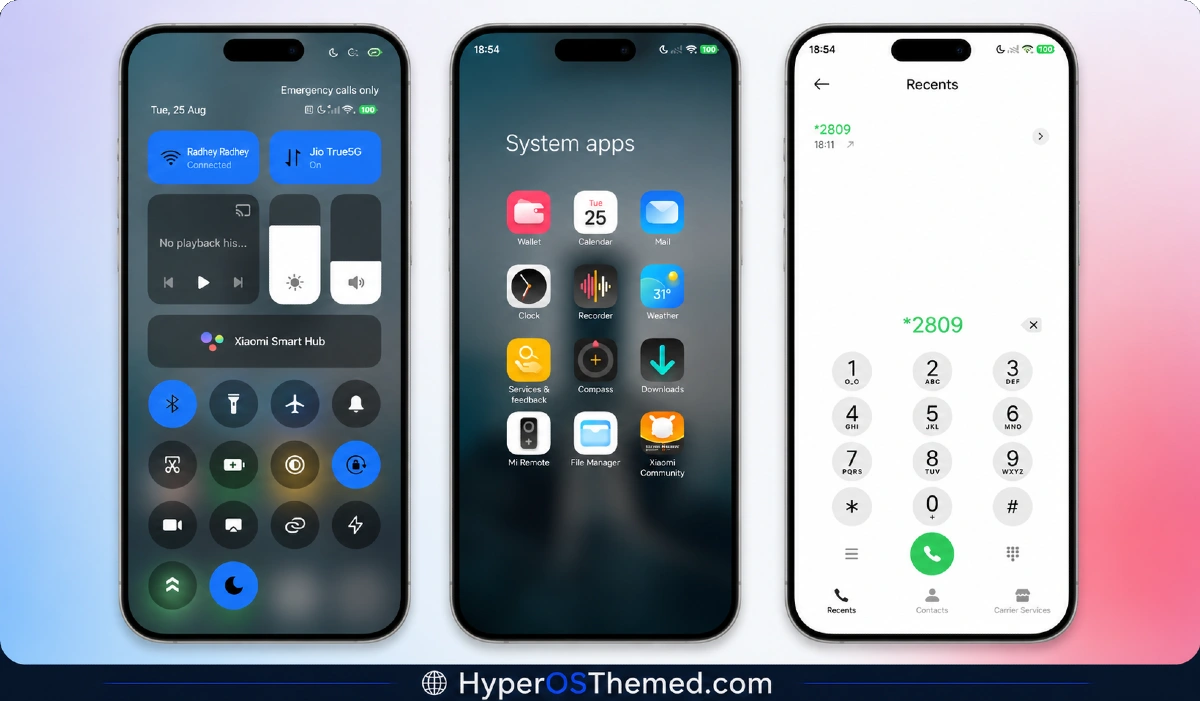
The lock screen is where this theme puts in the most visual effort, combining the oversized outlined clock with the animated island element and a rotating set of cinematic wallpapers behind them both.
Depth-of-field rendering gives each wallpaper real dimension, separating foreground subjects like the sunflower field from softly blurred backgrounds rather than flattening everything into one plane. It’s a genuinely premium-feeling setup, closer to a curated iOS lock screen experience than a typical HyperOS wallpaper swap.
Super Surge HyperOS Theme Details
| Detail | Info |
|---|---|
| Theme Name | Super Surge |
| Designer | 苏哥suger |
| Compatibility | HyperOS, HyperOS 2.0, HyperOS 3.0 |
| Features | Premium, iOS Style, Customizable, Wallpapers, Depth of Field, Dynamic Island |
| File Size | 46.51 MB |
Super Surge HyperOS Theme performance
Given the Dynamic Island animation and layered wallpaper rendering running simultaneously, I expected a noticeable battery hit, and there was one, drain came in a few percentage points above my usual baseline on the POCO X6 across a full day of mixed use. Home screen and lock screen transitions stayed smooth despite all that happening, with no stutter switching between wallpapers or triggering the island element during notifications.
The customization menu handled font and color changes without any lag, which matters given how much is adjustable here compared to a typical fixed-layout theme.
Super Surge HyperOS Theme Compatibility Notes
HyperOS, HyperOS 2.0, and HyperOS 3.0 are all listed as supported, covering most current Xiaomi, Redmi, and POCO devices, and the POCO X6 ran it reliably once the backup file was applied. Sourced from the China Theme Store rather than Global, expect some icon or layout quirks without that backup installed alongside the main MTZ file.
MIUI 14 users get a separate video guide linked in the installation notes, worth checking if you’re on that firmware specifically. Xiaomi.eu and similar custom ROM users should plan for the same backup requirement, and given the file size and depth-of-field rendering, allow extra time for installation.
Downloading Super Surge HyperOS Theme
Download Super Surge HyperOS Theme both the Official Theme Store Link and the backup file together rather than relying on the main MTZ alone, since skipping the backup is what causes the region-related rendering gaps. Steer clear of third-party file hosts offering just the MTZ without the accompanying backup, since incomplete reuploads are common with larger China-region themes like this one.
Note: If the Official Theme Store Link doesn’t redirect properly, try opening the page in Chrome or the default Xiaomi browser, since other browsers may not handle the redirect correctly.
Steps to Super Surge HyperOS Theme
- Open the Theme Store Link given above on your Xiaomi / REDMI / POCO device
- This will redirect you to Theme Store.
- Download and install the theme
- Tap on Apply
- Customize specific elements (icons, lock screen, status bar) if needed
- Reboot your device (optional for full effect)
What Makes Super Surge HyperOS Theme Worth Considering
- Dynamic Island element reacts to system activity rather than sitting as a static graphic
- Wallpaper collection genuinely spans multiple subjects instead of repeating one visual theme
- Font, color, and layout customization applies cleanly without requiring a restart
- Depth-of-field wallpaper rendering adds real dimension over flat photography
- Backup file resolves the region-specific rendering issues tied to China-server themes
Final Verdict
Super Surge HyperOS Theme is one of the more technically ambitious free themes I’ve tested, and the Dynamic Island feature actually holds up as functional rather than decorative once it’s running on a POCO X6.
The battery cost and required backup file installation are real trade-offs worth planning for, and the extra setup step will put off anyone wanting a quick one-tap install. But for the amount of customization and genuine visual polish packed in, it earns its “premium” framing more convincingly than most themes reaching for that same word.
You may also like:
Pure Blue HyperOS Theme with Deep Space Vortex Design for Xiaomi, POCO & Redmi
HyperBlack HyperOS Theme with Pitch-Black Minimalism for Xiaomi, POCO & Redmi
Super Fruit Powder 27 HyperOS Theme with iOS-Style 3D Depth Wallpapers for Xiaomi, POCO & Redmi
Moon Glass HyperOS Theme with Premium Abstract Teal Glass Design for Xiaomi, POCO & Redmi
Gravemoon HyperOS Theme With iOS-Style Premium Look for Xiaomi, POCO & Redmi
