
Storm-cloud wallpapers paired with metallic red-and-black icons sounded like a lot of competing visual ideas crammed into one theme, the kind of description that usually means either genuinely striking or a cluttered mess. I put ShiftM HyperOS Theme on a POCO X6 to see which one it actually turned out to be, particularly curious about how the multiple clock styles the description promised would hold up once I started switching between them.
ShiftM HyperOS Theme Features
- Dark Cinematic Storm-Cloud Wallpapers: The main wallpaper set uses heavy, dramatic storm-cloud imagery alongside a contrasting green-field option for variety. Both rendered with real texture and depth rather than a flat filter, giving the lock screen a genuinely moody, film-still quality.
- Metallic Glass-Style Lock-Screen Clock: The default clock design uses a large, metallic texture with visible depth effects rather than a flat font sitting on top of the wallpaper. It’s easily the most detailed clock rendering I’ve come across on a free HyperOS theme, closer to a 3D render than typeface work.
- Multiple Clock Styles and Layouts: Beyond the metallic default, there are additional clock designs ranging from large digital displays to more compact styles. Switching between a few of them during testing showed each one applying cleanly, with positioning and sizing adjusting without leftover artifacts from the previous style.
- Fully Customizable Clock Colors, Fonts, and Positioning: Every clock variant can be adjusted further, color, font, size, and placement all sit in the theme’s own settings rather than being locked once selected. This level of control is unusual even among themes that advertise “customization” as a headline feature.
- Red-and-Black Icon Pack: Icons carry a consistent red accent against dark bases, tying into the storm and metallic clock aesthetic rather than feeling like a separate design choice. Coverage extended cleanly into folders, the dock, and system apps, not just the main app drawer.
- Dark Control Centre with Red Accents: The quick settings panel picks up the same dark base with red highlight details rather than reverting to a generic grey or black default. While testing, the accent colour stayed consistent across every panel I opened.
ShiftM HyperOS Theme Preview
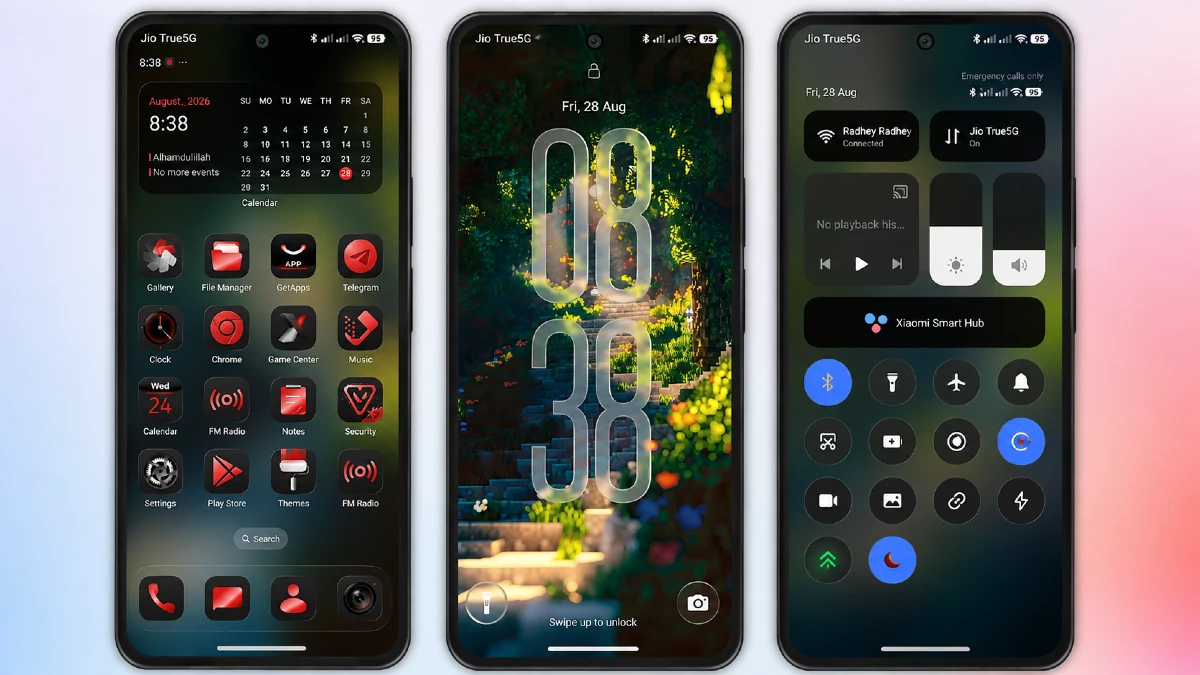
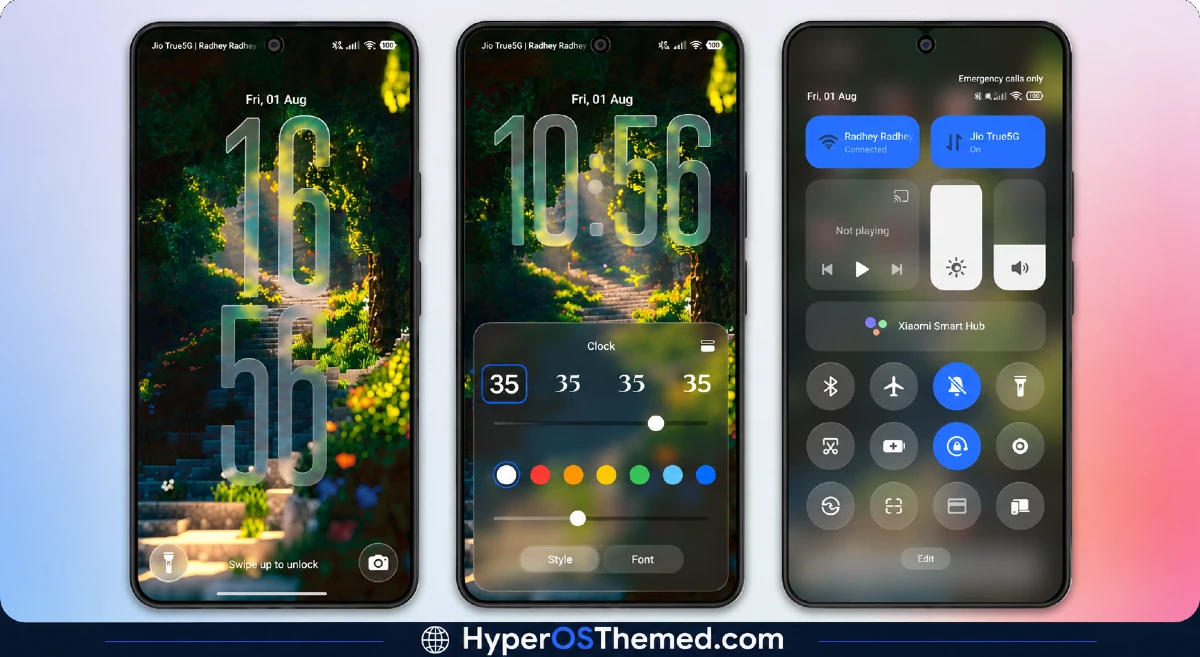
Storm-cloud drama and metallic red detailing define the entire visual identity here, with the lock screen clock acting as the centerpiece against darkened, textured backgrounds.
Red accents thread through icons, the control centre, and folder styling without ever feeling scattered, giving the whole setup a cohesive, almost film-poster intensity rather than a random mix of dark and red elements. It’s genuinely cinematic in a way the name promises, not just a marketing description stretched thin.
ShiftM HyperOS Theme Details
| Detail | Info |
|---|---|
| Theme Name | ShiftM |
| Designer | Maidul Islam |
| Compatibility | HyperOS, HyperOS 3 |
| Region | Global |
| File Size | 87.4 MB |
ShiftM HyperOS Theme Performance
Given the metallic clock rendering and glass-style UI elements running throughout, I expected some performance cost, and there was a modest one, battery drain on the POCO X6 came in a bit above my usual baseline across a full day of regular use.
Switching between the multiple clock styles never introduced lag or leftover visual glitches from a previous selection, which was the main thing I wanted to confirm given how much customization is packed into this one. The large 87.4 MB file size meant a longer install than smaller themes, but nothing that felt excessive for what’s actually included.
ShiftM HyperOS Theme’s Compatibility Notes
HyperOS and HyperOS 3 are the listed supported versions, and the POCO X6 handled the theme without stability problems throughout testing. Since HyperOS 2.0 isn’t explicitly listed, users still on that version should expect the possibility of minor inconsistencies rather than guaranteed full support.
This is a Global region release, which sidesteps the icon and asset quirks that sometimes come with China-server themes needing a separate backup file. Custom ROM users on Xiaomi.eu or similar builds should be able to import the MTZ file without major issues, though given the file size, allow extra time for installation.
Downloading ShiftM HyperOS Theme
Grab the ShiftM HyperOS Theme file through the official Theme Store link or the MTZ download listed directly on the source page rather than any repackaged version floating around unrelated forums.
A theme this detailed, with this many customizable elements, is exactly the kind that gets stripped down or altered when reuploaded outside official channels, so sticking with the verified source matters more here than with a simpler theme.
Steps to Apply the ShiftM HyperOS Theme
Method 1:
- Click the Official Link, the Theme app will open
- It will open the Theme Store app to download the theme
- Click on the theme and select Download
- After downloading, click Apply
Method 2:
- Download the MTZ file from the link provided
- Open the Theme Store app and tap the Themes option
- Swipe to the bottom and click Import
- Import the MTZ file you just downloaded
- Go to Profile → Themes
- You’ll see the theme listed there
- Click Apply
What Makes ShiftM HyperOS Theme Worth Considering
- Metallic clock rendering delivers genuine depth rather than a flat font over a wallpaper
- Multiple clock styles all apply cleanly without leftover artifacts when switching
- Red-and-black icon consistency extends into folders, dock, and system apps
- Deep customization over clock color, font, size, and position, not just wallpaper choice
- Global release avoids the region-lock quirks that come with China-server themes
Final Verdict
ShiftM HyperOS Theme earns its cinematic framing more than most themes reaching for that word, with the metallic clock work and storm-cloud wallpapers coming together into something that actually looks considered rather than thrown together.
The larger file size and modest battery cost are worth factoring in, and the sheer number of customization options means it’ll take longer to settle into a final setup than a simpler theme would. For anyone wanting a dark, dramatic aesthetic with real room to tweak the details, though, it’s one of the more complete packages I’ve tested on a POCO X6 recently.
You may also like:
Super Surge HyperOS Theme With iOS-Inspired Dynamic Island for Xiaomi, POCO & Redmi
Pure Blue HyperOS Theme with Deep Space Vortex Design for Xiaomi, POCO & Redmi
HyperBlack HyperOS Theme with Pitch-Black Minimalism for Xiaomi, POCO & Redmi
Super Fruit Powder 27 HyperOS Theme with iOS-Style 3D Depth Wallpapers for Xiaomi, POCO & Redmi
Moon Glass HyperOS Theme with Premium Abstract Teal Glass Design for Xiaomi, POCO & Redmi
