
Most lock screen customization panels are open to anyone who downloads the theme, but Fulloful HyperOS Theme adds an unusual extra step, the lock screen unlock feature itself requires a specific password to activate. Designed by Ali.ZR, it pairs that gated customization with depth effect wallpapers and a minimal overall aesthetic for Xiaomi, Redmi and POCO devices. At 32.3 MB, it’s built for HyperOS, with a separate standalone wallpaper download also available for anyone who wants just the visual without the full theme package.
Fulloful HyperOS Theme Key Features
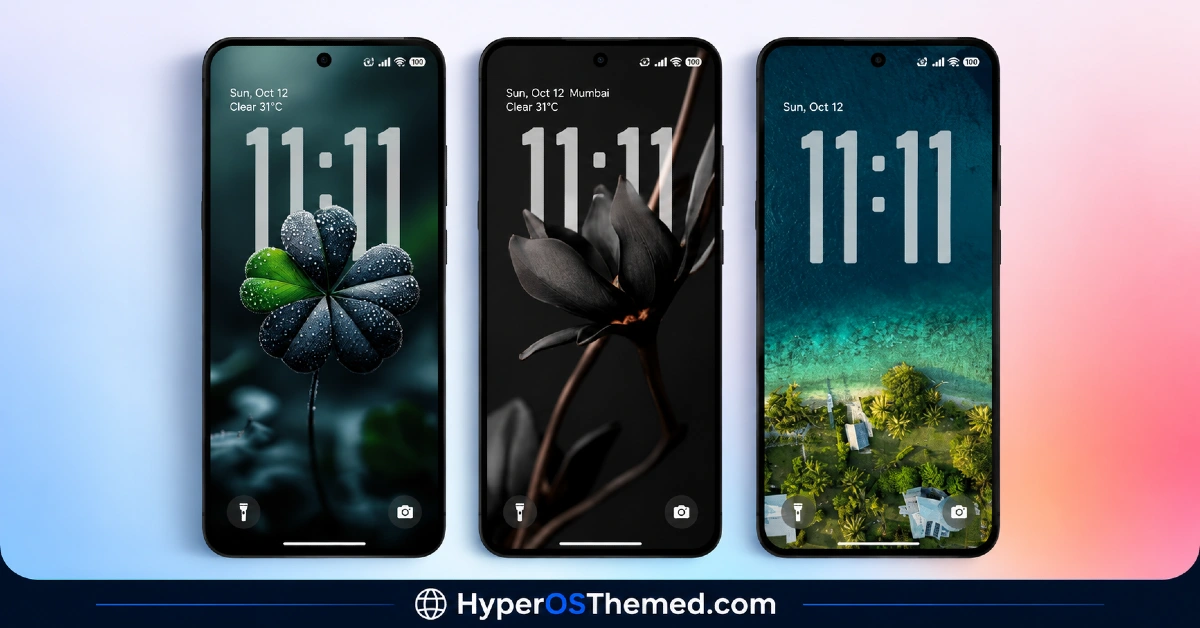
- Depth Effect Wallpapers: The wallpaper work uses layered depth rendering rather than a flat static image, giving the lock screen and home screen genuine dimension instead of sitting flat.
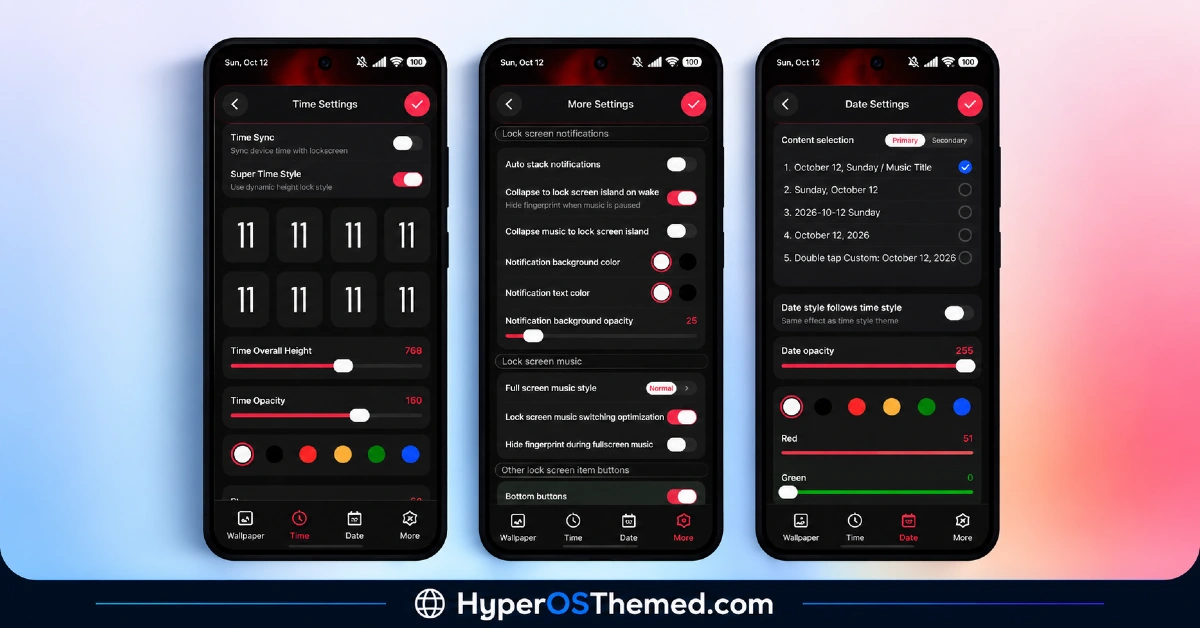
- Password-Protected Lock Screen Customization: Unlocking the full lock screen customization panel requires entering a specific password in the Contact Me field, a detail worth knowing before installing since it’s not how most HyperOS themes handle their premium features.
- Minimal Design Foundation: Beyond the depth effect showcase, the overall layout stays restrained and uncluttered rather than piling on extra visual noise, keeping the theme feeling considered rather than busy.
- Standalone Wallpaper Download: A separate 1.4 MB wallpaper file is available for anyone who wants just the visual centerpiece without committing to the full theme package, a nice option most themes don’t bother offering.
- Redesigned Lock Screen Layout: The lock screen carries its own distinct styling built around the depth effect wallpaper, giving the unlock experience real personality once the password-gated features are unlocked.
Fulloful HyperOS Theme Preview
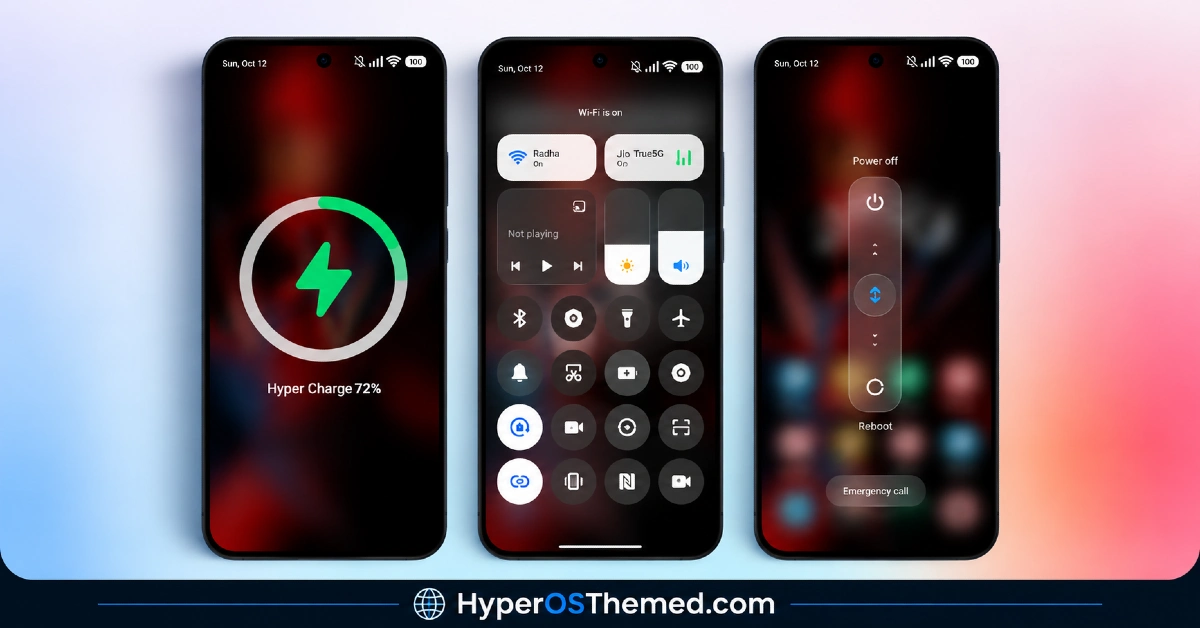
The screenshots below show the depth effect wallpaper and how the overall minimal design comes together once the theme is applied. Since some of the lock screen customization sits behind the password requirement, the preview gives a good general sense of the aesthetic even before unlocking the full feature set.
Fulloful HyperOS Theme Overview
| Attribute | Details |
|---|---|
| Availability | Free, via Xiaomi Theme Store |
| Supported Devices | Xiaomi, Redmi and POCO phones running HyperOS |
| Theme Name | Fulloful |
| Designer | Ali.ZR |
| Compatibility OS | HyperOS |
| Features | Depth effect wallpapers, password-protected lock screen customization, minimal design, standalone wallpaper option |
| File Size | 32.3 MB (theme), 1.4 MB (wallpaper only) |
Fulloful HyperOS Theme Compatibility
Fulloful is built for HyperOS and works across Xiaomi, Redmi and POCO devices running that version. Because the theme relies on depth-effect rendering for its wallpapers, older or lower-powered devices may display them with less sharpness than current flagship hardware.
Custom ROM users on setups like Xiaomi.eu, MIUIRoom, MIUI SR, or HyperOS CN can still install the theme manually via the MTZ file, and given the theme’s restrained design outside lock-screen customisation, compatibility issues tend to be fairly limited.
Get Fulloful HyperOS Theme
Download Fulloful only through the official Theme Store link or the direct MTZ file rather than random third-party file-sharing sites or unofficial APK sources. Files circulating outside official channels are difficult to verify and may not match the version Ali.ZR actually released. Sticking to the official Theme Store keeps the installed version consistent with the intended design and ensures future updates remain accessible.
An important note on the lock screen password: to unlock the full lock screen customization features, you’ll need to enter the specific password provided by the designer into the Contact Me field within the theme’s settings. Without entering this correctly, some of the advertised lock screen options may not become available.
Password to unlock the lock screen is: .Sabri_TN.
How to Apply Fulloful HyperOS Theme
Follow the steps below to apply the theme:
- Open the Theme Store link given above on your Xiaomi, Redmi or POCO device.
- This will redirect you to the Theme Store.
- Download and install the theme.
- Tap on Apply.
- Customize specific elements such as icons, lock screen or status bar if needed.
- Reboot your device for the full effect, though this step is optional.
Note: If anything looks overlapped or fails to display correctly right after installing, restarting the device usually clears it up without further steps. This theme has gone through checks on HyperOS without any major issues turning up in that process. Still, if something looks off on a specific device once it’s applied, leaving a comment with the details helps get it looked into.
Installing Fulloful HyperOS Theme on Custom ROM Devices
Devices running a Custom ROM such as Xiaomi.eu, MIUIRoom, MIUI SR or HyperOS CN aren’t able to use the direct Theme Store link, so the MTZ file needs to be brought in manually through the Theme Store app. Here’s how that works:
- Grab the MTZ file for Fulloful from the download section.
- Open the Theme Store app.
- Go into the Themes tab.
- Scroll down to find the Import option, then tap it.
- Use the file manager to locate the downloaded .mtz file.
- Wait for the import process to finish.
- Tap the theme once it appears in the list to apply it.
Why Choose Fulloful HyperOS Theme?
- Genuine depth effect wallpapers — real layered dimension rather than a flat static image.
- Standalone wallpaper option — the visual centerpiece can be downloaded separately if preferred.
- Restrained, minimal foundation — a considered look rather than visual overload.
- Free official download — no cost involved through a legitimate Theme Store link.
Conclusion
Fulloful HyperOS Theme pairs a genuinely convincing depth effect wallpaper with an unusual password-gated lock screen system, worth knowing about before diving in so you’re not left wondering why certain features aren’t immediately available. The minimal design foundation keeps things feeling deliberate rather than cluttered. For Xiaomi, Redmi and POCO users who don’t mind the extra unlock step for genuine lock screen customization, Fulloful HyperOS Theme is worth trying.
Also Check These Themes:
- OE1 HyperOS Theme For Redmi, Xiaomi, and POCO
- Sunlit Canyon HyperOS Theme With Canyon Wallpapers and Dialer Pad Redesign for Xiaomi, POCO, Redmi
- Guofeng 27 HyperOS Theme with iOS 27 Style UI, Redesigned Icons, and a Revamped Control Center
- AS Suhel HyperOS Theme with Animated Lock Screen and Liquid Glass Icons for Xiaomi, POCO, Redmi
- Knock Cute HyperOS Theme With Gradient Icons in a Tiny Package for Xiaomi, POCO, Redmi
