
Every now and then, a theme is good enough that I don’t mind the extra hoops needed to get it running. Liquid Beauty iOS 26 HyperOS Theme is exactly that kind of release. Designed by 老男孩DESIGN, this one leans fully into a premium Apple-inspired aesthetic, and after digging into it, I think it’s worth the slightly more involved installation process.
What Makes Liquid Beauty iOS 26 HyperOS Theme Stand Out
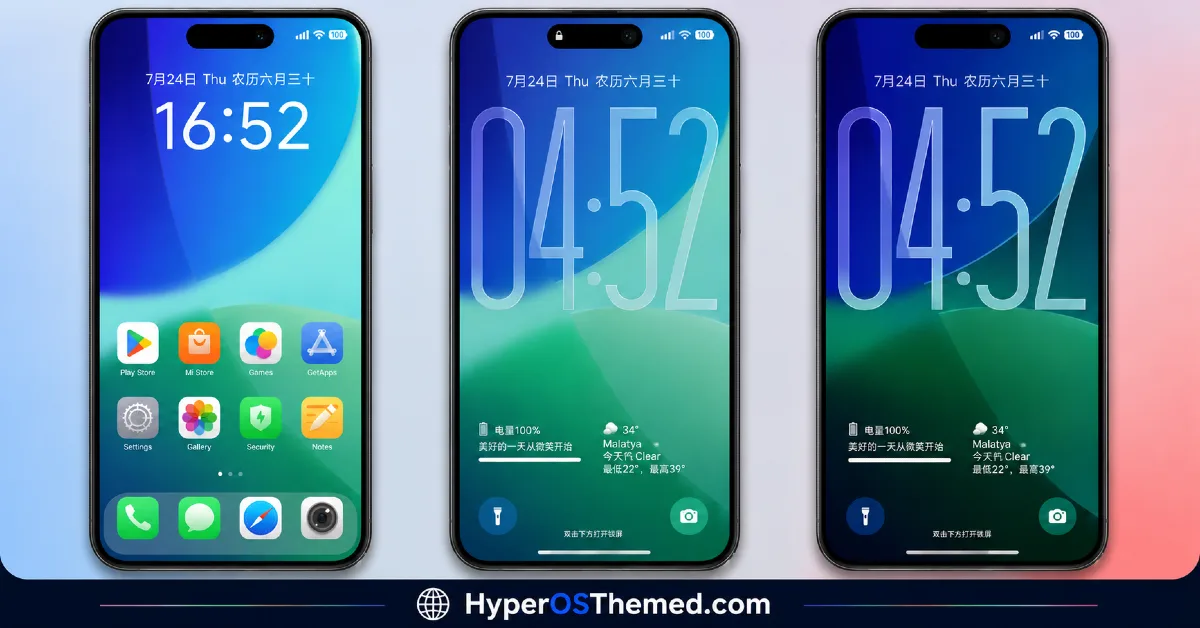
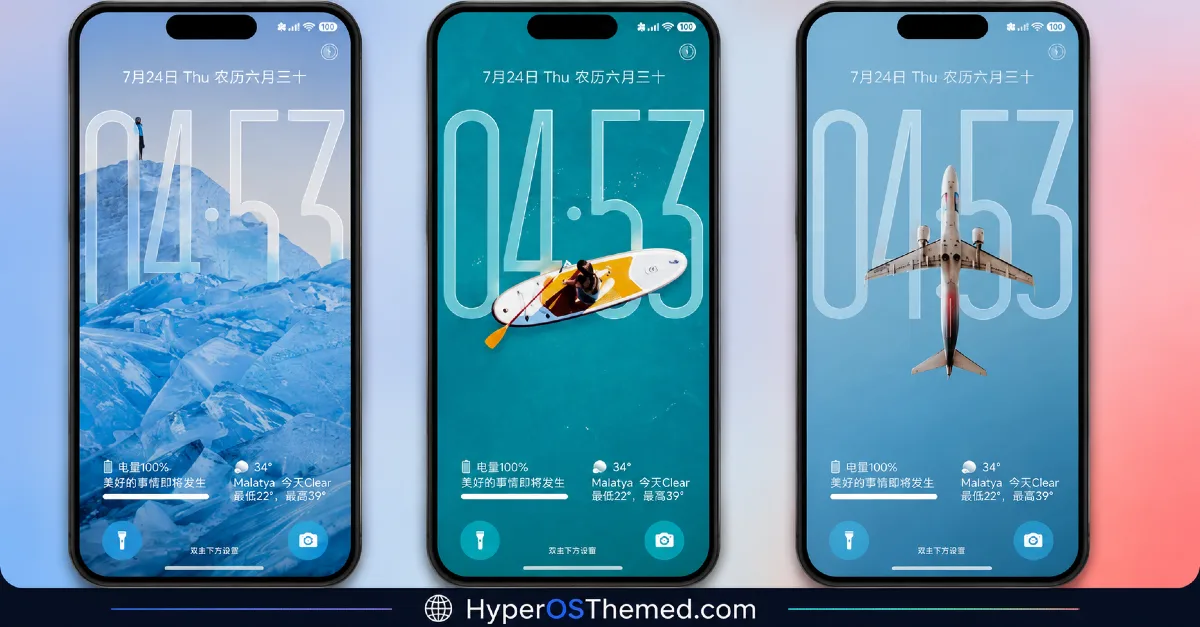
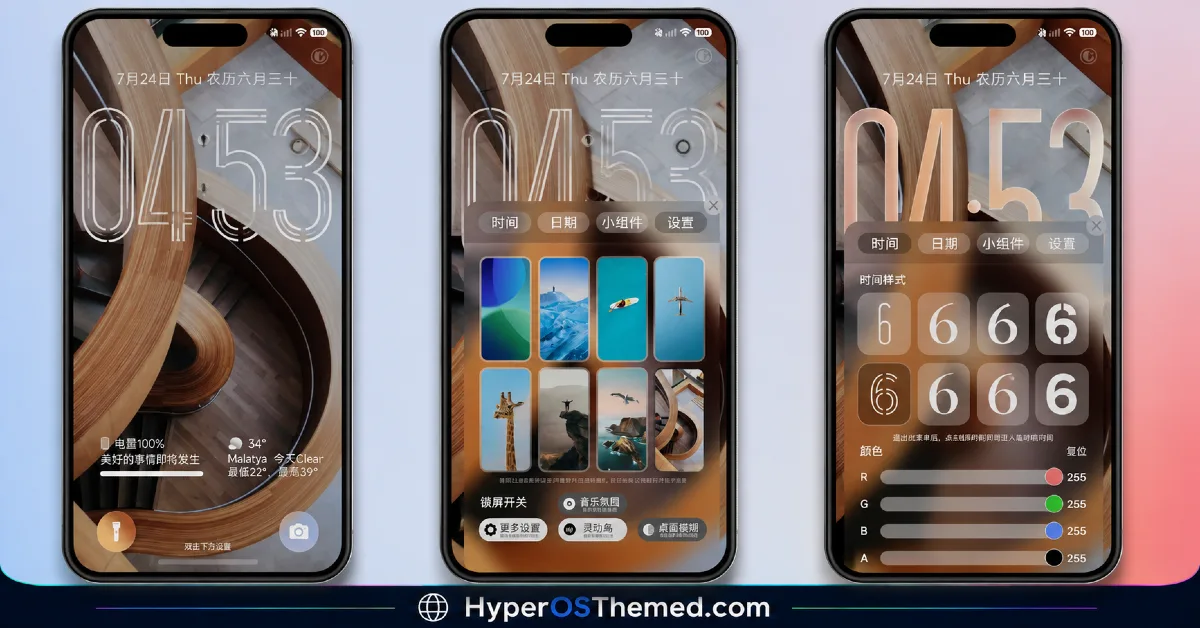
Liquid Beauty iOS 26 HyperOS Theme goes all in on that polished, Apple-style visual language, think iPhone-level attention to detail applied to your Xiaomi or Redmi device. The wallpapers carry a premium, fluid quality that fits the “Liquid Beauty” name well, and the dynamic lock screen adds genuine movement to the experience rather than leaving you with a static image every time you unlock your phone.
What impressed me is how committed the design feels to that iOS aesthetic specifically. This isn’t a loosely “iOS-inspired” theme borrowing a few visual cues, it’s built with real intention around replicating that clean, premium Apple feel, right down to the wallpaper style and overall interface polish.
Liquid Beauty iOS 26 HyperOS Theme Preview
A Setup Detail You’ll Want to Know First
Here’s the important part before you get started: this theme’s Official Theme Store Link is China-exclusive, meaning it only works if you’re accessing the Chinese version of the Theme Store. If that’s not your setup, don’t worry; a dedicated backup file is provided specifically so global users can still install this theme without needing regional access. Make sure to grab that backup file rather than relying solely on the standard link if you’re outside the China server.
What You’re Getting
- Premium Apple-inspired design — genuinely polished, not just a loose imitation
- Dynamic lock screen — adds real movement and life to your lock screen experience
- Fresh, well designed icons — consistent with the overall iOS aesthetic
- New status bar and Always-on Display — carrying that same refined, premium tone
- Curated wallpapers — matching the “Liquid Beauty” theme identity throughout
Who Should Try Liquid Beauty iOS 26 HyperOS Theme
If you’re drawn to that clean, premium Apple look and you don’t mind using the provided backup file to get around the regional restriction, Liquid Beauty iOS 26 is a genuinely strong pick. It’s compatible with HyperOS, works across Xiaomi, Redmi, and POCO devices, and at nearly 52 MB, there’s clearly a good amount of custom design work packed in.
Liquid Beauty iOS 26 HyperOS Theme Details
| Detail | Info |
|---|---|
| Theme Name | Liquid Beauty iOS 26 |
| File Size | 51.87 MB |
| Designer | 老男孩DESIGN |
| Region/Server | China/ (mtz available File For Globar Users) |
| Compatibility | HyperOS |
| Note | Official Theme Store Link is China-exclusive, use the backup file for global access |
Getting the Theme
Join our Telegram Channel Join Now →Installing Liquid Beauty iOS 26 HyperOS Theme on Global Stable ROM
If your device is running the standard HyperOS or MIUI Global stable build, here’s how to install it:
- Open this page using the Firefox browser, since it handles the redirect best.
- Tap the Official Theme Store Link above.
- The page will open in Chinese, which is expected. Tap the three dots in the top right corner and select “Open in app.”
- This opens the Theme Store app, where the download will begin.
- Once it’s downloaded, tap Apply.
If the Official Theme Store Link doesn’t open properly, switch to Chrome or your phone’s default browser. Some third party browsers don’t handle this redirect correctly. If you’re outside the China region, use the backup file instead.
Installing on Custom ROMs
Running a custom build like Xiaomi.eu, MIUIRoom, or similar? Here’s the manual install method using the mtz file:
- Download the Liquid Beauty iOS 26 mtz file from the link above.
- Open the Theme Store app and go to the Themes section.
- Scroll to the bottom and tap Import.
- Select the downloaded mtz file.
- Tap Apply.
One thing worth remembering: restart your device if anything looks slightly off after applying. A quick reboot usually clears it up right away. I tested this theme myself, and it ran cleanly with no issues at all.
Final Thoughts
Liquid Beauty iOS 26 HyperOS Theme is a China-exclusive release, but it doesn’t have to stay out of reach; the backup file makes sure global users aren’t left out of a genuinely premium theme. Between the dynamic lock screen, the polished Apple-inspired design, and that fluid overall aesthetic, 老男孩DESIGN clearly built something worth the small extra installation effort. If a refined, iOS-style look is what your phone’s been missing, this one’s absolutely worth downloading.
You May Also Like:
- Senja HyperOS Theme iOS Inspired For POCO, Redmi & Xiaomi Phone
- AJ Pink HyperOS Theme For Xiaomi, POCO and Redmi Phones
- Latest Breaking_V9 HyperOS Theme For Redmi, POCO And Xiaomi Phones
- BrS v9 MIUI Theme For POCO, Redmi and Xiaomi Devices
- Liquid Glass HyperOS Theme with Dialer, Settings, Messages, and Control Centre
