
ColorV16 HyperOS Theme is a dark AMOLED theme with neon visuals, circular icons, a colourful lock screen clock, translucent Control Center and custom AOD. ColorV16 HyperOS Theme is built around a deep black AMOLED style with colourful neon accents. It combines a bright multicolour lock screen clock with circular vector icons, dark system elements, fresh wallpapers and a translucent Control Center.
The theme keeps the main interface dark while using vivid colours for selected elements, creating a noticeable contrast between the black background and neon details. Along with the icons and lock screen, ColorV16 HyperOS Theme also changes parts of the system interface and includes a matching Always on Display style.
ColorV16 HyperOS Key Features
- Dark AMOLED Interface: ColorV16 uses a predominantly black interface that gives the theme its dark appearance. The deep background works particularly well on AMOLED displays, where black areas can remain completely dark.
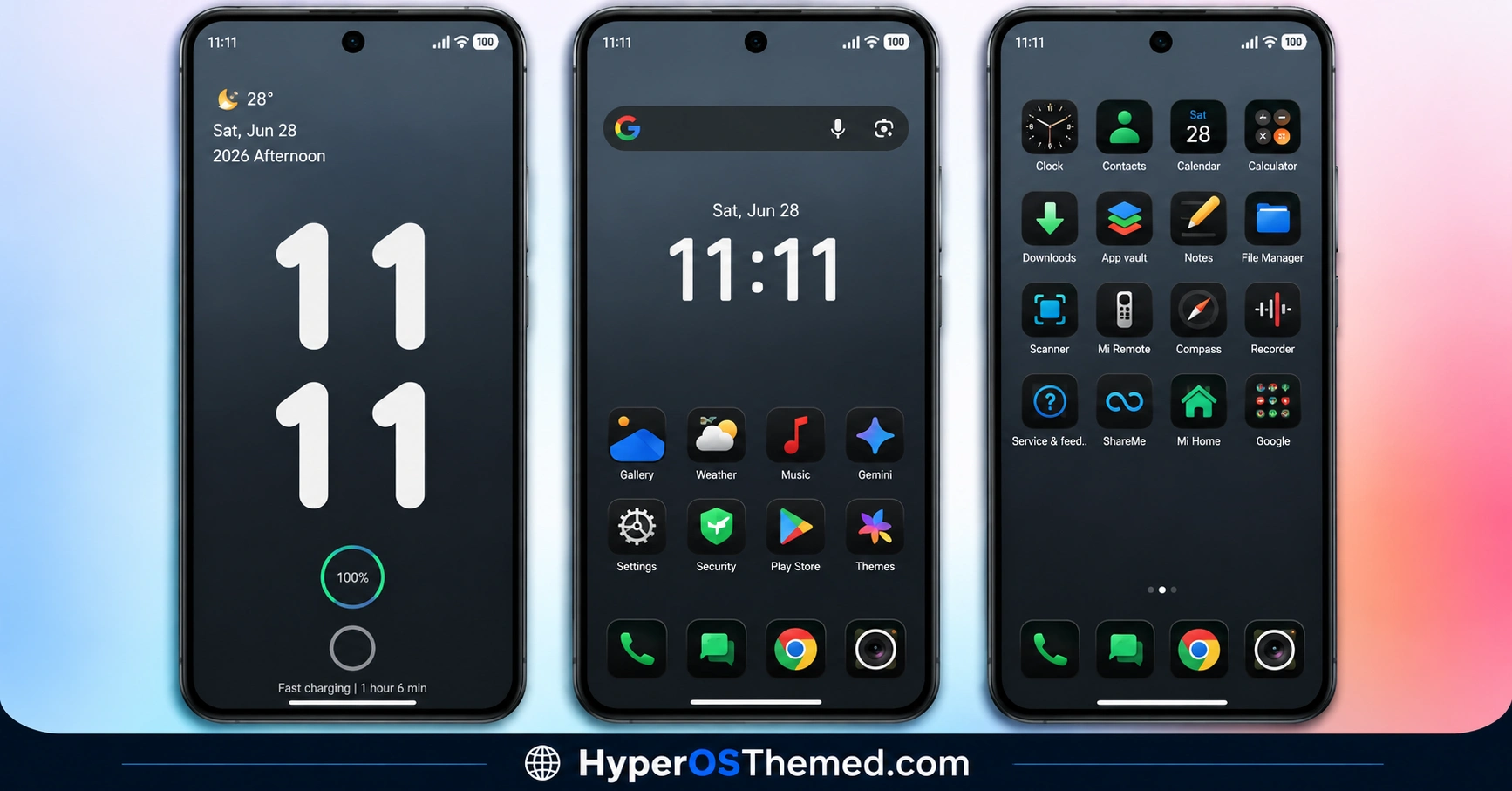
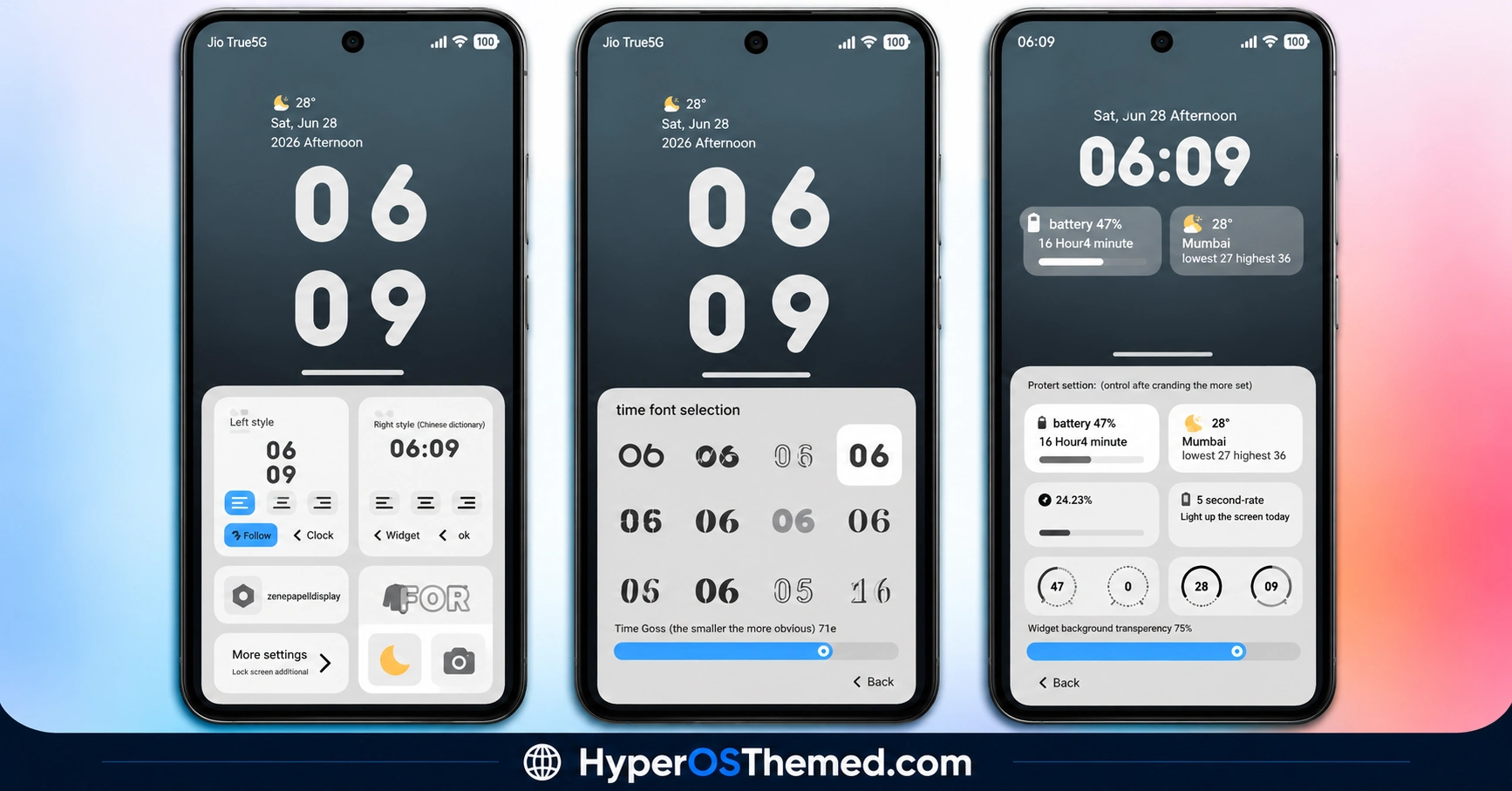
- Neon Multicolour Lock Screen Clock: The lock screen features a large digital clock with multiple bright colours. The neon styling makes the clock the main visual element of the lock screen instead of relying on a conventional white or single-colour clock.
- Circular Vector Icons: The theme replaces the standard application icons with a circular icon design. Each icon uses clean vector-style graphics with coloured outlines, giving the app grid a consistent appearance.
- Dark Custom Icons: The darker icon treatment matches the overall AMOLED interface rather than mixing bright standard icons with the black background. This makes the home screen look more uniform, particularly when dark mode is enabled.
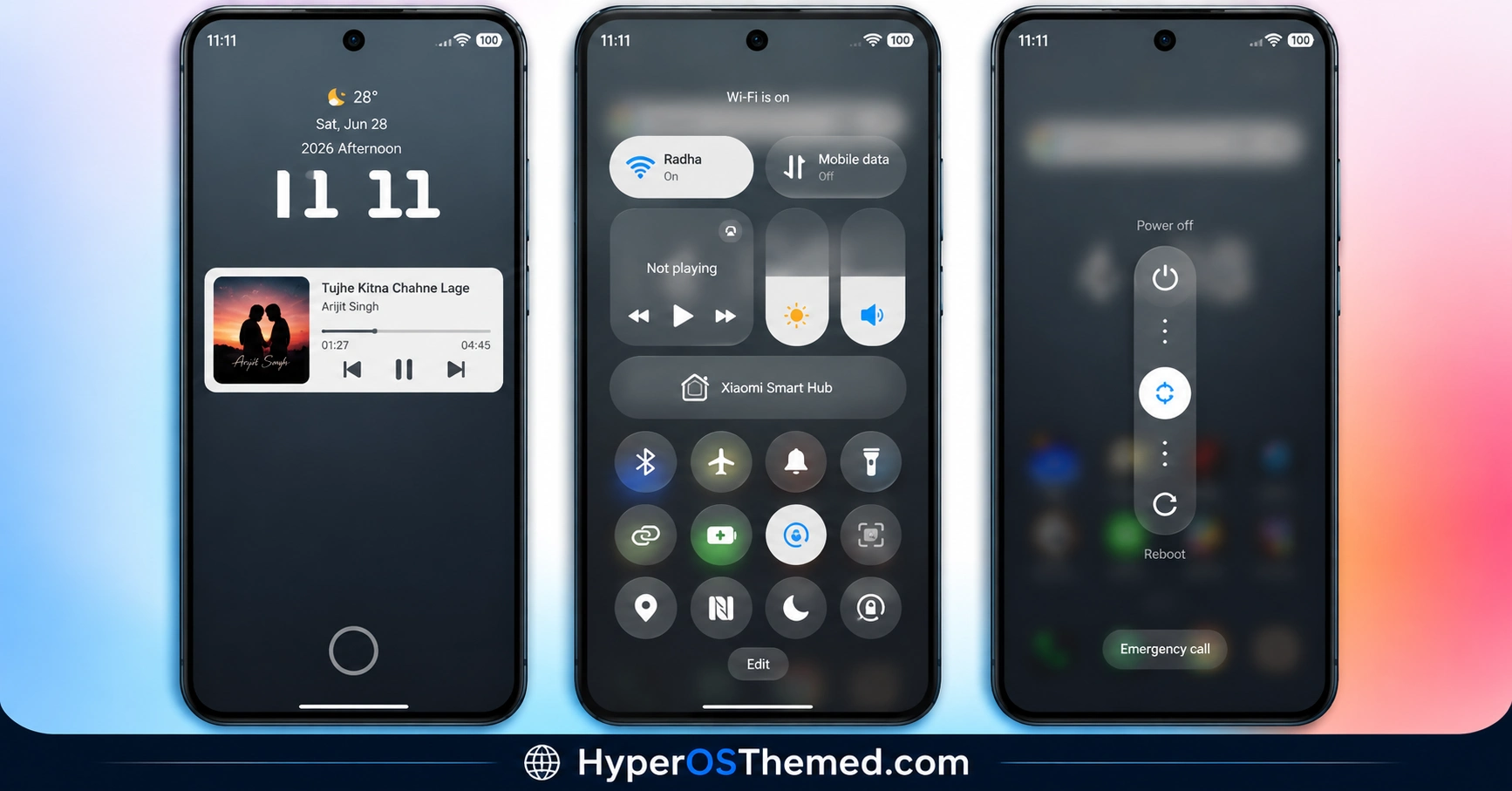
- Translucent Control Center: ColorV16 includes a customised Control Center with translucent panels and multicolour indicators. The blurred background effect allows some of the underlying wallpaper to remain visible while the quick settings stay easy to identify.
- Custom Status Bar: The theme also modifies the appearance of the status bar to match its dark and colourful interface. The changes help maintain a consistent visual style between the lock screen, home screen and system interface.
- Always on Display Styling: An accompanying Always on Display design adds another layer of customisation when the screen is inactive. Its styling follows the same dark background and colourful accent approach used throughout the theme.
- Dark Mode Focused Design: ColorV16 is primarily aimed at users who prefer dark interfaces. The black background, darker system elements and bright accent colours create a strong contrast without turning the entire interface into a bright or colourful layout.
ColorV16 HyperOS Theme Preview
The ColorV16 HyperOS Theme preview is dominated by a deep black AMOLED-style background with bright neon colours used for the clock, icon outlines and selected system elements. The circular icons create a clean geometric appearance, while the translucent Control Center adds a glass-like layer to the dark interface. Overall, the design combines a minimal black foundation with vibrant cyber-inspired accents.
ColorV16 HyperOS Theme Overview
| Attribute | Details |
|---|---|
| Availability | Free, via Xiaomi Theme Store or MTZ file |
| Supported Devices | Xiaomi, Redmi and POCO phones running compatible HyperOS versions |
| Theme Name | ColorV16 |
| Designer | Ali.ZR |
| Region | Global |
| Compatibility OS | HyperOS, HyperOS 2.0 & HyperOS 3.0 |
| Features | Dark AMOLED UI, neon clock, circular vector icons, translucent Control Center, custom status bar and Always on Display |
| File Size | 21.23 MB |
Get ColorV16 HyperOS Theme
ColorV16 HyperOS Theme is available through the official Theme Store link, with an MTZ version also available for supported installations. The Theme Store method is the preferred option for devices where the official theme page is accessible, while the MTZ package provides an alternative for compatible Custom ROM setups.
ColorV16 HyperOS Theme Compatibility
ColorV16 is listed for HyperOS, HyperOS 2.0 and HyperOS 3.0 with Global region availability. The theme can be used on compatible Xiaomi, Redmi and POCO devices, although individual system components can behave differently depending on the ROM and Theme Store version. Users installing the MTZ package should also make sure their Custom ROM supports importing third party MTZ themes.
How to Install ColorV16 HyperOS Theme on Global Stable ROM
For devices running a Global Stable HyperOS ROM, ColorV16 can be installed through the official Xiaomi Theme Store link.
- Open the Download Links section and locate the Official Theme Store Link for ColorV16.
- Tap the link and allow the phone to choose an application for opening it.
- Select the Themes app from the available options.
- The ColorV16 theme page will open inside the Xiaomi Theme Store.
- Select Download and wait for the theme package to finish installing.
- Once downloaded, tap Apply to activate ColorV16.
If the Theme Store link does not open correctly, try opening the page in Chrome, Firefox or the default Xiaomi browser and then use the Theme Store link again.
How to Install ColorV16 HyperOS Theme on Custom ROMs
For compatible Custom ROMs such as Xiaomi.eu, MIUIRoom, MIUI SR or HyperOS CN, the MTZ version can be imported through the Themes application.
- Download the ColorV16 MTZ file from the provided download section.
- Launch the Themes app on your device.
- Open the Themes section and find the Import option.
- Tap Import to open the device’s file manager.
- Navigate to the folder where the downloaded
.mtzfile is stored. - Select the ColorV16 MTZ package and allow the Themes app to complete the import.
- Once imported, locate ColorV16 in the available themes.
- Open the theme and tap Apply to activate it.
- Restarting the device can help reload theme elements if any icons or interface components appear incorrectly after installation.
If the MTZ package fails to import, check that the file has downloaded correctly and that the installed ROM supports MTZ theme imports. Some Custom ROM versions can have different Theme Store menus or restrictions on third party themes.
Why Choose ColorV16?
- Deep black AMOLED-style interface for a darker overall appearance.
- Bright multicolour digital clock on the lock screen.
- Circular vector icons with colourful outlines.
- Dark icon styling that matches the black system interface.
- Translucent Control Center with colourful status indicators.
- Custom status bar matching the theme’s visual design.
- Matching Always on Display styling.
- Relatively small 21.23 MB package compared with many feature-heavy HyperOS themes.
Conclusion
ColorV16 HyperOS Theme is a dark HyperOS theme that combines a black AMOLED-style interface with vivid neon accents. Its most recognisable elements are the multicolour digital lock screen clock and circular vector icons with bright outlines. The customised Control Center adds transparency and colour without replacing the dark foundation of the interface.
Its status bar and Always on Display also follow the same visual direction, making the theme more comprehensive than a simple icon pack. The design is particularly suited to users who prefer black interfaces with bright cyber-style highlights rather than completely monochrome themes.
With support listed for HyperOS, HyperOS 2.0 and HyperOS 3.0, ColorV16 is a compact option for giving the standard HyperOS interface a darker and more colourful appearance.
Also Check These Themes:
- Liquid Beauty X HyperOS Theme with Liquid Wallpapers For Xiaomi, Redmi and POCO
- Gass BiZ 3 HyperOS Theme For Xiaomi, Redmi and POCO
- VK Blue Bloom HyperOS Theme With Blue Gradient Wallpapers For Xiaomi, Redmi and POCO
- Hyper Grayish 3 HyperOS Theme For Xiaomi, Redmi and POCO
- Mamba BiZ 3 HyperOS Theme with Obsidian Business and Translucent Control Center
- Sky Suhel HyperOS Theme with Dynamic Lock Screen for Xiaomi, POCO, Redmi
