
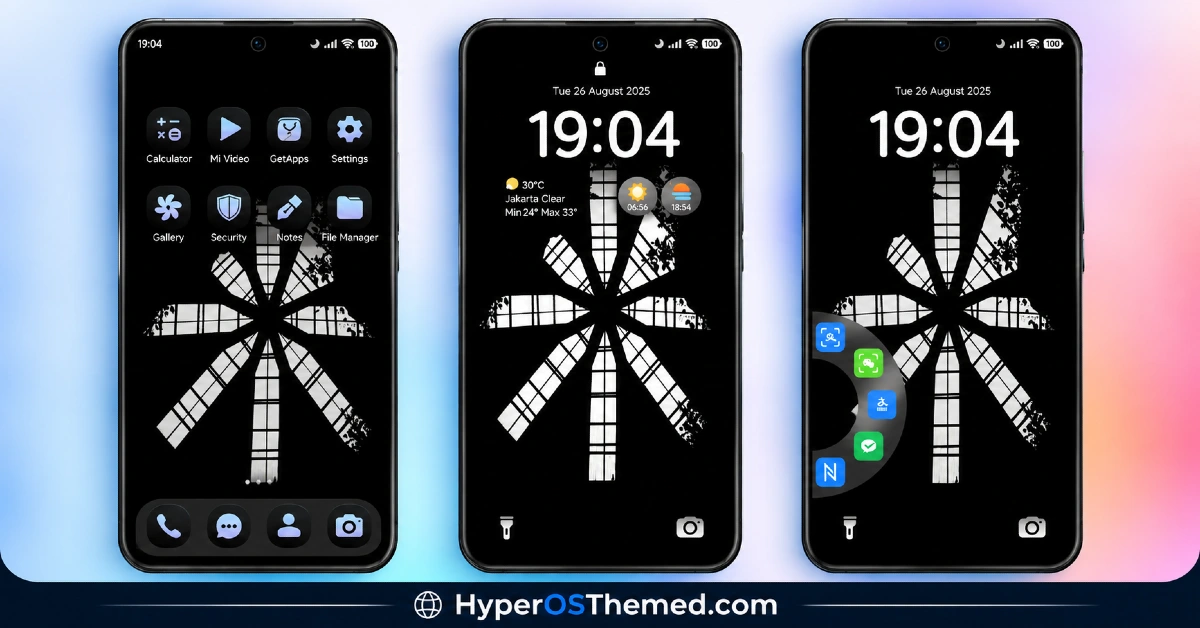
There’s a monochrome flower motif at the center of VK⚡OX HyperOS Theme that shouldn’t work as well as it does, floral patterns and stark black aesthetics don’t usually mix, but VK has managed to make it feel deliberate rather than clashing. Beyond the visual identity, the lock screen actually does something useful, showing live weather, sunrise and sunset times, and quick app shortcuts instead of just sitting there looking nice. At a surprisingly light 14.41 MB, this HyperOS theme punches above its file size for Xiaomi, Redmi and POCO devices running HyperOS, HyperOS 2.0 or HyperOS 3.0.
VK⚡OX HyperOS Theme Key Features
- Monochrome Flower Motif: The design centers on a bold black-and-white floral pattern that runs through wallpapers and accent elements rather than sitting as a one-off background. It’s an unusual choice for a “premium black” theme, and it gives VK⚡OX a bit more personality than the typical plain dark aesthetic.
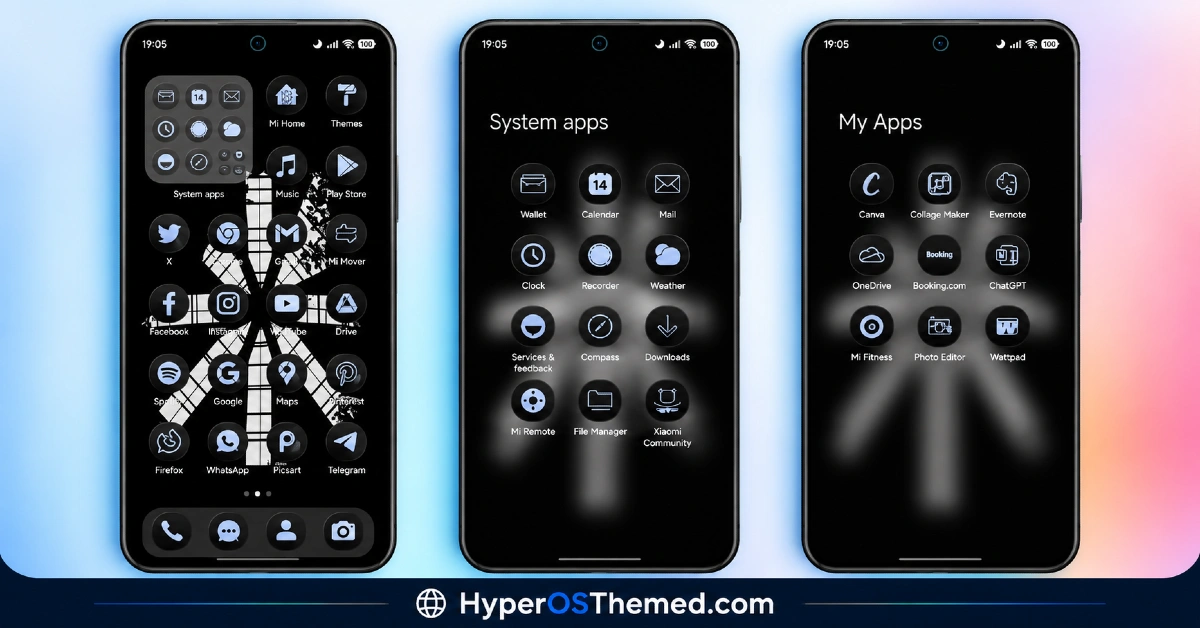
- Redesigned Sleek Icons: Icons get a full redesign that leans into clean, minimal shapes matching the overall black color scheme. Coverage tends to focus on commonly used apps, so a handful of less popular third-party apps may retain their default look.
- Live Weather Lock Screen Widget: The lock screen displays real-time weather information directly, which is a genuinely functional addition rather than just decorative styling. It saves the extra step of swiping to a separate weather app just to check conditions.
- Sunrise and Sunset Display: Alongside the weather, the lock screen also shows sunrise and sunset times for the day. It’s a small but thoughtful touch that fits naturally with the overall dynamic lock screen concept.
- Quick App Shortcuts: Shortcuts to frequently used apps are built directly into the lock screen, cutting down on the steps needed to jump into commonly used tools. This turns the lock screen into something more functional than most themes bother attempting.
- Compact File Size: At just 14.41 MB, VK⚡OX HyperOS Theme is noticeably lighter than most themes offering this level of lock screen functionality. That makes it a quick download and install, even on a slower connection.
VK⚡OX HyperOS Theme Preview
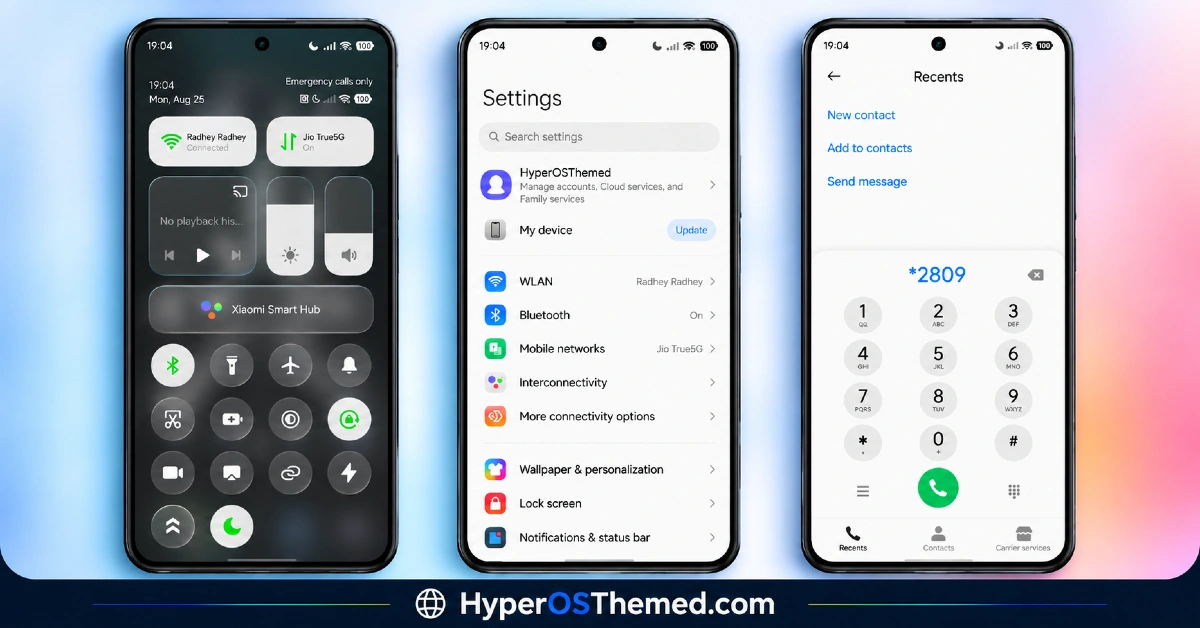
The screenshots below show the monochrome flower wallpaper, the redesigned icon set and how the live weather and shortcut widgets look on the lock screen once applied. Since the lock screen widgets are doing real work here rather than just sitting decoratively, it’s worth checking the preview to see how the information layout actually reads at a glance.
VK⚡OX HyperOS Theme Overview
| Attribute | Details |
|---|---|
| Availability | Free, via Xiaomi Theme Store |
| Supported Devices | Xiaomi, Redmi and POCO phones running HyperOS |
| Theme Name | VK⚡OX |
| Designer | VK |
| Compatibility OS | HyperOS, HyperOS 2.0 and HyperOS 3.0 |
| Features | Monochrome flower motif, redesigned icons, live weather widget, sunrise/sunset display, quick app shortcuts |
| File Size | 14.41 MB |
VK⚡OX Theme Compatibility
VK⚡OX supports HyperOS, HyperOS 2.0 and HyperOS 3.0, giving it solid reach across Xiaomi, Redmi and POCO devices running any of those versions. Given how light the file size is relative to the amount of lock screen functionality included, it installs quickly without putting much strain on storage.
Custom ROM users on setups like Xiaomi EU ROM or MIUIRoom can still install the theme manually through the MTZ file, though the live weather and shortcut widgets may behave slightly differently outside the official global stable ROM. As with most themes touching the lock screen, restarting the device after installation is worth doing if anything looks overlapped or fails to display correctly.
Get VK⚡OX HyperOS Theme
Download VK⚡OX Xiaomi Theme only through the official Theme Store link rather than unofficial file-sharing sites or random APK uploads. This theme is also copyright protected by its designer, so beyond the usual safety concerns with third-party files, redistributing or re-uploading it elsewhere isn’t permitted either. Sticking to the official source respects the designer’s work while making sure the version installed matches what was actually released.
How to Apply VK⚡OX HyperOS Theme
Follow the steps below to apply the theme:
- Open the Theme Store link given above on your Xiaomi, Redmi or POCO device.
- This will redirect you to the Theme Store.
- Download and install the theme.
- Tap on Apply.
- Customize specific elements such as icons, lock screen or status bar if needed.
- Reboot your device for the full effect, though this step is optional.
Note: If anything looks overlapped or doesn’t display correctly right after installing, restarting the device usually clears it up without further steps. This theme has been checked across its supported HyperOS versions without any major issues turning up. Still, if something looks off on a specific device once it’s applied, leaving a comment with the details helps get it looked into.
Installing VK⚡OX HyperOS Theme on Custom ROM Devices
Devices running MIUI 11 through 14 or HyperOS based Custom ROMs such as Xiaomi EU ROM or MIUIRoom aren’t able to use the direct Theme Store link, so the MTZ file needs to be brought in manually instead. Here’s how that works:
- Grab the MTZ file for VK⚡OX from the download section.
- Open the Theme Store app.
- Go into the Themes tab.
- Scroll down to find the Import option, then tap it.
- Use the file manager to locate the downloaded .mtz file.
- Wait for the import process to finish.
- Tap the theme once it appears in the list to apply it.
Why Choose VK⚡OX HyperOS Theme?
- Functional lock screen widgets — live weather, sunrise/sunset and app shortcuts add real utility, not just looks.
- Distinctive floral-on-black design — a monochrome flower motif that stands apart from typical flat dark themes.
- Genuinely lightweight — 14.41 MB is small for how much lock screen functionality is packed in.
- Clean icon redesign — icons match the black aesthetic without feeling like an afterthought.
- Broad HyperOS compatibility — works across HyperOS, HyperOS 2.0 and HyperOS 3.0.
- Quick to install — the small file size means fast downloads even on slower connections.
- Designer-protected content — active copyright notice signals an original, maintained theme.
- Free official download — no cost involved through a legitimate Theme Store link.
Conclusion
VK⚡OX HyperOS Theme earns its “premium” label by pairing a genuinely distinctive monochrome floral look with lock screen widgets that actually pull their weight, weather, sun times and shortcuts all live right there instead of being buried in another app. The small file size makes it an easy theme to test without a second thought. For Xiaomi, Redmi and POCO users who want a striking black aesthetic that also does something useful, VK⚡OX is worth trying.
You may also like:
JellyB HyperOS Theme with Dark Sea Colour Palette for Xiaomi, POCO and REDMI Phones
Gaze of Night HyperOS Theme with Premium Black for Xiaomi, POCO and REDMI Phones
Tokio HyperOS Theme for Xiaomi, POCO and REDMI Phones
HyperV3 Theme with Glossy Black Icons and Dynamic Lock Screen for HyperOS
