
The Uniswap HyperOS Theme gives compatible Xiaomi, Redmi and POCO smartphones a bold visual refresh with glossy 3D icons, artistic wallpapers and refined interface elements. Designed by maidul, it combines a striking cliff-and-sunbeam wallpaper with a collection of desert and mountain backgrounds, creating a distinctive look for users who want something different from the default HyperOS appearance.
One of the theme’s main attractions is its combination of dimensional icons and translucent interface elements. A large, transparent-style lock screen clock, glass-effect folders and a frosted Control Centre help create a consistent visual style throughout the interface. The included wallpaper collection also gives you several options for changing the look of your home screen.
Uniswap HyperOS Theme is designed for Xiaomi’s HyperOS ecosystem and is marked as compatible with HyperOS 2.0, 3.0 and 4.0. If you enjoy expressive icons, atmospheric landscapes and glass-inspired interface styling, this theme is worth exploring through the Xiaomi Themes app.
Uniswap HyperOS Theme Key Highlights
Premium 3D Icon Design
- Glossy, dimensional icons that give the interface a more pronounced visual style.
- A polished appearance for users who prefer something more expressive than standard icons.
- A coordinated look that complements the theme’s wallpapers and translucent elements.
AI-Generated Wallpapers and Landscapes
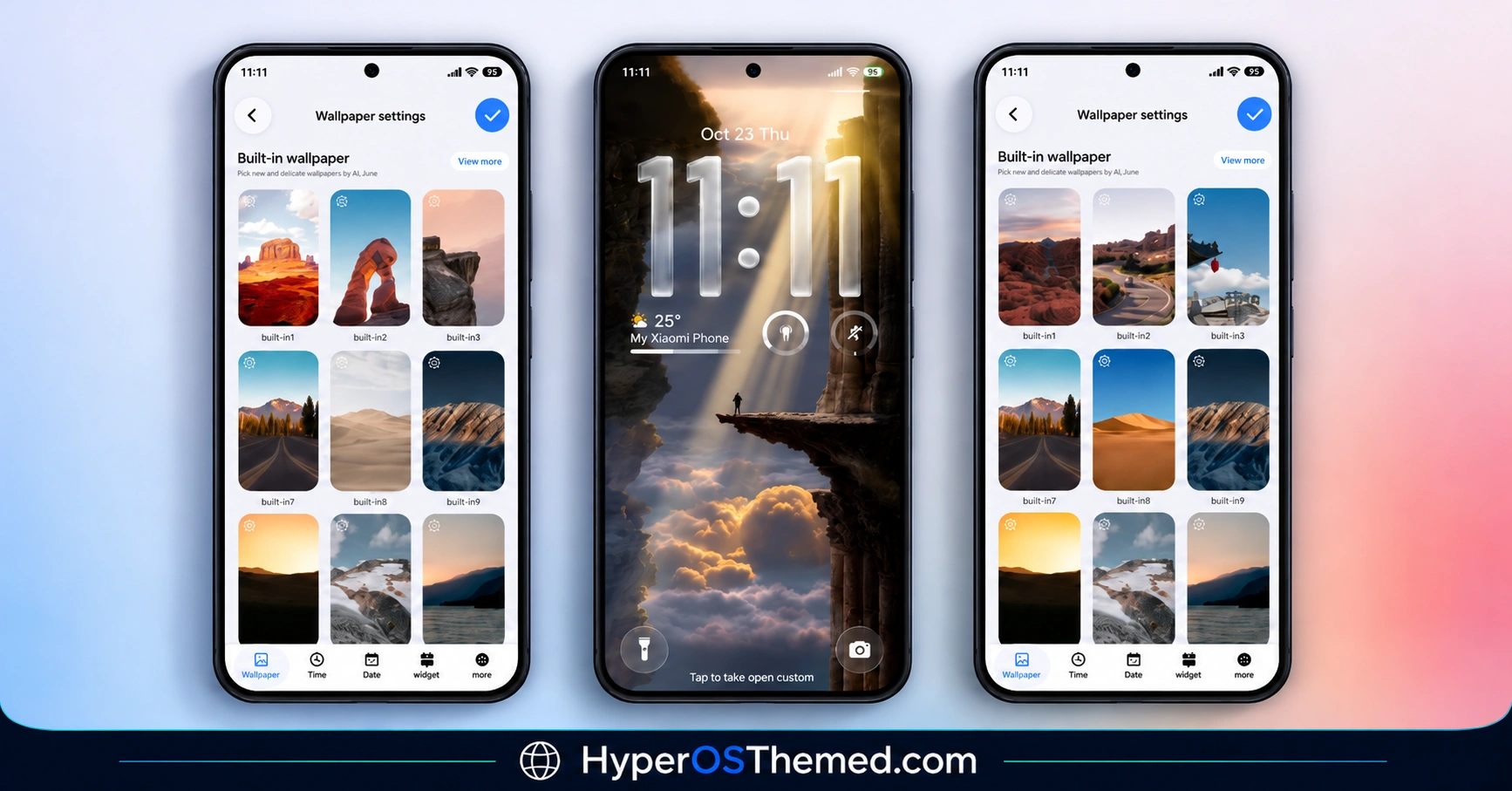
- An artistic cliff-and-sunbeam wallpaper for a dramatic home screen.
- 18 built-in desert and mountain backgrounds to suit different visual preferences.
- Landscape-inspired designs that add variety without requiring a separate wallpaper collection.
Translucent Interface Elements
- A large translucent-style lock screen clock.
- Glass-style folders for a more unified appearance.
- A frosted Control Centre that complements the theme’s glossy design.
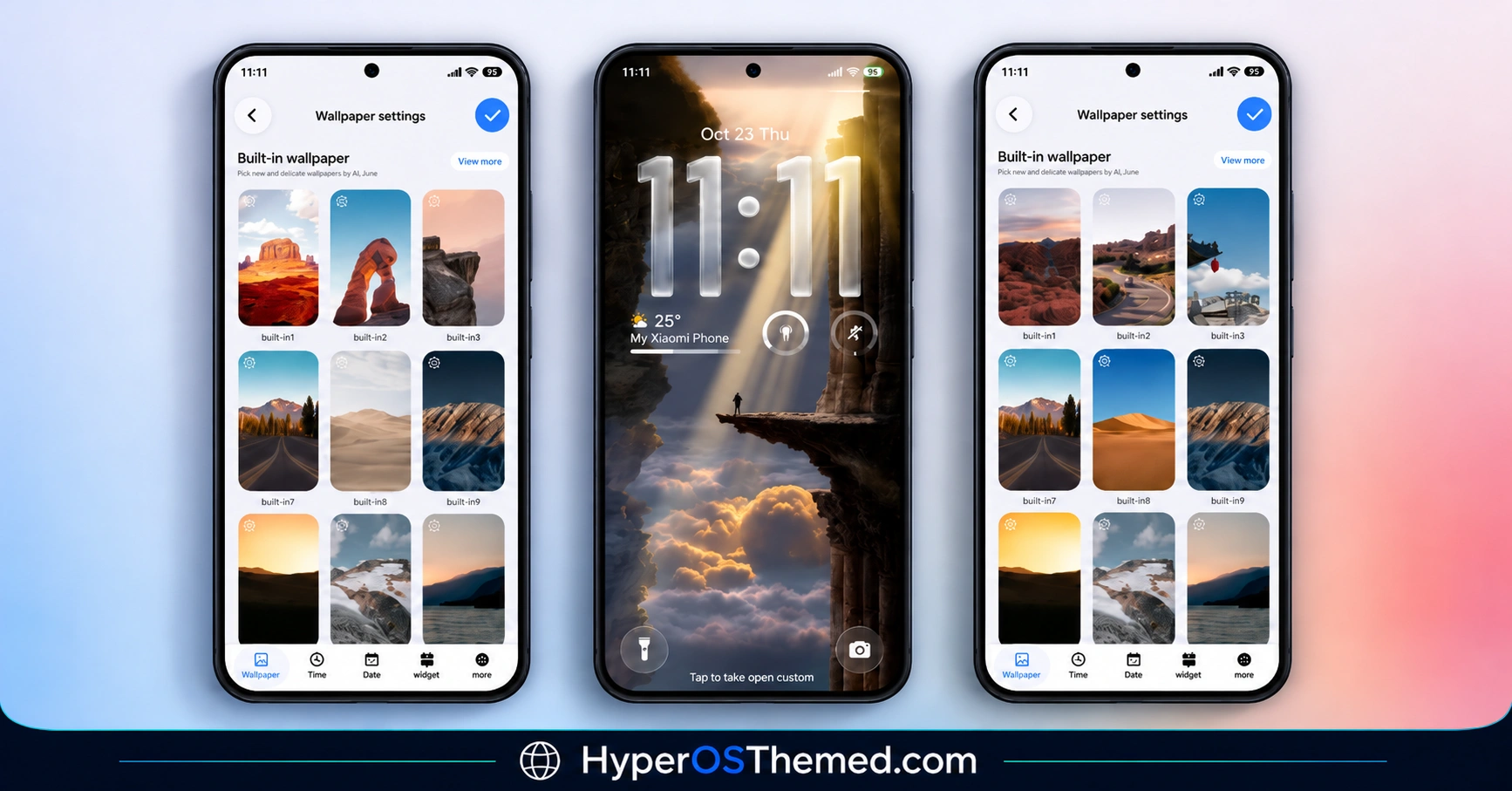
Uniswap HyperOS Theme Preview
Explore the Uniswap HyperOS Theme preview images to see its icon styling, wallpapers and interface appearance before applying it to your phone.
Uniswap HyperOS Theme Overview
| Detail | Information |
|---|---|
| Theme Name | Uniswap |
| Designer | maidul |
| Theme Size | 85.24 MB |
| Region | Global |
| Compatibility | HyperOS 2.0, HyperOS 3.0 and HyperOS 4.0 |
| Compatible Devices | Supported Xiaomi, Redmi and POCO smartphones |
| Main Features | Glossy 3D icons, AI-generated wallpapers, translucent clock, glass-style folders and frosted Control Centre |
| Availability | Xiaomi Themes app, subject to regional availability |
Get Uniswap HyperOS Theme
To get started, open the official Xiaomi Theme Store listing using the button below when it is available for your device.
Uniswap HyperOS Theme Compatibility
Uniswap HyperOS Theme is intended for Xiaomi, Redmi and POCO smartphones running compatible versions of HyperOS. The theme details specify support for HyperOS 2.0, HyperOS 3.0 and HyperOS 4.0, although the availability of individual interface elements can vary by device, software build and region.
For the best experience, check the theme through your phone’s Xiaomi Themes app before applying it. Some visual elements may appear differently depending on your device and system version.
How to Install Uniswap on Global Stable ROM
If your phone runs the Global Stable version of HyperOS, follow these steps to apply the theme through the Xiaomi Themes app:
- Click the “OFFICIAL THEME STORE LINK” button above.
- When prompted, select the Themes app to open the link.
- You will be redirected to the theme’s page in the Xiaomi Theme Store.
- Tap Download, wait for the download to finish, and then tap Apply to activate the theme.
- Check your home screen and lock screen to confirm that the theme has been applied as expected.
Note: If icons or interface elements overlap or do not display correctly after applying the theme, restart your device. If the issue persists, leave a comment with your phone model and HyperOS version so the problem can be investigated.
Why Choose Uniswap HyperOS Theme?
Uniswap HyperOS Theme is a good option if you want a more distinctive visual style without manually changing every part of your phone’s interface. Its glossy 3D icons provide a strong visual identity, while the collection of desert and mountain wallpapers lets you change the atmosphere of your home screen.
The translucent clock, glass-style folders and frosted Control Centre bring these elements together into a coordinated design. With support specified for several HyperOS generations, Uniswap HyperOS Theme is worth considering if you prefer artistic wallpapers and a polished, glass-inspired appearance.
Conclusion
The Uniswap HyperOS Theme combines premium-looking 3D icons, AI-generated landscape wallpapers and translucent interface styling in one package. Designed by maidul, it offers Xiaomi, Redmi and POCO users a different way to personalise compatible HyperOS smartphones. Check the preview and confirm compatibility with your device before applying it.
You may also like:
S4u10 HyperOS Theme with a Stylish Lock Screen and Custom Icons
Crimson ObsidianV3 HyperOS Theme with Red Glass Icons and Dark Aesthetics
ss24 HyperOS Theme with an Animated Clock and Minimal Wallpapers
Real Glass HyperOS Theme with Blue Glass Icons and Depth Effect Lock Screen
