
Aquora HyperOS Theme is a glass-inspired theme that combines colourful wallpapers, translucent interface elements and extensive lock screen customisation. Designed by Maidul Islam, it offers a choice of 18 built-in wallpapers alongside redesigned icons, a frosted home screen dock, a customised Control Center and a stylish Always on Display.
Aquora HyperOS Theme focuses on a light, colourful appearance with transparency effects across selected interface elements. Users can customise the lock screen clock, date, widgets and colours to suit their preferences. With support listed for HyperOS, HyperOS 2.0 and HyperOS 3.0, Aquora provides several visual changes in a single theme package.
Aquora HyperOS Theme Features
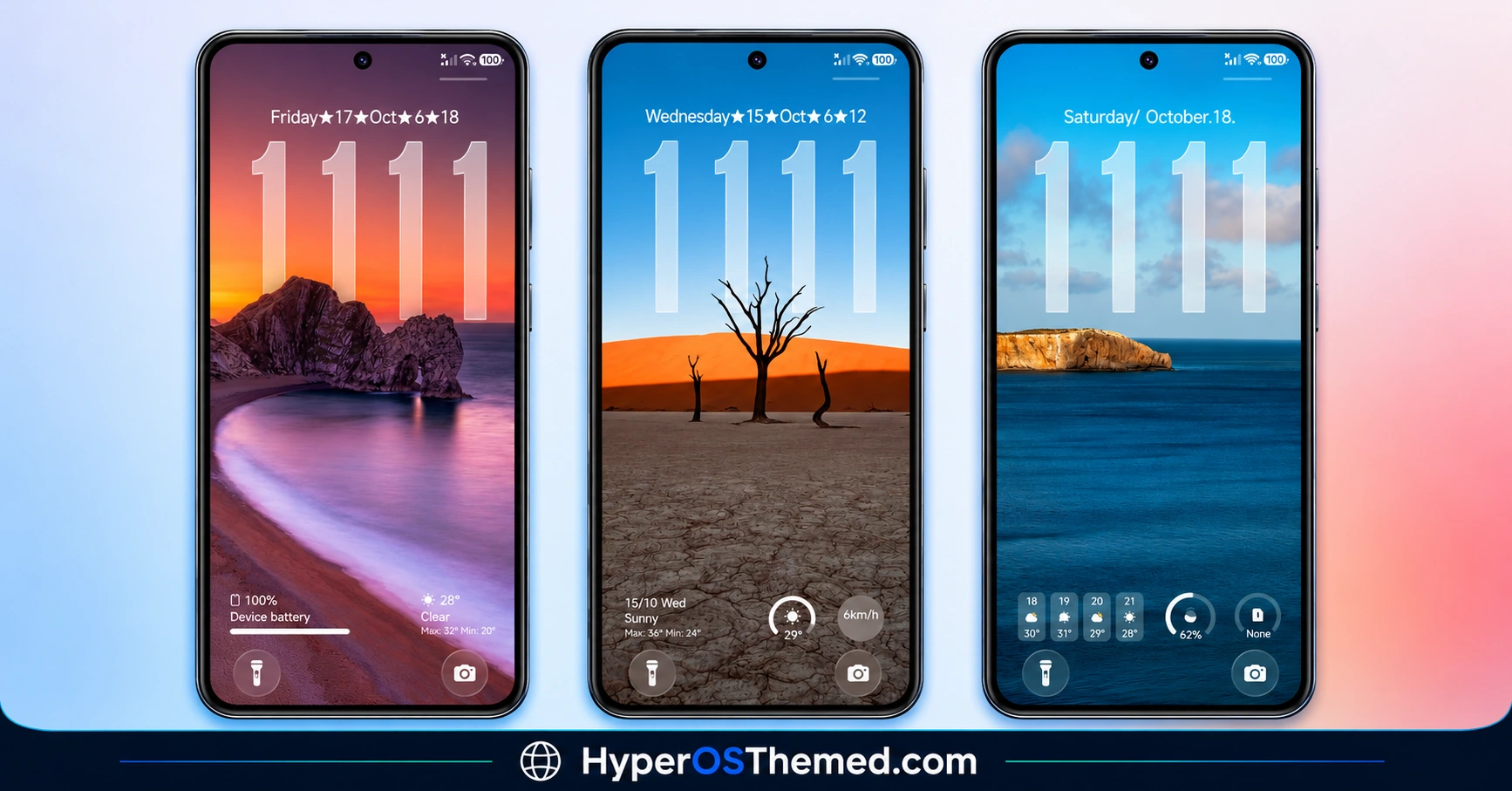
- 18 Built-in Wallpapers: Aquora includes 18 colourful wallpapers, providing multiple background options without requiring a separate wallpaper download. The collection allows users to change the phone’s appearance while keeping the same theme applied. Different wallpaper colours can also change the visual effect of the translucent interface elements.
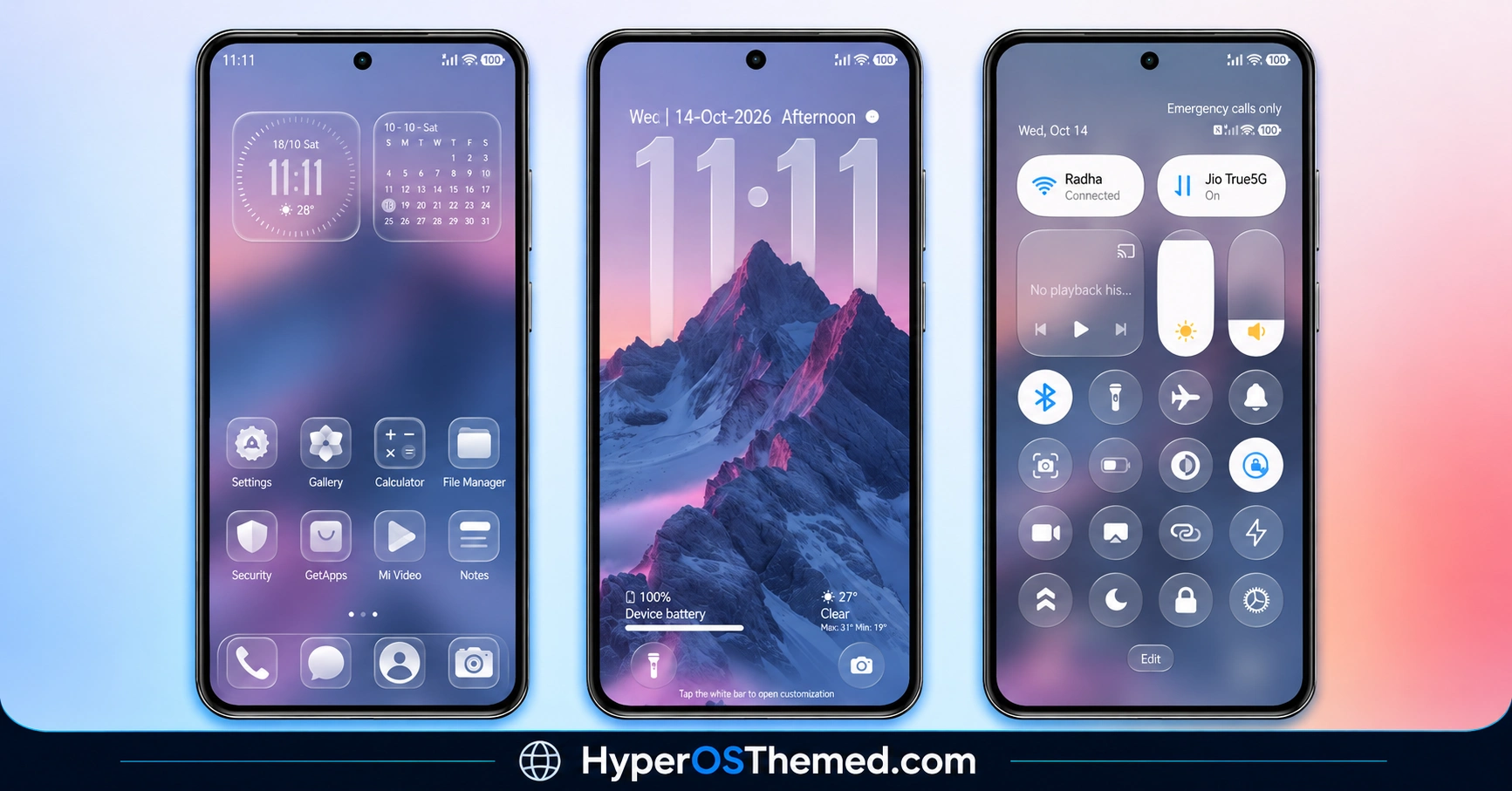
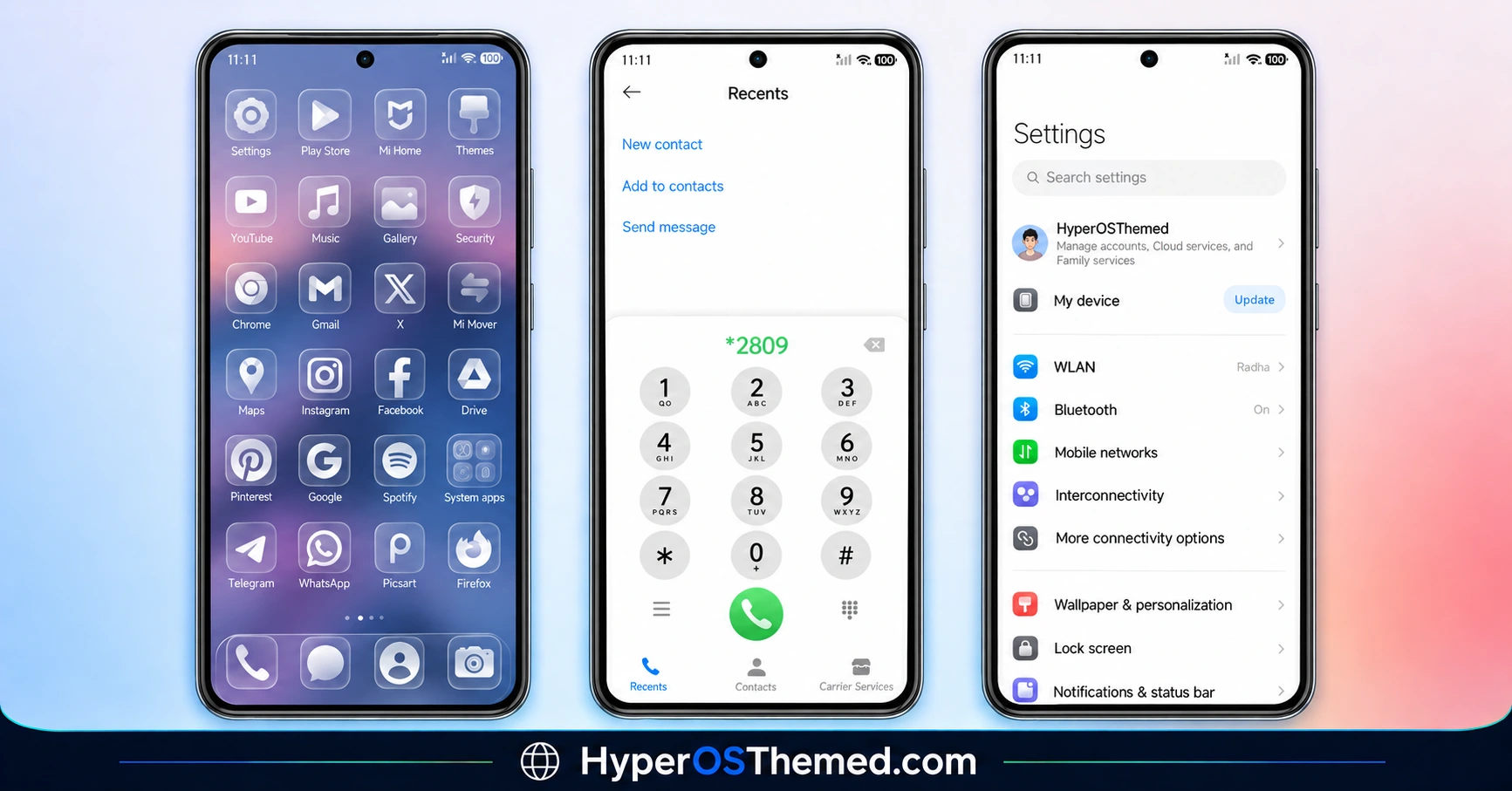
- Glass-Style Application Icons: The theme features translucent icons that complement its glass-inspired design. Their visual treatment helps keep the wallpaper and home screen consistent, rather than mixing in completely unrelated icon styles. The transparency also contributes to the theme’s light, layered appearance.
- Customisable Lock Screen Clock: Aquora allows users to personalise the lock screen clock, including its appearance and colour scheme. This provides more flexibility than keeping the default HyperOS clock design. The available customisation options help users coordinate the clock with their selected wallpaper.
- Custom Date and Widgets: The lock screen supports adjustments to the date and widget presentation. These options help users arrange the visible information according to their preferences while maintaining the theme’s overall design. The exact controls available may depend on the installed HyperOS version.
- Frosted Home Screen Dock: Aquora includes a frosted dock that gives the lower part of the home screen a translucent appearance. The effect helps separate the dock from the wallpaper without introducing a completely solid background. It also complements the glass-style icons used elsewhere in the interface.
- Transparent Control Center: The customised Control Center follows the theme’s translucent visual style. Its frosted appearance allows some background colours to remain visible, creating a more layered look than an entirely opaque panel. The precise appearance may vary according to the system version and supported theme components.
- Custom Status Bar: Aquora includes a redesigned status bar as part of its broader interface customisation. This helps the top section of the screen follow the same visual direction as the icons, wallpaper and Control Center.
- Stylish Always on Display: The theme includes a customised Always on Display design, extending its styling to the screen shown when the phone is idle. This provides another area of visual customisation beyond the home screen and lock screen. The available appearance can depend on the device and software support.
- Colour and Appearance Customisation: Aquora offers options for adjusting lock screen colours and visual elements. Combined with its collection of 18 wallpapers, these controls allow users to create different combinations without switching to an entirely different theme each time.
Aquora HyperOS Theme Preview
Aquora combines colourful wallpapers with translucent icons, a frosted dock and glass-style system elements. Its visual identity centres on transparency and soft colours rather than a completely dark or flat interface. The preview screenshots showcase the wallpaper collection and the theme’s customised lock screen and system appearance, helping users assess the design before downloading it.
Aquora HyperOS Theme Overview
| Attribute | Details |
|---|---|
| Availability | Free, through the official Theme Store link or MTZ file |
| Supported Devices | Xiaomi, Redmi and POCO phones running compatible HyperOS software |
| Theme Name | Aquora |
| Designer | Maidul Islam |
| Region | Global |
| Compatibility OS | HyperOS, HyperOS 2.0 and HyperOS 3.0 |
| Features | 18 wallpapers, glass-style icons, customisable lock screen, widgets, frosted dock, transparent Control Center, custom status bar and Always on Display |
| File Size | 36.95 MB |
| Format | Theme Store / MTZ |
Get Aquora HyperOS Theme
Aquora HyperOS Theme is available through the official Theme Store link and as an MTZ package. The MTZ file is approximately 36.95 MB and can be downloaded from the supplied theme source. For compatible Global Stable ROM devices, the official Theme Store route is generally the simplest option. Custom ROM users should check whether their installed Themes application supports importing MTZ files before downloading.
If you find any problem with this theme, please contact us and we will fix it soon.
Feedback 👇
Telegram : https://t.me/HyperosSignals Telegram : https://t.me/CNThemes
新テーマ近日公開
Aquora HyperOS Theme Compatibility
Aquora is listed as compatible with HyperOS, HyperOS 2.0 and HyperOS 3.0, with Global region availability. It is intended for compatible Xiaomi, Redmi and POCO smartphones, although individual components may behave differently depending on the device and installed ROM.
The official Theme Store route may also depend on regional availability, while MTZ installation requires support for third-party theme imports. Users running older MIUI versions should confirm compatibility before applying the package, as the supplied listing does not establish guaranteed support for every older release.
How to Install Aquora on Global Stable ROM
For devices running the official Global Stable ROM, use the official Theme Store link provided in the download section.
- Open the Download Links section and locate the Official Theme Store Link for Aquora.
- Tap the link and allow the browser to open the destination.
- If the page opens in a browser, look for the browser menu and select Open in app if that option is available.
- Choose the Xiaomi Themes application to continue to the theme page.
- Once the Aquora page opens in Theme Store, tap Download and wait for the process to finish.
- Select Apply to activate the theme on your device.
If the link does not open correctly, try using Firefox, Chrome or the default Xiaomi browser. The available options can vary according to the browser, region and Theme Store version.
How to Install Aquora HyperOS Theme on Custom ROMs
For compatible Custom ROMs such as Xiaomi.eu, MIUIRoom and other supported MIUI or HyperOS based systems, the MTZ package provides an alternative installation method.
- Download the Aquora MTZ file from the download section.
- Open the Themes application on your smartphone.
- Enter the Themes section and scroll down to find Import.
- Tap Import to open your device’s file manager.
- Navigate to the folder containing the downloaded
.mtzfile. - Select the Aquora package and wait for the Themes application to import it.
- After the import finishes, locate Aquora in your available themes.
- Open the theme and tap Apply to activate it.
- If any interface elements overlap or fail to display correctly, restart the device and check whether the problem persists.
If the Import option is missing or the MTZ file is rejected, check whether your ROM and Themes application support third-party theme imports. Some software builds use different menus or impose restrictions on imported themes.
Why Choose Aquora HyperOS Theme?
- Includes 18 built-in wallpapers for different home screen appearances.
- Translucent icons create a coordinated glass-style design.
- Offers customisation for the lock screen clock, date and widgets.
- Features a frosted dock and transparent Control Center.
- Includes a redesigned status bar and Always on Display.
- Allows users to adjust selected lock screen colours and visual elements.
- Supports HyperOS, HyperOS 2.0 and HyperOS 3.0 according to the listing.
- Available as a 36.95 MB MTZ package.
Conclusion
Aquora HyperOS Theme is a glass-inspired HyperOS theme that combines colourful wallpapers with translucent interface elements and lock screen customisation. Its collection of 18 wallpapers provides several background choices, while the frosted dock and transparent Control Center maintain a consistent visual style.
The customisable clock, date and widgets give users additional control over the lock screen’s appearance. Its redesigned status bar and Always on Display extend the theme beyond the home screen.
Compatibility should still be checked against the installed ROM, particularly when importing the MTZ package. For users who prefer colourful backgrounds, glass-style icons and customisable lock screen elements, Aquora HyperOS Theme offers a varied set of visual changes in one theme.
Also Check These Themes:
- Snow Peak HyperOS Theme with Dynamic Lock Screen, GIF Effects and Custom Widgets
- Cool OS Raster Wallpaper HyperOS Theme For Xiaomi, Redmi and POCO
- ColorV16 HyperOS Theme with Dark AMOLED UI, Neon Clock and Circular Icons
- Liquid Beauty X HyperOS Theme with Liquid Wallpapers For Xiaomi, Redmi and POCO
- Gass BiZ 3 HyperOS Theme For Xiaomi, Redmi and POCO
- VK Blue Bloom HyperOS Theme With Blue Gradient Wallpapers For Xiaomi, Redmi and POCO
