
Grade H3 is a HyperOS 3.0 theme designed to customise the appearance of compatible Xiaomi, Redmi and POCO smartphones. Created by Ali.ZR, the theme provides an alternative to the default system interface in a compact package measuring 14.3 MB.
The theme is listed specifically for HyperOS 3.0, so users should check their software version before downloading it. Its dedicated Theme Store listing provides the installation route for supported devices. The available information confirms the designer, compatibility version and file size, while the preview screenshots can help users examine the actual interface design before applying it.
Grade H3 HyperOS 3.0 Theme Features
- HyperOS 3.0 Compatibility: Grade H3 is listed for HyperOS 3.0, making the installed system version an important consideration before downloading. Users running earlier HyperOS versions should not assume that every theme component will work correctly without confirmation from the official Theme Store listing.
- Customised Interface Appearance: The theme is intended to change the visual presentation of the standard HyperOS interface. The precise extent of these changes should be assessed using the available screenshots, as the supplied listing does not provide a complete component-by-component feature breakdown.
- Theme Store Installation: Grade H3 can be accessed through its official Theme Store link when the theme is available for the device and region. This method allows supported devices to download and apply the theme through Xiaomi’s built-in theme management system.
- Compact 14.3 MB Package: The listed package size is 14.3 MB, making Grade H3 a relatively compact download. The actual download size may vary if the Theme Store delivers a different package version or additional resources.
- Designed by Ali.ZR: Grade H3 is credited to Ali.ZR. Checking the designer’s listing and the available preview images can help users identify the correct theme before downloading it, particularly when several themes have similar names.
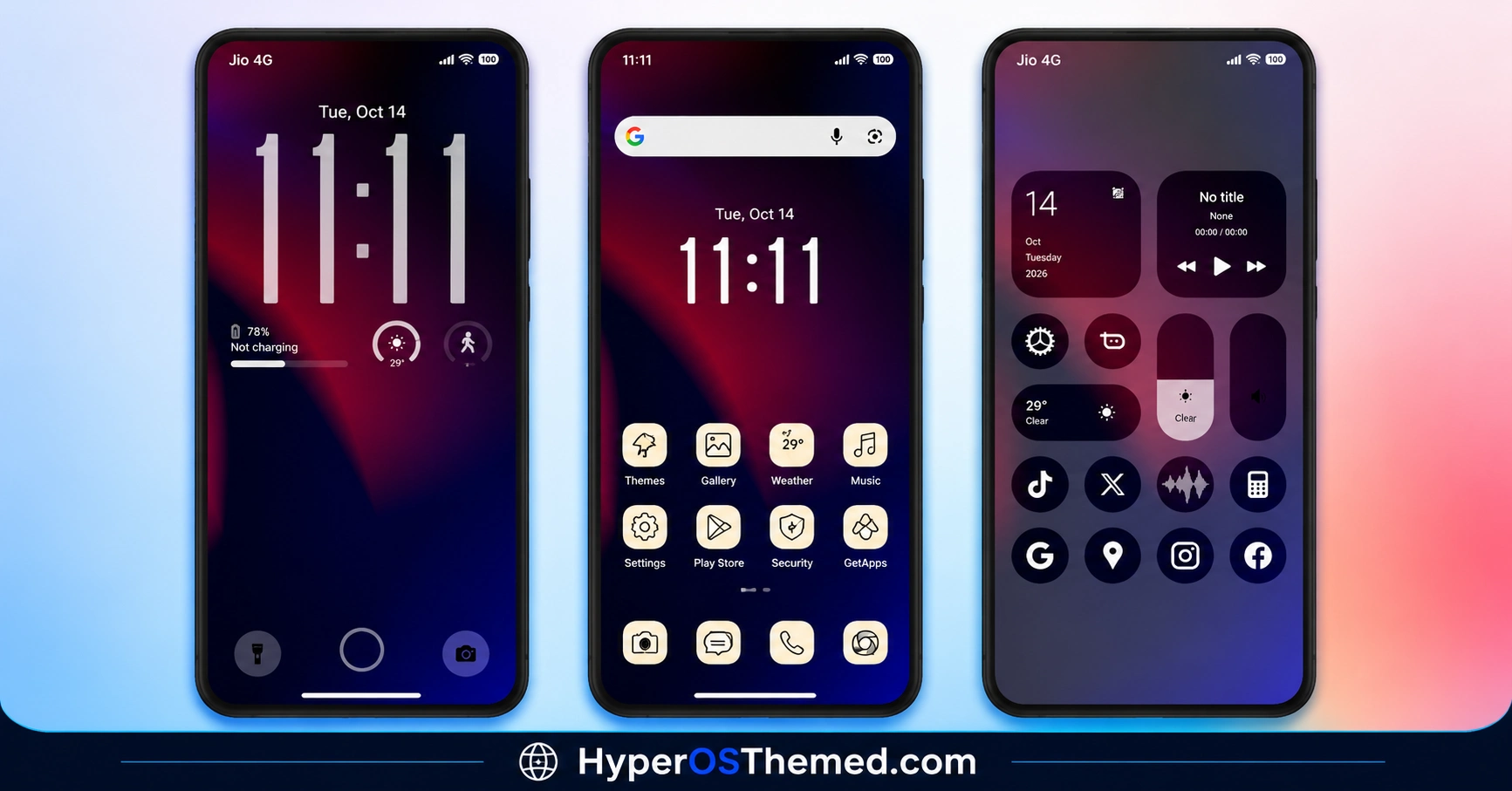
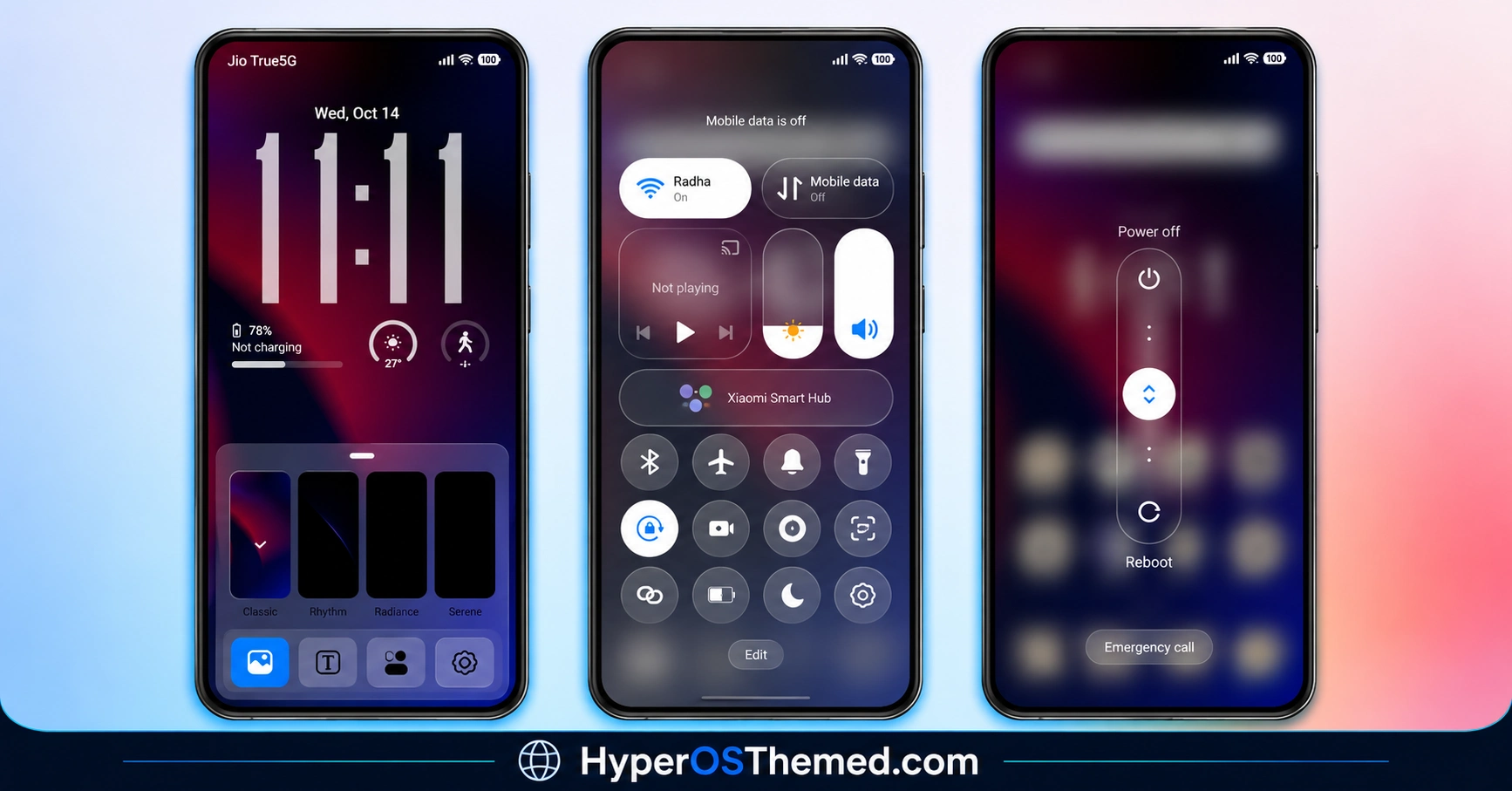
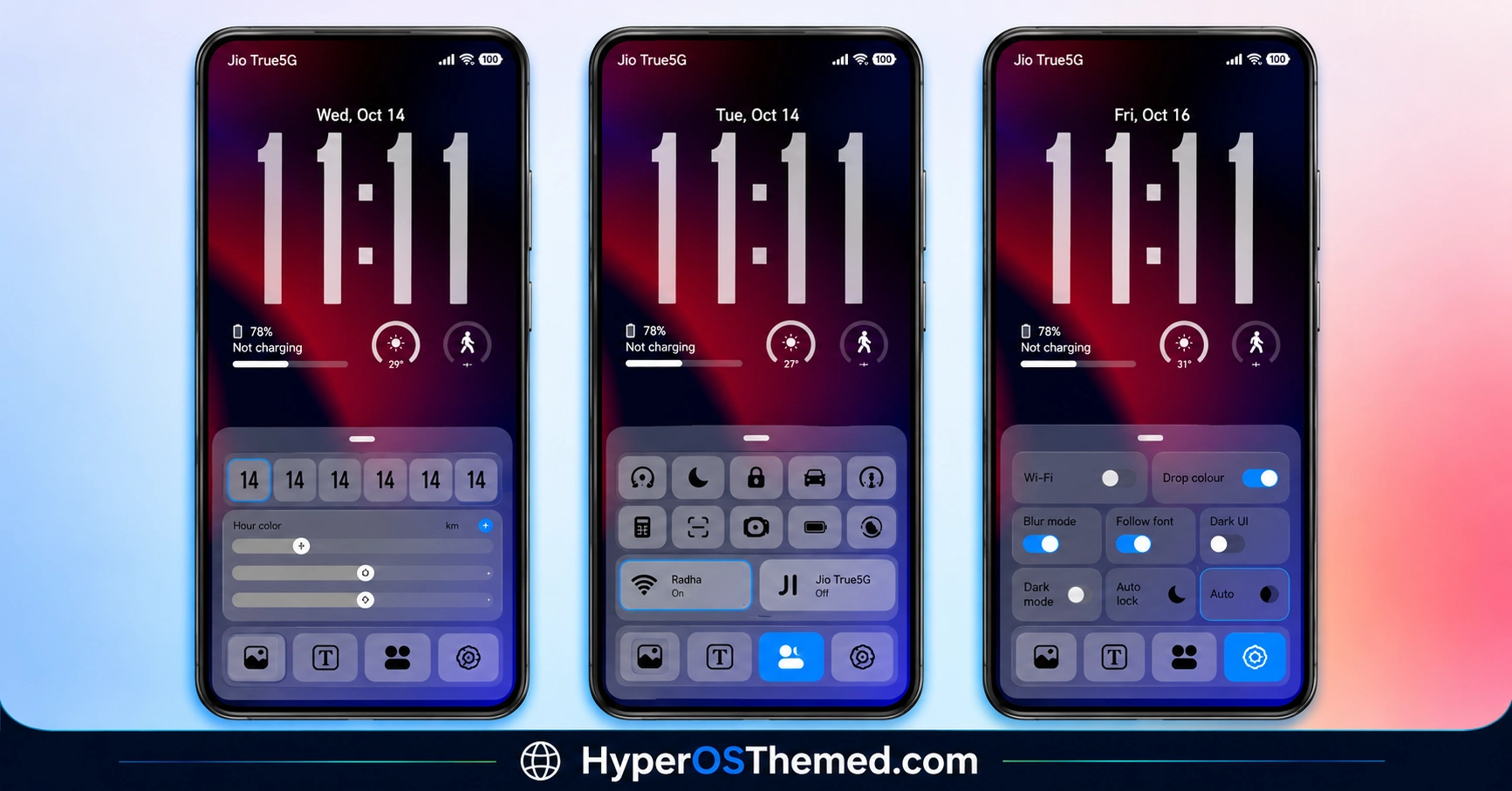
- Visual Preview Before Installation: The theme listing includes a dedicated screenshot section intended to show its appearance. Reviewing these images before installation helps users understand the available styling rather than relying on the theme name alone.
- Customisation Through Xiaomi Themes: Once installed and applied, the theme can be managed through the Xiaomi Themes application. The extent of the available customisation depends on the resources included in Grade H3 and the options exposed by the installed HyperOS version.
Grade H3 HyperOS 3.0 Theme Preview
The Grade H3 preview screenshots are the best reference for evaluating its visual design, including the wallpaper, icons and visible system interface. Before installing the theme, examine the screenshots to determine whether its appearance matches your preferences. The theme’s name and package details alone do not establish specific colours, animations or lock screen features.
Grade H3 HyperOS 3.0 Theme Overview
| Attribute | Details |
|---|---|
| Availability | Official Xiaomi Theme Store link |
| Supported Devices | Compatible Xiaomi, Redmi and POCO phones |
| Theme Name | Grade H3 |
| Designer | Ali.ZR |
| Region | Not specified in the supplied listing |
| Compatibility OS | HyperOS 3.0 |
| Features | HyperOS interface customisation; additional features should be confirmed from the theme preview |
| File Size | 14.3 MB |
Get Grade H3 HyperOS 3.0 Theme
Grade H3 is available through the official Theme Store link provided in the theme listing. Open the link on a compatible device to check availability and download the package. Using the official Theme Store is preferable to obtaining modified copies from unknown sources because it provides the intended distribution route for supported devices.
Grade H3 HyperOS 3.0 Theme Compatibility
Grade H3 is listed specifically for HyperOS 3.0 and is intended for compatible Xiaomi, Redmi and POCO smartphones. The supplied information does not establish support for HyperOS 1.0, HyperOS 2.0 or older MIUI releases, so users running those versions should verify compatibility before installation.
Availability may also differ by region, device model and Theme Store version. Custom ROM users should confirm whether their software supports the theme and its installation method before proceeding.
How to Install Grade H3 on Global Stable ROM
For devices running the official Global Stable ROM, the Theme Store method is the preferred installation route when the official link is available.
- Open the Download Links section and locate the Official Theme Store Link for Grade H3.
- Tap the link and allow your phone to open the destination.
- If your device asks which application should handle the link, select the Themes app.
- The Grade H3 page should open inside Xiaomi Theme Store.
- Tap Download and wait for the theme to finish downloading.
- Once the download is complete, select Apply to activate the theme.
If the link does not open correctly, try opening it in Chrome, Firefox or the default Xiaomi browser. If the theme is unavailable in your region, check the official listing for alternative supported access.
How to Install Grade H3 on Custom ROMs
For compatible Custom ROMs such as Xiaomi.eu, MIUIRoom, MIUI SR or HyperOS CN, an MTZ installation may be possible if a compatible MTZ package is available and the ROM supports importing third-party themes.
- Download the Grade H3 MTZ file from the provided download section, if one is available.
- Open the Themes application on your smartphone.
- Enter the Themes section and look for the Import option.
- Tap Import to access your device’s file manager.
- Navigate to the folder containing the downloaded
.mtzfile. - Select the package and wait for the Themes application to complete the import.
- Once imported, locate Grade H3 in the available themes.
- Open the theme and tap Apply to activate it.
- If interface elements appear incorrectly, restart the device and check whether the problem persists.
Important: The supplied listing provides an official Theme Store link but does not confirm that an MTZ file is available. Do not use an unrelated MTZ package. If no compatible file is provided, use the official installation route supported by your device.
Why Choose Grade H3 HyperOS 3.0 Theme?
- Designed specifically for HyperOS 3.0 according to the listing.
- Compact package size of 14.3 MB.
- Created by the identified designer Ali.ZR.
- Available through the official Xiaomi Theme Store link.
- Can be previewed before installation.
- Managed through the built-in Themes application on supported devices.
- Provides an alternative to the default system appearance without requiring a separate theme management application.
Conclusion
Grade H3 is a compact theme listed for HyperOS 3.0, with a download size of 14.3 MB and Ali.ZR credited as its designer. Its official Theme Store link provides the primary installation route for compatible devices. The available preview screenshots should be checked to understand its actual design and the interface components it changes.
Compatibility with earlier HyperOS releases and older MIUI versions has not been established by the supplied information. Custom ROM users should also confirm whether an appropriate MTZ package exists before attempting an import. For users running a supported HyperOS 3.0 device, Grade H3 is an option to consider when exploring alternative system themes.
Also Check These Themes:
- Aquora HyperOS Theme with 18 Wallpapers, Glass Icons for Xiaomi, Redmi and POCO
- Snow Peak HyperOS Theme with Dynamic Lock Screen, GIF Effects and Custom Widgets
- Cool OS Raster Wallpaper HyperOS Theme For Xiaomi, Redmi and POCO
- ColorV16 HyperOS Theme with Dark AMOLED UI, Neon Clock and Circular Icons
- Liquid Beauty X HyperOS Theme with Liquid Wallpapers For Xiaomi, Redmi and POCO
- Gass BiZ 3 HyperOS Theme For Xiaomi, Redmi and POCO
