
OX M2 HyperOS Theme is a HyperOS theme for Xiaomi, Redmi and POCO devices designed by OXFURY, built around a clean and minimal visual style rather than heavy color or animation. It reworks the icon set, lock screen, wallpapers and control center into a single cohesive package meant to feel premium without looking cluttered.
The theme is distributed through two separate Theme Store links depending on the HyperOS version running on the device, which is a fairly practical setup for wider compatibility. At 73.85 MB, it’s on the larger side for a HyperOS theme, likely due to the number of custom icons included.
Also Check: OX M3 HyperOS Theme for Xiaomi, POCO and REDMI Phones with Premium Icons and Depth Effect Wallpaper
OX M2 HyperOS Theme Features
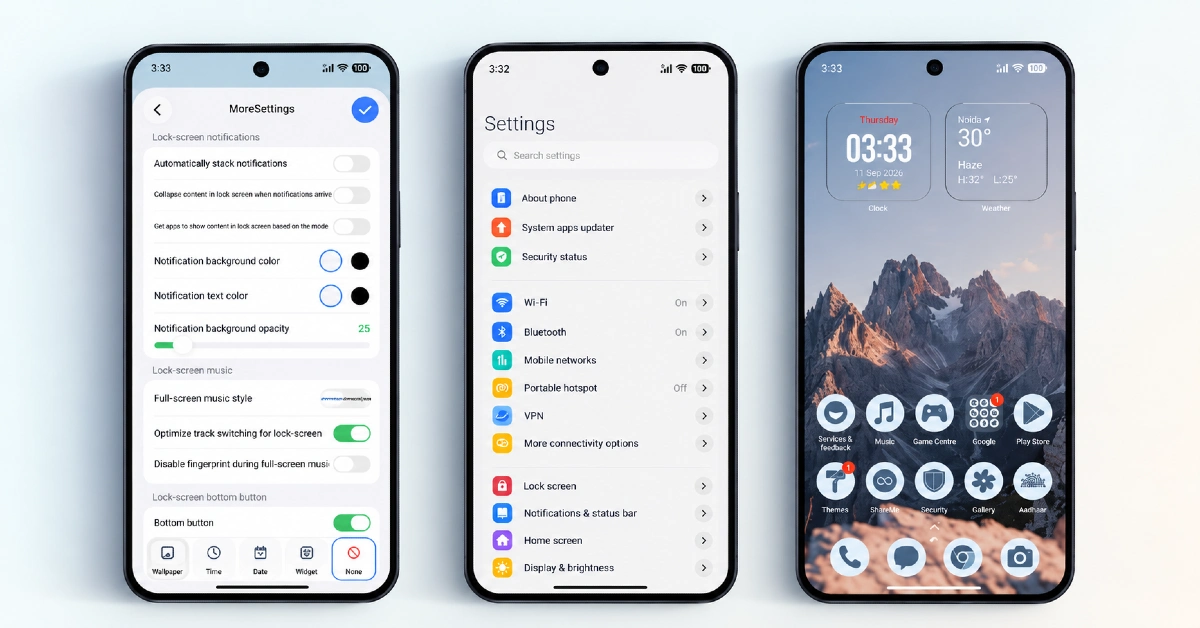
- Extensive Custom Icon Pack: OX M2 HyperOS Theme includes a large icon set covering a wide range of system and popular third-party apps with a consistent premium finish. Given the sheer number of icons included, coverage is fairly thorough, though a handful of less common regional apps may still fall back to default icons.
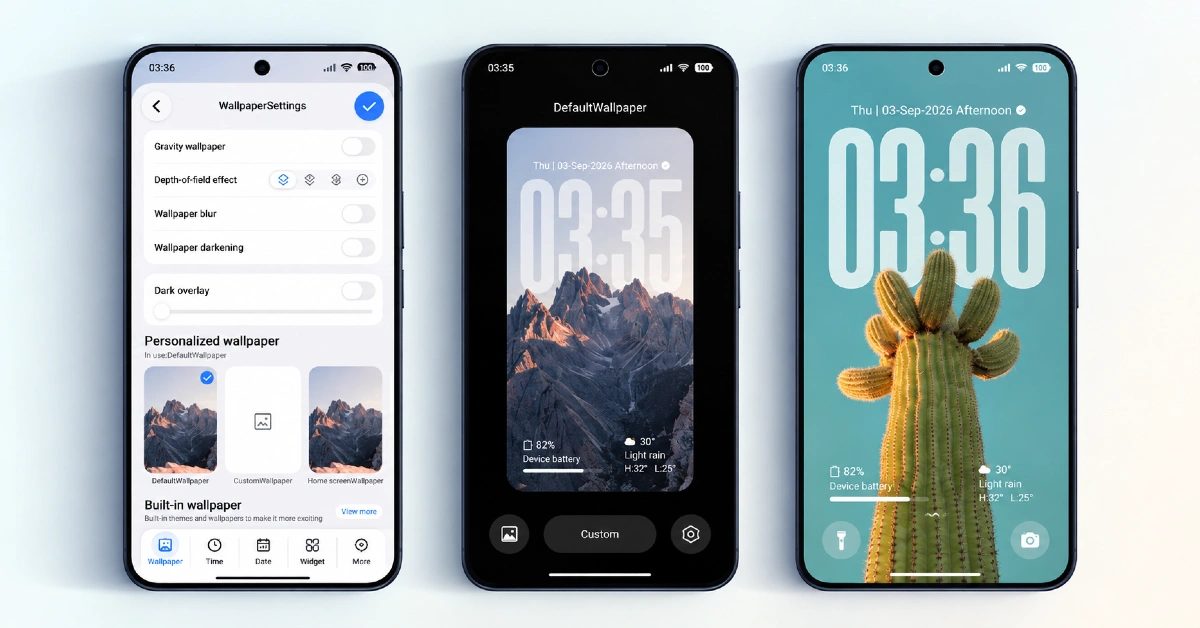
- Gradient Wallpaper Collection: The included wallpapers use a soft gradient color palette designed to tie in visually with the rest of the theme’s accents. This creates a more unified look across the home screen, lock screen and app icons rather than each element feeling separately designed.
- Minimal, Clutter-Free Layout: Menus and system panels are simplified with reduced visual noise, aiming for an interface that’s easier to navigate at a glance. This kind of stripped-down design tends to suit users who prefer function over heavy decoration.
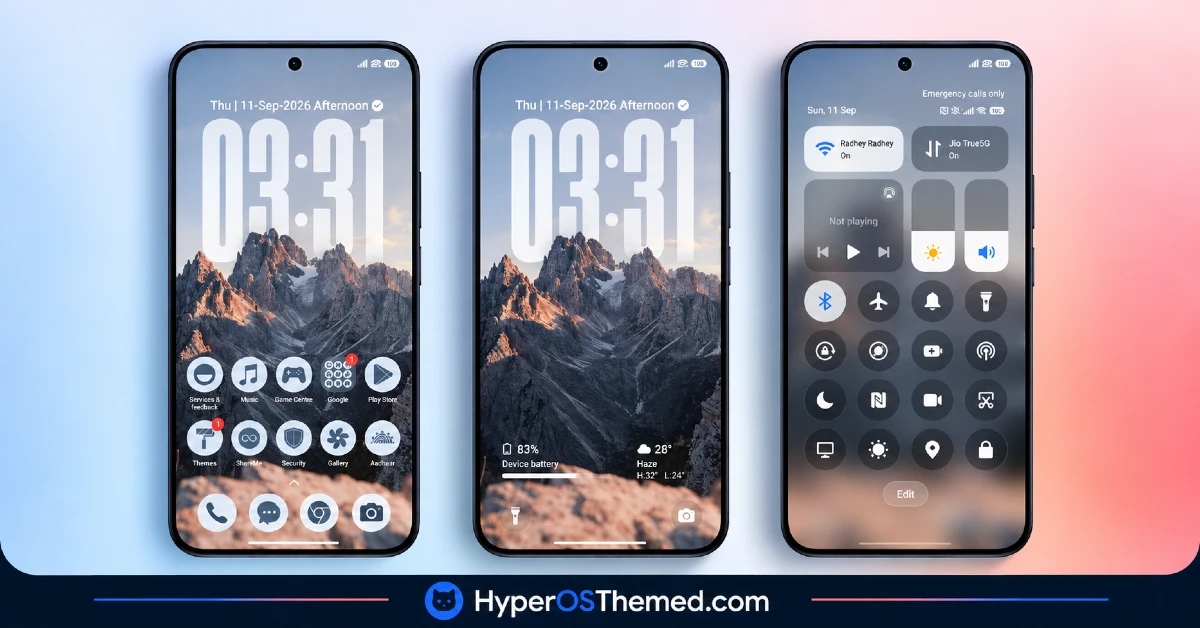
- Redesigned Lock Screen: The lock screen gets a refreshed layout that matches the overall gradient and minimal aesthetic of the theme. As with any lock screen modification, there’s a small known risk of display errors on certain configurations, so keeping an eye on it after installation is a reasonable precaution.
- Updated Control Center: Quick toggle icons and panel styling are refreshed to align with the theme’s clean design language. The core toggle layout itself remains close to stock HyperOS, keeping the update mostly visual.
- Version-Specific Download Links: OX M2 HyperOS Theme provides separate official Theme Store links for different HyperOS versions rather than a single universal file. This structure is meant to reduce the kind of mismatched installation issues that sometimes occur when applying a theme built for one version onto another.
OX M2 HyperOS Theme Preview
The screenshots below show the gradient wallpaper set, the expanded icon pack and how the lock screen and control center look once the theme is applied. Since the visual identity here leans heavily on color consistency across the icons and wallpaper, seeing it applied gives a better sense of the overall effect than a written description alone.
OX M2 HyperOS Theme Details
| Attribute | Details |
|---|---|
| Availability | Free, via Xiaomi Theme Store |
| Supported Devices | Xiaomi, Redmi and POCO phones running HyperOS |
| Theme Name | OX M2 |
| Designer | OXFURY |
| Compatibility OS | HyperOS. HyperOS 2.0 and HyperOS 3.0 |
| Features | Extensive icon pack, gradient wallpaper collection, minimal layout, redesigned lock screen, updated control center |
| File Size | 73.85 MB |
OX M2 HyperOS Theme Compatibility
OX M2 is built for HyperOS and is distributed through separate Theme Store links depending on whether the device is running a newer or older HyperOS build, which helps reduce version mismatch issues during installation. That said, since lock screen modifications carry a general risk across HyperOS themes, there have been occasional reports of display errors on certain configurations, so it’s worth watching closely after the first apply and reporting anything unusual.
Custom ROM users on builds like Xiaomi.eu, MIUIRoom or HyperOS CN can still bring the theme in manually through the MTZ file, though results may be slightly less consistent compared to the official global stable ROM. Given the larger file size, it’s also worth confirming there’s enough free storage before downloading, particularly on devices already running low on space.
Get OX M2 HyperOS Theme
Download OX M2 HyperOS Theme only through the official Theme Store links provided above, matched to the correct HyperOS version installed on the device. Unofficial APK sites or file-sharing forums offering the MTZ file outside these channels are difficult to verify and may not match the version OXFURY actually released.
Sticking to the official Theme Store also ensures the correct build is installed and that any future fixes or updates remain accessible.
How to Apply OX M2 HyperOS Theme
Follow the steps below to apply the theme:
- Open the Theme Store link given above on your Xiaomi, Redmi or POCO device.
- This will redirect you to the Theme Store.
- Download and install the theme.
- Tap on Apply.
- Customize specific elements such as icons, lock screen or status bar if needed.
- Reboot your device for the full effect, though this step is optional.
Note: If any display errors or lock screen issues appear after installing, restarting the device is usually the first step to try before assuming something is broken. This theme has been checked on HyperOS without major issues turning up, though results can occasionally differ slightly across various HyperOS and MIUI builds. If a bug does show up on a specific device, describing it in the comments helps track down what’s going on and get it addressed.
Installing OX M2 HyperOS Theme on Custom ROM Devices
Devices running a Custom ROM such as Xiaomi.eu, MIUIRoom, MIUI SR or HyperOS CN can’t rely on the direct Theme Store link, so the MTZ file needs to be added manually instead. Here’s the process:
- Save the MTZ file for OX M2 onto the device.
- Open the Theme Store app.
- Head into the Themes section.
- Scroll to the bottom and tap the Import option once it appears.
- Use the file manager to locate the downloaded .mtz file.
- Wait for the import process to complete.
- Select the theme once it appears in the list to apply it.
Why Choose OX M2 HyperOS Theme?
- Large icon library — a broad selection of redesigned icons gives thorough home screen coverage.
- Unified gradient design — wallpapers, icons and accents share a consistent color palette throughout.
- Minimal, distraction-free layout — simplified menus make navigation feel less cluttered.
- Version-specific install links — separate download paths reduce mismatched installation issues.
- Universal device support — works across Xiaomi, Redmi and POCO devices running HyperOS.
- Clean lock screen redesign — layout matches the rest of the theme’s premium aesthetic.
- Free through the official Theme Store — no cost involved and no need to search third-party sources.
- Consistent control center styling — toggle icons and panel design align with the overall look.
Conclusion
OX M2 HyperOS Theme brings a clean, gradient-based aesthetic to Xiaomi, Redmi and POCO devices, with enough icon coverage and design consistency to make the minimal look feel intentional rather than incomplete. The larger file size and the general lock screen risk that comes with most HyperOS themes are worth keeping in mind, but neither should discourage trying it out. For anyone who prefers a premium, understated look over bold color schemes, OX M2 is a solid theme to explore.
You may also like:
iOS Style Super Surge HyperOS Theme for Xiaomi, POCO and Redmi Phones
Super Surging 3 HyperOS Theme with iOS-Style Dynamic Island for Xiaomi, POCO and REDMI Phones
OX LS: HyperOS & MIUI Theme for Xiaomi, POCO and REDMI Phones
Retina HyperOS Theme for Xiaomi, POCO and REDMI Phones
Aurora Pulse HyperOS Theme With Premium Gradient Redesign for Xiaomi, POCO & Redmi
