
TradM HyperOS Theme is built specifically for HyperOS 3.0 rather than offering broad backward compatibility, which sets it apart from most theme releases that try to cover HyperOS, HyperOS 2.0, and HyperOS 3.0 all at once.
That narrower focus, paired with the iOS 27-style lock screen framing, made it worth testing on a POCO X6 to see whether targeting a single newer version translated into a more polished result than the usual one-size-fits-all approach.
TradM HyperOS Theme Features
- iOS 27-Style Lock Screen: The lock screen adopts design cues from Apple’s newest iOS release rather than an older or generic iPhone-inspired layout. Clock placement, spacing, and overall composition follow that current iOS visual language, giving it a noticeably more modern feel than the iOS 14 or 15-style clones still common across many HyperOS theme listings.
- Redesigned Control Center: Quick settings and toggles get a full visual overhaul rather than a simple recolor of the stock HyperOS panel. Layout, spacing, and toggle grouping all shift to match the broader iOS-inspired aesthetic, keeping the experience consistent between the lock screen and the everyday quick settings panel.
- Premium Custom Icon Set: Icons throughout the interface receive dedicated design work rather than reusing a generic rounded-square template. Coverage extends across the home screen, folders, and system apps, keeping the visual identity intact whether navigating the main drawer or digging into a nested folder.
- Included Dedicated Wallpaper Download: Beyond the main 44 MB theme file, a separate 9.6 MB wallpaper download is available on its own, giving users the option to grab the background imagery independently of the full theme package. This separation is useful for anyone wanting the wallpaper without committing to the entire system-wide redesign.
- System-Wide UI Overhaul: Dialer, Settings, and Messages apps all pick up matching visual treatment rather than being left with default HyperOS styling while only the home screen changes. This reach into core system apps is what distinguishes a complete theme package from one that only addresses the parts users see most often.
TradM HyperOS Theme Preview
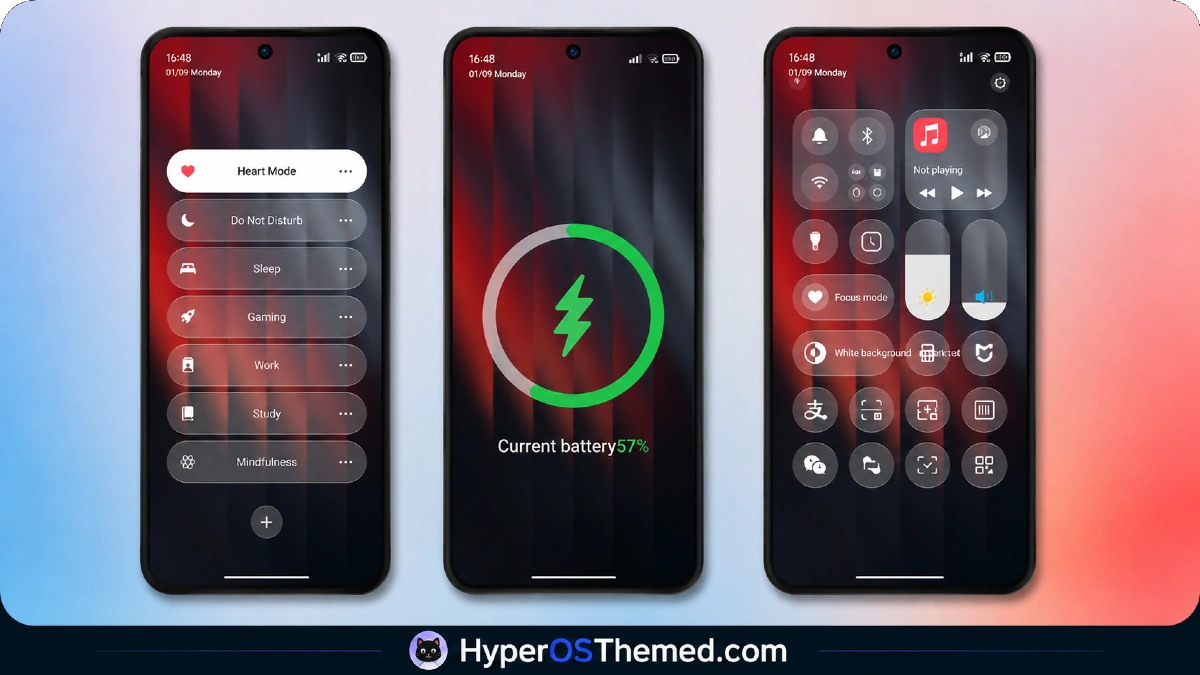
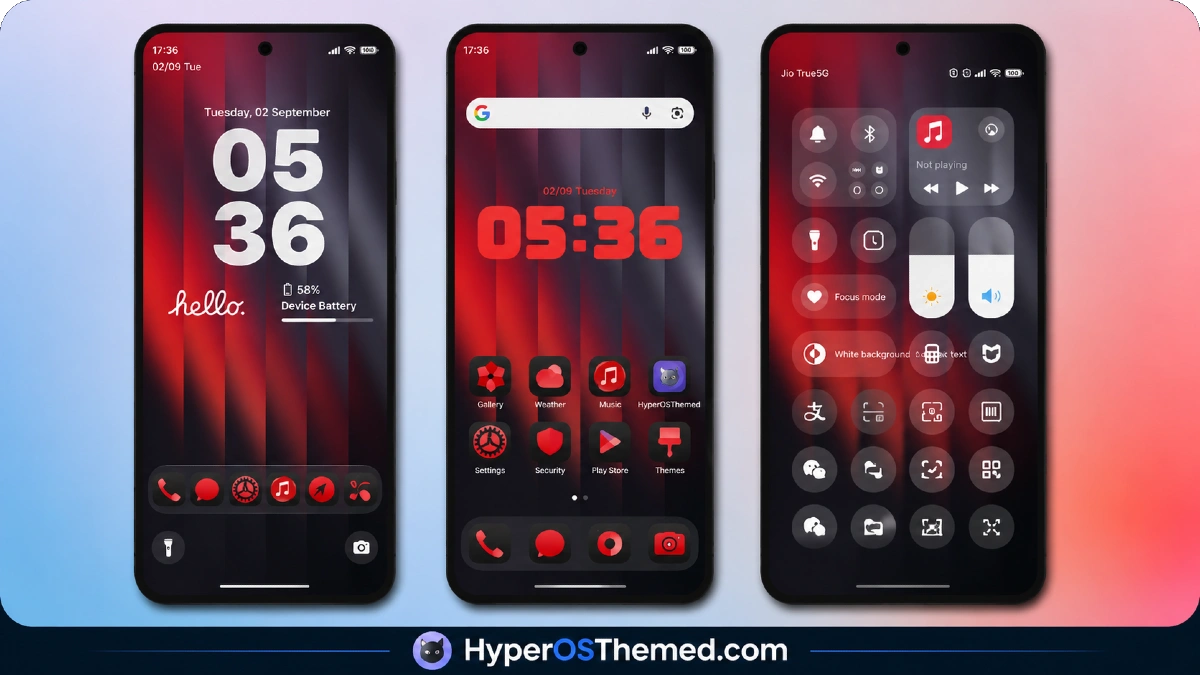
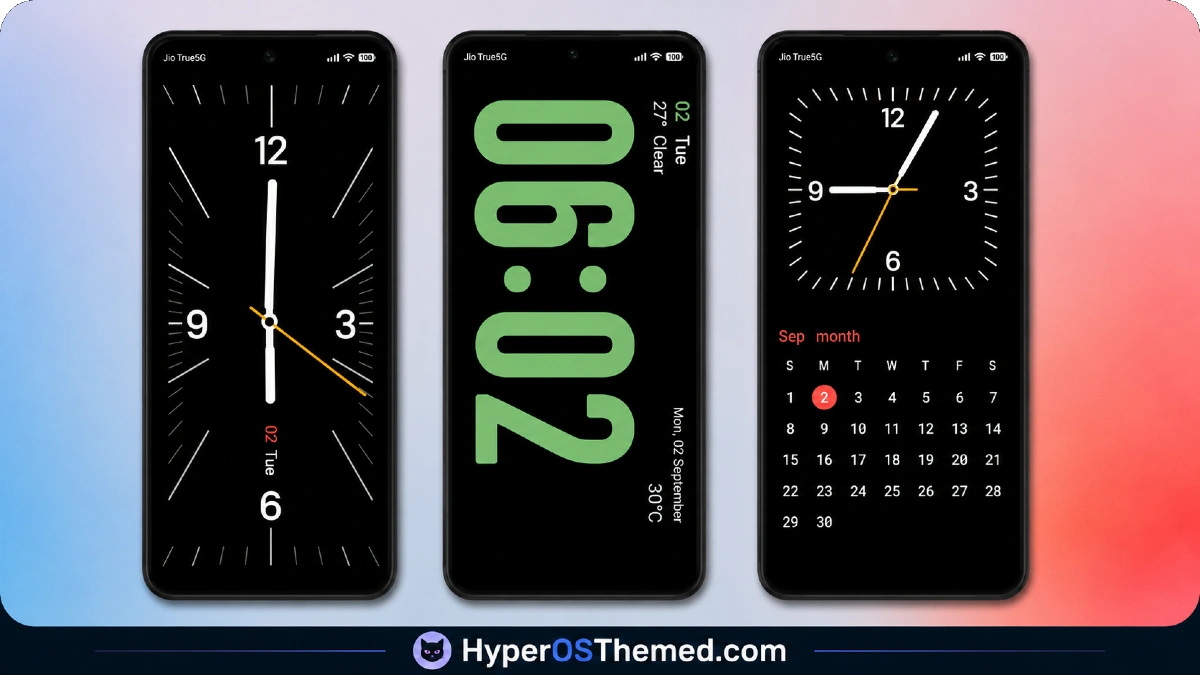
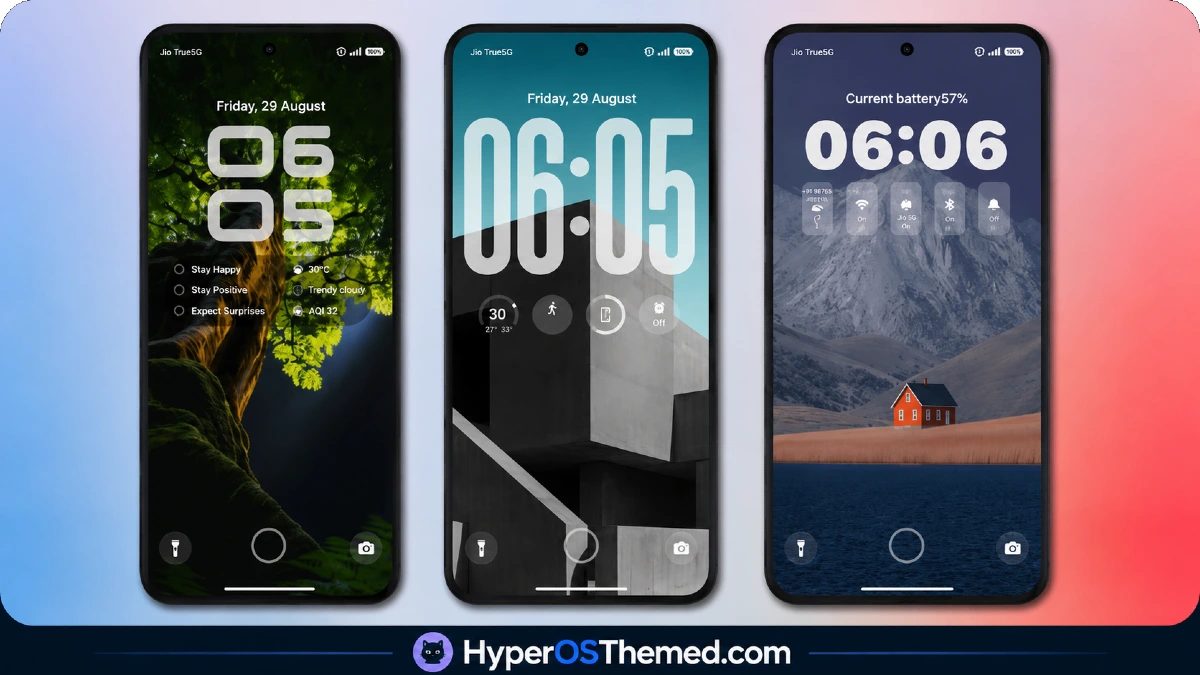
Clean, modern iOS-inspired composition defines the visual identity here, with the lock screen’s clock placement and spacing pulling directly from current iOS design conventions rather than an outdated or generic Apple-style template.
Icons maintain that same modern polish across the home screen and folders, while the Control Center redesign extends the aesthetic into daily quick-settings use rather than limiting it to the lock screen alone. The overall result reads as a more current take on the iOS-style HyperOS theme category, distinct from older iPhone-clone designs still circulating.
TradM HyperOS Theme Details
| Detail | Info |
|---|---|
| Theme Name | TradM |
| Designer | Maidul Islam |
| Compatibility | HyperOS 3.0 |
| File Size | 44 MB (Theme) / 9.6 MB (Wallpaper) |
Why Choose TradM HyperOS Theme
Given the theme’s focus on HyperOS 3.0 specifically, the redesigned Control Center and lock screen elements rendered cleanly on the POCO X6 without any of the layout inconsistencies that sometimes appear when a broadly compatible theme gets stretched across multiple HyperOS versions.
Toggle responsiveness in the Control Center stayed consistent under repeated quick switching, and system app theming, Dialer, Settings, Messages, carried through without reverting to default styling partway through navigation.
Installation and setup completed without requiring a restart to resolve any overlapping elements, which the source material specifically flags as a possible issue to watch for.
TradM HyperOS Theme Compatibility
TradM HyperOS Theme is built exclusively for HyperOS 3.0, without listed support for HyperOS or HyperOS 2.0, so devices still running earlier versions should not expect this theme to apply correctly. The POCO X6 on HyperOS 3.0 ran it without stability issues throughout testing.
Custom ROM users on Xiaomi.eu, MIUIRoom, MIUI SR, or HyperOS CN builds should confirm their ROM is aligned with HyperOS 3.0 before attempting the MTZ import, since the theme’s narrower compatibility window means results on older or mismatched builds are less predictable than with broadly compatible releases.
Download TradM HyperOS Theme
The Official Theme Store Link is the primary download route, with the wallpaper available as a separate file for anyone wanting just the background image.
Given that this theme targets HyperOS 3.0 specifically, downloading from unofficial mirrors carries added risk of getting a version built for a different HyperOS release entirely, which would explain layout or icon issues that have nothing to do with the theme itself.
Steps to Apply TradM HyperOS Theme
For Global Stable ROM:
- Tap the Official Theme Store Link in the download section
- Select the Themes app when prompted to open the link
- You’ll be redirected to the Theme Store to download the theme
- Download the theme and apply it
For Custom ROMs (Xiaomi.eu, MIUIRoom, MIUI SR, HyperOS CN, etc.):
- Download the MTZ file of the theme
- Open the Theme Store app and select the Themes option
- Scroll down and tap Import
- Select the file manager and locate the downloaded .mtz file
- Wait for the theme to import, then tap it to apply
Restart the device if any elements appear overlapping or not fully visible after applying.
What Makes TradM HyperOS Theme Consider
- Lock screen design follows current iOS 27 conventions rather than an outdated iPhone-clone template
- Control Center redesign extends the aesthetic beyond the lock screen into daily quick-settings use
- Dedicated HyperOS 3.0 targeting reduces the layout inconsistencies that come with broader multi-version compatibility
- Separate wallpaper download available independently of the full theme package
- System-wide reach into Dialer, Settings, and Messages rather than home-screen-only theming
Final Verdict
TradM HyperOS Theme’s narrower HyperOS 3.0 focus works in its favor, delivering a more consistent and current iOS-style experience than themes stretched across three different HyperOS versions at once.
On a POCO X6 running HyperOS 3.0, the redesigned Control Center and lock screen held up cleanly without any of the rendering inconsistencies broader-compatibility themes sometimes introduce.
For anyone specifically on HyperOS 3.0 wanting a modern, current iOS aesthetic rather than an older iPhone-style clone, it’s a strong, well-targeted option.
You may also like:
Liquid Glass HyperOS Theme for Xiaomi, POCO and REDMI Phones
Edge HyperOS Theme Xiaomi With Minimalist Mountain Silhouette Design for HyperOS
TronM HyperOS Theme with Vibrant Orange Neon Design for Xiaomi & Redmi
Super26i HyperOS Theme with Premium Colourful, Dynamic Lock Screen for Xiaomi, POCO & Redmi
Rat V HyperOS Theme with 3D Anime Style Meets Dynamic Island for Xiaomi & Redmi
