
Most glass-style themes stop at a translucent icon pack and call it done, so seeing Liquid Glass offer both a standard 40.8 MB MTZ file and a separate 56 MB backup file for the same theme raised an obvious question, what’s actually different between the two, and does the larger version deliver enough extra polish to bother downloading it. I put the standard version on a POCO X6 to find out whether the glass effect here went beyond the usual surface-level treatment.
Liquid Glass HyperOS Theme Features
- Full System-Wide Glass Effect: Rather than limiting the translucent look to a few home screen widgets, the glass styling extends across the Dialer, Settings, Messages, and Control Center. Moving between apps kept that consistent see-through quality intact instead of reverting to flat, opaque menus the moment you left the home screen.
- Custom-Crafted System Icons: Icons throughout the interface pick up a matching glass treatment rather than a generic recolor, applied consistently across the app drawer, folders, and system apps. Coverage extended well across commonly used apps, keeping that layered glass identity intact rather than breaking down in less obvious corners of the interface.
- Redesigned Lock Screen: Beyond the standard clock-and-wallpaper setup, the lock screen carries genuine styling work with the same glass aesthetic running through it, rather than being left as an afterthought while the home screen gets all the attention. It’s a detail that separates a genuinely complete theme from one that only bothers with the parts users see first.
- Backup File Option for Extended Assets: The separate 56 MB backup file, sitting notably larger than the standard 40.8 MB MTZ, suggests additional wallpaper variants or deeper system asset coverage beyond the base package. Having this option available gives users a way to get a more complete version of the theme if the standard install leaves any elements looking incomplete.
- Control Center Redesign: Quick settings and toggles pick up the glass treatment as well, giving the Control Center a genuinely different feel from the flat stock HyperOS panel. Testing rapid toggling between Wi-Fi and Bluetooth showed everything staying responsive despite the more detailed, layered visual styling.
Liquid Glass HyperOS Theme Preview
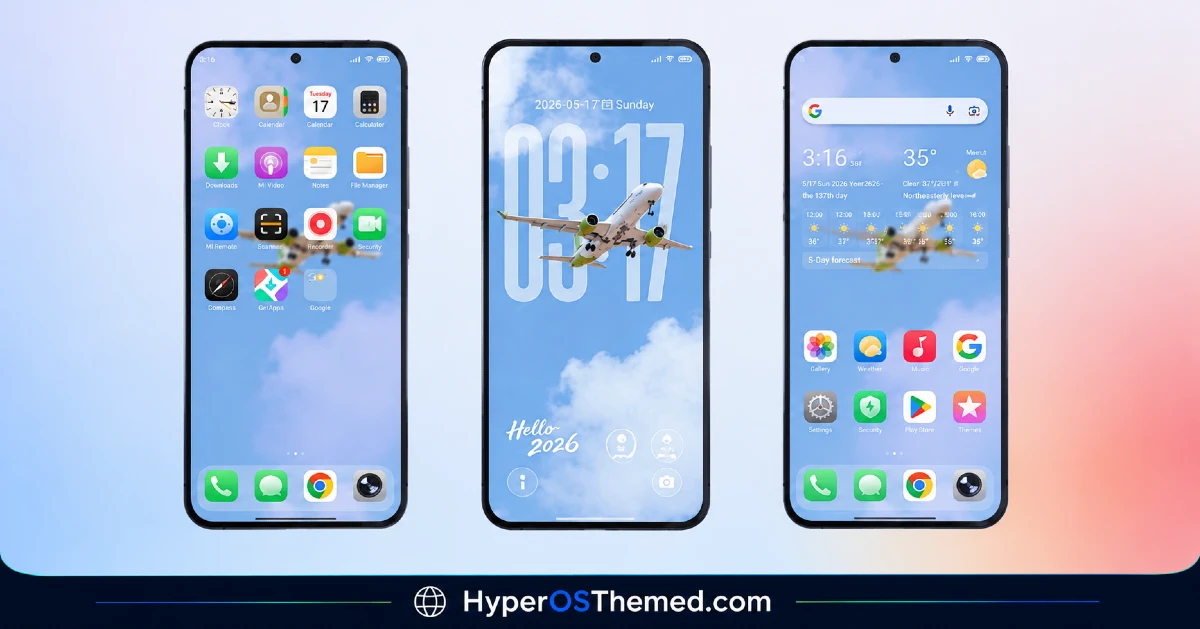
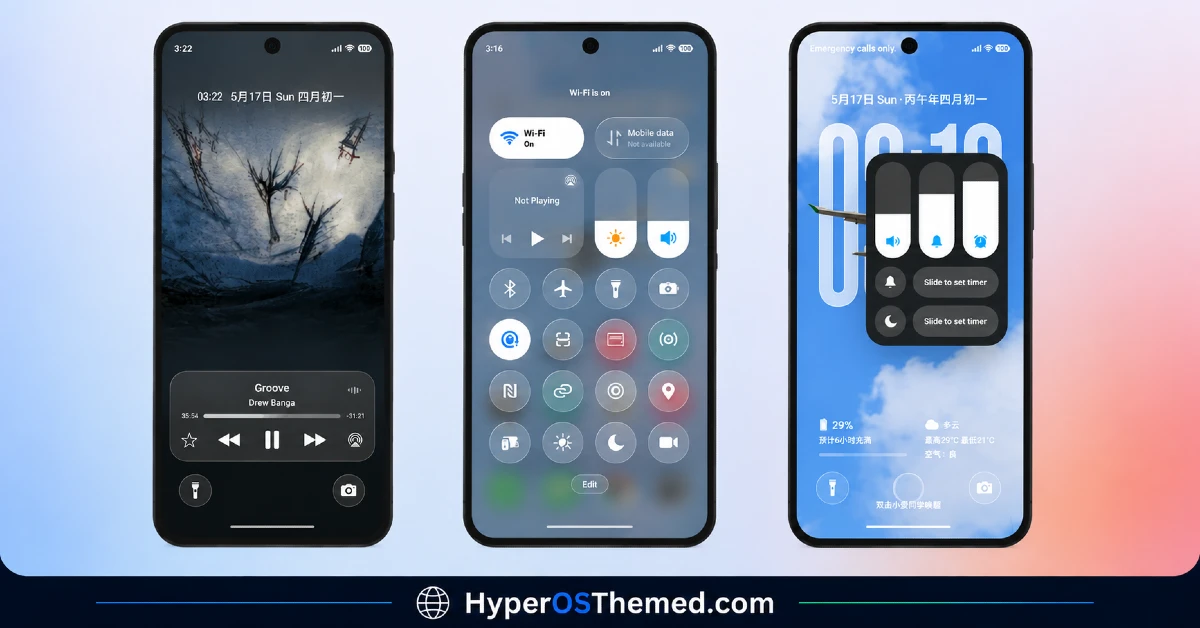
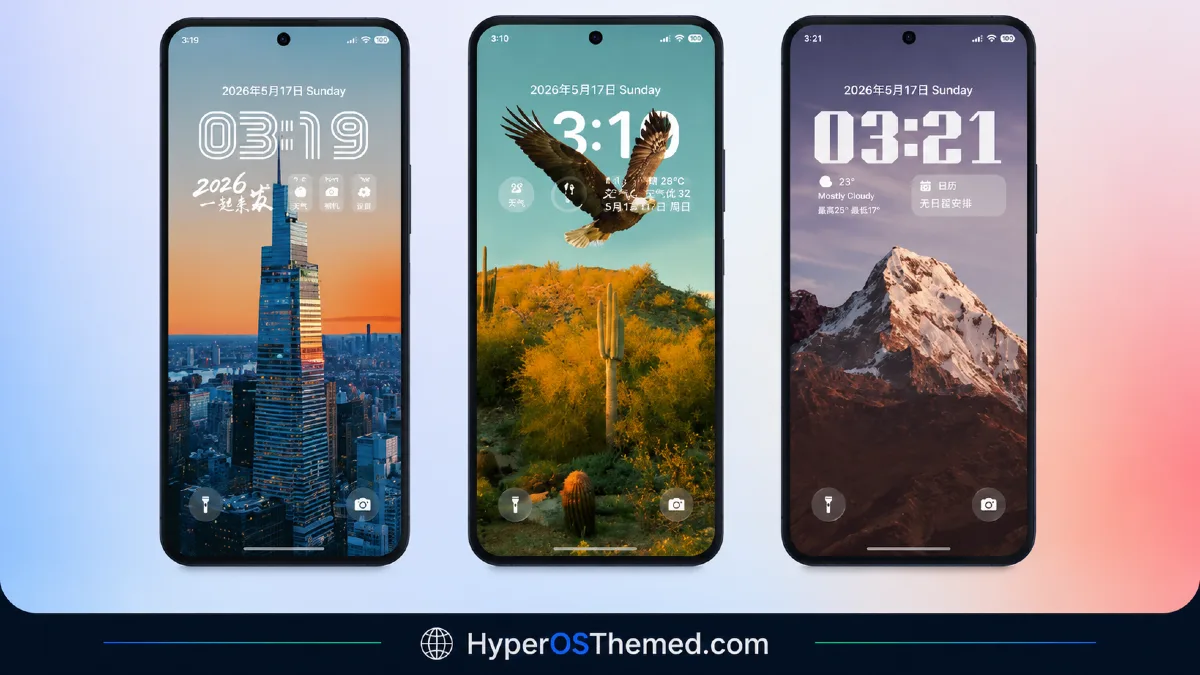
Translucent layering carries the entire visual identity here, with glass-style panels and icons giving nearly every screen a sense of depth rather than sitting flat against the wallpaper behind them.
The consistency is what stands out most, this isn’t a theme where the glass effect fades out once you leave the home screen, it follows through into Settings, the dialer, and the Control Center just as thoroughly. It reads as a genuinely complete glassmorphic package rather than a home-screen-only visual trick.
Liquid Glass HyperOS Theme Details
| Detail | Info |
|---|---|
| Theme Name | Liquid Glass |
| Designer | 浅月 |
| Compatibility | HyperOS, HyperOS 2.0, HyperOS 3.0 |
| File Size | 40.8 MB (MTZ) / 56 MB (Backup File) |
Liquid Glass HyperOS Theme Performance
Given how much of the interface relies on layered transparency rendering, from icons to the Control Center to system menus, I expected some performance cost, and there was a modest one, home screen transitions and app drawer scrolling stayed smooth on the POCO X6, but battery drain came in a bit above baseline across a normal day of mixed use.
The Control Center’s glass toggles stayed responsive under repeated quick switching without any lag, and I didn’t run into rendering glitches or mismatched panels anywhere across Settings, Messages, or the dialer during testing.
Liquid Glass HyperOS Theme’s Compatibility
Liquid Glass supports HyperOS and HyperOS 2.0, and the POCO X6 ran the standard MTZ version without stability issues throughout testing. HyperOS 3.0 isn’t explicitly listed as supported, so users on the newest version should expect the possibility of minor visual inconsistencies.
MIUI-based custom ROMs like Xiaomi.eu, MIUIRoom, or HyperOS CN should be able to import the MTZ file through the standard Themes app process, though given the file size difference between the standard and backup versions, users chasing full asset coverage may want to test both.
Downloading Liquid Glass HyperOS Theme
Both the standard MTZ file and the larger backup file are available directly from the source, and grabbing the backup version is worth considering if any icons or system elements look incomplete after the initial install. Avoid third-party mirrors offering either file outside the official listing, since a theme package this detailed, spanning icons, lock screen, and full system menus, is exactly the kind that gets reuploaded incomplete or altered elsewhere.
Steps to Apply Liquid Glass HyperOS Theme
For Global Stable ROM:
- Tap the Official Theme Store Link in the download section
- Select the Themes app when prompted to open the link
- You’ll be redirected to the Theme Store to download the theme
- Download the theme and apply it
For Custom ROMs (Xiaomi.eu, MIUIRoom, MIUI SR, HyperOS CN, etc.):
- Download the MTZ file of the theme
- Open the Theme Store app and select the Themes option
- Scroll down and tap Import
- Select the file manager and locate the downloaded .mtz file
- Wait for the theme to import, then tap it to apply
If you experience any overlapping or visibility issues after applying, restart your device to resolve them.
What MakesLiquid Glass HyperOS Theme Worth Considering
- Glass styling extends genuinely system-wide rather than stopping at the home screen
- A separate backup file option exists for users wanting fuller asset coverage
- Control Center toggles stay responsive despite the layered, detailed visual treatment
- Custom icon set maintains the glass aesthetic consistently across folders and system apps
- Redesigned lock screen gets the same attention as the home screen rather than being an afterthought
Final Verdict
Liquid Glass HyperOS Theme earns its name by actually following through on system-wide transparency rather than treating glassmorphism as a home-screen-only decoration, and having both a standard and backup file option gives users flexibility depending on how complete they want the final result to be.
The modest battery cost is worth factoring in given how much layered rendering is happening throughout the interface, but on a POCO X6 it stayed smooth and consistent across every app I checked. For anyone chasing a genuinely thorough glass aesthetic rather than a surface-level icon pack, it’s one of the more complete implementations currently available.
You may also like:
Edge HyperOS Theme Xiaomi With Minimalist Mountain Silhouette Design for HyperOS
TronM HyperOS Theme with Vibrant Orange Neon Design for Xiaomi & Redmi
Super26i HyperOS Theme with Premium Colourful, Dynamic Lock Screen for Xiaomi, POCO & Redmi
Rat V HyperOS Theme with 3D Anime Style Meets Dynamic Island for Xiaomi & Redmi
Super Surge HyperOS Theme With iOS-Inspired Dynamic Island for Xiaomi, POCO & Redmi
