
A reader comment under one of my other theme reviews mentioned Farcasters HyperOS Theme by name, asking if it was worth trying compared to something flashier. I hadn’t come across it before, so I pulled it up on the Theme Store, wasn’t expecting much given how plain the preview screenshots looked, and installed it on my POCO X6 anyway to see if it earned the recommendation.
Farcasters HyperOS Theme Features
- System-Wide Consistency: The theme reaches into Settings, the notification panel, dialer, and messaging app rather than stopping at the home screen. I went looking specifically for a screen it missed and couldn’t find one, which is more thorough than I expected going in.
- Redesigned Icon Pack Icons use simple, rounded shapes with a restrained color palette that stays legible in both light and dark modes. Most of my apps picked up the new icon style cleanly, though a food delivery app and a local banking app stuck with their originals.
- Cleaner Status Bar and Control Centre: Quick toggles have noticeably more breathing room than stock HyperOS gives them, and I found myself not squinting at labels the way I sometimes do on the default layout. Toggling Bluetooth and Wi-Fi back to back a few times didn’t reveal any lag or misalignment.
- Simplified Lock Screen: There’s just the clock and notification previews here, nothing extra competing for space. Readability outdoors held up fine during a quick test in direct sun.
- Reorganized Settings Menu: The grouping felt more sensible than stock HyperOS, particularly around display and connectivity options where I usually end up scrolling past things twice. It’s a small change but one that actually saved me time digging through menus.
- Light Animation Touches: Switching home screens and opening the app drawer both carry a bit of subtle motion. Nothing dramatic, and importantly nothing that introduced stutter on the X6.
Farcasters HyperOS Theme Preview
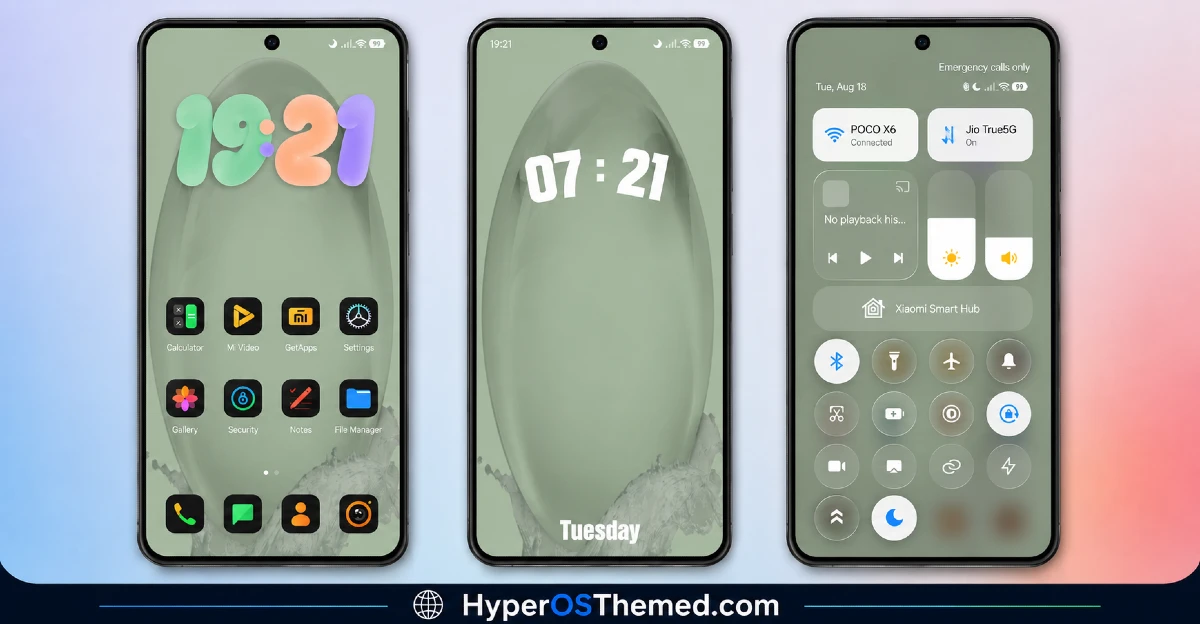
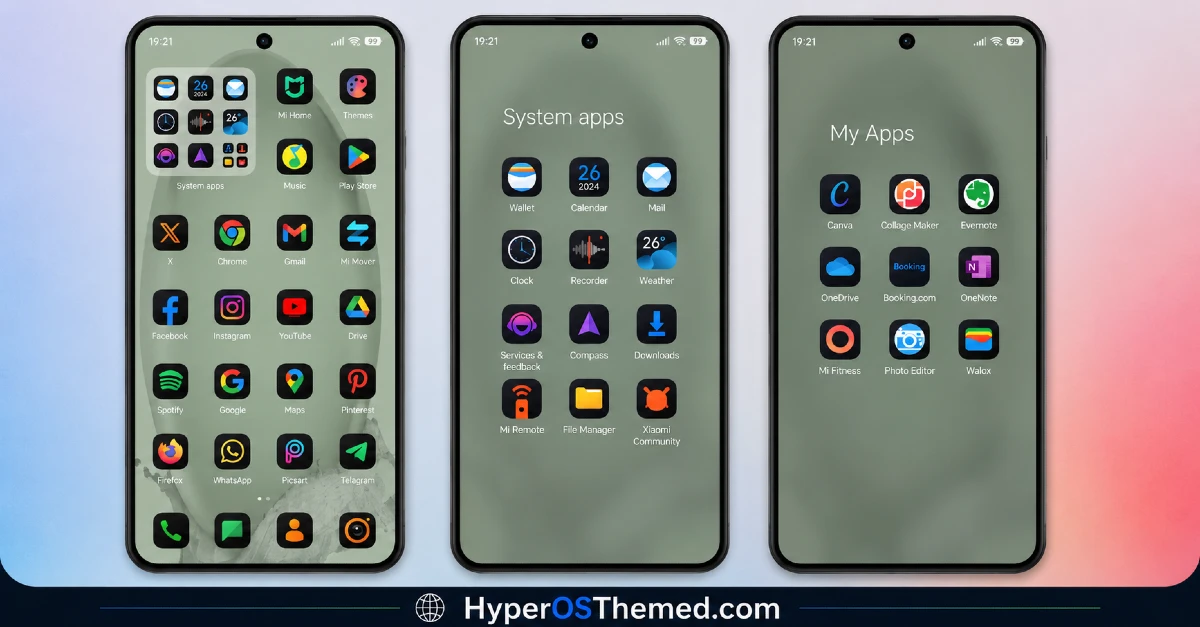
Visually it plays it safe, a balanced mix of light and dark tones with no gradients, no transparency, nothing decorative competing for attention. Icons stay simple and rounded, keeping the home screen looking orderly even with a full grid of apps. It’s built more like a work tool than a showpiece, which fits the reader recommendation that pointed me toward it in the first place.
Farcasters HyperOS Theme Details
| Detail | Info |
|---|---|
| Theme Name | Farcasters |
| Designer | mydul |
| Compatibility | HyperOS 2, HyperOS 3 |
| Features | Minimal, Redesigned Icons, Clean UI |
| File Size | Not listed by designer |
Farcasters HyperOS Theme Performance
I ran Farcasters HyperOS Theme through a normal mix of messaging, browsing, and a few gaming sessions on the POCO X6 running HyperOS 2. Nothing about the visual restraint translated into sluggishness, the app drawer opened without hesitation and home screen transitions stayed smooth throughout.
Battery use tracked within a percent or two of my stock baseline, which makes sense given there’s no transparency or animated wallpaper pulling extra power. My one real gripe was purely cosmetic, having to hunt for the two unthemed app icons every time I scrolled past them in the drawer.
Farcasters HyperOS Theme Compatibility
Farcasters supports HyperOS 2 and HyperOS 3, which covers most current Xiaomi, Redmi, and POCO devices. I tested on a POCO X6 running HyperOS 2 without hitting any stability issues. The designer flags that some UI elements may shift slightly by device model and system version, which tracks with the icon inconsistencies I ran into.
It’s not built for MIUI 12, 13, or 14, so older firmware is a hard pass here. Xiaomi.eu and similar custom ROM users should be able to import it without much trouble, though results may vary depending on how closely the ROM tracks stock HyperOS.
Get Farcasters HyperOS Theme
Stick to the official Xiaomi Theme Store link rather than third-party APK sites or file-sharing forums offering the same file. Sideloaded installers from unverified sources are a common way people pick up unnecessary permissions or bundled junk, so the official route is worth the extra step even for a modest theme like this.
Note: If the Official Theme Store Link doesn’t redirect properly, try opening the page in Chrome or the default Xiaomi browser, since other browsers may not handle the redirect correctly.
How to Apply Farcasters HyperOS Theme
Follow the steps below to apply the theme:
- Open the Theme Store Link given above on your Xiaomi / REDMI / POCO device
- This will redirect you to Theme Store.
- Download and install the theme
- Tap on Apply
- Customize specific elements (icons, lock screen, status bar) if needed
- Reboot your device (optional for full effect)
Why Choose Farcasters HyperOS Theme?
- Reaches nearly every system app instead of stopping at the home screen
- Icon pack stays clean and professional without unnecessary decoration
- Settings reorganization genuinely cuts down scrolling and searching
- No measurable battery cost based on real use
- Solid pick for anyone who wants their phone to just work without visual noise
Conclusion
The reader who recommended Farcasters had a point, it’s not going to win any awards for originality, but it does the boring work of theming every corner of the system properly instead of just the home screen.
The two icons that never got themed were a small recurring annoyance, and if you want something with more visual personality, this probably isn’t it. Compared to other minimal themes I’ve tested, though, Farcasters earns its keep through actual consistency rather than a flashy screenshot. If a distraction-free phone is the goal, it delivers on that without complaint.
You may also like:
Green HOS3 HyperOS Theme for Xiaomi, POCO and REDMI Phones
Floating Stone HyperOS Theme for Xiaomi, Redmi and POCO
Blackness HyperOS Theme: A Dark iOS-Style Look for Xiaomi, POCO & Redmi
Xeon Slay HyperOS Theme for Xiaomi, Redmi and POCO
Dark Duo HyperOS Theme with A Clean Business Dark Look for Xiaomi, POCO & Redmi
