
I came across the Floating Stone HyperOS Theme while browsing through a batch of newer HyperOS uploads, and the name alone was unusual enough to make me stop scrolling and actually look at the preview. I installed it on my POCO X6 out of curiosity more than expectation, since a lot of themes with abstract names end up being fairly generic once applied. After trying it out as my main theme, I found there was more consistency here than the name suggested.
Floating Stone HyperOS Theme Features
- Redesigned Lock Screen: The lock screen moves away from the stock HyperOS layout with a cleaner arrangement of the clock and notification area. It felt noticeably different from the default the moment I unlocked my POCO X6 for the first time after applying it.
- Custom Icon Pack: The icons follow a consistent, stylized design rather than a rough recolor of stock icons. Coverage across my commonly installed apps was fairly solid, though a couple of niche apps kept their original icons, which is fairly typical even with well put together icon packs.
- Revamped Control Centre: Swiping down brings up a Control Center that looks distinctly different from stock HyperOS, with reworked toggle styling and spacing. Everything stayed responsive when I tested quickly switching Wi-Fi and Bluetooth on and off.
- System-Wide UI Changes: The theme extends into the Dialer, Settings, and Messages apps rather than stopping at the home screen. This is the detail that separates a genuinely complete theme from a simple icon swap, and Floating Stone HyperOS Theme handled it consistently across the apps I checked.
- New Home Screen Widgets: Beyond a basic digital clock, there are additional widget options bundled into the theme. I swapped in one of the alternate widgets on my home screen and didn’t run into any display issues or misalignment on the X6.
Floating Stone HyperOS Theme Preview
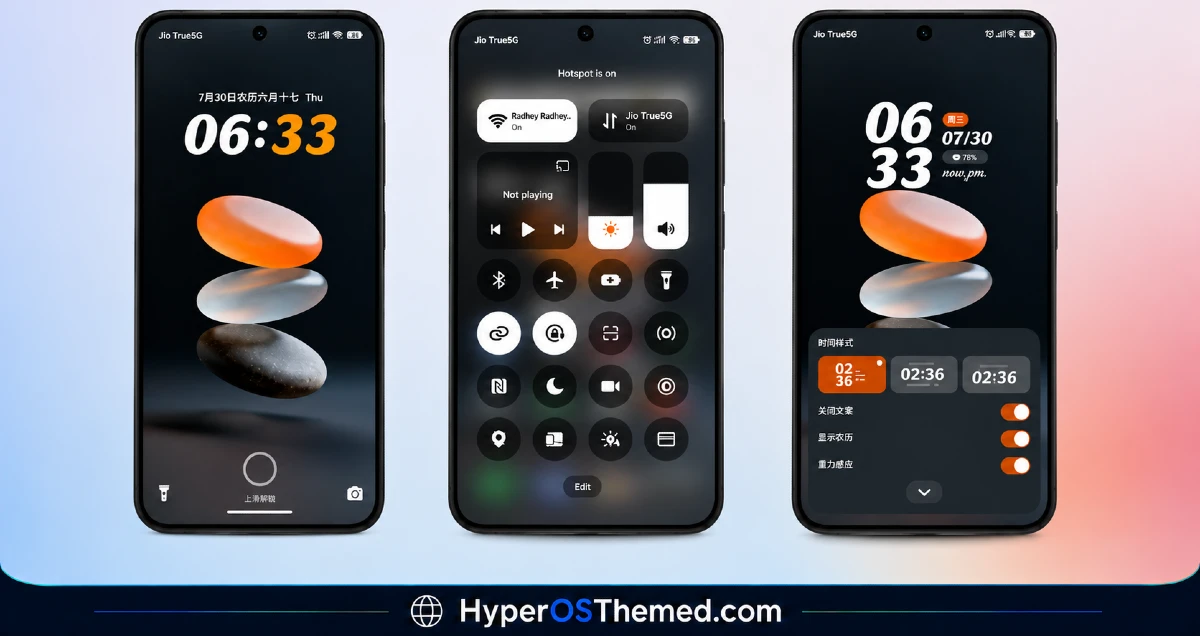
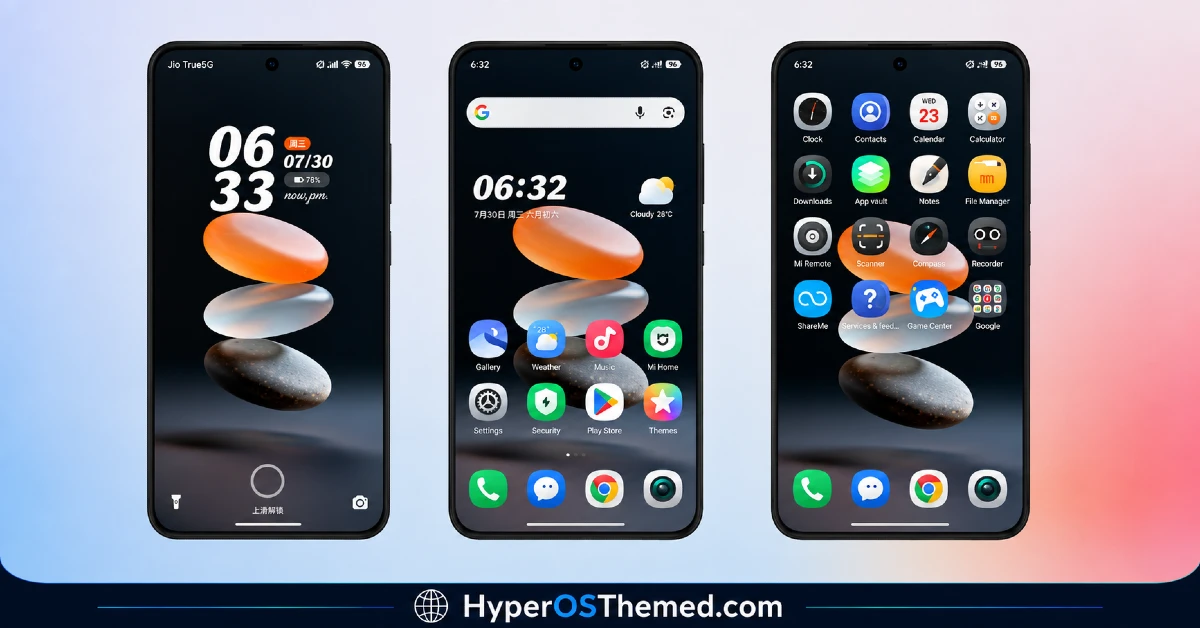
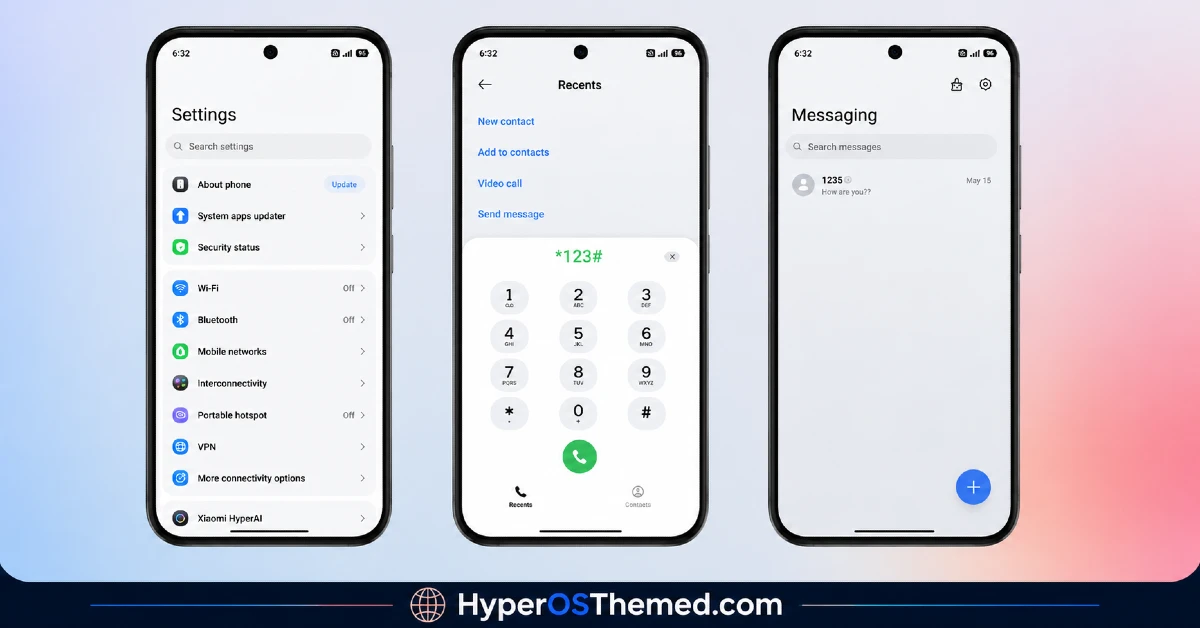
The visual style leans toward a clean, structured look rather than anything overly decorative, with the redesigned lock screen and Control Center doing most of the heavy lifting visually. Icons stay consistent in shape and tone across the home screen and app drawer, avoiding the mismatched feel some free icon packs end up with. It comes across as a genuinely reworked interface rather than a surface-level reskin, closer to what you’d expect from a more complete customization package.
Floating Stone HyperOS Theme Details
| Detail | Info |
|---|---|
| Theme Name | Floating Stone |
| Designer | 迷鹿向闲 |
| Compatibility | HyperOS |
| Features | Custom Lock Screen, New Icons, Widgets, Control Center |
| File Size | 19.4 MB |
Floating Stone HyperOS Theme Performance
I ran Floating Stone on a POCO X6 running HyperOS, using it through normal daily tasks including messaging, browsing, and a few gaming sessions to check for any slowdown. I didn’t notice any lag opening the app drawer or switching between home screens, and the Control Center stayed responsive throughout testing.
Battery drain stayed close to my usual baseline, without any noticeable extra pull, which tracks given there’s no heavy transparency or constant animation work involved. The only minor issue I ran into was the couple of unthemed niche app icons standing out slightly against the rest of the redesigned set.
Floating Stone HyperOS Theme Compatibility
Floating Stone is listed as compatible with HyperOS broadly, without a specific breakdown between HyperOS 2.0 and HyperOS 3.0 versions. I tested it on a POCO X6 without running into problems, though since the designer doesn’t specify version-level compatibility, results on the newest HyperOS 3.0 builds may vary slightly, particularly with icon or Control Center rendering. It is not intended for MIUI 12, 13, or 14 devices, so applying it outside of HyperOS isn’t recommended.
Custom ROM users on Xiaomi.eu, MIUIRoom, or similar HyperOS-based builds should be able to import the MTZ file without major issues, and a separate backup file is also provided alongside the main download in case any elements need to be reapplied manually.
Get Floating Stone HyperOS Theme
Download Floating Stone HyperOS Theme Stone through the official Xiaomi Theme Store link, and grab the separate backup file as well if any UI elements don’t apply cleanly the first time around. Avoid third-party APK sites or random file-sharing pages offering the same theme, since sideloaded installers from unverified sources are a common way people end up with unnecessary permissions or bundled software on their phone.
Note: If the Official Theme Store Link doesn’t redirect properly, try opening the page in Chrome or the default Xiaomi browser, since other browsers may not handle the redirect correctly.
How to Apply Floating Stone HyperOS Theme
Follow the steps below to apply the theme:
- Open the Theme Store Link given above on your Xiaomi / REDMI / POCO device
- This will redirect you to Theme Store.
- Download and install the theme
- Tap on Apply
- Customize specific elements (icons, lock screen, status bar) if needed
- Reboot your device (optional for full effect)
Why Choose Floating Stone HyperOS Theme?
- Redesigned lock screen genuinely feels different from stock HyperOS, not just recolored
- System-wide changes reach the Dialer, Settings, and Messages apps, not just the home screen
- Control Center redesign stays responsive and doesn’t slow down quick toggle switching
- Additional home screen widget options go beyond a basic clock
- Backup file included by the designer helps resolve any elements that don’t apply cleanly
Conclusion
Testing Floating Stone HyperOS Theme on my POCO X6 left me fairly impressed with how far the customization actually reaches, well beyond just a new set of icons slapped on the home screen. It’s not without small gaps, a couple of niche app icons never got themed, and the overall look, while clean, isn’t the flashiest option out there for anyone chasing something more visually dramatic.
Compared to other system-wide HyperOS themes I’ve tried, though, Floating Stone does a genuinely thorough job of reaching into the Dialer, Settings, and Control Center rather than stopping at surface-level changes. If you want a theme that actually feels complete rather than partial, it’s worth trying.
You may also like:
