
I came across Kiyumta HyperOS Theme while scrolling through the Theme Store’s minimal category late one night, drawn in by a smoke wallpaper that looked more like a moody photography shot than a typical phone background. Most minimal themes I’ve tried lean toward plain and forgettable, so I was curious whether this one could actually feel artistic without adding visual clutter. I installed it on my POCO X6 and used it as my daily theme for ten days to see how it held up.
Kiyumta HyperOS Theme Features
- Smoke Wallpaper in Warm and Cool Tones: The default wallpaper features flowing smoke rendered in a mix of warm and cool tones rather than a single flat colour. It has a genuinely artistic quality that held up well as a backdrop even with a full row of icons layered over it on my home screen.
- Bold Lock Screen Typography: The lock screen clock uses a large, bold font that stands out clearly against the smoke background without feeling cluttered. It’s one of the more confident typography choices I’ve seen on a minimal theme, most tend to play it safe with thin, understated fonts instead.
- All-Black System Interface: Settings, notification shade, and other system menus stick to a clean, consistent black look throughout. I didn’t run into any jarring white screens breaking the aesthetic while navigating between apps during testing.
- Dynamic Icon Set: The icons shift subtly depending on system state, which added a small but noticeable bit of life to what would otherwise be a completely static black icon pack. Coverage across my apps was solid, though one banking app and a regional service app kept their default icons.
- Compact File Size for the Detail Level: At 18.35 MB, the theme installed quickly on my POCO X6 Pro, well under a minute. Given the wallpaper detail and dynamic icon behavior, I expected a larger file, so this felt reasonably efficient for what it delivers.
Kiyumta HyperOS Theme Preview
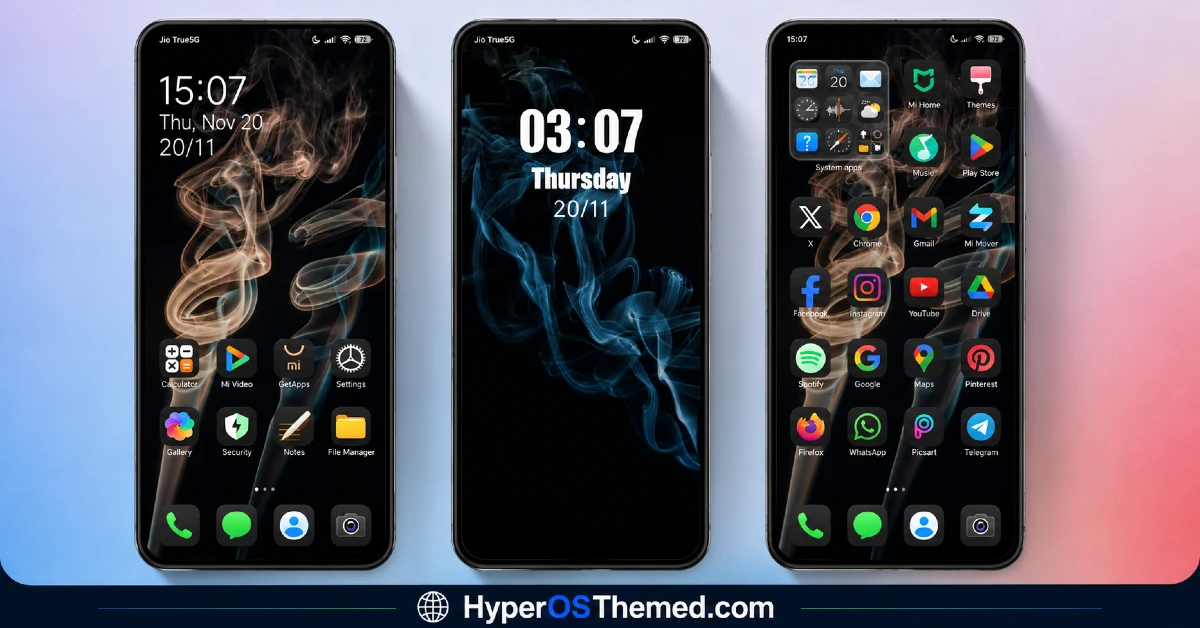
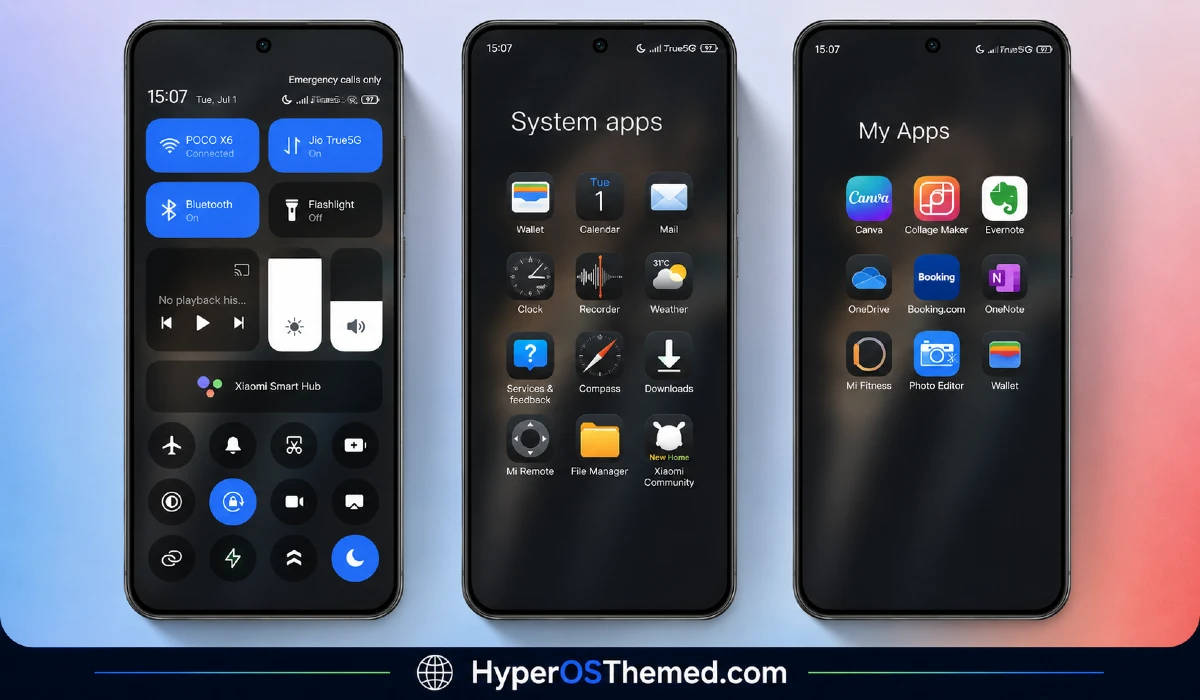
The visual style centers on a black backdrop paired with flowing smoke imagery that shifts between warm and cool tones depending on the wallpaper variant. The bold lock screen typography gives it a confident, almost editorial feel rather than the usual understated minimal look, while the rest of the interface stays quiet and restrained to let the wallpaper and clock do the visual work. It reads as artistic and deliberate rather than plain, closer to a design portfolio piece than a typical black theme.
Kiyumta HyperOS Theme Details
| Detail | Info |
|---|---|
| Theme Name | kiyumta |
| Designer | Ali.ZR |
| Compatibility | HyperOS, HyperOS 2.0, HyperOS 3.0 |
| Features | Simple, Dynamic Icons, Black, Minimal |
| File Size | 18.35 MB |
Kiyumta HyperOS Theme Performance
I ran Kiyumta HyperOS Theme on a POCO X6 running HyperOS 3.0 for ten days, through daily use including gaming, streaming, and regular app switching. Given the compact file size, performance was smooth throughout, with no lag in home screen transitions or app drawer scrolling.
Battery drain stayed close to my stock theme baseline, within a percent or two over a full day, which tracks given the theme’s largely static black design outside of the dynamic icon behavior. The main annoyance was the banking and regional service app icons that never picked up the dynamic styling, which stood out a bit against the rest of the set whenever I opened the drawer.
Kiyumta HyperOS Theme Compatibility
Kiyumta HyperOS Theme supports HyperOS, HyperOS 2.0, and HyperOS 3.0, covering a wide range of current Xiaomi, Redmi, and POCO devices. I tested it on a POCO X6 Pro running HyperOS 3.0 without any stability issues over the full ten day period.
It is not built for MIUI 12, 13, or 14, so applying it on older firmware isn’t recommended. Custom ROM users on Xiaomi.eu or similar HyperOS-based builds should be able to import the MTZ file without much trouble given the modest file size and straightforward black design.
Get kiyumta Theme
Download Kiyumta HyperOS Theme through the official Xiaomi Theme Store link rather than third-party APK sites or random file-sharing pages claiming to host the same theme. Sideloaded theme installers from unverified sources are a common way people end up with unnecessary permissions or bundled software, so the official Theme Store route keeps things clean even for a smaller file like this one.
Note: If the Official Theme Store Link doesn’t redirect properly, try opening the page in Chrome or the default Xiaomi browser, since other browsers may not handle the redirect correctly.
How to Apply Kiyumta HyperOS Theme
Follow the steps below to apply the theme:
- Open the Theme Store Link given above on your Xiaomi / REDMI / POCO device
- This will redirect you to Theme Store.
- Download and install the theme
- Tap on Apply
- Customize specific elements (icons, lock screen, status bar) if needed
- Reboot your device (optional for full effect)
Why Choose kiyumta HyperOS Theme?
- Smoke wallpaper gives it a genuinely artistic look rather than a flat black background
- Bold lock screen typography stands out more than most minimal themes dare to attempt
- All-black system interface stays consistent without jarring white screens breaking the flow
- Dynamic icon behavior adds subtle life to an otherwise static minimal aesthetic
- Compact 18.35 MB file size keeps installation quick despite the visual detail
Conclusion
After using this theme on my POCO X6, Kiyumta turned out to be one of the more visually confident minimal themes I’ve tested, mostly thanks to that smoke wallpaper and the bold lock screen typography choice. The unthemed banking and regional app icons were a small but recurring annoyance, and it’s not the kind of theme that offers deep customization beyond its core look. Compared to other black minimal themes I’ve tried, this one actually commits to an artistic identity instead of settling for plain black and calling it done. If you want minimal design with some real visual character, it’s worth trying.
You may also like:
Free Canvas HyperOS Theme: A Customizable Colorful Look for Xiaomi, PCOO & Redmi
