
So, hello, my dear friends. I found Dark Duo HyperOS Theme while looking for something professional enough to use on my work phone without it looking like a typical gamer-style dark theme. The “clean business style” framing in the description caught my attention since most dark themes lean either flashy or plain, rarely landing somewhere polished in between. I installed it on my POCO X6 and used it as my daily driver to see whether it actually struck that balance.
Dark Duo HyperOS Theme Features
- Textured Black Swirl Wallpaper: The default wallpaper uses a deep black background with a subtle swirling texture rather than a flat solid color. It gave the home screen a bit of visual depth without looking busy, and held up well even with a full grid of icons layered on top.
- Sharp Colorful Icon Pack: Unlike most dark themes that stick to monochrome icons, Dark Duo HyperOS Theme uses vibrant, colorful icons that pop noticeably against the black background. This contrast is genuinely the standout feature, since it keeps the theme from feeling flat or one-note the way plain black themes often do.
- Full Dark UI Theming: Settings, Control Center, and the app drawer all commit fully to the dark aesthetic rather than mixing in bright elements anywhere. I didn’t run into any jarring white screens interrupting the flow while switching between apps during testing.
- Business-Appropriate Aesthetic: The overall look stays polished and restrained rather than leaning into gaming or decorative visual flair. It genuinely looked appropriate pulling my phone out during work meetings, which isn’t something I’d say about most dark or colorful themes I’ve tested.
- Extremely Compact File Size: At just 6.37 MB, this is one of the smallest themes I’ve tested this year. Installation took only a few seconds on my POCO X6, noticeably faster than most other themes I’ve reviewed.
Dark Duo HyperOS Theme Preview
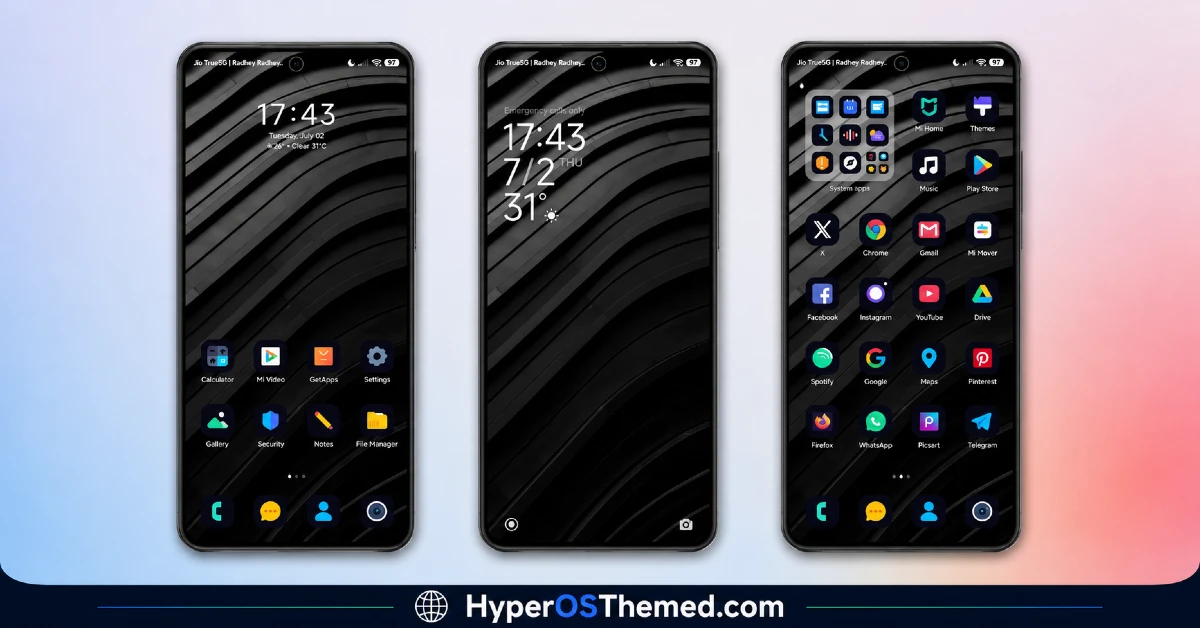
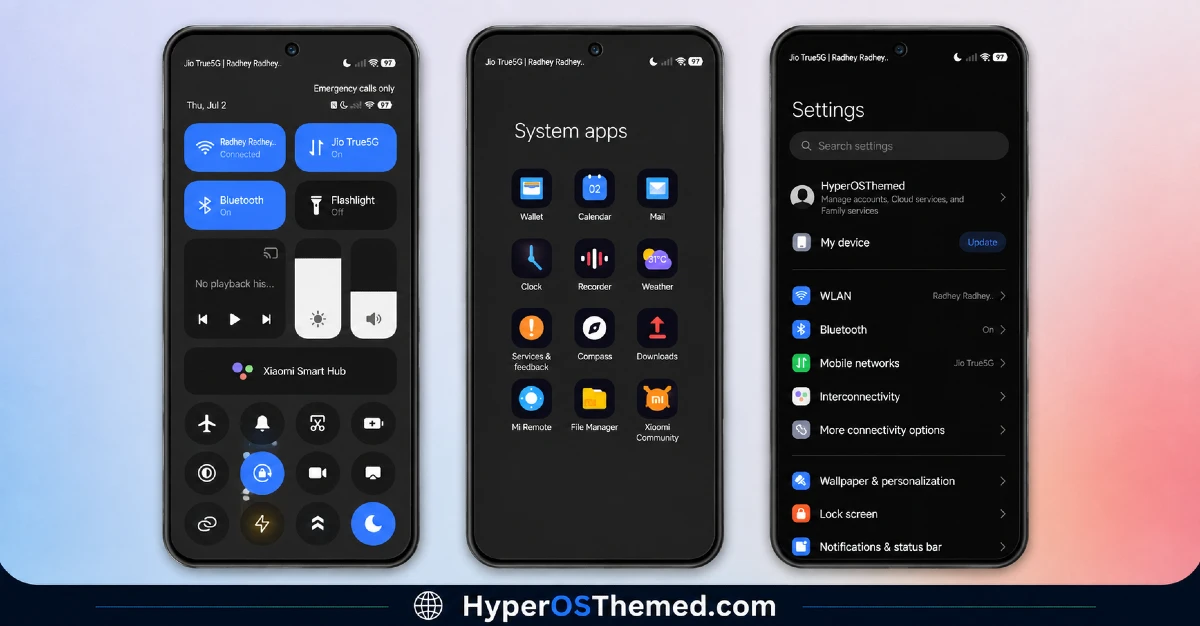
The visual style centers on a deep black textured background paired with a genuinely colorful icon set that provides real contrast rather than blending into the dark theme around it.
It strikes an unusual balance between professional restraint and visual interest, avoiding both the flatness of plain black themes and the clutter of overly decorative ones. The overall look reads as polished and business-appropriate while still having enough color to avoid feeling boring.
Dark Duo HyperOS Theme Details
| Detail | Info |
|---|---|
| Theme Name | Dark Duo |
| Designer | Mono |
| Compatibility | HyperOS, HyperOS 2.0, HyperOS 3.0 |
| Features | Simple, Dark, Business |
| File Size | 6.37 MB |
Dark Duo Theme Performance
I used Dark Duo HyperOS Theme on a POCO X6 running HyperOS 3.0, through daily use including work calls, messaging, and regular browsing. Given the tiny 6.37 MB file size, installation and performance were both effectively instant, with zero lag anywhere in the interface.
Battery drain was essentially identical to my stock theme baseline, which makes sense given there’s no transparency, animation, or heavy visual effects involved. I genuinely didn’t encounter a single bug or glitch during testing, which is rare even for simple themes this size.
Dark Duo HyperOS Theme Compatibility
Dark Duo supports HyperOS, HyperOS 2.0, and HyperOS 3.0, covering a wide range of current Xiaomi, Redmi, and POCO devices. I tested it on a POCO X6 running HyperOS 3.0 without any issues.
It is not built for MIUI 12, 13, or 14, so applying it on older firmware isn’t recommended. Custom ROM users on Xiaomi.eu or similar HyperOS-based builds should have no trouble importing the MTZ file given how small and straightforward the package is.
Get Dark Duo HyperOS Theme
Download Dark Duo through the official Xiaomi Theme Store link rather than third-party APK sites or random file-sharing pages claiming to host the same theme. Sideloaded theme installers from unverified sources are a common way people end up with unnecessary permissions or bundled software, so the official Theme Store route keeps things clean even for a tiny file like this one.
Note: If the Official Theme Store Link doesn’t redirect properly, try opening the page in Chrome or the default Xiaomi browser, since other browsers may not handle the redirect correctly.
How to Apply Dark Duo HyperOS Theme
Follow the steps below to apply the theme:
- Open the Theme Store Link given above on your Xiaomi / REDMI / POCO device
- This will redirect you to Theme Store.
- Download and install the theme
- Tap on Apply
- Customize specific elements (icons, lock screen, status bar) if needed
- Reboot your device (optional for full effect)
Why Choose Dark Duo HyperOS Theme?
- Colorful icons against a black background give it real contrast most dark themes lack
- Tiny 6.37 MB file size means installation takes seconds, not minutes
- Business-appropriate styling makes it suitable for work environments unlike flashier dark themes
- Full dark UI theming stays consistent across Settings, Control Center, and the app drawer
- Zero measurable battery impact based on real testing
Conclusion
Testing Dark Duo on my POCO X6 confirmed it does exactly what it sets out to do, delivering a genuinely professional dark theme without sacrificing visual interest thanks to that colorful icon contrast. There isn’t much depth beyond the wallpaper and icon pack, so anyone looking for extensive customization options or animated elements should look elsewhere.
Compared to other dark themes I’ve tested, Dark Duo’s business-appropriate polish combined with its tiny file size makes it one of the easiest recommendations for anyone who wants a dark theme that still looks professional. If you want something clean, fast to install, and appropriate for work use, it’s a strong pick.
You may also like:
