
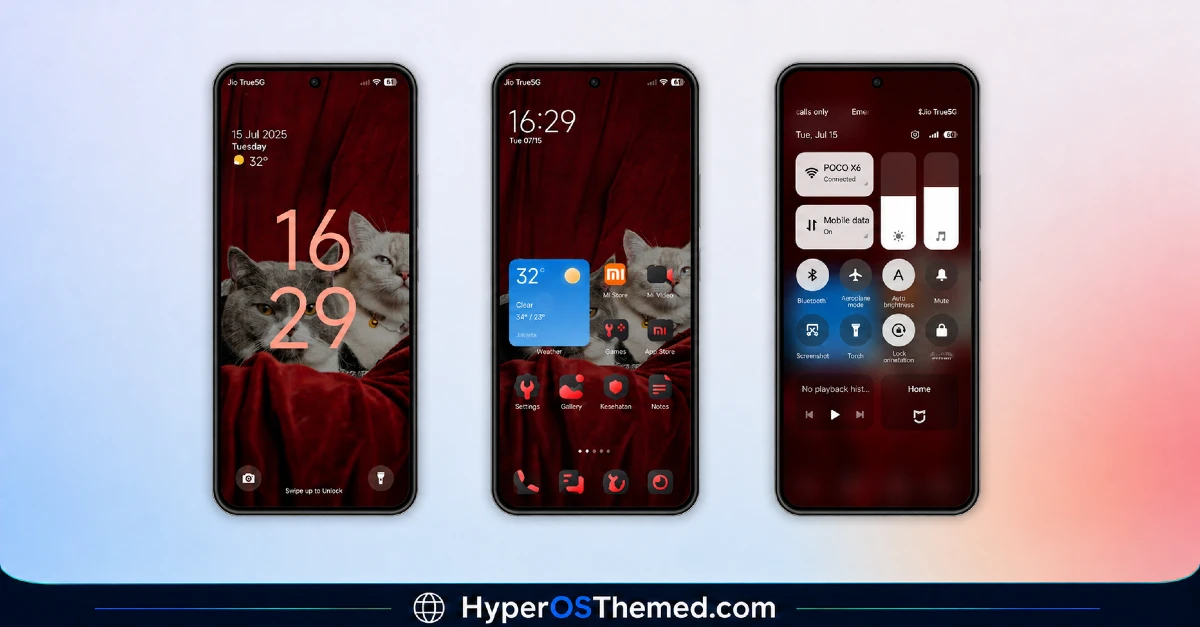
Sometimes a small detail tells you everything you need to know about a theme’s personality, and for Bawaan, that detail is the status bar. Designer dhanz.tm built this one around a darkmode 11 style status bar, a nice throwback touch that gives the whole theme a slightly nostalgic edge without feeling dated.
What Makes Bawaan MIUI Theme for Xiaomi Worth Trying
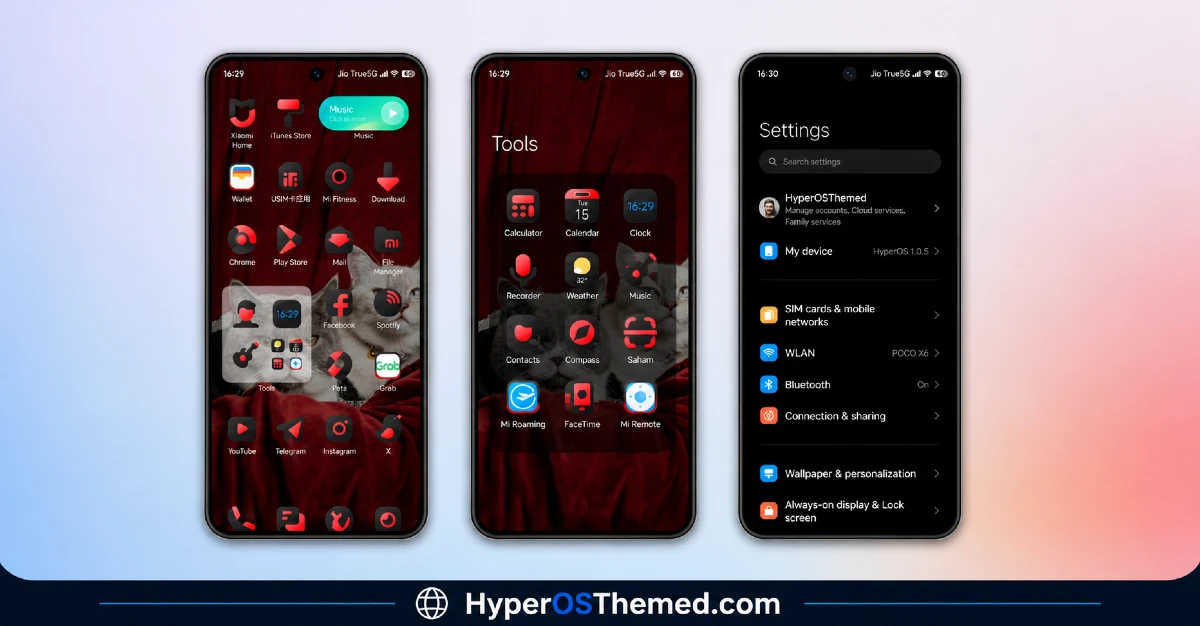
The Bawaan MIUI theme for Xiaomi commits fully to a black and red color scheme, sharp, high contrast, and genuinely eye-catching without tipping into gaudy. Black forms the base throughout, with red used as a confident accent that shows up in just the right places to keep things feeling intentional rather than random.
The dynamic lock screen adds real movement to the experience, so you’re not stuck staring at a flat, static image every time you check your phone. Combined with that classic-styled status bar, Bawaan strikes a nice balance between modern functionality and a bit of familiar, old-school Android charm.
Bawaan MIUI Theme Preview
Why the Status Bar Detail Matters in Bawaan MIUI Theme for Xiaomi
I want to call this out specifically because it’s genuinely a distinctive choice. A lot of themes redesign the status bar to look sleek and minimal, which is fine, but it also means most themes start blending together. Bawaan’s decision to lean into that darkmode 11 aesthetic gives it a bit of personality that longtime Android users will likely recognize and appreciate.
Beyond the standout status bar, Bawaan brings the expected full package, freshly designed icons, updated wallpapers, and an Always-on Display that carries the same black and red identity through to your idle screen. Nothing here feels disconnected from the rest of the design.
Who Should Try Bawaan MIUI Theme for Xiaomi
If you want a dark theme with a bit of bold red contrast and a nod to classic status bar styling, Bawaan is a solid pick for your Xiaomi, Redmi, or POCO device. It’s compatible with MIUI 12, 13, and 14, completely free, and works well for anyone who appreciates a sharp, high contrast look.
Bawaan MIUI Theme for Xiaomi Details
| Detail | Info |
|---|---|
| Theme Name | Bawaan |
| File Size | 40.94 MB |
| Designer | dhanz.tm |
| Region/Server | Global |
| Compatibility | MIUI 14, MIUI 13, MIUI 12 |
| Features | Dark Theme, Black & Red Palette, Dynamic Lock Screen, Classic Status Bar Style |
Getting the Theme
Installing on Global Stable ROM
If your device is running the standard HyperOS or MIUI Global stable build, here’s how to install it:
- Open this page using the Firefox browser, since it handles the redirect best.
- Tap the Official Theme Store Link above.
- The page will open in Chinese, which is expected. Tap the three dots in the top right corner and select “Open in app.”
- This opens the Theme Store app, where the download will begin.
- Once it’s downloaded, tap Apply.
If the Official Theme Store Link doesn’t open properly, switch to Chrome or your phone’s default browser. Some third party browsers don’t handle this redirect correctly.
Installing on Custom ROMs
Running a custom build like Xiaomi.eu, MIUIRoom, or similar? Here’s the manual install method using the mtz file:
- Download the Bawaan mtz file from the link above.
- Open the Theme Store app and go to the Themes section.
- Scroll to the bottom and tap Import.
- Select the downloaded mtz file.
- Tap Apply.
One thing worth remembering: restart your device if anything looks slightly off after applying. A quick reboot usually clears it up right away. I tested this theme myself, and it ran smoothly with no issues at all.
Final Thoughts
Bawaan MIUI Theme With Premium Dark Mode For Xiaomi, Redmi and POCO takes a small, thoughtful detail, that darkmode 11 status bar, and builds an entire personality around it. Between the sharp black and red palette and that nostalgic touch, dhanz.tm delivered a theme that feels both familiar and fresh at the same time. If a bold, high contrast dark theme with a bit of old-school flavor sounds appealing, this one’s absolutely worth downloading.
You may also like:
