
If you’re bored of staring at the same stock look every time you unlock your phone, the Xiaomi Vision GT HyperOS Theme is worth a look. It’s a premium-style theme built around 3D depth-of-field visuals, sharp high-definition icons, and a handful of wallpaper styles you can mix and match — and the best part is you don’t pay a single rupee for it.
I’ve been testing a lot of HyperOS themes lately, and what stood out with Xiaomi Vision GT HyperOS Theme is how much of the interface it actually touches. It’s not just a wallpaper pack with a new icon set slapped on top; the lock screen, status bar, Always-on Display, and overall UI all get a fresh coat of paint that feels genuinely different from the default Xiaomi experience.
Why Give Xiaomi Vision GT HyperOS Theme a Try?
Every Xiaomi, Redmi, and POCO phone ships with the same handful of stock themes, and honestly, most people never bother changing them. That’s exactly where Vision GT earns its spot; it gives your home screen a look that your friends running the same device won’t have. The 3D depth-of-field effect on the icons adds a subtle sense of layering that you don’t usually get from free themes, and the colorful icon pack keeps things lively without looking cluttered.
Xiaomi Vision GT HyperOS Theme Preview
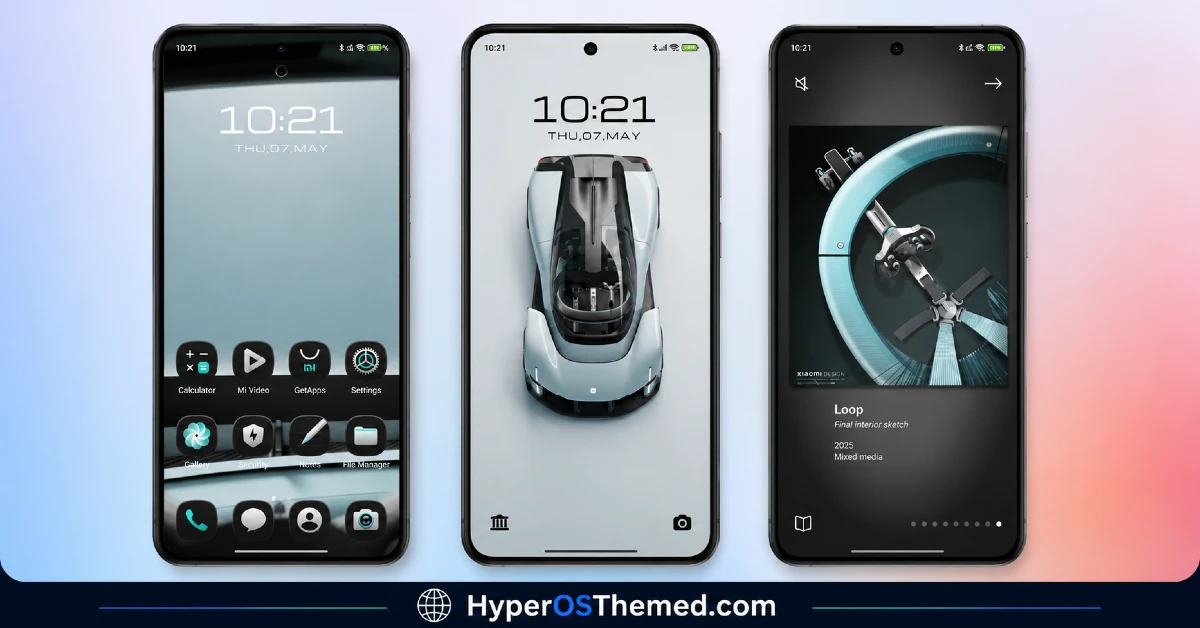
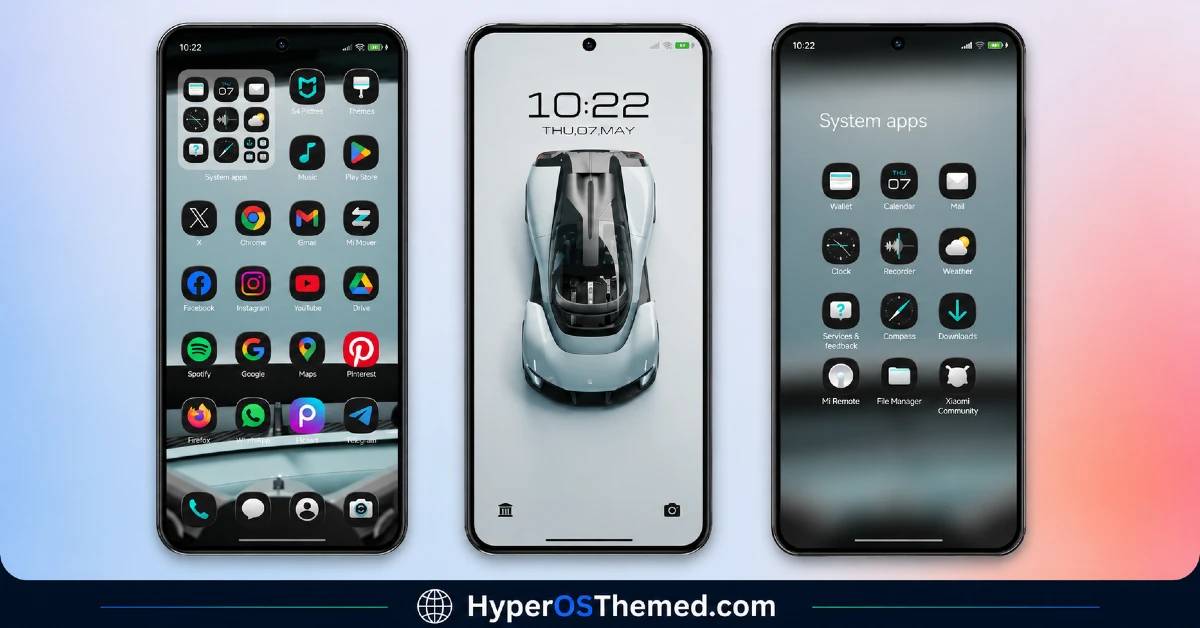
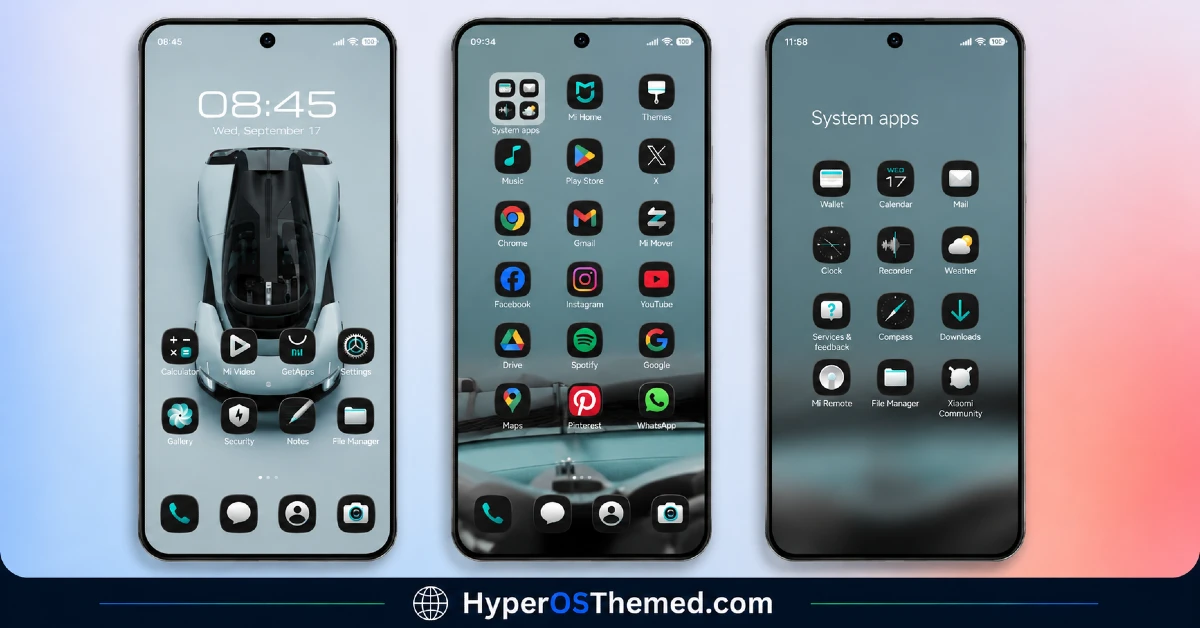
What You Get With Xiaomi Vision GT HyperOS Theme
- 3D depth-of-field icon style for a layered, dimensional look
- High-definition, colorful icon set
- Several wallpaper options to switch between
- Redesigned lock screen
- Refreshed status bar
- Custom Always-on Display style
- Fully free, no purchase or subscription needed
- Runs smoothly on Xiaomi, Redmi, and POCO devices on HyperOS
Xiaomi Vision GT HyperOS Theme Info
| Detail | Info |
|---|---|
| Theme Name | Xiaomi Vision GT HyperOS Theme |
| File Size | 57.36 MB |
| Created By | Mydul 0.1 |
| Server Region | Global |
| Works With | HyperOS, HyperOS 2.0, HyperOS 3.0 |
| Category | Premium, 3D Depth of Field |
Download the Theme
You can grab the Xiaomi Vision GT HyperOS Theme from the official Xiaomi Theme Store.
Installing on Stock HyperOS / MIUI (Official ROM Users)
If your device is running the official Global Stable build of HyperOS or MIUI, here’s how to get the theme applied:
- Open this page using the Firefox browser on your phone.
- Tap the official Theme Store link above.
- You’ll land on a Xiaomi theme page written in Chinese; don’t worry, that’s normal. Tap the three dots in the top-right corner and choose “Open in app.”
- This hands the page off to your Themes Store app, where the theme will start downloading.
- Once it’s downloaded, hit Apply and you’re done.
Heads up: If the Theme Store link refuses to open, switch to Chrome or your phone’s default Xiaomi browser instead. Some third-party browsers don’t play well with this redirect.
Installing via MTZ File (Custom ROM Users)
Running a custom build like Xiaomi.eu, MIUIRoom, or another MIUI/HyperOS-based ROM? You’ll need to sideload the .mtz file manually:
- Download the
.mtzfile from the link above. - Open the Theme Store app and go to the Themes tab.
- Scroll down to the bottom and tap Import.
- Select the
.mtzfile you just downloaded. - Tap Apply to activate it.
Tip: Give your phone a restart after applying the theme. Occasionally an icon or status bar element won’t render correctly until the UI reloads fresh. This theme has been checked thoroughly and applies cleanly with no glitches.
Final Thoughts
The Xiaomi Vision GT HyperOS Theme is one of those rare free downloads that actually feels like it belongs in a paid theme pack. Between the 3D icon depth, the multiple wallpaper choices, and the reworked lock screen and AOD, it’s a solid way to make your Xiaomi, Redmi, or POCO device stand out without spending anything. If your phone’s been feeling a bit stale lately, this is an easy five-minute fix: download it, apply it, and enjoy a home screen that actually looks like yours.
You May Also Like:
- Liuli OS 27 iOS 27 – Style Theme for POCO, Redmi & Xiaomi Devices
- Best iOS Style HyperOS theme Black for POCO, Xiaomi and Redmi Devices
- Best Cyberpunk Anime Theme For MIUI & HyperOS (2026)
- iOS ProMotion Theme Xiaomi HyperOS for Poco, Redmi and Xiaomi devices
- Kepal ApiiV2 HyperOS Theme — iOS-Style Theme For Redmi, Xiaomi and POCO
