
Not every good theme needs a huge file size or a dozen wallpaper packs to make an impression. The OX Mix HyperOS Theme proves that it’s a compact 16 MB download built around a full black icon set, a bit of 3D styling, and a lock screen that actually moves instead of just sitting there. If you want your Xiaomi, Redmi, or POCO phone to look sharper without hunting through a massive theme library, this one’s worth the two-minute install.
What Makes OX Mix HyperOS Theme Worth Installing
Most stock HyperOS themes recycle the same bright, flat icon style you’ve already seen a hundred times. OX Mix goes the opposite direction: dark, minimal icons with a 3D touch that gives the whole home screen a moodier, more premium feel. Pair that with a dynamic lock screen and a redesigned Always-on Display, and you get a theme that changes more than just your wallpaper; it changes how the phone feels to use day to day. And since it’s free, there’s no real reason not to try it.
OX Mix HyperOS Theme Preview
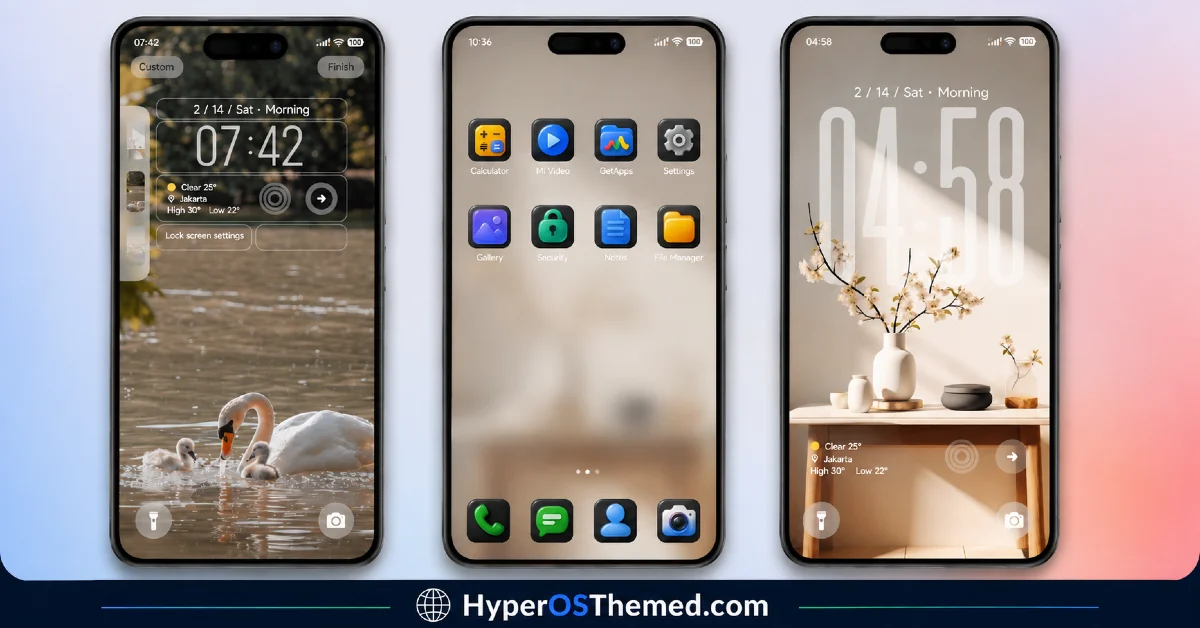
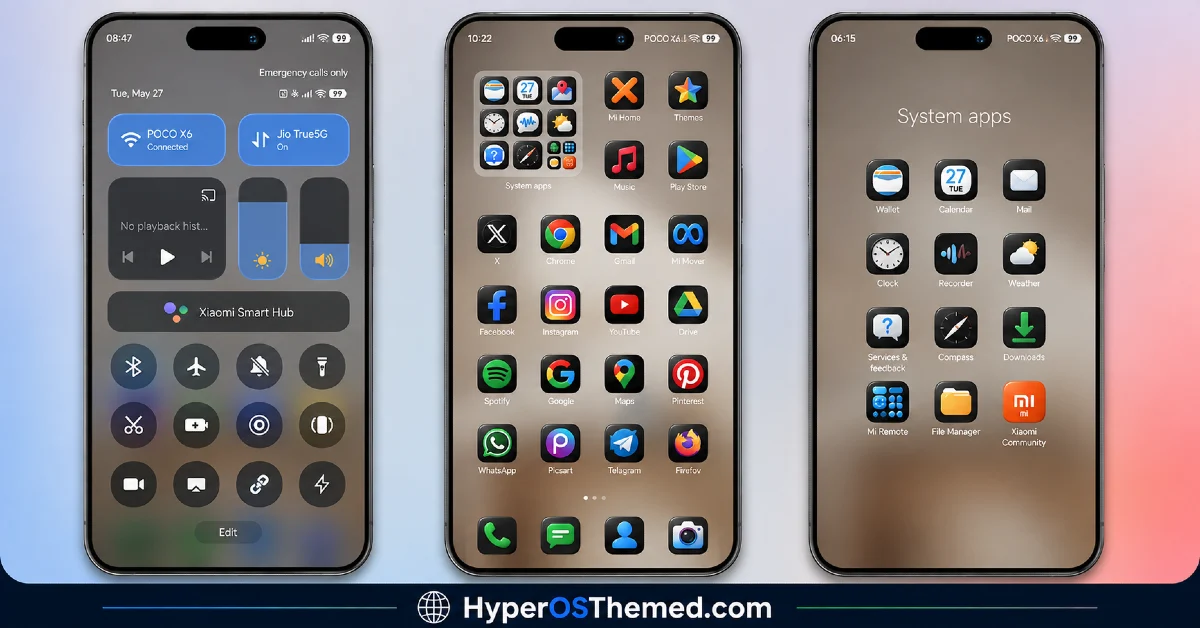
What You Get With This Theme
- Full black icon set with a 3D finish
- Dynamic, animated-style lock screen
- Custom Always-on Display design
- Redesigned status bar
- Fresh, matching wallpaper
- Lightweight file size (just over 16 MB)
- Completely free — no in-app purchase required
- Works across Xiaomi, Redmi, and POCO devices on HyperOS
A Quick Note on Credit
This theme was hand-built by its creators, oxfury and Masuod, using a mix of original and third-party design resources. It’s shared here for you to enjoy on your own device, but re-uploading it elsewhere or passing it off as your own work isn’t okay, the people who made it put real time into it, so if you’re sharing it further, link back to the original creators instead of re-hosting the files. If you run into a bug or have feedback, you can reach the creators directly on Telegram through their channels @englishthemesoxfury and @ThemeMasuod.
OX Mix HyperOS Theme Information
| Detail | Info |
|---|---|
| Theme Name | OX Mix HyperOS Theme |
| File Size | 16.31 MB |
| Created By | oxfury 0.2 |
| Server Region | Global |
| Works With | HyperOS, HyperOS 2.0, HyperOS 3.0 |
| Style | 3D, Black Icons, Dynamic Lock Screen |
Download the Theme
Installing on Stock HyperOS / MIUI (Official ROM Users)
If your phone is running the official Global Stable build of HyperOS or MIUI, follow these steps:
- Open this page using the Firefox browser on your phone.
- Tap the official Theme Store link in the download section above.
- You’ll land on a Xiaomi theme page written in Chinese — that’s expected. Tap the three dots in the top-right corner and choose “Open in app.”
- This hands off to your Themes Store app, where the download starts automatically.
- Once it finishes downloading, tap Apply.
If your device is on MIUI 14, the same steps above will work without any changes.
Heads up: If the Theme Store link doesn’t open properly, try switching to Chrome or your phone’s default Xiaomi browser. Some third-party browsers block this redirect.
Installing via MTZ File (Custom ROM Users)
Running a custom build like Xiaomi.eu, MIUIRoom, or another MIUI/HyperOS-based ROM? Sideload the file manually instead:
- Download the
.mtzfile from the link above. - Open the Theme Store app and go to the Themes tab.
- Scroll to the bottom and tap Import.
- Select the
.mtzfile you just downloaded. - Tap Apply.
Tip: Restart your phone after applying the theme. If any icon, wallpaper, or lock screen element looks slightly off right after applying, a quick restart almost always clears it up. This theme has been tested and applies cleanly with no reported issues.
Final Thoughts
The OX Mix HyperOS Theme is a good pick if you’re after something darker and a little more distinctive than the usual bright, cartoonish theme packs. The black 3D icons alone give your home screen a completely different mood, and the dynamic lock screen makes it feel less static than most free themes out there. At just 16 MB, there’s really no downside to trying it out — download it, apply it, and see how it looks on your own device.
You May Also Like:
- GOD7V2 Theme Xiaomi For HyperOS And MIUI
- Maxos26 HyperOS Theme with Dynamic Lock Screen & Dynamic Icons
- Lovely HOS3 HyperOS Theme – Pink Floral Design for Xiaomi, Redmi and POCO
- Best HyperOS 3.0 Theme AS Neon Dark Mode For POCO, Xiaomi and Redmi Devices
- Colorful 26 HyperOS Theme With a Genuine Liquid Glass Feel
