
Icons are usually the part of a theme that gets the least thought, a quick recolor and move on, but Muses HyperOS Theme treats them as the entire point. Designed by Lilfox, this HyperOS theme builds its whole identity around a genuinely detailed, artistic icon set rather than a wallpaper gimmick or lock screen animation.
It’s distributed as both a standalone MTZ file and a separate backup file, with the backup running noticeably larger at 90.8 MB against the MTZ’s 75 MB. Built for Xiaomi, Redmi and POCO devices, it comes with separate installation guides for HyperOS 1.0 versus HyperOS 2.0 and 3.0, so it’s clearly meant to reach a wide range of devices rather than just the newest ones.
Muses HyperOS Theme Features
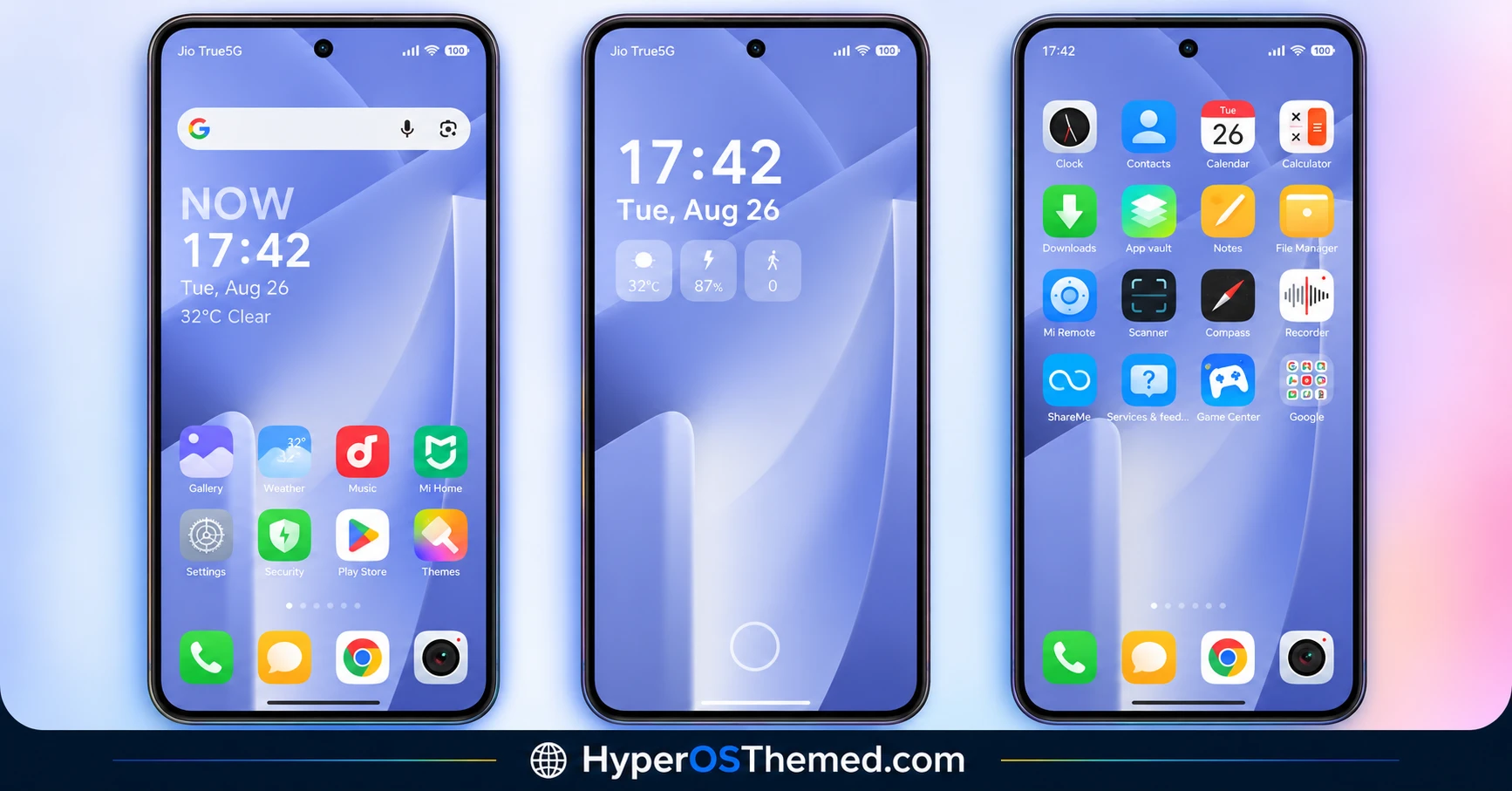
- Gorgeous, Detailed Icon Set: The defining feature of Muses is its icon pack, built with a level of visual detail and artistry that goes beyond the flat, simplified icons most HyperOS themes ship with. This is clearly where most of the design effort went, and it shows in how distinct the home screen feels compared to stock.
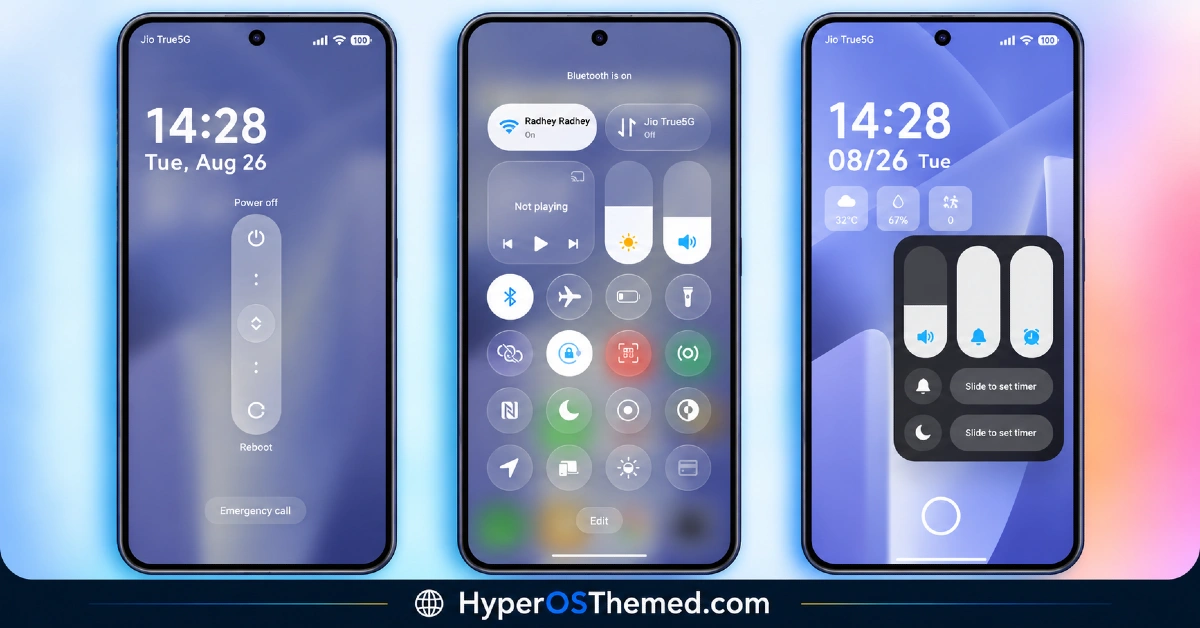
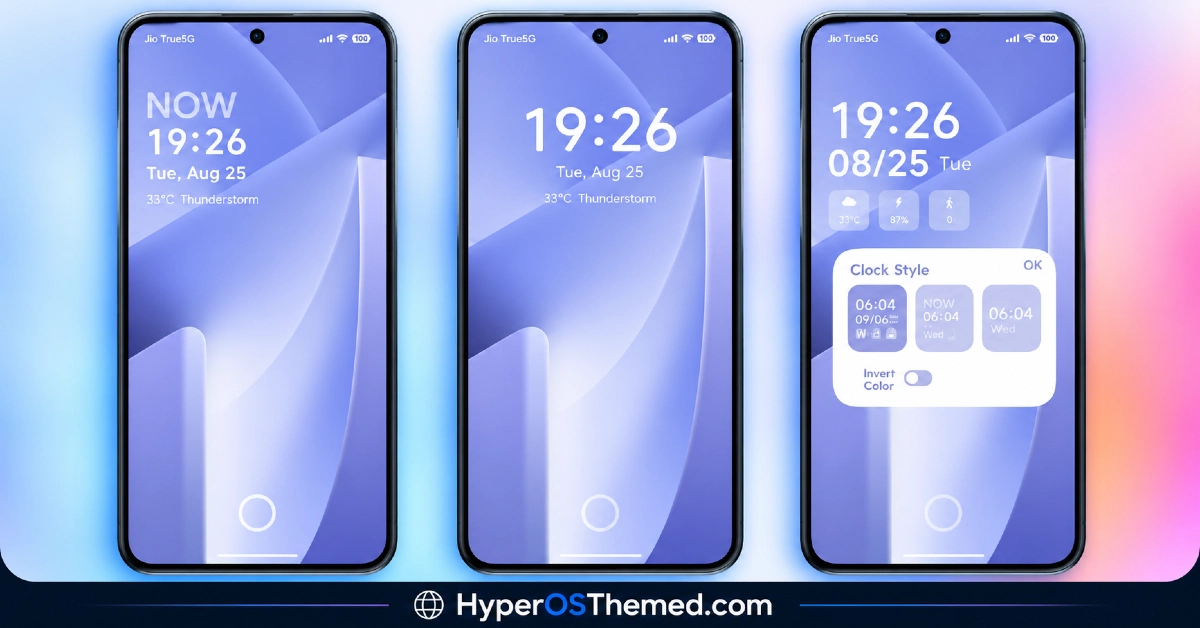
- Redesigned Lock Screen: The lock screen gets a layout refresh to complement the icon styling, with adjusted spacing and clock placement that moves away from the stock HyperOS design. It’s a noticeable shift once applied, though it plays a supporting role to the icon work rather than being the main attraction.
- Revamped Control Center: Quick toggles and panel styling get a visual update in line with the rest of the theme. The core layout stays familiar, so it reads as a styling refresh rather than a functional overhaul.
- Version-Specific Installation Guides: Muses provides separate video guides for installing on HyperOS 1.0 versus HyperOS 2.0 and 3.0. This kind of version-aware installation support helps reduce setup confusion, particularly for anyone on an older device.
- Dual File Distribution: The theme comes as both a 75 MB MTZ file and a larger 90.8 MB backup file. Most users installing through the standard method will only need the MTZ file, with the backup mainly useful for anyone wanting a full restore point.
- Full UI Consistency: Beyond icons and the lock screen, the theme extends its visual language across the Dialer, Settings and Messages apps so nothing feels left untouched. This keeps the artistic icon design from feeling isolated to just the home screen.
Muses HyperOS Theme Preview
The screenshots below show the detailed icon set, the redesigned lock screen and how the control center looks once the theme is applied. Since the icons are really the star of this theme, it’s worth looking closely at the preview to appreciate the level of detail before downloading.
Muses HyperOS Theme Details
| Attribute | Details |
|---|---|
| Availability | Free, via Xiaomi Theme Store |
| Supported Devices | Xiaomi, Redmi and POCO phones running HyperOS |
| Theme Name | Muses |
| Designer | Lilfox |
| Compatibility OS | HyperOS 1.0 | 2.0 | 3.0 |
| Features | Gorgeous detailed icon pack, redesigned lock screen, revamped control center, full system UI consistency |
| File Size | 75 MB (MTZ file), 90.8 MB (Backup file) |
Muses Theme Compatibility
Muses HyperOS Theme Xiaomi is built for HyperOS and works across Xiaomi, Redmi and POCO devices, with separate installation guides provided for HyperOS 1.0 compared to HyperOS 2.0 and 3.0. This version-specific approach helps reduce the setup issues that often crop up when a single install method is expected to work across very different HyperOS builds.
Custom ROM users on setups like Xiaomi.eu, MIUIRoom, MIUI SR or HyperOS CN can still bring the theme in manually through the MTZ file, though given the level of icon detail involved, results may render with slightly less sharpness outside the official global stable ROM. Given the larger backup file size, it’s worth checking available storage if planning to download both files.
Get Muses HyperOS Theme
Download Muses only through the official Theme Store link rather than random third-party file-sharing sites or unofficial APK sources. Files circulating outside official channels are difficult to verify and may not match the version Lilfox actually released, sometimes carrying unwanted changes. Sticking to the official Theme Store keeps the installed version consistent with the intended design and ensures future updates remain accessible.
How to Apply Muses HyperOS Theme
Follow the steps below to apply the theme:
- Open the Theme Store link given above on your Xiaomi, Redmi or POCO device.
- This will redirect you to the Theme Store.
- Download and install the theme.
- Tap on Apply.
- Customize specific elements such as icons, lock screen or status bar if needed.
- Reboot your device for the full effect, though this step is optional.
Note: If anything looks overlapped or fails to display correctly right after installing, restarting the device usually clears it up without further steps. This theme has gone through careful checks on HyperOS without any major issues turning up in that process. Still, if something looks off on a specific device once it’s applied, leaving a comment with the details helps get it looked into.
Installing Muses HyperOS Theme on Custom ROM Devices
Devices running a Custom ROM such as Xiaomi.eu, MIUIRoom, MIUI SR or HyperOS CN aren’t able to use the direct Theme Store link, so the MTZ file needs to be brought in manually through the Theme Store app. Here’s how that works:
- Grab the MTZ file for Muses from the download section.
- Open the Theme Store app.
- Go into the Themes tab.
- Scroll down to find the Import option, then tap it.
- Use the file manager to locate the downloaded .mtz file.
- Wait for the import process to finish.
- Tap the theme once it appears in the list to apply it.
Why Choose Muses HyperOS Theme?
- Genuinely artistic icon design — a level of detail that stands apart from typical flat icon packs.
- Version-specific install guides — separate instructions for HyperOS 1.0 versus 2.0/3.0 reduce setup confusion.
- Full system consistency — the icon aesthetic carries through Dialer, Settings and Messages, not just the home screen.
- Two file options available — choose between the standard MTZ file or the full backup depending on need.
- Redesigned lock screen layout — complements the icon work with its own visual refresh.
- Broad device compatibility — works across Xiaomi, Redmi and POCO phones running HyperOS.
- Free through the official Theme Store — no cost involved and no need for third-party sources.
- Consistent control center styling — toggle icons and panel design align with the rest of the theme.
Conclusion
Muses HyperOS Theme makes its case with genuinely well-crafted icons rather than a gimmick, and that focus shows in how much more considered the home screen feels compared to most theme packs chasing flashier features. The version-specific install guides and dual file options add some welcome flexibility for devices on either older or newer HyperOS builds. For Xiaomi, Redmi and POCO users who care about icon design more than lock screen animations, Muses is well worth trying.
You may also like:
OX 3D1 HyperOS Theme with Liquid Glass Depth Effect for Xiaomi, POCO, Redmi
VKOX HyperOS Theme for Xiaomi, POCO and REDMI Phones
JellyB HyperOS Theme with Dark Sea Colour Palette for Xiaomi, POCO and REDMI Phones
Gaze of Night HyperOS Theme with Premium Black for Xiaomi, POCO and REDMI Phones
