
Hey Xiaomi Lovers, if your home screen has started feeling a little too familiar, LIUI Extreme HyperOS Theme might be exactly the shake-up you’re after. This one doesn’t play it safe with a simple icon swap, it goes all in on reworking the lock screen, control center and core system apps into a single, connected look for your Xiaomi, Redmi or POCO device. Designed by LIUI and available as both a standalone MTZ file and a separate backup file, it’s built for people who want their theme to actually change how the phone feels to use, not just how it looks in screenshots. At 73.1 MB for the main file, with the backup pushing past 90 MB, it’s clearly packing in a fair amount of detail.
LIUI Extreme HyperOS Theme Key Features
- Full System Redesign: LIUI Extreme HyperOS Theme changes the visual style of the lock screen, control center, dialer, messages and settings together rather than leaving certain apps untouched. This kind of complete coverage helps the interface feel unified instead of stitched together from separate icon and wallpaper swaps.
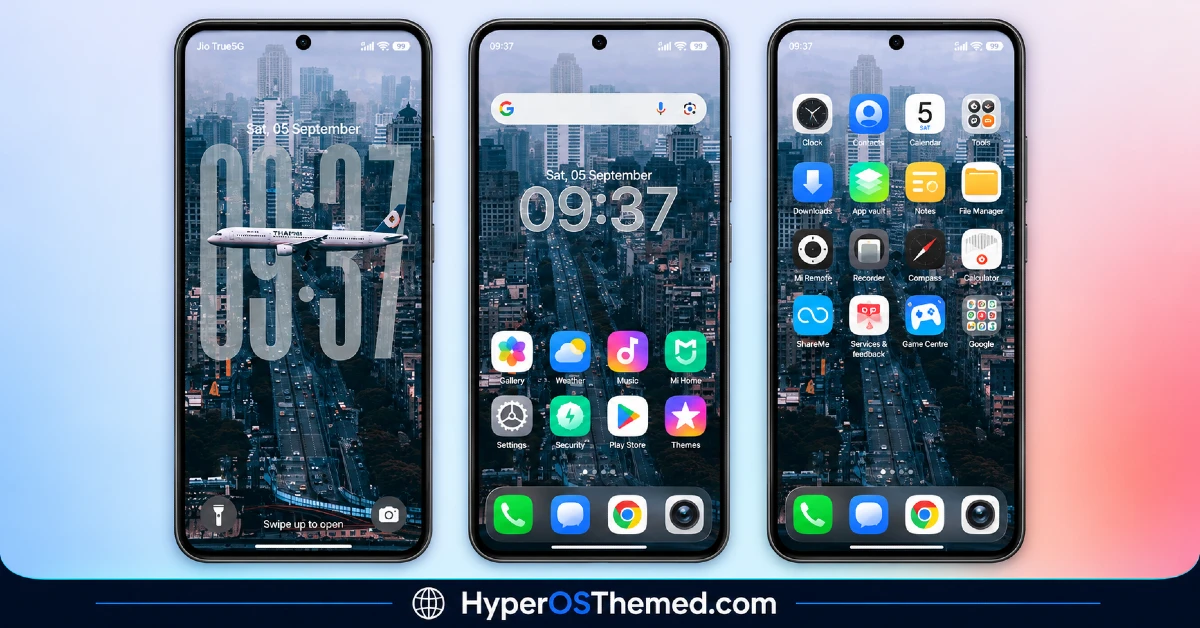
- Custom Icon Pack: System and popular third-party app icons get a redesigned look with a consistent style running through them. As with most icon packs, a portion of less common apps may retain their default icons since full coverage across every installed app isn’t typical.
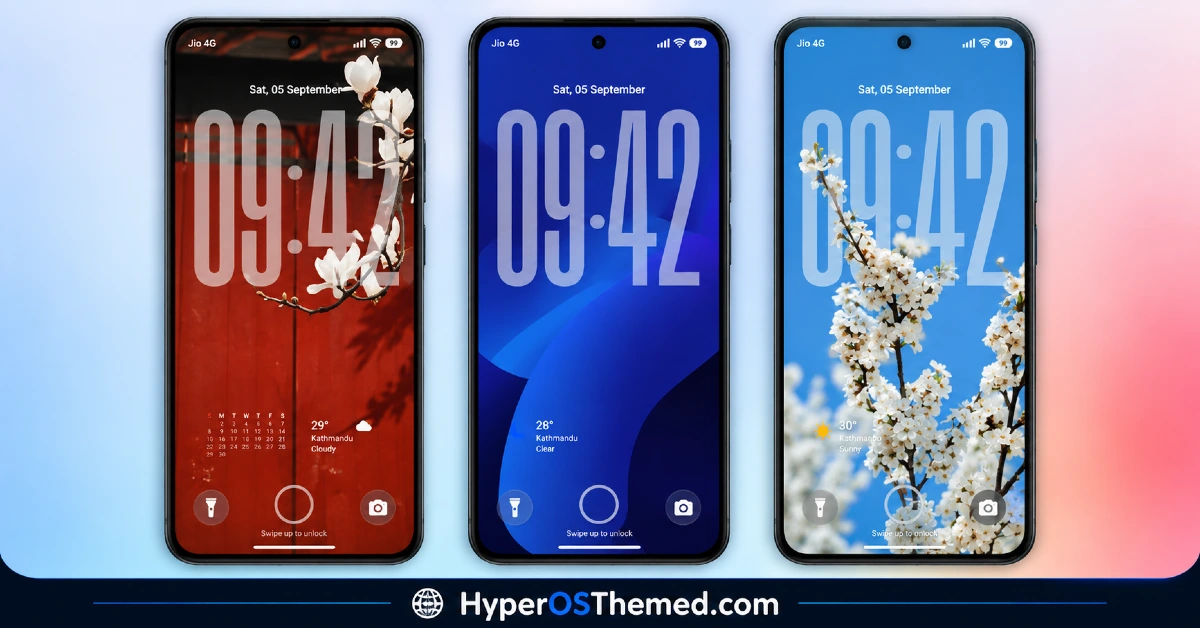
- Redesigned Lock Screen: The lock screen layout is restructured with adjusted clock placement and spacing changes that set it apart from the stock HyperOS design. This tends to be one of the more immediately noticeable changes once the theme is applied.
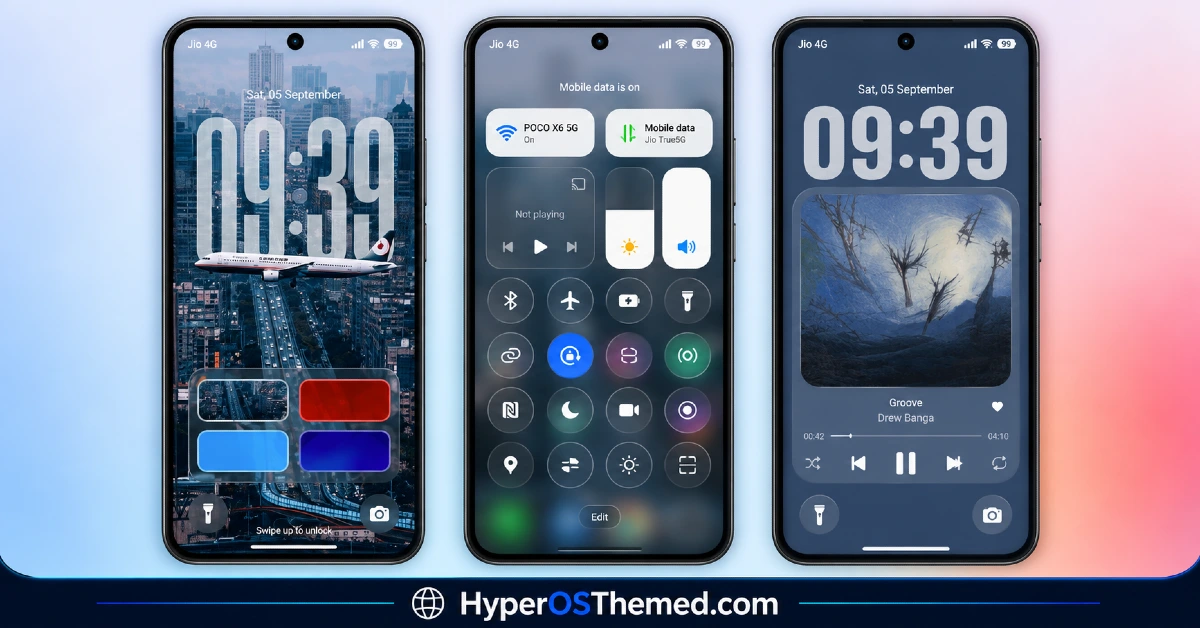
- Updated Control Center: Quick toggle icons and the overall panel design get a visual refresh in line with the rest of the theme. The functional layout of the toggles stays largely familiar, so it reads more as a styling update than a structural change.
- Version-Specific Installation Guides: LIUI Extreme provides separate installation instructions for HyperOS 1.0 compared to HyperOS 2.0 and 3.0. This kind of version-aware guidance helps reduce the setup confusion that often comes with themes trying to cover a wide range of HyperOS builds under one process.
- Dual File Distribution: The theme is available as a standard MTZ file alongside a considerably larger backup file. Most users installing through the regular method will only need the 73.1 MB MTZ file, with the backup mainly useful for those wanting a full restore point.
LIUI Extreme Theme Preview
The screenshots below show the redesigned icon pack, the updated lock screen and how the control center panel looks once the theme is applied. Given how much of the system this theme touches, it’s worth reviewing the full preview set rather than a single screenshot to get an accurate sense of the overall look.
LIUI Extreme HyperOS Theme Details
| Attribute | Details |
|---|---|
| Availability | Free, via Xiaomi Theme Store |
| Supported Devices | Xiaomi, Redmi and POCO phones running HyperOS |
| Theme Name | LIUI Extreme |
| Designer | LIUI |
| Compatibility OS | HyperOS 1.0, HyperOS 2.0 and HyperOS 3.0 |
| Features | Full system redesign, custom icon pack, redesigned lock screen, updated control center, version-specific install guides |
| File Size | 73.1 MB (MTZ file), 91.8 MB (Backup file) |
LIUI Extreme HyperOS Theme Compatibility
LIUI Extreme covers a wide compatibility range, supporting HyperOS 1.0 as well as HyperOS 2.0 and 3.0 across Xiaomi, Redmi and POCO devices. Since the installation process differs between HyperOS 1.0 and the newer 2.0/3.0 builds, following the specific guide that matches the installed version is important rather than assuming one method applies across the board.
Custom ROM users on setups like Xiaomi.eu, MIUIRoom or HyperOS CN can still bring the theme in manually through the MTZ file, though given how extensively this theme modifies the system, there’s a slightly higher chance of minor visual inconsistencies on non-stock ROMs. Given the larger file sizes involved, particularly if downloading the backup file as well, it’s worth confirming there’s enough storage available before starting the installation.
Get LIUI Extreme HyperOS Theme
Download LIUI Extreme only through the official Theme Store link rather than random third-party file-sharing sites or unofficial APK sources. Files hosted outside verified channels are difficult to confirm as unaltered and may not match what LIUI actually released, sometimes carrying unwanted extras. Sticking to the official Theme Store keeps the installed version consistent with the intended design and ensures future updates remain accessible.
How to Apply LIUI Extreme Theme
Follow the steps below to apply the theme:
- Open the Theme Store link given above on your Xiaomi, Redmi or POCO device.
- This will redirect you to the Theme Store.
- Download and install the theme.
- Tap on Apply.
- Customize specific elements such as icons, lock screen or status bar if needed.
- Reboot your device for the full effect, though this step is optional.
Note: If any overlapping menus or display glitches appear right after installing, restarting the device usually clears them up without further steps. This theme has gone through checks across its supported HyperOS versions without any major issues coming up in that process. Still, if something looks off on a specific device once it’s applied, leaving a comment with the details helps get it looked into.
Installing LIUI Extreme Xiaomi on Custom ROM Devices
Devices running a Custom ROM such as Xiaomi.eu, MIUIRoom, MIUI SR or HyperOS CN aren’t able to use the direct Theme Store link, so the MTZ file needs to be brought in manually through the Theme Store app. Here’s how that works:
- Grab the MTZ file for LIUI Extreme from the download section.
- Open the Theme Store app.
- Go into the Themes tab.
- Scroll down to find the Import option, then tap it.
- Use the file manager to locate the downloaded .mtz file.
- Wait for the import process to finish.
- Tap the theme once it appears in the list to apply it.
Why Choose LIUI Extreme Theme?
- Complete system coverage — lock screen, control center, dialer and messages all get updated together instead of just the icons.
- Broad HyperOS support — works across HyperOS 1.0, 2.0 and 3.0 rather than a single version.
- Version-specific install guidance — separate instructions for HyperOS 1.0 versus 2.0/3.0 reduce setup confusion.
- Distinct icon redesign — icons carry a consistent style rather than a simple recolor of stock assets.
- Two file options available — choose between the standard MTZ file or the full backup depending on the need.
- Redesigned lock screen layout — a clear visual shift from the stock HyperOS lock screen.
- Free through the official Theme Store — no cost involved and no need for third-party sources.
- Consistent control center styling — toggle icons and panel design align with the rest of the theme.
Conclusion
LIUI Extreme HyperOS Theme is built for anyone who wants a genuinely complete redesign rather than a surface-level icon swap, covering everything from the lock screen to core system apps in one package. The larger file sizes and the need to follow version-specific installation steps are worth planning around, but neither should complicate the setup for anyone paying attention to which guide matches their HyperOS version. For Xiaomi, Redmi and POCO users chasing a more thorough, full-system theme, LIUI Extreme is worth trying.
You may also like:
Translucent HyperOS Theme with iOS-Inspired Glass Effect for Xiaomi, POCO and REDMI Phones
Equinox HyperOS Theme for Xiaomi, POCO and REDMI Phones
OX S1 HyperOS Theme for Xiaomi, POCO and REDMI Phones Designed By OXFURY
Pooxel HyperOS Theme With Google Pixel Inspired Theme for Xiaomi, POCO and REDMI Phones
