
There’s a certain kind of person who opens a theme store and immediately scrolls past anything with flashing effects or oversized clocks, looking instead for something that just gets out of the way. Homologous, designed by Alimun, is built exactly for that person. After trying it out, I think it’s one of the cleanest, most restrained themes I’ve come across recently.
What Makes Homologous Worth Trying
The wallpaper is the emotional core of this theme, a serene beach sunset that feels calm rather than dramatic. Soft, warm tones without anything competing for your attention, it’s the kind of background you can look at fifty times a day and never get tired of. That same restraint carries through to the lock screen, where minimal white typography sits quietly against the sunset backdrop, easy to read, nothing overdesigned.
The Homologous iOS-style HyperOS theme pairs that calm wallpaper with a sleek dark icon pack modeled after Apple’s design language. Clean, uniform shapes with none of the mismatched clutter you sometimes get when a theme borrows icon inspiration from multiple sources. Everything here feels like it belongs to the same visual family.
Homologous iOS-Style HyperOS Theme Preview
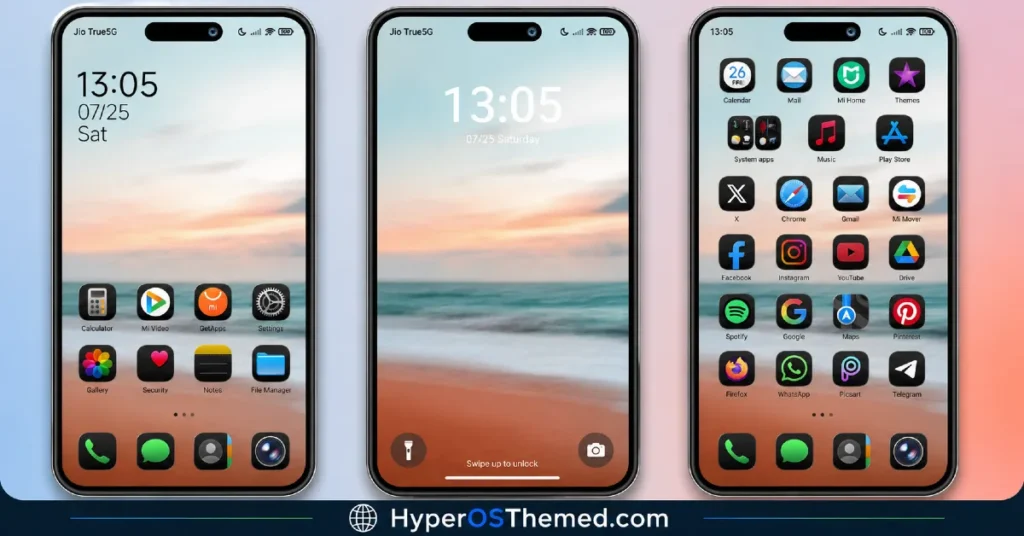
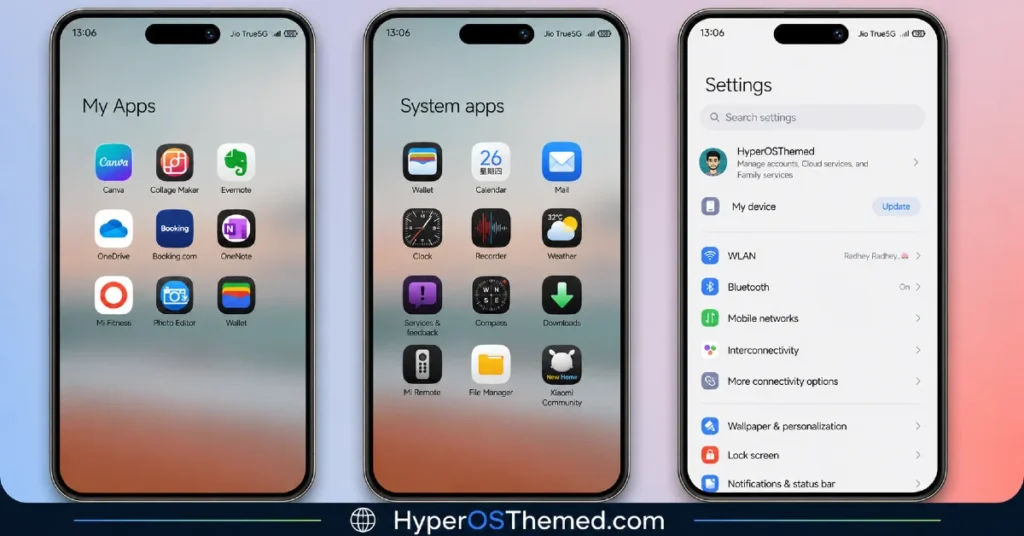
Homologous iOS-Style HyperOS Theme Features
A lot of themes try to impress you with a dozen features at once, widgets, animations, oversized typography, layered effects. Homologous does the opposite, and it’s stronger for it. Every element earns its place, the wallpaper sets the mood, the typography stays out of the way, and the dark iOS icons tie the whole thing together without adding visual noise. It’s proof that clean and minimal doesn’t have to mean boring.
Beyond the standout wallpaper and lock screen, Homologous brings the expected full package, freshly designed icons, a reworked status bar, and an Always-on Display that keeps the same pure, distraction-free tone running through your idle screen too.
Who Should Try Homologous iOS-Style HyperOS Theme?
If you want your Xiaomi, Redmi, or POCO device to feel calm and uncluttered without giving up on style entirely, Homologous is a genuinely solid pick. It’s compatible with HyperOS, HyperOS 2.0, and HyperOS 3.0, completely free, and light enough at just over 10 MB that it costs you almost nothing to try.
Homologous iOS-Style HyperOS Theme Details
| Detail | Info |
|---|---|
| Theme Name | Homologous |
| File Size | 10.63 MB |
| Designer | Alimun |
| Region/Server | Global |
| Compatibility | HyperOS, HyperOS 2.0, HyperOS 3.0 |
| Features | Dark iOS Icons, Pure Design, Clean Layout, Minimal Typography |
The designer left a short note with this release too: “Probably Nothing,” alongside a Telegram handle for anyone who wants to follow more of their work: @fauzone07.
Getting the Theme
Installing on Global Stable ROM
If your device is running the standard HyperOS or MIUI Global stable build, here’s how to install it:
- Open this page using the Firefox browser, since it handles the redirect best.
- Tap the Official Theme Store Link above.
- The page will open in Chinese, which is expected. Tap the three dots in the top right corner and select “Open in app.”
- This opens the Theme Store app, where the download will begin.
- Once it’s downloaded, tap Apply.
If the Official Theme Store Link doesn’t open properly, switch to Chrome or your phone’s default browser. Some third party browsers don’t handle this redirect correctly.
Installing on Custom ROMs
Running a custom build like Xiaomi.eu, MIUIRoom, or similar? Here’s the manual install method using the mtz file:
- Download the Homologous mtz file from the link above.
- Open the Theme Store app and go to the Themes section.
- Scroll to the bottom and tap Import.
- Select the downloaded mtz file.
- Tap Apply.
One thing worth remembering: restart your device if anything looks slightly off after applying. A quick reboot usually clears it up right away. I tested this theme myself, and it ran smoothly with no issues at all.
Final Thoughts
The Homologous iOS-style HyperOS theme is a genuinely refreshing take on minimalism, calm, considered, and free of unnecessary noise. Alimun clearly understood that restraint can be its own kind of style. If you’re after a clean, distraction-free look that still feels premium, this one’s absolutely worth downloading.
You May Also Like:
- Voidfall HyperOS Theme with Dark Skin and stunning 3D Depth-of-field Effects
- Luna iOS-Style HyperOS Theme For Xiaomi, Redmi & POCO
- Black Flower HyperOS Theme Best For POCO, Redmi & Xiaomi
- Colorful 26 HyperOS Theme With a Genuine Liquid Glass Feel
- Best HyperUI V4 HyperOS Theme For Poco, Redmi and Xiaomi Devices
