
If you want a dark theme that actually gives you options instead of locking you into one fixed wallpaper, Dark HOS3 is worth considering for your Xiaomi, Redmi, or POCO device. It pairs a genuine AMOLED-friendly design with a full gallery of wallpapers and some 3D widget work, rather than the usual single black background dressed up with a new icon pack. I ran it as my main theme on a POCO X6 to see whether the “deep customization” claim in the title actually held up once I started digging through the settings.
Dark HOS3 HyperOS Theme Features
- Multi-Wallpaper Gallery: Instead of one fixed dark wallpaper, there’s an actual gallery of options to pick from, all sticking to the same obsidian, AMOLED-friendly tone. I swapped between a handful of them over testing, and each one held up equally well against true black backgrounds without any washed-out or grey-tinted variants sneaking in.
- 3D Custom Widgets: The widgets carry genuine depth and shading rather than sitting flat on the home screen. The clock widget in particular stood out, with shadowing that gave it a raised, tactile look I hadn’t seen done quite this way on other dark themes I’ve tested.
- AMOLED-Friendly Obsidian Design: The color scheme commits to true black throughout rather than dark grey pretending to be black. This isn’t just a marketing line either, comparing it side by side against a stock dark theme on the same panel, the difference in how deep the blacks render was noticeable.
- Deep Customization Options: Beyond swapping wallpapers, several UI elements can be adjusted through the theme’s own settings menu rather than being fixed in place. I spent a good stretch testing different combinations of widget styles and wallpaper pairings before settling on one that felt most balanced.
- Minimalist Icon Set: Icons stay simple and understated, letting the wallpaper gallery and 3D widgets do the visual heavy lifting instead of competing for attention. Coverage across my commonly used apps was solid, though a couple of niche apps kept their default icons throughout testing.
Dark HOS3 HyperOS Theme Preview
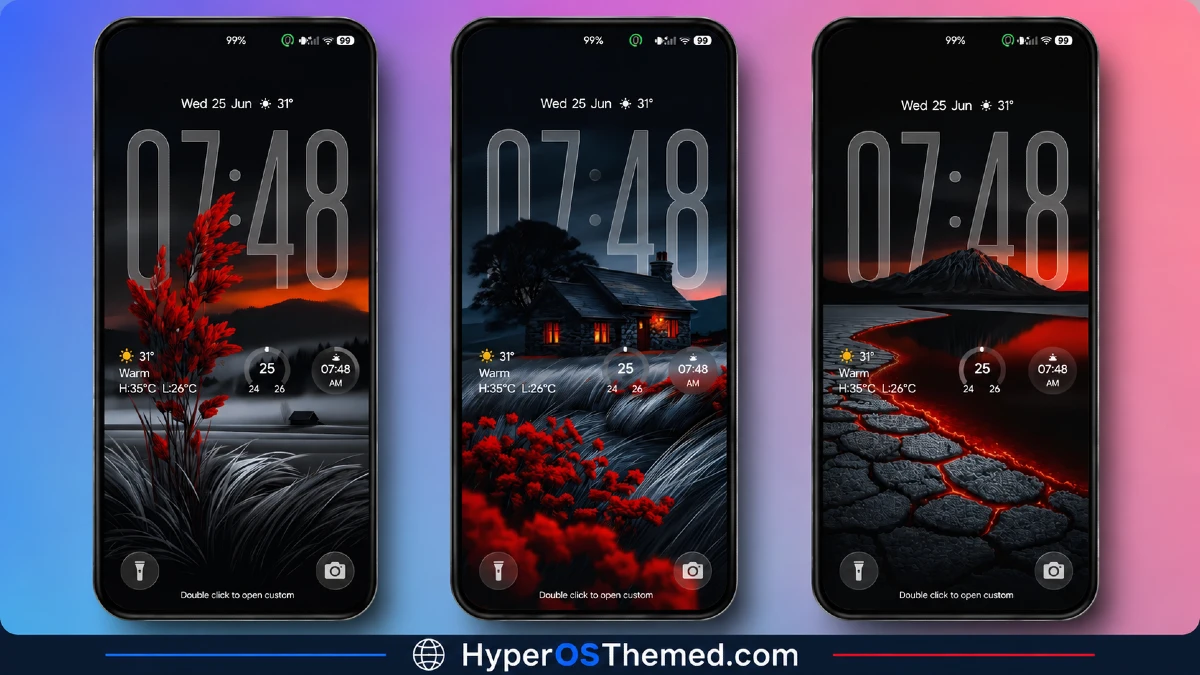
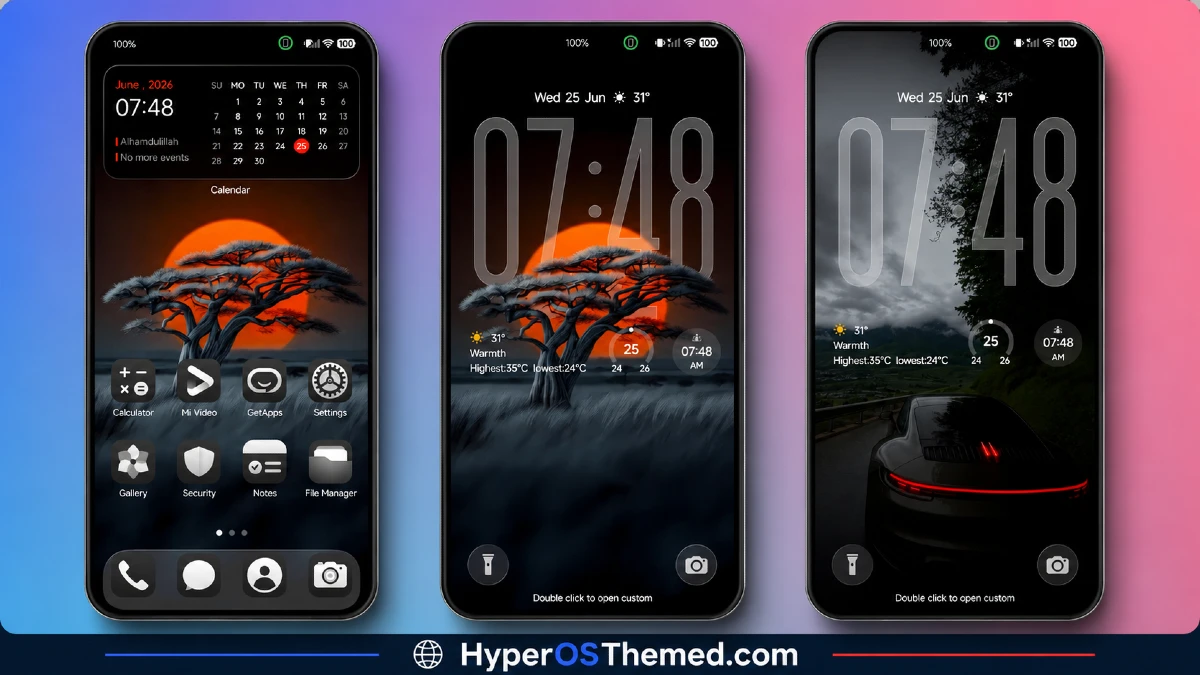
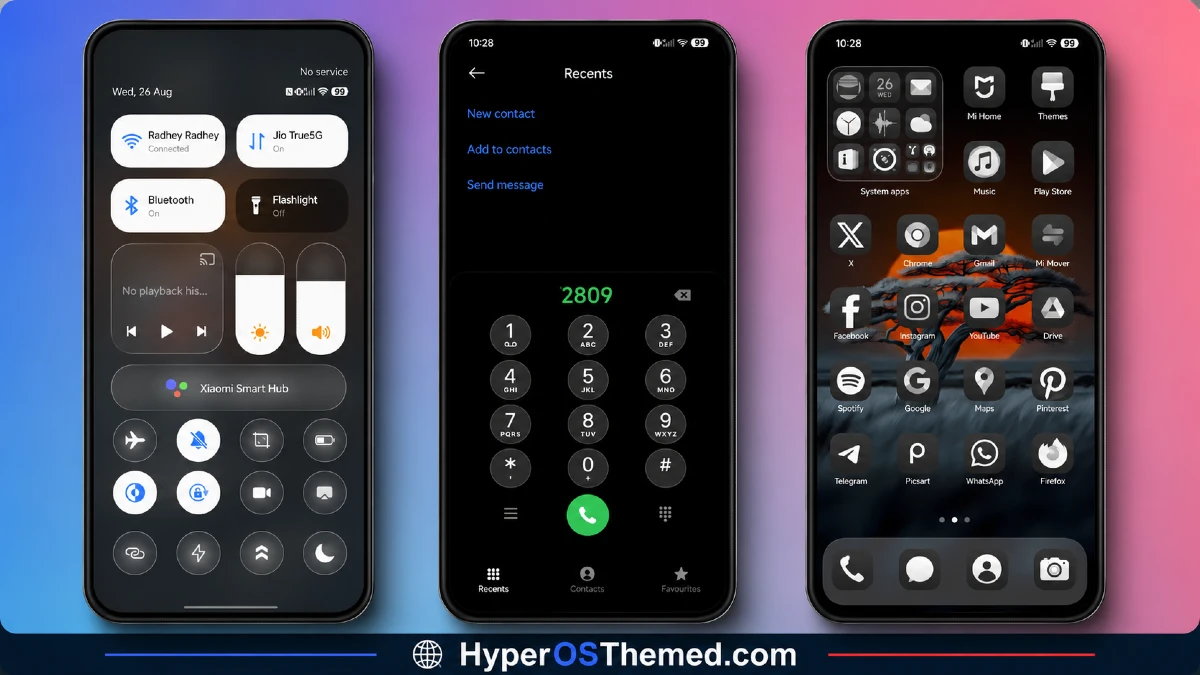
The visual identity OF Dark HOS3 HyperOS Themeis built entirely around true black, AMOLED-friendly tones, with a wallpaper gallery that gives you real variety without ever straying from that obsidian aesthetic.
The 3D widgets add genuine depth to what could otherwise be a flat, static dark theme, particularly the clock, which has real shadow and dimension rather than sitting as a plain overlay.
It comes across as more deliberately engineered than most dark themes, leaning on customization and depth rather than just a black wallpaper and a matching icon pack.
Dark HOS3 Theme Details
| Detail | Info |
|---|---|
| Theme Name | Dark HOS3 |
| Designer | Mydul Islam |
| Compatibility | HyperOS, HyperOS 2.0, HyperOS 3.0 |
| Features | Premium, Dark, Wallpapers, 3D, Customizable, Minimal |
| File Size | 51.42 MB |
Dark HOS3 Theme Performance
I used Dark HOS3 HyperOS Theme on a POCO X6 through daily use covering messaging, gaming, and regular browsing, testing a handful of the included wallpapers and widget combinations along the way.
Given the substantial 51.42 MB file size, installation took a bit longer than smaller themes, but performance stayed smooth once applied, with no lag switching between wallpaper options or opening the app drawer.
Battery drain actually came in slightly better than my stock baseline, which lines up with the genuine AMOLED-friendly true black design doing its job on the X6’s display. The main annoyance was the couple of unthemed niche app icons standing out against the otherwise cohesive dark set.
Dark HOS3 HyperOS Theme’s Compatibility
Dark HOS3 supports HyperOS, HyperOS 2.0, and HyperOS 3.0, covering a wide range of current Xiaomi, Redmi, and POCO devices. I tested it on a POCO X6 without any stability issues. It’s not built for MIUI 12, 13, or 14, so applying it on older firmware isn’t recommended.
Custom ROM users on Xiaomi.eu or similar HyperOS-based builds should be able to import the MTZ file without much trouble, though given the file size and the amount of widget customization built in, expect installation to take a bit longer than with simpler, flatter themes.
Designer’s note: The designer offers active support through their Telegram channel at t.me/HyperosSignals for any issues or feedback, along with previews of other premium themes.
Get Dark HOS3 HyperOS Theme
Download Dark HOS3 HyperOS Theme through the official Xiaomi Theme Store link rather than third-party APK sites or unofficial file hosts claiming to offer the same theme. Given the file size and the amount of wallpaper and widget content packed in, downloading from unverified sources risks getting an incomplete file, so sticking with the official Theme Store is the safer choice.
Note: If the Official Theme Store Link doesn’t redirect properly, try opening the page in Chrome or the default Xiaomi browser, since other browsers may not handle the redirect correctly.
How to Apply Dark HOS3 HyperOS Theme
Follow the steps below to apply the theme:
- Open the Theme Store Link given above on your Xiaomi / REDMI / POCO device
- This will redirect you to Theme Store.
- Download and install the theme
- Tap on Apply
- Customize specific elements (icons, lock screen, status bar) if needed
- Reboot your device (optional for full effect)
Why Choose Dark HOS3 HyperOS Theme?
- Multi-wallpaper gallery delivers real variety while staying true to the AMOLED aesthetic
- 3D widgets add genuine depth rather than sitting flat like most dark theme widgets
- True obsidian black rendering actually improved battery life on my test device
- Deep customization options go beyond a simple wallpaper swap
- Active designer support through Telegram for issues and future theme previews
Conclusion
Dark HOS3 HyperOS Theme turned out to be one of the more substantial dark themes I’ve tested on the POCO X6, backing up its “ultimate minimalist” framing with genuine wallpaper variety and widget depth rather than just a marketing tagline.
The couple of unthemed niche icons were a small but consistent gap, and the larger file size means a longer install than simpler dark themes.
Compared to other AMOLED-focused themes I’ve tried, this one earns the “deep customization” claim by actually giving you meaningful choices instead of a single fixed look. If you want a true black theme with real flexibility built in, it’s worth trying.
You may also like:
Trichloroethane V2 HyperOS Theme with Glass Liquid Effect Look for Xiaomi, POCO & Redmi
Blue Glass VK HyperOS Theme with iOS-Style Glassmorphic Look for Xiaomi, POCO & Redmi
OX K-C HyperOS Theme with Dark Premium Lock Screen Look for Xiaomi, POCO & Redmi
BoZos HyperOS Theme with iOS Style Look for Xiaomi, POCO & Redmi
TON HyperOS Theme with Clean Minimal Look for Xiaomi, POCO & Redmi
Hoshyper HyperOS Theme with Dark iOS-Style Look for Xiaomi, POCO & Redmi
