
I first saw LIUI Sicily HyperOS Theme posted in a Xiaomi customization group where someone shared a screenshot of a 3D ring wallpaper that genuinely looked like it had depth to it, not just a flat image pretending to be 3D. That was enough to get me curious, so I tracked down the theme and installed it on my POCO X6 the same weekend. I kept it running, partly because the wallpaper collection is large enough that I wanted to actually cycle through most of them before writing anything about it.
LIUI Sicily HyperOS Theme Features
- 3D Depth Ring Wallpaper: This is the wallpaper that got my attention in the first place, and it does hold up in person. The layered depth effect creates a subtle parallax feel when you tilt the phone slightly, which I hadn’t seen done this convincingly on a HyperOS theme before.
- Travel-Themed Wallpaper Collection: Beyond the 3D ring, the pack includes wallpapers showing airport runways, coastal cliffs, and action sports shots. I rotated through five different ones over two weeks, and the variety alone made this feel like a proper wallpaper pack rather than a single-image theme with extras tacked on.
- Customizable Clock Styles: The lock screen clock isn’t locked to one design, you can switch between a few different styles directly from the customization menu. I settled on a slimmer digital font by the second week since the default style occasionally overlapped with notification previews on my X6.
- Blue-Toned System Interface: Settings, the control center, and other system menus carry a consistent blue accent rather than defaulting to plain black or white. It ties the whole experience together nicely, though I found the blue slightly overpowering in bright sunlight where contrast dropped a bit.
- Premium Icon Detailing: The icon pack matches the travel and depth theme with clean, detailed artwork rather than flat minimal shapes. Coverage across my main apps was strong, though a couple of niche apps reverted to default icons, which is fairly typical at this point across most themed icon packs I’ve tested.
- Large but Justified File Size: At 77.93 MB, this is one of the bigger themes I’ve tested, and it shows in the amount of wallpaper and clock variety included. Installation took noticeably longer than smaller themes, but given how much content is actually packed in, it felt reasonable rather than bloated.
LIUI Sicily HyperOS Theme Preview
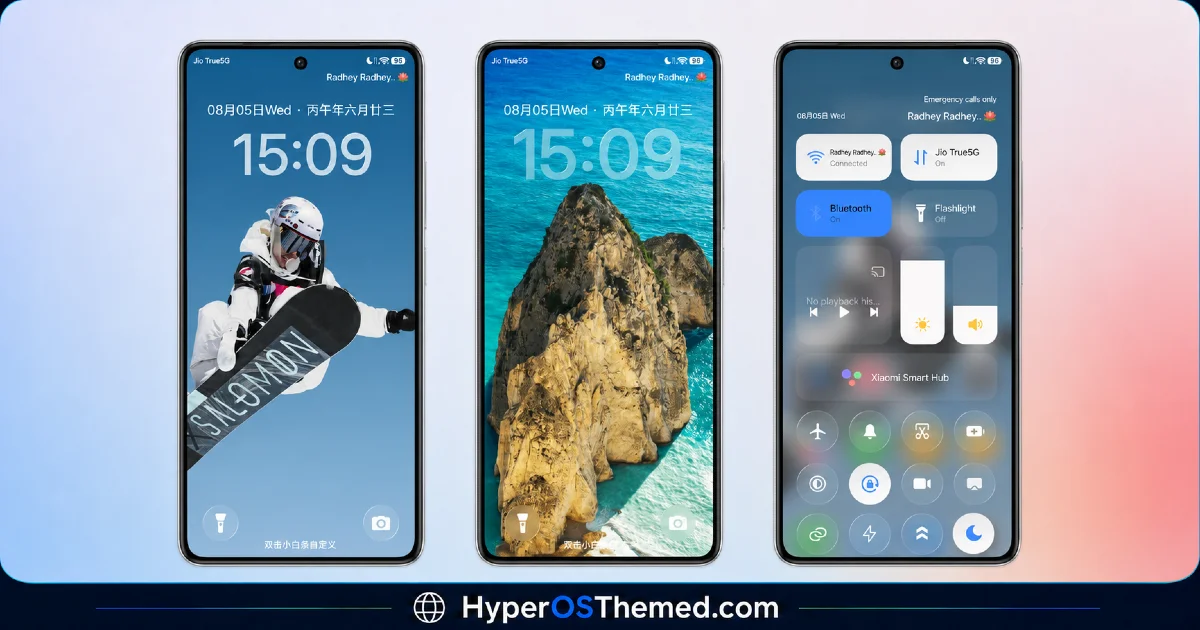
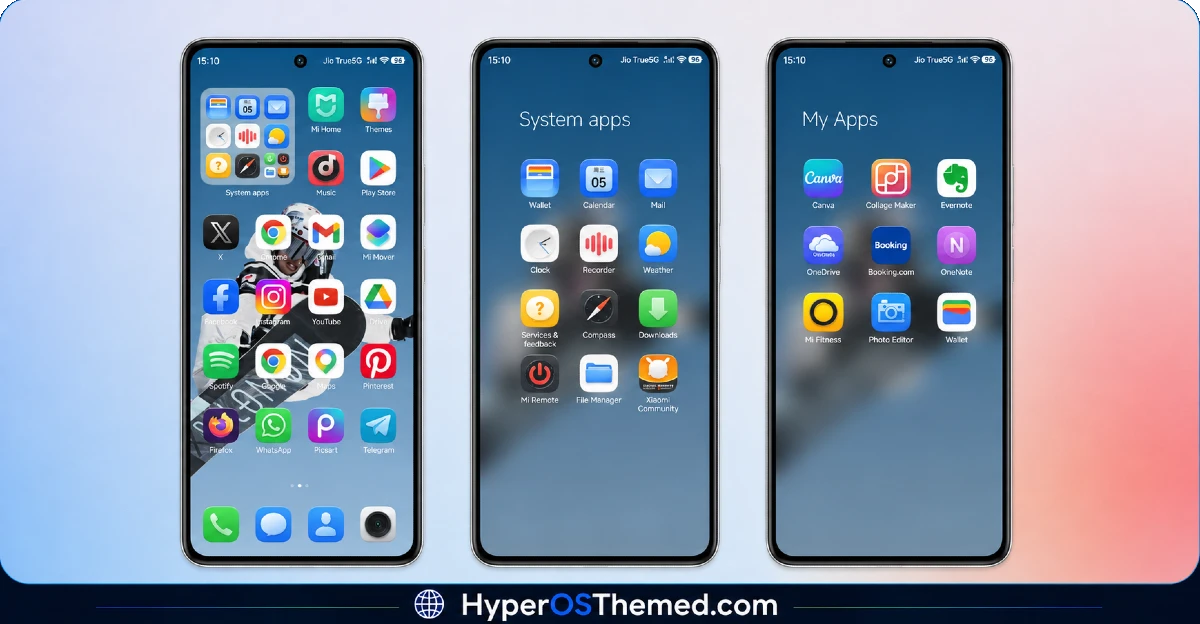
The visual identity mixes travel photography with a layered 3D depth effect, giving wallpapers like the depth ring a sense of movement that flat images don’t have. Blue tones run through the system interface, tying the icon pack and menus back to the same cool color palette used in the wallpapers. It has a polished, almost premium travel-app aesthetic rather than the usual gradient or glass look most themes go for, and the sheer variety in the wallpaper set makes it feel less repetitive than single-wallpaper themes.
LIUI Sicily HyperOS Theme Details
| Detail | Info |
|---|---|
| Theme Name | LIUI Sicily |
| Designer | LIUI |
| Compatibility | HyperOS, HyperOS 2.0, HyperOS 3.0 |
| Features | Premium, Customizable, 3D Depth, Wallpapers, Purple |
| File Size | 77.93 MB |
LIUI Sicily Theme Performance
I ran LIUI Sicily HyperOS Theme on a POCO X6 running HyperOS 2.0 for fifteen days, through daily use including gaming, video streaming, and regular app switching. Given the large file size, I expected some lag during the initial setup, and installation did take close to a minute, noticeably longer than smaller themes I’ve tested.
Once applied, performance stayed smooth with no dropped frames when switching wallpapers or opening the app drawer. Battery drain came in about 3 percent higher than my usual baseline over a full day, which tracks with the 3D depth effect and multiple animated elements running in the background. The clock overlap issue I mentioned earlier was the main recurring annoyance, though switching clock styles fixed it entirely.
LIUI Sicily HyperOS Theme Compatibility
LIUI Sicily HyperOS Theme lists support for HyperOS, HyperOS 2.0, and HyperOS 3.0, covering a wide range of current Xiaomi, Redmi, and POCO devices. I tested it specifically on a POCO X6 running HyperOS 2.0 and had no major stability issues over the full test period.
Worth noting is that the theme’s listed region is China rather than Global, so some users outside that region have reported needing the separate backup file to get full functionality, which the designer thankfully provides alongside the standard MTZ download. It is not designed for MIUI 12, 13, or 14, and given the file size and region-specific packaging, custom ROM users on Xiaomi.eu or similar builds should expect a more involved installation process than with smaller, globally distributed themes.
Get LIUI Sicily HyperOS Theme
Download LIUI Sicily through the official Xiaomi Theme Store link, and grab the separate backup file as well if you run into any missing elements after installation, since the China region tag can occasionally cause partial application on Global ROM devices. Avoid random third-party APK sites offering repackaged versions of this theme, since sideloaded installers from unverified sources are a common way people end up with unnecessary permissions or corrupted files, especially with a package this large.
Note: If the Official Theme Store Link doesn’t redirect properly, try opening the page in Chrome or the default Xiaomi browser, since other browsers may not handle the redirect correctly.
How to ApplyLIUI Sicily HyperOS Theme
Follow the steps below to apply the theme:
- Open the Theme Store Link given above on your Xiaomi / REDMI / POCO device
- This will redirect you to Theme Store.
- Download and install the theme
- Tap on Apply
- Customize specific elements (icons, lock screen, status bar) if needed
- Reboot your device (optional for full effect)
Why Choose LIUI Sicily HyperOS Theme?
- The 3D depth ring wallpaper is genuinely more detailed than most static wallpaper effects on other themes
- Travel wallpaper variety means you’re not stuck looking at the same image every day
- Multiple clock style options let you fix layout issues without abandoning the theme entirely
- Blue-toned system interface keeps the whole experience visually cohesive
- Backup file availability helps offset the China region packaging for Global ROM users
Conclusion
After trying this theme for days on my POCO X6, LIUI Sicily turned out to be one of the more content-rich themes I’ve tested this year, mostly thanks to the wallpaper variety and that genuinely impressive 3D depth effect. The higher battery drain and longer install time are real trade-offs given the file size, and the China region packaging meant a bit of extra troubleshooting with the backup file.
Compared to other premium or wallpaper-focused themes I’ve used, though, this one delivers more actual content rather than a single flashy image and not much else. If you don’t mind the file size and want genuine wallpaper variety, it’s one of the more rewarding downloads I’ve tried recently.
You may also like:
ItapasV15 HyperOS Theme: An Abstract Purple-Black Look for Xiaomi & Redmi
